
이 페이지는 앱이나 개발자의 공식 페이지가 아니며, 정보 제공 및 논평을 목적으로 작성된 독립 편집 간행물입니다. 명시적으로 달리 언급되지 않는 한, 해당 앱이나 개발자는 MWM, Apple, Google Play, 앱 퍼블리셔 또는 앱 개발자와 제휴, 보증, 후원, 승인 또는 공식적으로 연결되어 있지 않으며, 이 페이지의 어떤 내용도 해당 앱이 MWM의 서비스를 사용하여 개발되었음을 의미하지 않습니다. 모든 상표, 로고, 스크린샷 및 기타 콘텐츠는 해당 소유자의 자산입니다.


Narrator's Voice
당신의 말이 곧 권위가 된다. 이 앱은 텍스트를 오디오 지배력으로 변환하는 힘을 부여한다.
다운로드
2.5M+사용자 평점
총 평가 수
37.1K개발사
카테고리
Productivity지원 언어
3최신 버전
15.0.40크기
115.8 MB출시일
2015년 11월 30일텍스트를 생동감 넘치는 음성 콘텐츠로 변환하는 핵심 기능 분석
Narrator's Voice 앱: 주요 기능 분석
초현실적인 AI 음성 및 전문 더빙 품질
이 앱은 초현실적이고 전문적인 더빙 품질의 AI 보이스를 제공하여 사용자가 콘텐츠의 몰입도를 극대화할 수 있게 합니다.
비디오 콘텐츠를 위한 전문 보이스오버
이 도구는 사용자가 YouTube 및 TikTok과 같은 비디오 플랫폼을 위한 전문적인 보이스오버를 쉽게 생성하고, 텍스트를 MP3 오디오 파일 또는 MP4 비디오 파일로 변환하여 소셜 네트워크에 공유할 수 있도록 돕습니다.
ElevenLabs 통합을 통한 고급 내레이션
이 도구는 ElevenLabs와의 통합을 통해 더욱 사람과 유사한 고품질의 내레이션을 생성하는 기능을 갖추고 있어 콘텐츠의 품격을 높입니다.
즉석 보이스 클로닝 기능
이 앱은 즉석 보이스 클로닝 기능을 제공하여 사용자가 자신의 목소리 또는 원하는 목소리를 복제하여 콘텐츠에 활용하고 개인화할 수 있게 합니다.
다국어 지원 및 다양한 음성 옵션
사용자는 광범위한 언어와 다양한 음성 옵션, 그리고 특수 효과를 활용하여 전 세계 시청자에게 어필하는 맞춤형 오디오 콘텐츠를 만들 수 있습니다.
직관적인 인터페이스 및 빠른 오디오 생성
이 앱은 직관적인 사용자 인터페이스를 통해 몇 초 만에 텍스트를 음성으로 변환하고 맞춤 설정할 수 있어 작업 효율성을 극대화합니다.
자주 묻는 질문
에 대해 알아야 할 모든 것 Narrator's Voice
What is the Narrator's Voice app?
The Narrator's Voice app is a text-to-speech converter that transforms any text into professional-quality voice using AI. Users create and share messages with chosen narrators, languages, and special effects.
Does Narrator's Voice use AI voices?
Yes, Narrator's Voice utilizes ultra-realistic AI voices with professional dubbing quality, including ElevenLabs integration. It provides access to advanced AI voices for natural and realistic narrations.
Can I use Narrator's Voice to create content for YouTube or TikTok?
Yes, Narrator's Voice is ideal for creating voiceovers for YouTube and TikTok videos. Many users employ it to add audio, commentary, or clarification to their video projects.
Can Narrator's Voice convert text to audio and video files?
Yes, Narrator's Voice converts text into audio files (MP3) or video files (MP4). Users can then share these creations on social networks or save them directly from the app.
Is there a character limit for text input in Narrator's Voice?
No, Narrator's Voice does not impose a character limit for text input. Users can create audio from extensive texts without any restrictions within the application.
Does Narrator's Voice offer different voice effects?
Yes, Narrator's Voice allows users to apply various effects to voices. These include volume, compressor, distortion, and reverb to customize the audio output.
Can Narrator's Voice be used offline?
Yes, Narrator's Voice functions offline after audio files are saved. Users can access and listen to their created audios without an internet connection.
Does Narrator's Voice support multiple languages?
Yes, Narrator's Voice supports a wide range of languages. It provides many voices with effects available across various languages, offering diverse narration options.
What are some specific voices available in Narrator's Voice?
Narrator's Voice includes specific voices such as pinksheep voice, MLG voice - Daniel UK, and CORTANA voice. It also features other expressive and natural-sounding voices.
Can Narrator's Voice convert images into text?
Yes, Narrator's Voice can convert images into text. This feature allows users to extract text content directly from images for further use within the app.
다음 스크린샷과 설명은 앱의 공식 스토어 목록에서 직접 가져온 것이며 앱 개발자의 자산입니다.
앱 스토어
스크린샷
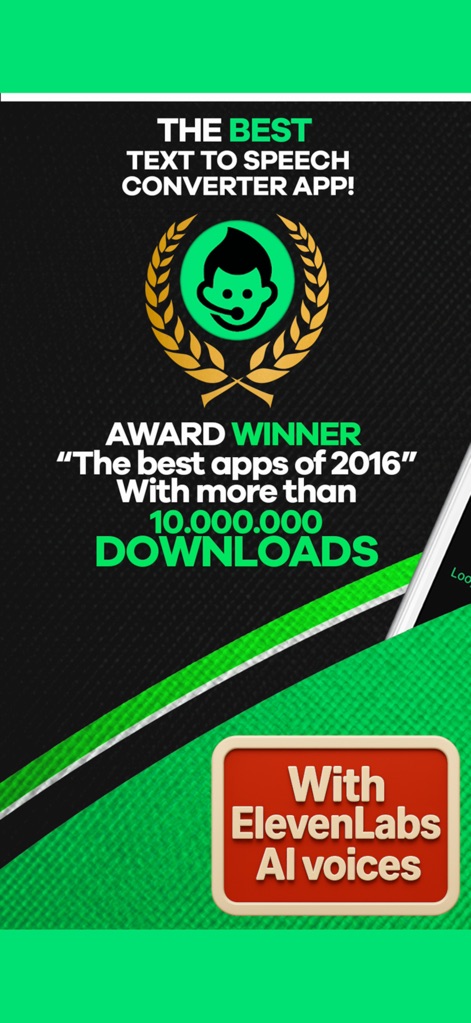
이 앱은 1천만 이상의 다운로드를 기록하며 최고의 텍스트 음성 변환 앱으로 인정받았으며, ElevenLabs AI 보이스 통합을 자랑합니다.
최고의 TTS 앱
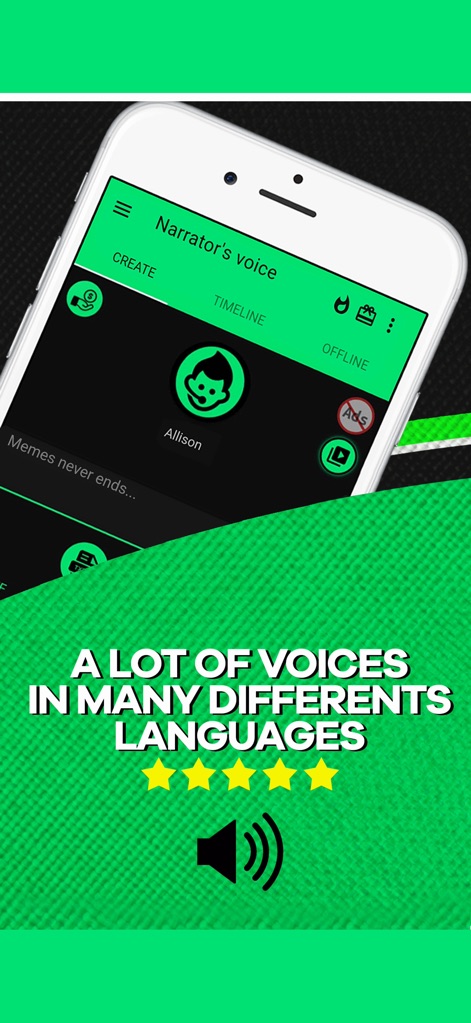
사용자는 앱 내에서 'Allison'과 같은 다양한 목소리를 선택할 수 있으며, 여러 언어를 지원하는 풍부한 보이스 옵션을 제공합니다.
다양한 언어 보이스
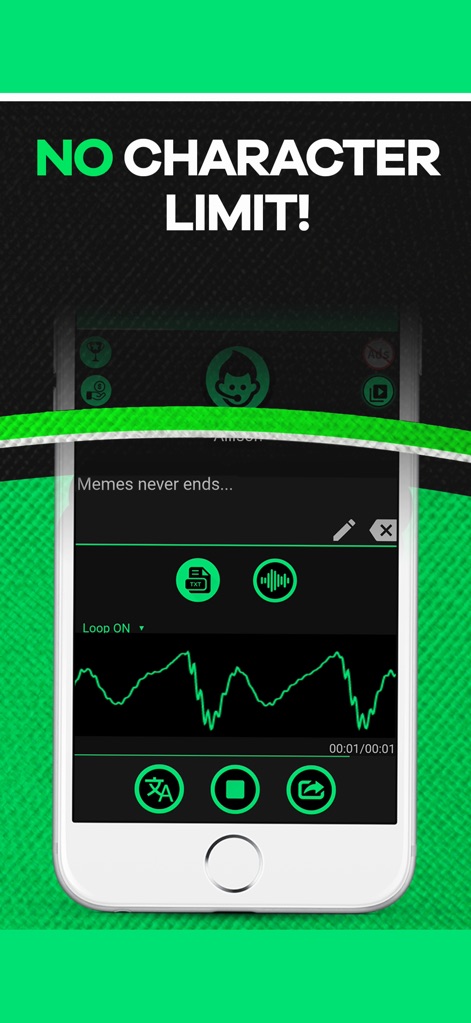
이 앱은 '텍스트 입력 필드'에서 글자 수 제한 없이 긴 텍스트를 입력할 수 있게 하며, 생성된 오디오의 '오디오 파형'을 시각적으로 보여줍니다.
무제한 텍스트 입력
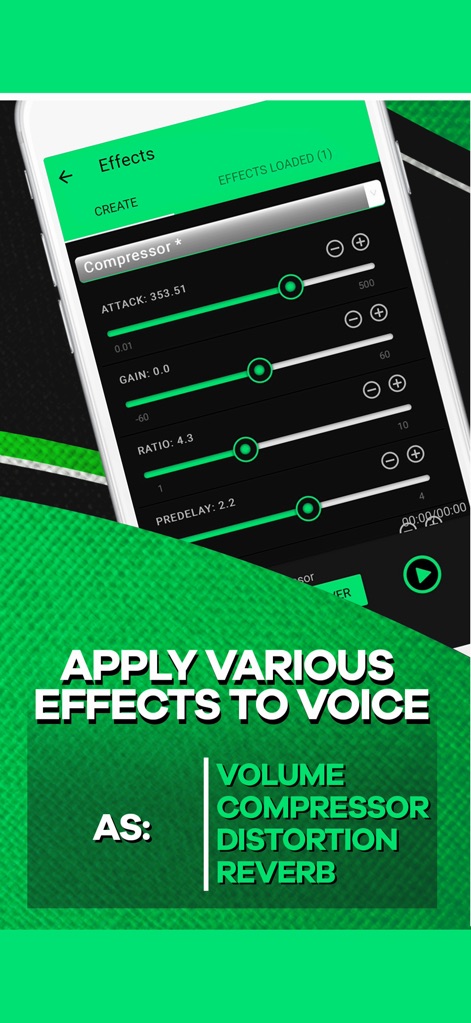
사용자는 '효과' 메뉴에서 '컴프레서'와 같은 다양한 오디오 효과를 조절할 수 있으며, 정밀한 '슬라이더 컨트롤'을 통해 목소리를 미세 조정할 수 있습니다.
정교한 보이스 효과

이 앱은 '유튜브 로고'가 명시적으로 강조하듯이 유튜버들의 영상 제작에 이상적이며, '텍스트 오버레이'를 통해 이러한 핵심 기능을 명확히 전달합니다.
유튜브 콘텐츠 제작
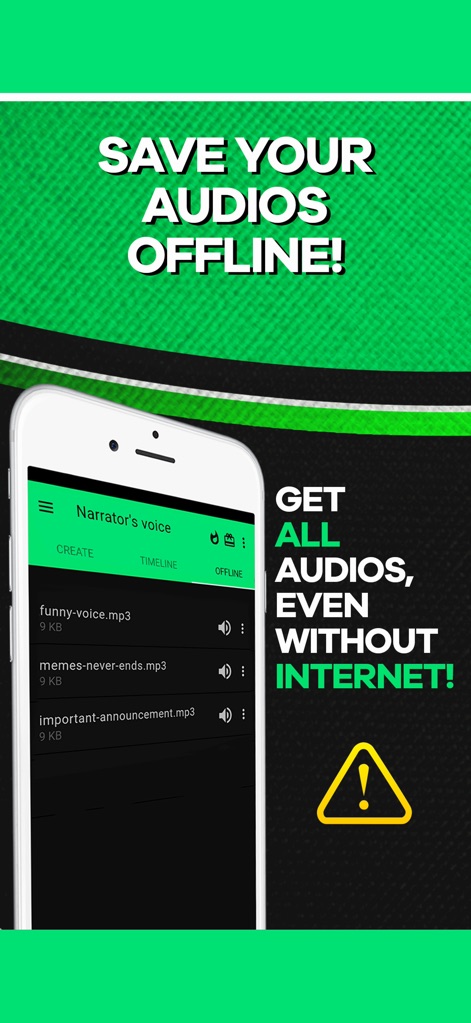
사용자는 생성된 오디오를 '오프라인'으로 저장할 수 있어 인터넷 연결 없이도 접근 가능하며, '저장된 파일 목록'에서 언제든지 파일을 관리할 수 있습니다.
오프라인 오디오 저장
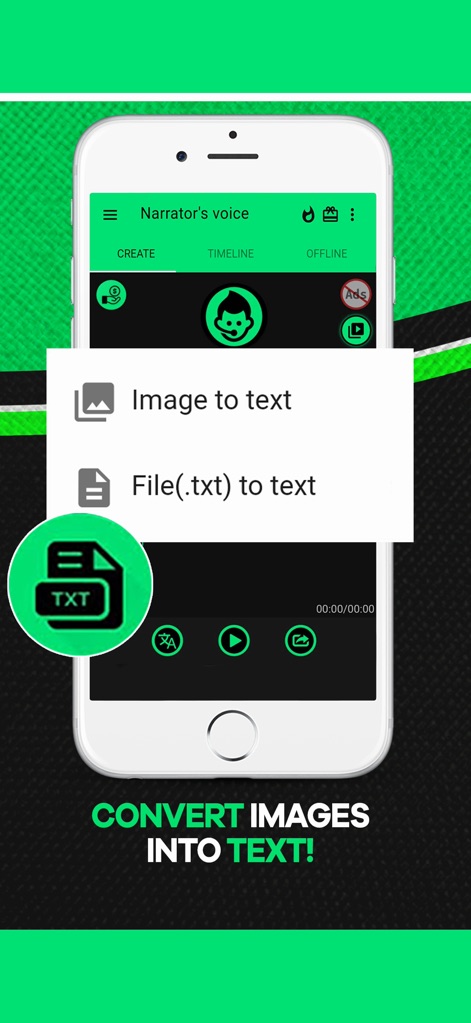
이 앱은 '팝업 메뉴'를 통해 사용자가 '이미지를 텍스트로 변환'하거나 텍스트 파일을 불러올 수 있는 기능을 제공하여 작업 효율성을 높입니다.
이미지 텍스트 변환
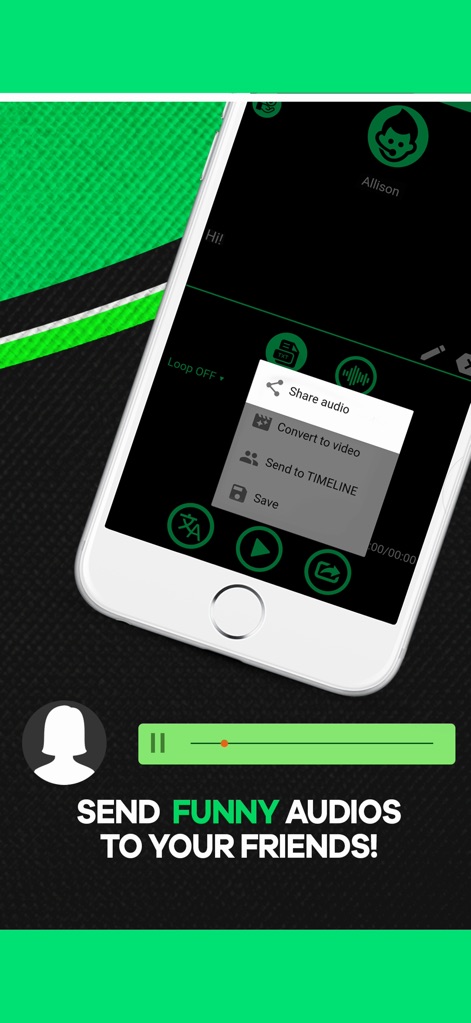
이 도구는 '공유 메뉴'를 통해 생성된 오디오를 친구들과 간편하게 공유할 수 있으며, '오디오 파형 시각화' 기능을 통해 재생 중인 오디오를 확인할 수 있습니다.
손쉬운 오디오 공유
설명
Download
비슷한 앱
유사한 기능과 사용자 경험을 가진 앱

文字转语音助手-声音克隆与AI配音软件
苗花 郭

ElevenLabs-AI Voice Generator
Vladyslav Kravchenko

ずんだボイス「ずんだもん読み上げアプリ」
Toraichi Igarashi

Speech synthesis assistant
喜春 雷

Vbee AIVoice - Text To Speech
VBEE SERVICES AND DATA PROCESSING SOLUTIONS JOINT STOCK COMPANY
클로바더빙 - AI 더빙 만들기
NAVER Corp.
AI Podcast Maker - PODLM
Omer Erdem Aydemir
이 페이지는 앱이나 개발자의 공식 페이지가 아니며, 정보 제공 및 논평을 목적으로 작성된 독립 편집 간행물입니다. 명시적으로 달리 언급되지 않는 한, 해당 앱이나 개발자는 MWM, Apple, Google Play, 앱 퍼블리셔 또는 앱 개발자와 제휴, 보증, 후원, 승인 또는 공식적으로 연결되어 있지 않으며, 이 페이지의 어떤 내용도 해당 앱이 MWM의 서비스를 사용하여 개발되었음을 의미하지 않습니다. 모든 상표, 로고, 스크린샷 및 기타 콘텐츠는 해당 소유자의 자산입니다.