NASDL Manager
NASDL Manager
다운로드: App Store

이 페이지는 앱이나 개발자의 공식 페이지가 아니며, 정보 제공 및 논평을 목적으로 작성된 독립 편집 간행물입니다. 명시적으로 달리 언급되지 않는 한, 해당 앱이나 개발자는 MWM, Apple, Google Play, 앱 퍼블리셔 또는 앱 개발자와 제휴, 보증, 후원, 승인 또는 공식적으로 연결되어 있지 않으며, 이 페이지의 어떤 내용도 해당 앱이 MWM의 서비스를 사용하여 개발되었음을 의미하지 않습니다. 모든 상표, 로고, 스크린샷 및 기타 콘텐츠는 해당 소유자의 자산입니다.

로고: NASDL Manager
다운로드: App Store

NASDL Manager

Download Station 작업을 손쉽게 관리하고, 시스템 상태를 모니터링하며, Safari에서 직접 다운로드를 시작하세요. 홈 서버에 걸맞은 보안과 개인 정보 보호를 제공합니다.

주요 수치

다운로드

1K+

사용자 평점

4.9/5

총 평가 수

400

개발사

Grigory Stolyarov

카테고리

Utilities

지원 언어

30

최신 버전

2.13.0

크기

61.7 MB

출시일

2022년 1월 15일
기능

파워 유저를 위한 고급 기능

모바일 장치에서 완벽한 제어와 심층적인 시스템 인사이트를 요구하는 Synology 애호가를 위해 설계된 프리미엄, 개인 정보 보호 중심 경험

원활한 원격 다운로드

Safari 공유 메뉴 확장 기능 및 기본 마그넷 링크 지원을 사용하여 모든 모바일 브라우저에서 즉시 작업을 추가하여 마찰 없는 워크플로우를 경험하세요.

포괄적인 시스템 인사이트

iOS 위젯을 통해 디스크 공간, VPN 연결 상태에 대한 실시간 대시보드와 상세한 활동 추적으로 NAS 상태를 한눈에 모니터링하세요.

다음 스크린샷과 설명은 앱의 공식 스토어 목록에서 직접 가져온 것이며 앱 개발자의 자산입니다.

앱 스토어

스크린샷
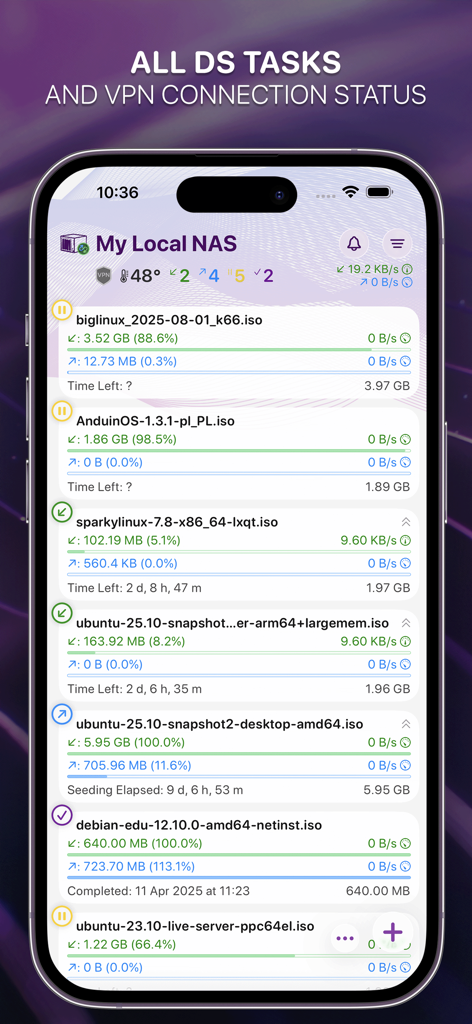
NASDL Manager - NASDL Manager 앱 인터페이스가 iPhone에서 활성 다운로드 작업 및 NAS 시스템 상태를 보여줌
NASDL Manager 앱 인터페이스가 iPhone에서 활성 다운로드 작업 및 NAS 시스템 상태를 보여줌

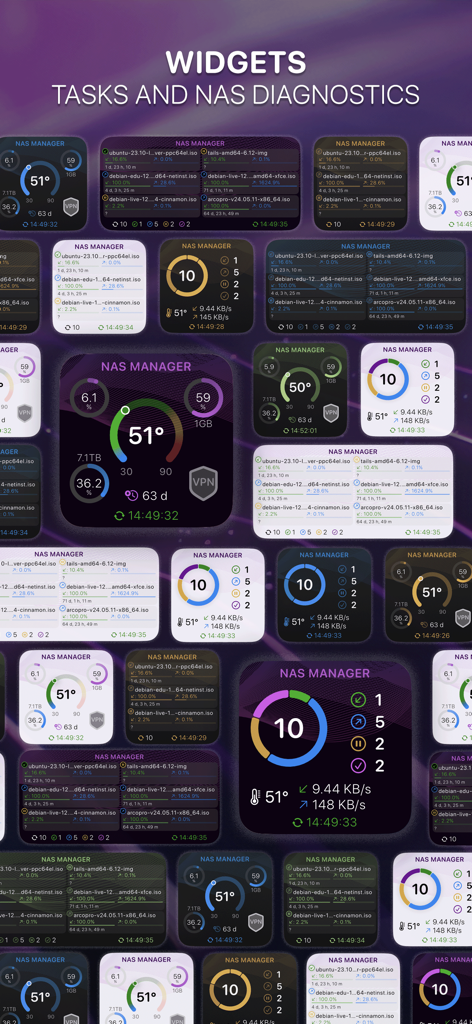
NASDL Manager - NAS 시스템 진단 및 다운로드 작업을 표시하는 NASDL Manager의 다양한 iOS 위젯.
NAS 시스템 진단 및 다운로드 작업을 표시하는 NASDL Manager의 다양한 iOS 위젯.

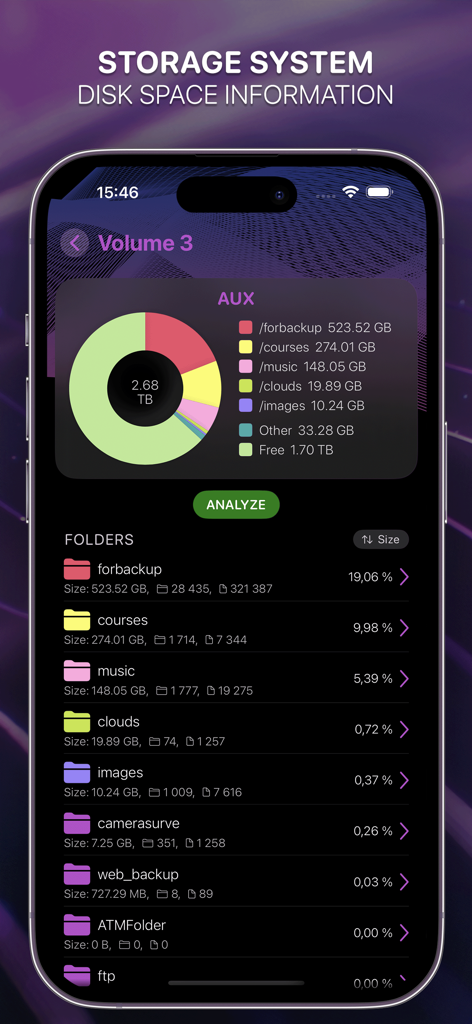
NASDL Manager - Synology NAS의 디스크 공간 사용량 및 폴더 분포를 보여주는 NASDL Manager 저장 시스템 대시보드
Synology NAS의 디스크 공간 사용량 및 폴더 분포를 보여주는 NASDL Manager 저장 시스템 대시보드

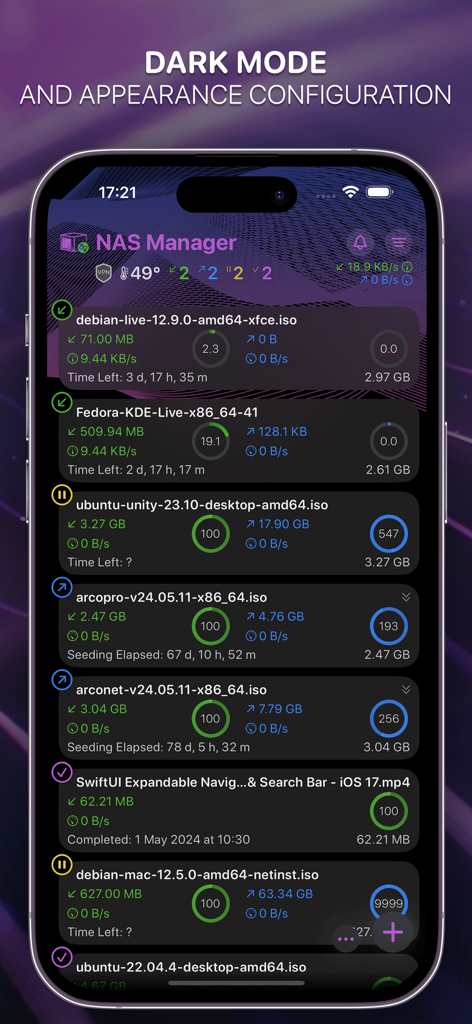
NASDL Manager - iPhone에서 활성 다운로드 작업 및 시스템 상태를 보여주는 NASDL Manager 앱의 다크 모드 인터페이스
iPhone에서 활성 다운로드 작업 및 시스템 상태를 보여주는 NASDL Manager 앱의 다크 모드 인터페이스

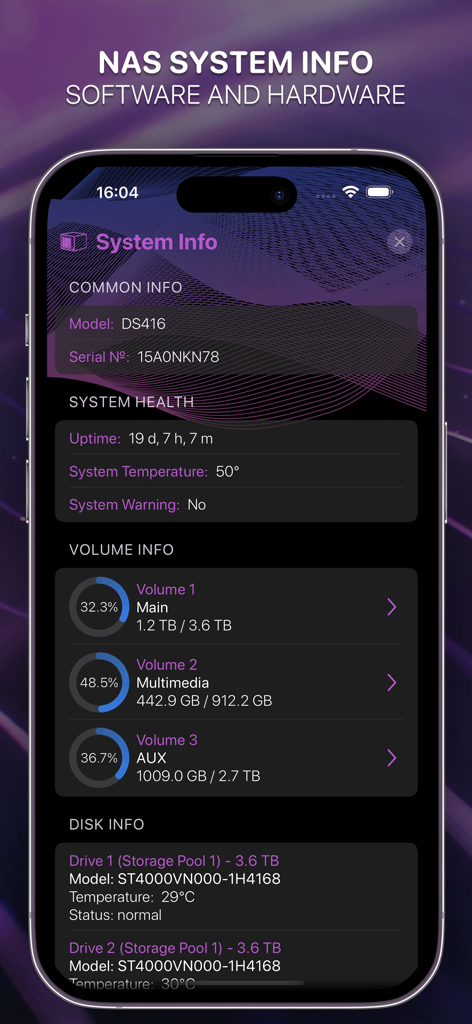
NASDL Manager - NASDL Manager 앱 화면에 Synology NAS 시스템 상태 및 저장 볼륨 상태 표시
NASDL Manager 앱 화면에 Synology NAS 시스템 상태 및 저장 볼륨 상태 표시

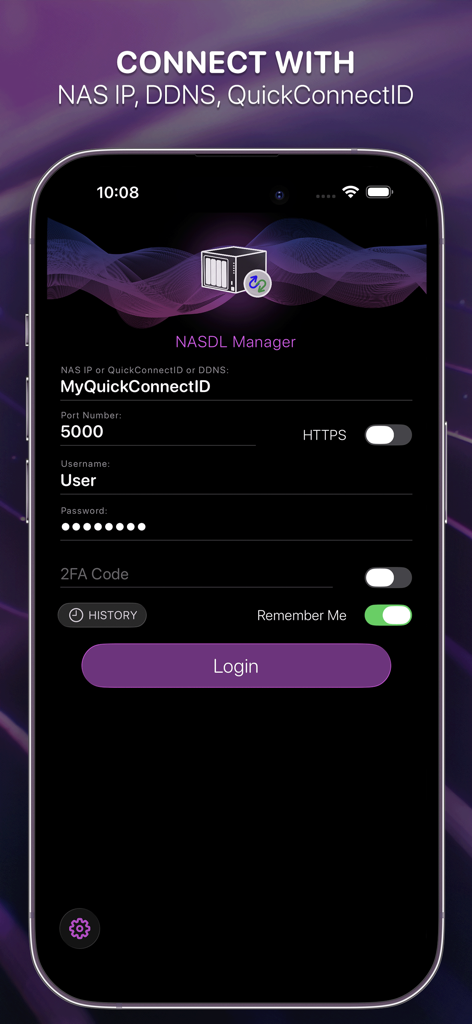
NASDL Manager - Synology NAS에 대한 연결 설정(QuickConnectID 및 2단계 인증 포함)을 보여주는 NASDL Manager 앱 로그인 화면.
Synology NAS에 대한 연결 설정(QuickConnectID 및 2단계 인증 포함)을 보여주는 NASDL Manager 앱 로그인 화면.

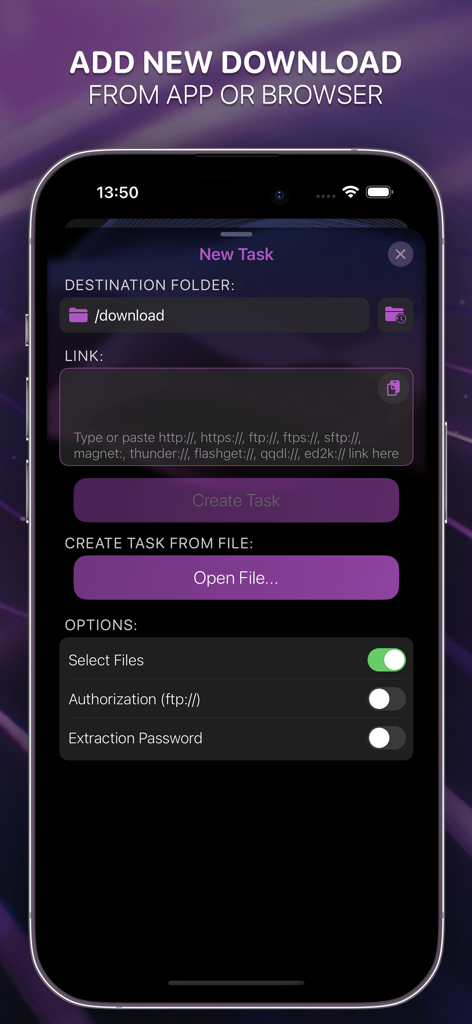
NASDL Manager - 링크 또는 파일에서 Synology NAS로 다운로드를 추가하기 위한 새 작업 화면을 보여주는 iPhone의 NASDL Manager 인터페이스.
링크 또는 파일에서 Synology NAS로 다운로드를 추가하기 위한 새 작업 화면을 보여주는 iPhone의 NASDL Manager 인터페이스.

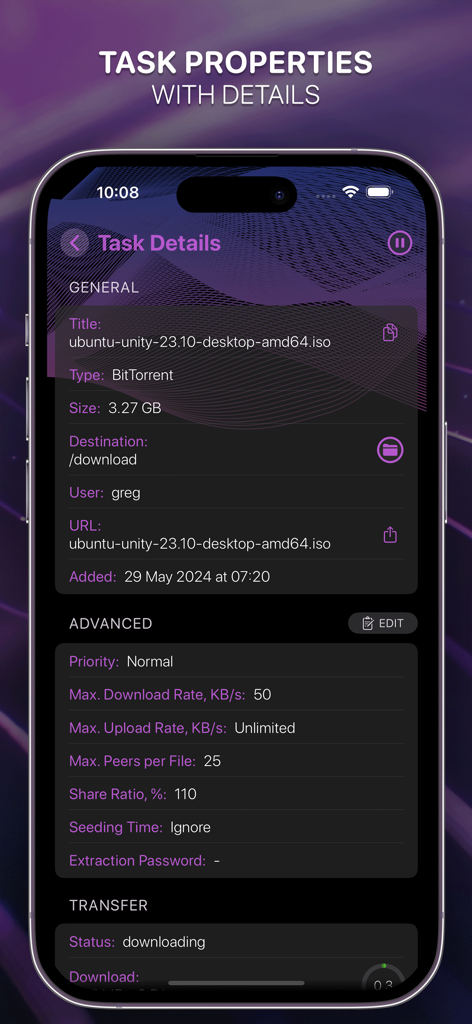
NASDL Manager - 다운로드 정보 및 고급 설정을 보여주는 NASDL Manager 앱의 작업 세부 정보 화면 스크린샷
다운로드 정보 및 고급 설정을 보여주는 NASDL Manager 앱의 작업 세부 정보 화면 스크린샷

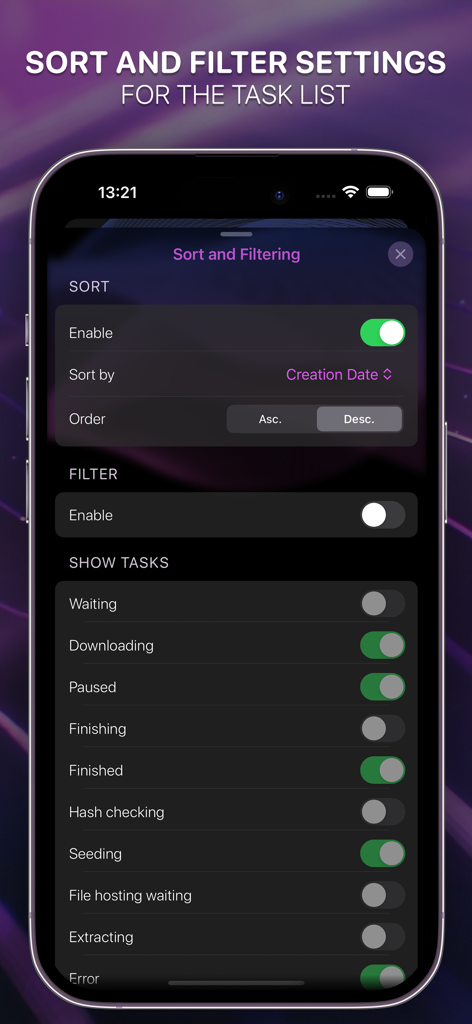
NASDL Manager - NASDL Manager의 다운로드 작업 정렬 및 필터 설정

NASDL Manager의 다운로드 작업 정렬 및 필터 설정

설명

This mobile application is designed by a long-time Synology user for fellow Synology enthusiasts, providing an efficient way to manage DS tasks and monitor activity on Synology NAS devices. This app is an independent third-party client and is not affiliated with Synology Inc. Key features are: • Presenting a list of NAS downloads • Display detailed information on each download process • Open links from Safari using Share menu • Open magnet links from any browser • Easy to add or remove downloads • Sort and filter downloads • Change downloads' properties • Display detailed system information for the NAS itself and VPN connection status (Admin rights for account required) • Display and change the key settings of Download Station application • Access to the NAS using the DDNS service (whitelisted IP-address required) • Access to the NAS using QuickConnect • Two-factor authentication supported • Search • RSS • Visual representation of the available disk space on your NAS (Admin and File Station access rights for the account required) • Connection history with the option of iCloud synchronization across all user devices • Widgets What user rights are required for use: • Access to Download Station – required • Access to File Station – optional, to select the download folder and get the info about storage system. Please note that the user must have the default download folder set, otherwise tasks will not be added. You can set the default folder from the application in the Download Station settings (if you have access to File Station), or through the web version of Download Station in the settings. • Administrator rights – optional. If the user has administrator rights, access to NAS system information such as VPN connection status, disk information, etc. will be available. In addition, a user without administrator rights can only see their own downloads. Downloads created by other users will not be displayed All personal data is securely stored in the Keychain (iPhone, iCloud). No data of any kind, including anonymized data, is collected. Synology NAS with DSM version 6.0+ and Download Station installed are required. Some features may only be available for Download Station version 4.0 or later. Please direct any comments or suggestions to support@joinersoft.app. We appreciate your support and cooperation in advance! Disclaimer: This application does not host, provide, or promote any downloadable content or links. Support for custom URL schemes and external connections is provided solely to allow users to manage their own systems, such as personal NAS devices. All use of the application must comply with applicable laws and remains the sole responsibility of the user. By downloading the application, you accept the Terms of Use (EULA): https://www.apple.com/legal/internet-services/itunes/dev/stdeula/

Download

다운로드: App Store

이 페이지는 앱이나 개발자의 공식 페이지가 아니며, 정보 제공 및 논평을 목적으로 작성된 독립 편집 간행물입니다. 명시적으로 달리 언급되지 않는 한, 해당 앱이나 개발자는 MWM, Apple, Google Play, 앱 퍼블리셔 또는 앱 개발자와 제휴, 보증, 후원, 승인 또는 공식적으로 연결되어 있지 않으며, 이 페이지의 어떤 내용도 해당 앱이 MWM의 서비스를 사용하여 개발되었음을 의미하지 않습니다. 모든 상표, 로고, 스크린샷 및 기타 콘텐츠는 해당 소유자의 자산입니다.








