NDI Monitor
NDI Monitor
다운로드: App Store

이 페이지는 앱이나 개발자의 공식 페이지가 아니며, 정보 제공 및 논평을 목적으로 작성된 독립 편집 간행물입니다. 명시적으로 달리 언급되지 않는 한, 해당 앱이나 개발자는 MWM, Apple, Google Play, 앱 퍼블리셔 또는 앱 개발자와 제휴, 보증, 후원, 승인 또는 공식적으로 연결되어 있지 않으며, 이 페이지의 어떤 내용도 해당 앱이 MWM의 서비스를 사용하여 개발되었음을 의미하지 않습니다. 모든 상표, 로고, 스크린샷 및 기타 콘텐츠는 해당 소유자의 자산입니다.

로고: NDI Monitor
다운로드: App Store

NDI Monitor

iPad 또는 iPhone을 고성능 휴대용 컨피던스 모니터로 전환하세요. 오토큐 플립 및 9x16 수직 지원과 같은 전문가용 기능을 통해 서브넷 전체에서 NDI 및 HX2/3 스트림에 원활하게 액세스할 수 있습니다.

주요 수치

다운로드

142K+

사용자 평점

2.8/5

총 평가 수

100

개발사

Mark Gilbert

카테고리

Photo & Video

지원 언어

1

최신 버전

6.02

크기

7.6 MB

출시일

2019년 5월 1일
기능

주머니 속 전문가용 모니터링

iOS 기기를 고성능 NDI® 레퍼런스 모니터로 전환하세요. 정밀성, 이동성 및 안정적인 IP 비디오 워크플로우를 요구하는 방송 엔지니어 및 라이브 프로듀서를 위해 설계되었습니다.

휴대용 컨피던스 모니터링

무거운 케이블은 이제 그만. 로컬 서브넷 및 원격 IP를 통해 고해상도 NDI 소스에 액세스하여 스튜디오 어디에서든 프로덕션을 모니터링하세요.

기본 9x16 수직 지원

소셜 미디어 트렌드를 앞서가세요. TikTok 및 Instagram 프로덕션 워크플로우를 위해 완전한 해상도 제어 기능으로 인물 모드 스트림을 기본적으로 모니터링하세요.

다음 스크린샷과 설명은 앱의 공식 스토어 목록에서 직접 가져온 것이며 앱 개발자의 자산입니다.

앱 스토어

스크린샷
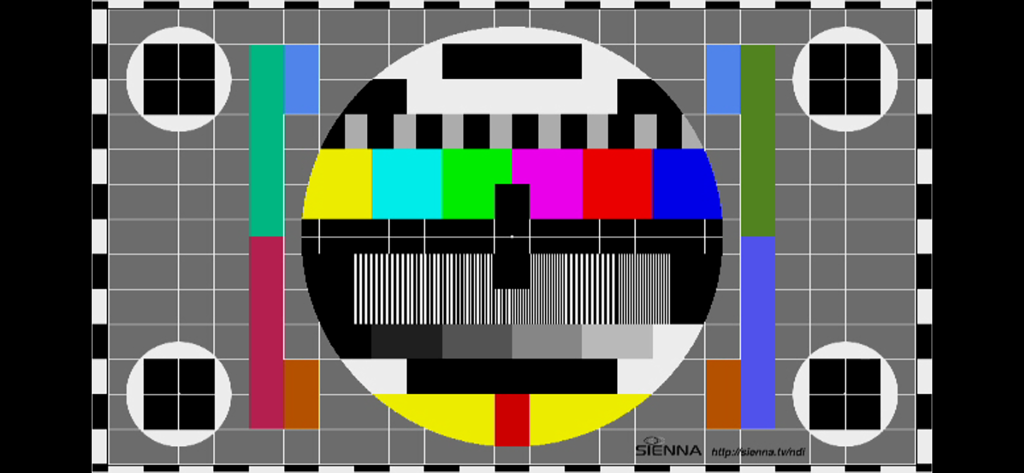
NDI Monitor - 방송 보정을 위한 전문가용 비디오 테스트 패턴

방송 보정을 위한 전문가용 비디오 테스트 패턴

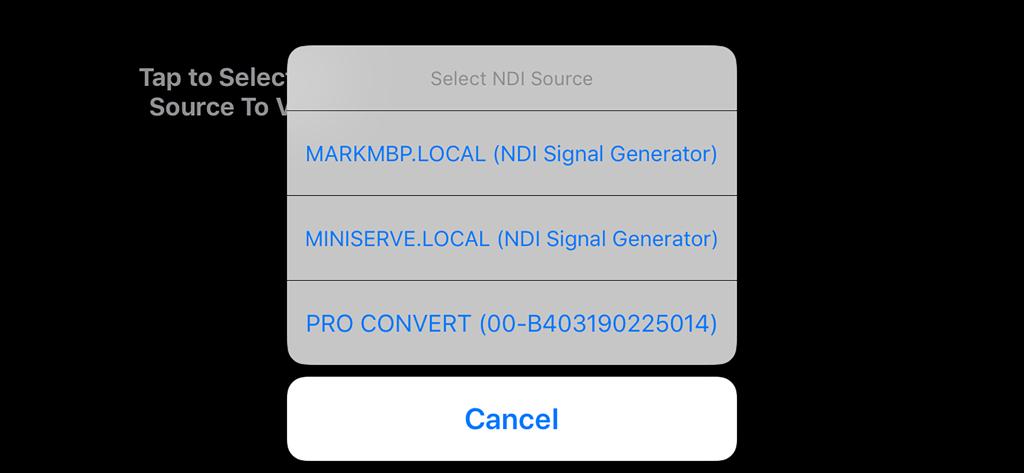
NDI Monitor - 로컬 네트워크에서 사용 가능한 NDI 비디오 소스를 선택하는 팝업 메뉴를 보여주는 NDI Monitor 앱 인터페이스.

로컬 네트워크에서 사용 가능한 NDI 비디오 소스를 선택하는 팝업 메뉴를 보여주는 NDI Monitor 앱 인터페이스.

설명

Professional NDI Monitor from global IP Video leaders Sienna. NDI sources on your local subnet are presented in a pop up menu to select, when you tap on the screen. If you enter additional 'NDI Access' IP Addresses from other subnets into the system prefs panel for NDI Monitor, those NDI sources may also be accessed. Includes support for NDI Discovery server (see app settings), resolution control, video flip for autocue and control of NDI network Protocol for reliability. A preference allows 9x16 streams to be shown in portrait mode for social media production workflows. Notes: A very stable WIFI connection, or a wired ethernet connection are required for smooth playback of NDI Streams. Using a directional WIFI antenna and using the sweet spot of your wifi can help. If you experience glitching of audio or dropped video frames, the problem is very likely a wifi connection which is insufficiently stable to support smooth NDI video to iOS - in this case please try a wired ethernet to lightning adaptor. You should not expect perfect performance when selecting Hi Resolution NDI - which is offered as an experimental mode for users with very fast devices, on very fast, clean network connections. In some cases you may see great results in hi res. There are preferences in the System Settings app for NDI Monitor to setup application options. You can also use the app NDI Scanner as a stream selector - it will open NDI Monitor when you click on a selected stream. You can also now set the NDI Device name, required for multi device operations with iOS17 NB. This app does not support NDI | HX1 format streams - only NDI full bandwidth format or NDI HX2/3 Set the "NDI Device Name" in the app settings if you are using multiple devices on the same network - to give them unique names.

Download

다운로드: App Store

이 페이지는 앱이나 개발자의 공식 페이지가 아니며, 정보 제공 및 논평을 목적으로 작성된 독립 편집 간행물입니다. 명시적으로 달리 언급되지 않는 한, 해당 앱이나 개발자는 MWM, Apple, Google Play, 앱 퍼블리셔 또는 앱 개발자와 제휴, 보증, 후원, 승인 또는 공식적으로 연결되어 있지 않으며, 이 페이지의 어떤 내용도 해당 앱이 MWM의 서비스를 사용하여 개발되었음을 의미하지 않습니다. 모든 상표, 로고, 스크린샷 및 기타 콘텐츠는 해당 소유자의 자산입니다.