NotePad++ - Pro

NotePad++ - Pro

다운로드: App Store
로고: NotePad++ - Pro

NotePad++ - Pro: 스마트 노트 및 전문 PDF 관리를 위한 안전한 허브

바쁜 전문가를 위한 최고의 생산성 도구입니다. 맞춤 설정 가능한 노트로 생각을 정리하고, 이동 중에 PDF에 서명하고 편집하며, 생체 보안으로 데이터를 비공개로 유지하세요.

다운로드: App Store

개발사

Hiren Merja

카테고리

Utilities

다운로드

11K+

사용자 평점

1.8/5

총 평가 수

0

지원 언어

1

원활한 생산성 경험

이 인터페이스를 사용하는 11K+ 명의 사용자.

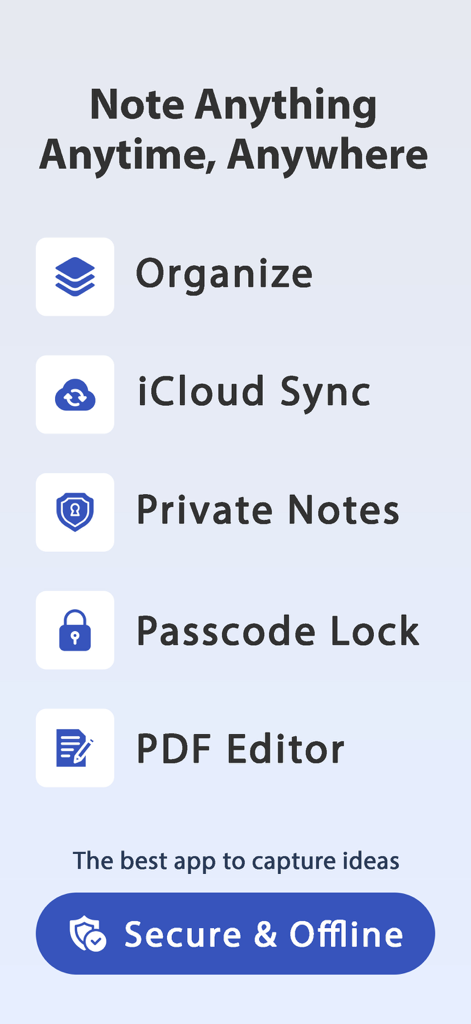
iCloud 동기화, 비공개 노트, 암호 잠금 및 PDF 편집기를 포함한 NotePad Pro 앱 기능 목록
iCloud 동기화, 비공개 노트, 암호 잠금 및 PDF 편집기를 포함한 NotePad Pro 앱 기능 목록

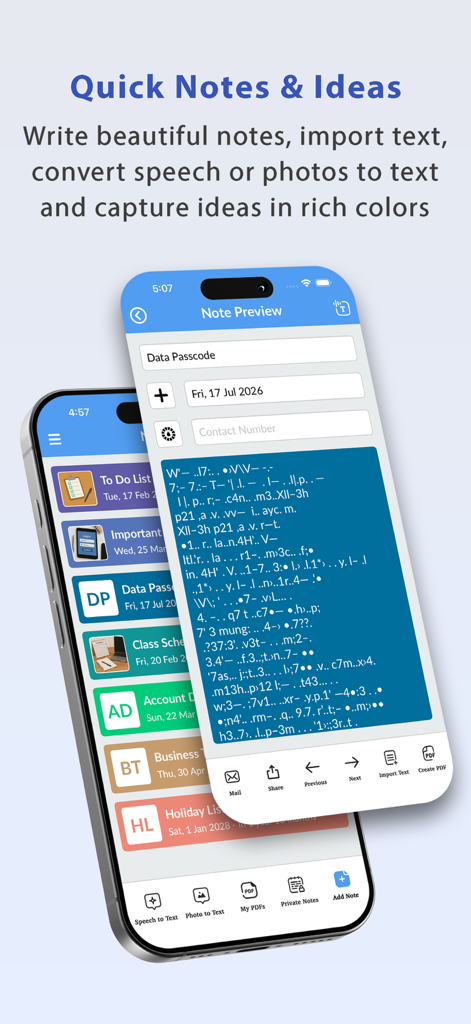
iPhone에 표시된 분류된 노트 목록과 노트 미리보기 화면을 보여주는 NotePad Pro 앱 인터페이스.
iPhone에 표시된 분류된 노트 목록과 노트 미리보기 화면을 보여주는 NotePad Pro 앱 인터페이스.

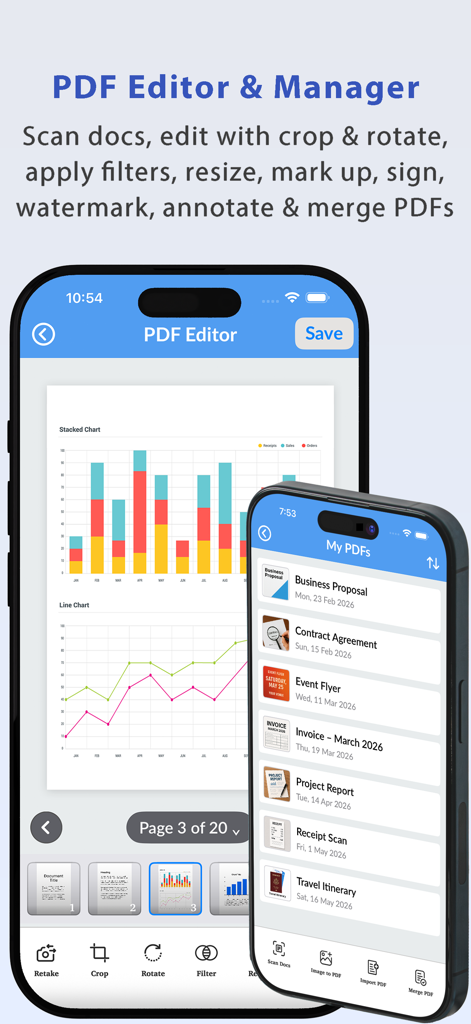
PDF 편집 도구와 관리되는 PDF 문서 목록을 보여주는 NotePad Pro 모바일 앱 인터페이스
PDF 편집 도구와 관리되는 PDF 문서 목록을 보여주는 NotePad Pro 모바일 앱 인터페이스

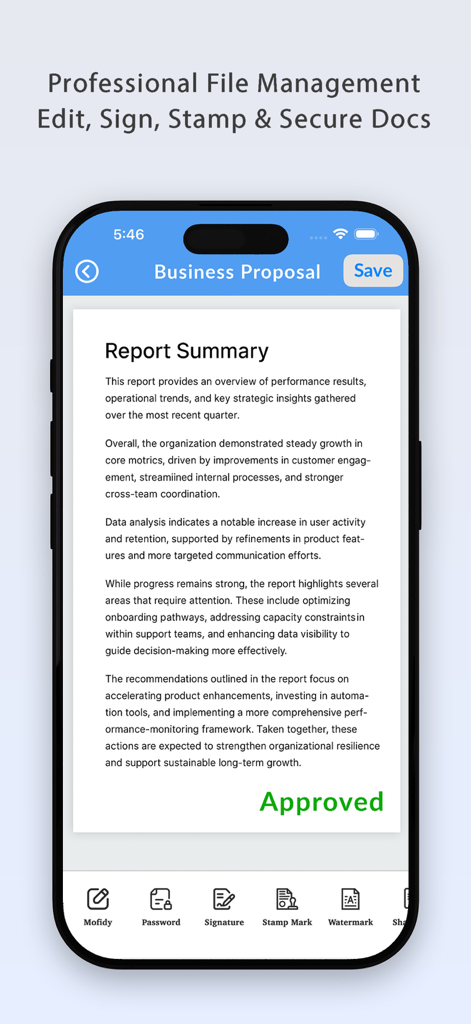
승인 스탬프와 서명 및 비밀번호 보호와 같은 문서 관리 도구가 있는 비즈니스 제안 문서를 보여주는 NotePad Pro 앱 인터페이스
승인 스탬프와 서명 및 비밀번호 보호와 같은 문서 관리 도구가 있는 비즈니스 제안 문서를 보여주는 NotePad Pro 앱 인터페이스

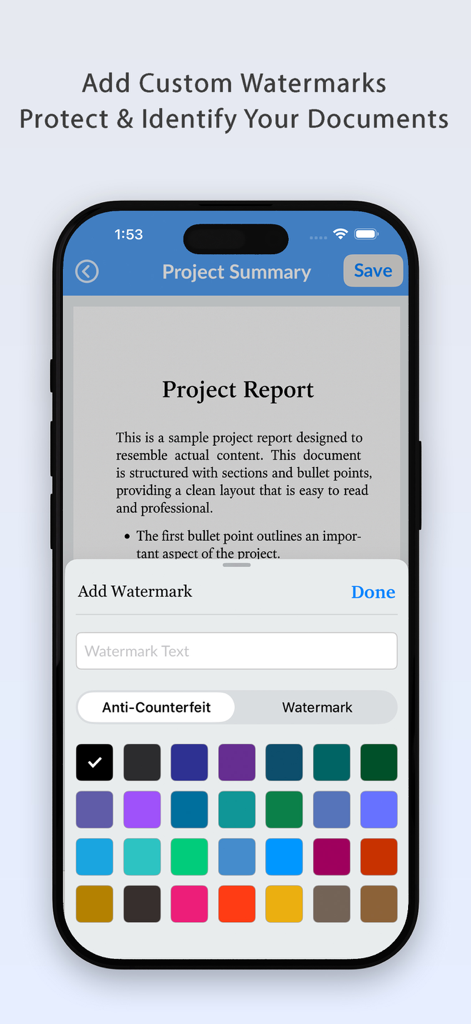
NotePad Pro에서 PDF 문서에 사용자 지정 색상 워터마크를 추가하는 인터페이스
NotePad Pro에서 PDF 문서에 사용자 지정 색상 워터마크를 추가하는 인터페이스

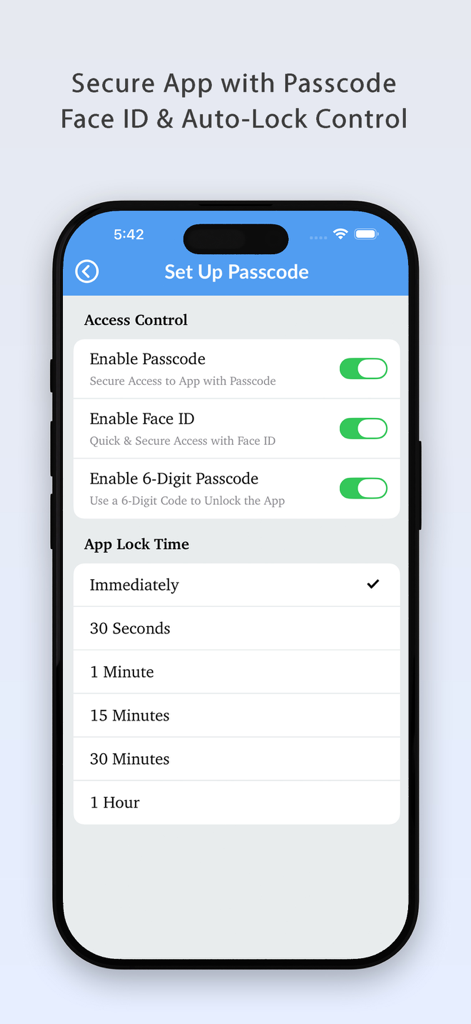
암호, Face ID 및 자동 잠금 시간 옵션을 보여주는 NotePad Pro 앱의 보안 설정 화면
암호, Face ID 및 자동 잠금 시간 옵션을 보여주는 NotePad Pro 앱의 보안 설정 화면

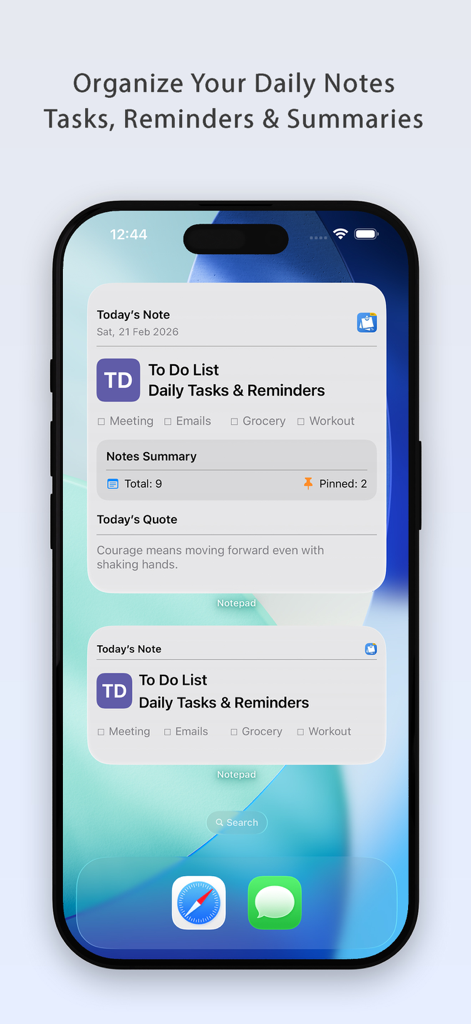
iPhone 홈 화면에 일일 노트와 작업을 표시하는 NotePad Pro 앱 위젯
iPhone 홈 화면에 일일 노트와 작업을 표시하는 NotePad Pro 앱 위젯

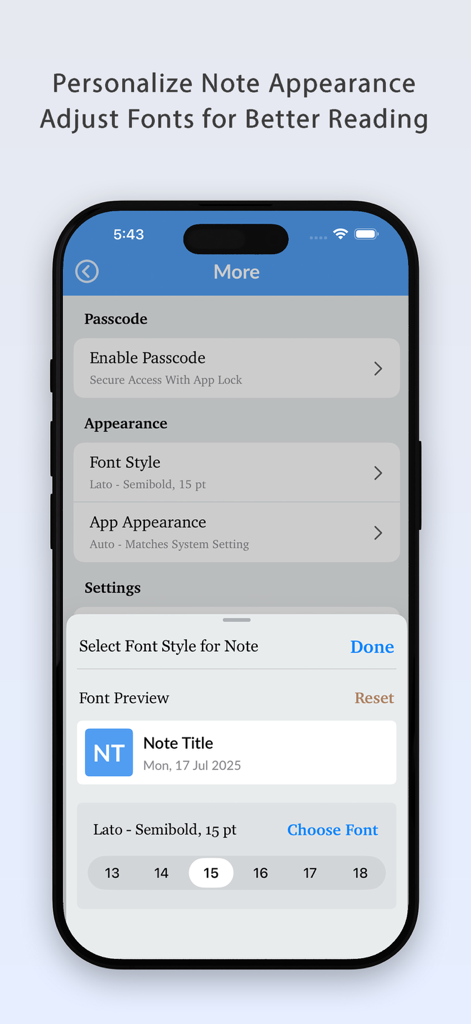
NotePad Pro에서 글꼴 스타일과 크기를 조정하여 노트 모양을 개인화합니다.
NotePad Pro에서 글꼴 스타일과 크기를 조정하여 노트 모양을 개인화합니다.

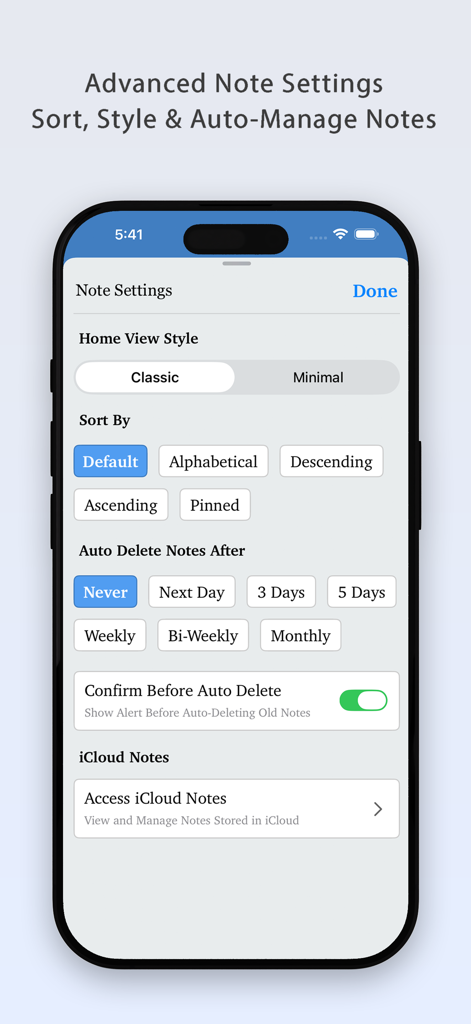
iOS에서 노트 정렬 및 자동 관리를 위한 NotePad Plus Pro의 고급 노트 설정 화면
iOS에서 노트 정렬 및 자동 관리를 위한 NotePad Plus Pro의 고급 노트 설정 화면

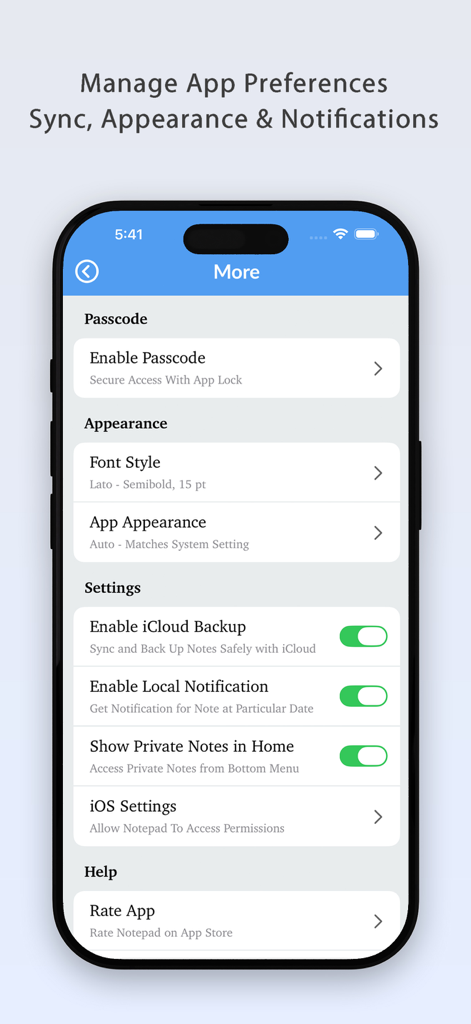
암호 보안, 모양 및 iCloud 동기화 옵션을 보여주는 NotePad Pro 앱의 설정 메뉴

암호 보안, 모양 및 iCloud 동기화 옵션을 보여주는 NotePad Pro 앱의 설정 메뉴

모바일 생산성을 향상시키세요

이 앱을 돋보이게 하는 도구, 11K+ 명의 사용자가 선택.

✍️

프로 PDF 관리

문서에 즉시 서명하고, 스탬프를 찍고, 편집하세요. 노트를 전문적인 PDF로 내보내고, 데스크톱 없이도 어디서든 비즈니스를 처리하세요.

🛡️

프라이버시 최우선 보안

Face ID 및 Touch ID로 민감한 정보를 보호하세요. 데이터는 장치에 로컬로 저장되어 개인적인 생각이 대형 기술 회사 서버로부터 안전하게 보호됩니다.

🎨

스마트한 시각적 정리

메모에 색상을 지정하고 글꼴을 사용자 정의하여 개인화된 워크플로를 만드세요. 홈 화면 위젯과 시기적절한 일일 알림으로 생산성을 유지하세요.

앱 소개

에 대해 알아야 할 모든 것 NotePad++ - Pro.

설명

Notepad++ - Smart Notes, Secure Data & PDF Manager Notepad++ helps you save, organize, and protect your important notes, memos, and favorite data in one powerful app. Create notes with different colors, images, font styles, and font sizes to match your needs and stay organized effortlessly. With iCloud Sync, your notes are safely stored in iCloud so you can access, restore, or delete them anytime, directly from the app. Notepad++ also includes a Today’s Notes Widget that displays the current date and gives timely notifications, helping you stay on top of your daily tasks and reminders. In addition to fast and simple note-taking, Notepad++ now includes a built-in PDF Editor & Manager, making it easier to work with documents in one place. Key Features:- - Notes & Organization • Unlimited notes storage • Multiple note colors • Pinned & private notes • Custom font styles & font sizes • Sort notes by name or date • Auto-delete notes after a selected time • Easy note sharing • One-tap quick note creation - Security • App lock with multiple passcode options • Touch ID & Face ID support - iCloud Sync • iCloud sync for notes • Retrieve or delete notes from iCloud - Widgets & Notifications • Widget for today’s notes • Notifications for daily notes & reminders - PDF Editor & Manager • Create and manage PDF files • Edit existing PDFs • Export notes as PDF • Share PDFs easily • Add signatures and stamps to PDFs • Store and organize PDFs in one place Note down anything, anytime, anywhere with just one tap and never miss an important thought or reminder again with smart notifications. Note: All your data is stored locally on your device. We do not access, collect, or store your data. Your privacy is fully protected. Thank you for using this app. We’re committed to improving your experience with every update. Keep writing and stay organized!

최신 버전

3.1

크기

18.5 MB

출시일

2018년 3월 3일

모바일 생산성을 극대화할 준비가 되셨나요?

완벽한 개인 정보 보호와 함께 노트 정리 및 PDF 관리를 위해 NotePad++ Pro를 신뢰하는 1만 1천 명 이상의 전문가와 함께하세요. 지금 Face ID 및 iCloud 동기화로 워크플로를 보호하세요.

다운로드: App Store

App information, icons, screenshots, and descriptions displayed on this page are sourced from the Apple App Store and are the property of their respective developers. Download estimates and rankings are based on MWM's proprietary models and may not reflect actual figures. This page is provided for informational and analytical purposes only.

Believe this page infringes your intellectual property? File a dispute