NotesHub: Notes, Kanban Boards

NotesHub: Notes, Kanban Boards


다운로드: App Store
로고: NotesHub: Notes, Kanban Boards

NotesHub: Markdown, 칸반, 화이트보드를 위한 Git 기반 워크스페이스

기술 파워 유저를 위해 벤더 종속성 없이, 오프라인 우선 생산성 스위트로 역량을 강화합니다. GitHub 또는 iCloud를 통해 동기화하여 데이터에 대한 완전한 제어권을 확보하고, 고급 Markdown, 통합 프로젝트 보드, 시각적 화이트보드로 워크플로우를 간소화하세요.

다운로드: App Store

개발사

Alex Titarenko

카테고리

Productivity

다운로드

6K+

사용자 평점

4.8/5

총 평가 수

0

지원 언어

5

모든 픽셀에 담긴 정밀함

이 인터페이스를 사용하는 6K+ 명의 사용자.

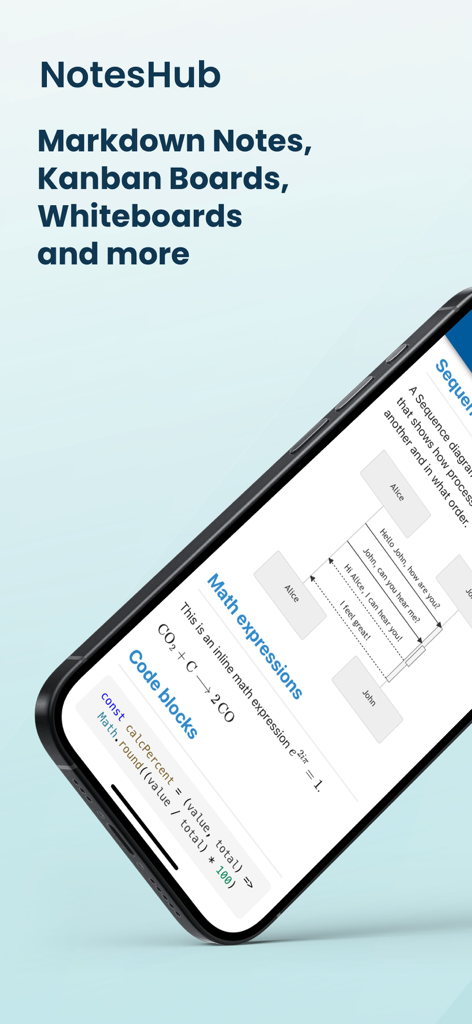
NotesHub 앱이 수학 표현식 코드 블록 및 시퀀스 다이어그램이 포함된 마크다운 노트를 표시하는 모습

NotesHub 앱이 수학 표현식 코드 블록 및 시퀀스 다이어그램이 포함된 마크다운 노트를 표시하는 모습

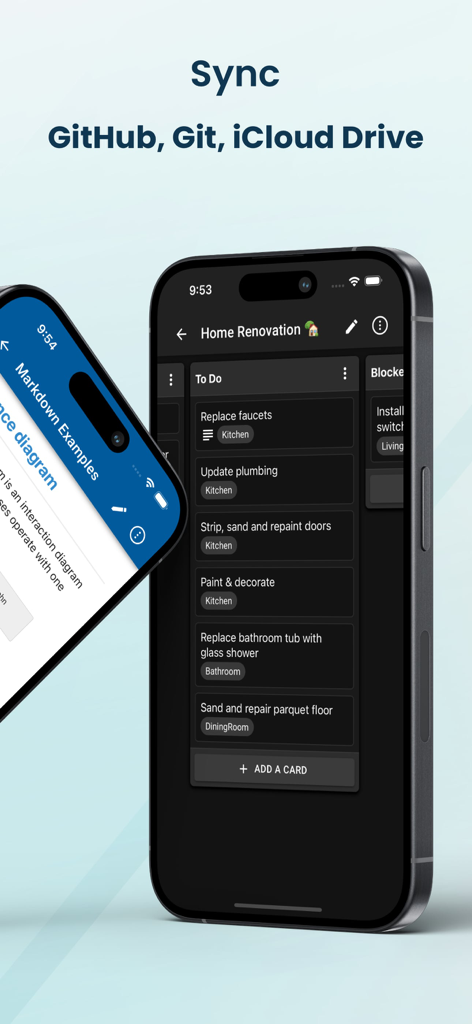
NotesHub 앱 인터페이스에 클라우드 동기화 옵션이 있는 다크 모드의 칸반 보드가 표시되는 모습

NotesHub 앱 인터페이스에 클라우드 동기화 옵션이 있는 다크 모드의 칸반 보드가 표시되는 모습

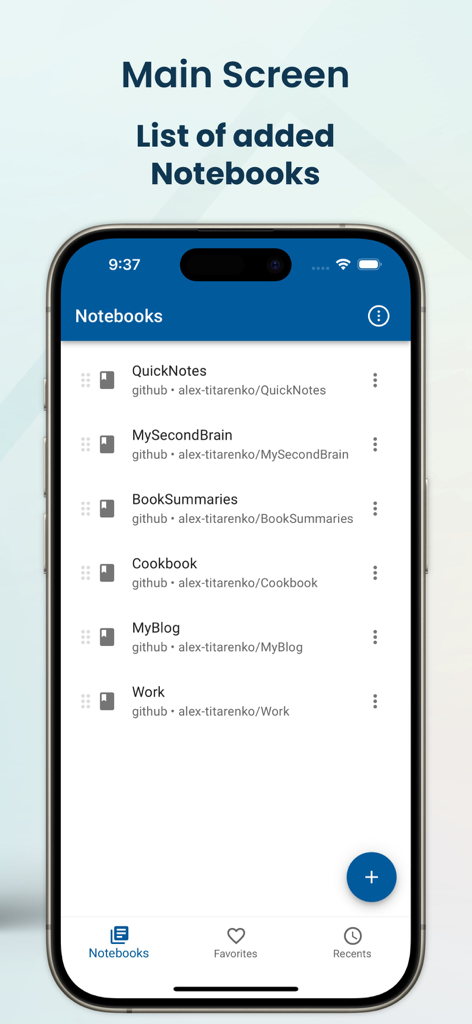
NotesHub 앱 메인 화면에 GitHub를 통해 동기화된 Markdown 노트북 목록이 표시되는 모습

NotesHub 앱 메인 화면에 GitHub를 통해 동기화된 Markdown 노트북 목록이 표시되는 모습

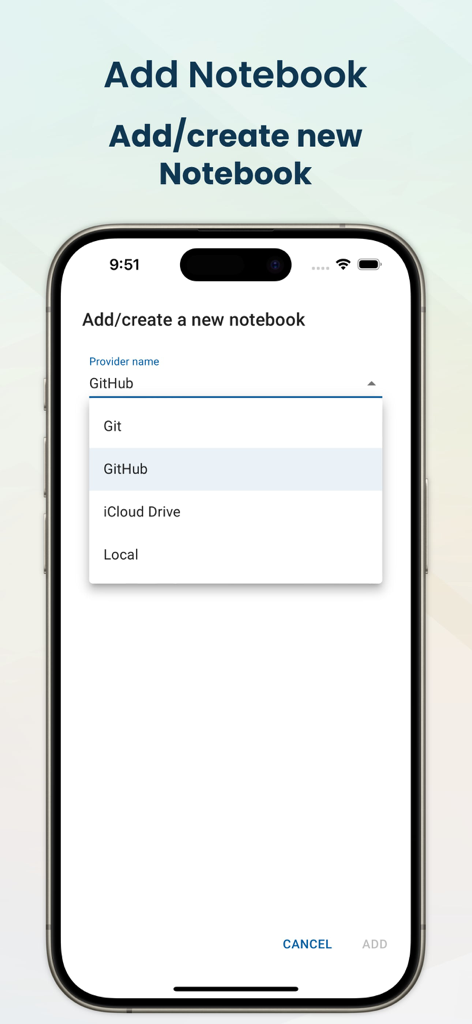
NotesHub 모바일 앱 인터페이스에 GitHub, Git, iCloud Drive를 포함한 노트북 저장소 제공업체 선택 화면이 표시되는 모습

NotesHub 모바일 앱 인터페이스에 GitHub, Git, iCloud Drive를 포함한 노트북 저장소 제공업체 선택 화면이 표시되는 모습

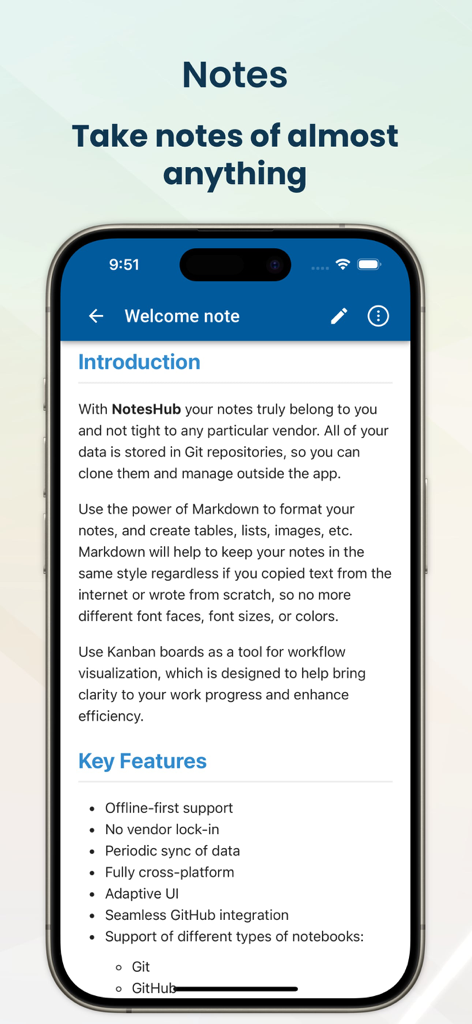
NotesHub 앱 환영 노트에 Markdown 지원 및 Git 통합과 같은 주요 기능이 표시되는 모습

NotesHub 앱 환영 노트에 Markdown 지원 및 Git 통합과 같은 주요 기능이 표시되는 모습

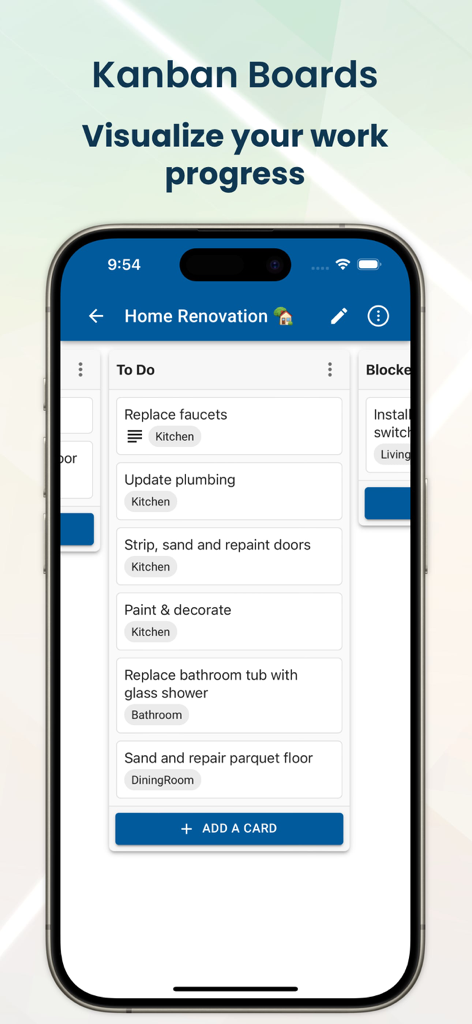
NotesHub 모바일 앱 인터페이스에 프로젝트 작업 진행 상황을 추적하기 위한 칸반 보드가 표시되는 모습

NotesHub 모바일 앱 인터페이스에 프로젝트 작업 진행 상황을 추적하기 위한 칸반 보드가 표시되는 모습

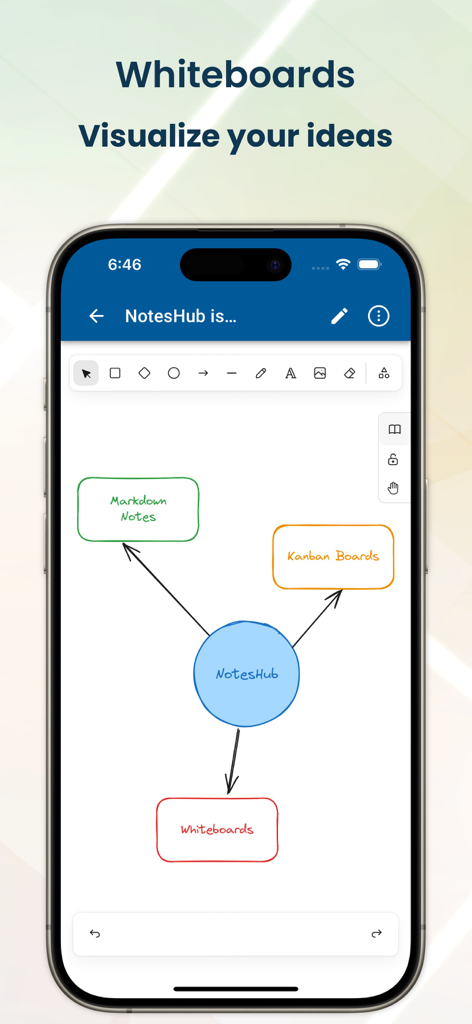
NotesHub 앱 스크린샷에 손으로 그린 기능 다이어그램이 포함된 화이트보드 도구가 표시되는 모습

NotesHub 앱 스크린샷에 손으로 그린 기능 다이어그램이 포함된 화이트보드 도구가 표시되는 모습

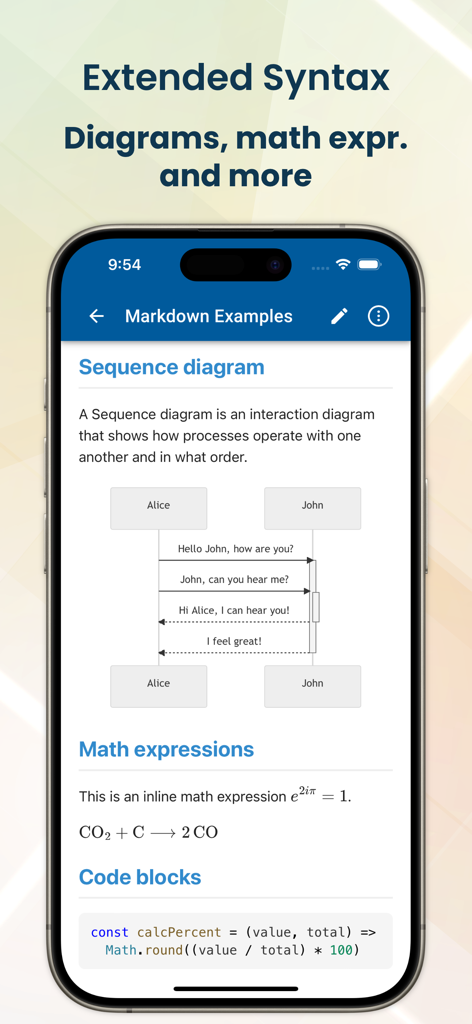
NotesHub 모바일 앱이 Markdown 구문을 사용하여 시퀀스 다이어그램, 수학 표현식 및 코드 블록을 표시하는 모습

NotesHub 모바일 앱이 Markdown 구문을 사용하여 시퀀스 다이어그램, 수학 표현식 및 코드 블록을 표시하는 모습

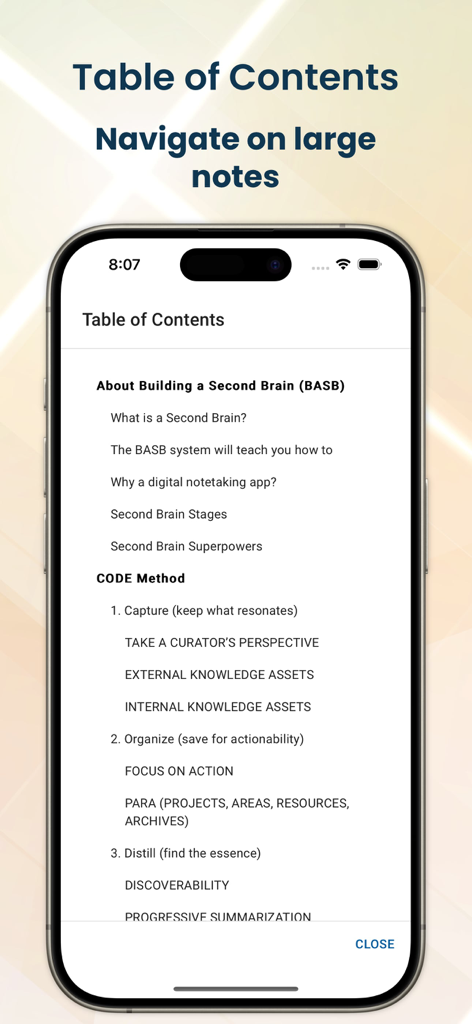
NotesHub 앱이 iPhone에서 대규모 Markdown 노트 탐색을 위한 목차를 표시하는 모습

NotesHub 앱이 iPhone에서 대규모 Markdown 노트 탐색을 위한 목차를 표시하는 모습

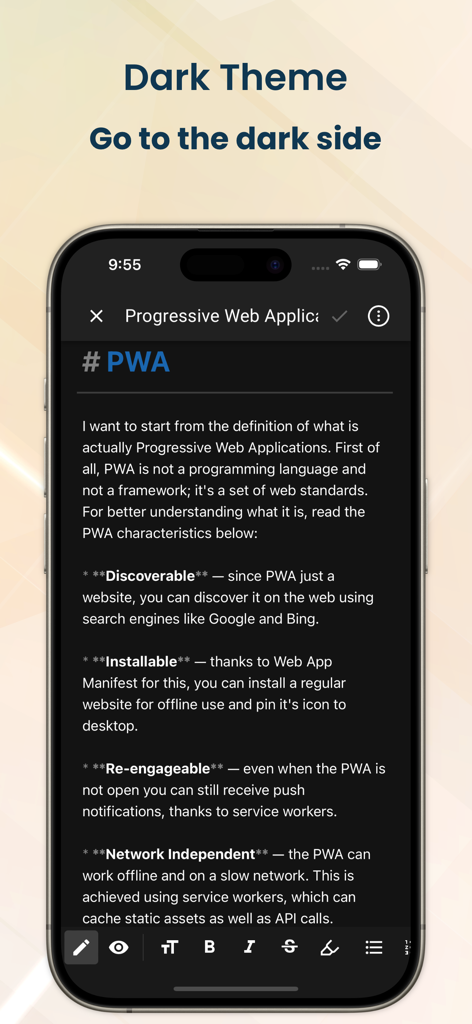
NotesHub 앱 인터페이스가 다크 모드로 표시되며 기술 Markdown 노트가 표시되는 모습

NotesHub 앱 인터페이스가 다크 모드로 표시되며 기술 Markdown 노트가 표시되는 모습

정밀한 기술로 워크플로우를 마스터하세요

이 앱을 돋보이게 하는 도구, 6K+ 명의 사용자가 선택.

🛡️

진정한 데이터 주권

GitHub 또는 자체 Git 서버와 노트를 동기화하여 벤더 종속성을 제거하세요. 데이터는 개방형 Markdown 형식으로 유지되며 전적으로 귀하의 소유입니다.

💻

개발자 우선 Markdown

구문 강조, Mermaid 다이어그램, MathJax 지원으로 기술 문서를 작성하세요. 코드 중심의 지식 베이스에 완벽한 환경입니다.

🚀

통합 프로젝트 라이프사이클

화이트보드에서 아이디어를 구상하고 칸반 보드로 작업을 실행하며, 모든 장치에서 문서를 동기화하는 모든 과정을 원활하게 진행하세요.

앱 소개

에 대해 알아야 할 모든 것 NotesHub: Notes, Kanban Boards.

설명

Fully cross-platform, vendor-agnostic, Markdown-based note-taking app plus Kanban and whiteboarding tool. You can sync your data with GitHub, your own Git server, or iCloud Drive. Use the power of Markdown to format your notes, and create tables, lists, images, diagrams, etc. Markdown will help to keep your notes in the same style regardless of whether you copied text from the internet or wrote from scratch. Use Kanban boards as a tool to visualize your work and maximize your efficiency. This will help you to organize your time, focus on what matters, and achieve more. If you need quickly visualize your idea, our whiteboarding feature will be handy for you. Add different shapes, make connections between them, add hand-drawn notes, or add reusable elements from the library. KEY FEATURES • Offline-first approach • No vendor lock-in • Periodic sync of data • Fully cross-platform • Different notebook providers: Git, GitHub, iCloud Drive • Seamless GitHub integration • Advanced search • Notes printing • Export notes to PDF • Auto-generated table of contents (TOC) • Kanban boards • Whiteboards (based on Excalidraw) • Dark and light themes (with accent color picker) • Markdown preview with scroll sync • Extended Markdown syntax: Mermaid diagrams, math expressions (MathJax), callouts, ABC musical notation, etc. • Syntax highlighting for code blocks • File attachments • Convert HTML content to Markdown on paste • Editor toolbar with all necessary commands (bold, list, table, etc.) • Markdown syntax guidance • Automatic merge conflict resolution FREQUENTLY ASKED QUESTIONS Q: Why should I write my notes in Markdown? A: Markdown is a widely popular open format with support in many applications. By choosing Markdown you can be confident if you decide to switch to a different application you can easily move all of your data without any conversion needed. Also, Markdown is incredibly easy to understand even in raw view as it's just plain text content with human-readable syntax. Last but not least, Markdown helps you to keep all of your notes in a uniform format, with no more mismatches in font size, font face, etc. when you import data from different sources. Q: What are the benefits of using Git to store notes? A: You will get a lot of things for free: • Unlimited version history, and information on when and who did what changes • Ability to share notebooks with others, you can add anyone as a collaborator or viewer to your Git repository • Easy self-hosting with plenty open open-source options, so notes will truly belong to you • Better merge conflict resolution compared to traditional cloud-based file storage solutions • Ability to create public websites/blogs from your notebooks

최신 버전

3.10.0

크기

44.7 MB

출시일

2022년 5월 3일

지식 베이스를 장악하세요

벤더 종속성에서 벗어나세요. Markdown, 칸반, 원활한 Git 통합 동기화로 미래 지향적인 워크스페이스를 구축하세요.

다운로드: App Store

App information, icons, screenshots, and descriptions displayed on this page are sourced from the Apple App Store and are the property of their respective developers. Download estimates and rankings are based on MWM's proprietary models and may not reflect actual figures. This page is provided for informational and analytical purposes only.

Believe this page infringes your intellectual property? File a dispute