
이 페이지는 앱이나 개발자의 공식 페이지가 아니며, 정보 제공 및 논평을 목적으로 작성된 독립 편집 간행물입니다. 명시적으로 달리 언급되지 않는 한, 해당 앱이나 개발자는 MWM, Apple, Google Play, 앱 퍼블리셔 또는 앱 개발자와 제휴, 보증, 후원, 승인 또는 공식적으로 연결되어 있지 않으며, 이 페이지의 어떤 내용도 해당 앱이 MWM의 서비스를 사용하여 개발되었음을 의미하지 않습니다. 모든 상표, 로고, 스크린샷 및 기타 콘텐츠는 해당 소유자의 자산입니다.


Notta Transcribe Voice to Text
손으로 적는 시대는 끝났다. Notta는 당신의 말을 무시무시한 속도로 텍스트로 바꾸는 기계다.
다운로드
2.5M+사용자 평점
총 평가 수
26.9K개발사
카테고리
Productivity지원 언어
21최신 버전
6.69.13크기
180.4 MB출시일
2019년 12월 19일주요 기능 및 전문 사용자 가치 평가
Notta Transcribe Voice to Text: 심층 분석
고정확도 음성-텍스트 변환
이 앱은 AI 기반으로 음성을 텍스트로 탁월한 정확도와 속도로 변환하여 수동 전사의 필요성을 없앱니다.
강력한 보안 및 신뢰성
이 앱은 SOC 2 Type II 및 ISO/IEC 27001:2013 인증을 획득하여 전사 서비스의 신뢰성과 보안을 보장합니다.
AI 기반 핵심 요약
이 앱은 AI 기반 요약 기능을 제공하여 회의, 강의 및 인터뷰의 핵심 내용을 즉시 파악할 수 있게 합니다.
실시간 오디오 전사
이 도구는 회의, 인터뷰 및 대화를 실시간으로 전사하여 사용자가 대화에 집중할 수 있도록 지원합니다.
58개 언어 실시간 전사
이 도구는 58개 언어로 실시간 오디오 전사를 지원하여 다양한 언어를 사용하는 사용자들이 활용할 수 있습니다.
다중 형식 전사본 공유
이 앱은 TXT, DOCX, Excel, PDF, SRT 등 다양한 형식으로 전사본을 저장하고 타임스탬프와 함께 공유할 수 있게 하여 효율적인 협업을 지원합니다.
42개 언어 텍스트 번역
이 앱은 전사된 텍스트를 42개 언어로 번역할 수 있는 기능을 제공하여 국제적인 협업을 용이하게 합니다.
효율적인 편집 및 검색 기능
이 도구는 전사 중 북마크 추가 및 키워드 검색 기능을 제공하여 사용자가 특정 내용을 쉽게 찾고 관리할 수 있도록 돕습니다.
AI 노이즈 제거
이 앱은 AI를 사용하여 오디오에서 노이즈를 제거하여 깨끗하고 고품질의 전사 결과물을 얻도록 돕습니다.
전용 하드웨어 연동
이 앱은 Notta Memo 또는 Zenchord와 같은 전용 하드웨어와 연동되어 녹음된 오디오를 자동으로 전사하고 정리된 텍스트로 변환합니다.
자주 묻는 질문
에 대해 알아야 할 모든 것 Notta Transcribe Voice to Text
What is Notta?
Notta is an intelligent AI note taker that transforms speech into text with high precision and speed. It simplifies the transcription of meetings, interviews, and conversations in real time, focusing on accuracy for various audio inputs.
How accurate is Notta's transcription?
Notta boasts a 98.86% transcription accuracy. This high precision applies to transforming speech into text for meetings, interviews, and conversations, ensuring reliable conversion of audio input.
Does Notta offer real-time transcription?
Yes, Notta supports real-time audio transcription in 58 languages. It instantly converts audio to text, allowing users to focus on the conversation. This feature is available for live audio and web meetings.
Can Notta summarize transcribed content?
Yes, Notta provides AI-powered summarization for instant insights. This feature extracts key points from meetings, lectures, and interviews, which is beneficial for reviewing transcribed content quickly.
What security certifications does Notta hold?
Notta holds SOC 2 Type II and ISO/IEC 27001:2013 security certifications. These certifications reinforce the reliability and security of Notta's transcription services, ensuring data protection and compliance.
What languages does Notta support for transcription and translation?
Notta supports real-time audio transcription in 58 languages. Additionally, it can translate transcribed text into 42 languages, making it suitable for global teams and multilingual users.
Does Notta have a free plan?
Yes, Notta offers a Free Plan. This plan includes 3 minutes of real-time transcription per recording and 3 minutes for auto-transcription of web meetings. It also allows viewing the first 3 minutes of imported audio.
What file formats does Notta support for import?
Notta supports multiple file formats for transcription. Users can import audio and video files for automatic processing, ensuring compatibility with various media sources for transcription.
Can Notta transcribe video calls from platforms like Zoom or Google Meet?
Yes, Notta can transcribe video calls from platforms including Zoom, Teams, Meet, and Webex. It offers auto-transcription for these web meetings, with the Free Plan providing 3 minutes of this service.
Does Notta sync across different devices?
Yes, Notta features auto-sync across all devices. This ensures a seamless workflow, allowing users to access and manage their transcriptions from both mobile and web platforms.
What export options are available for Notta transcriptions?
Notta allows users to export transcriptions in various formats. These include TXT, DOCX, Excel, PDF, or SRT, with the option to include timestamps or share via a secure link.
Who is the Notta app designed for?
Notta is for salespeople, consultants, remote workers, journalists, writers, interviewers, content creators, multilingual speakers, and students. It serves professionals needing efficient AI meeting notes, dictation, and voice-to-text support.
Does Notta help remove background noise from audio?
Yes, Notta's AI removes noise for clear, high-quality audio. This feature enhances the accuracy of transcriptions by processing cleaner audio input.
다음 스크린샷과 설명은 앱의 공식 스토어 목록에서 직접 가져온 것이며 앱 개발자의 자산입니다.
앱 스토어
스크린샷
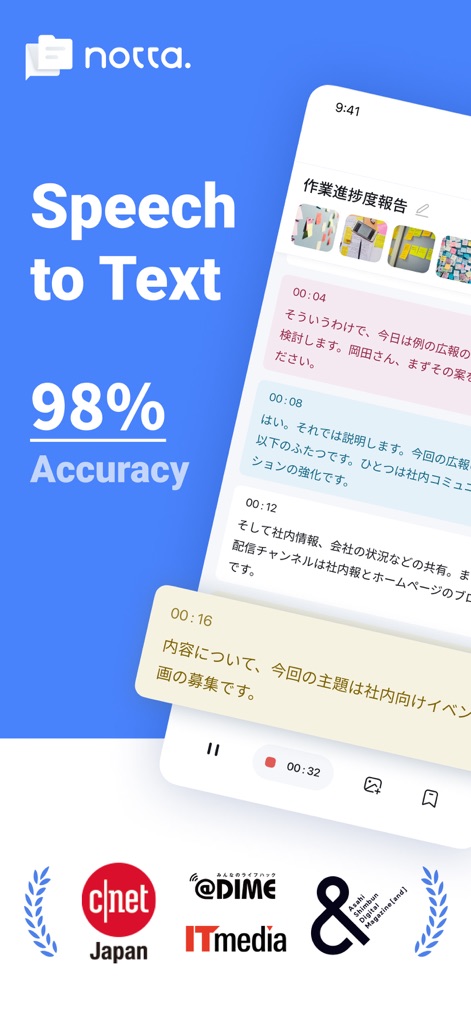
이 앱은 일본어 텍스트와 98%의 정확도 수치를 명확하게 보여주어, 고정밀 음성-텍스트 변환 기능을 강조합니다.
정확한 음성 인식
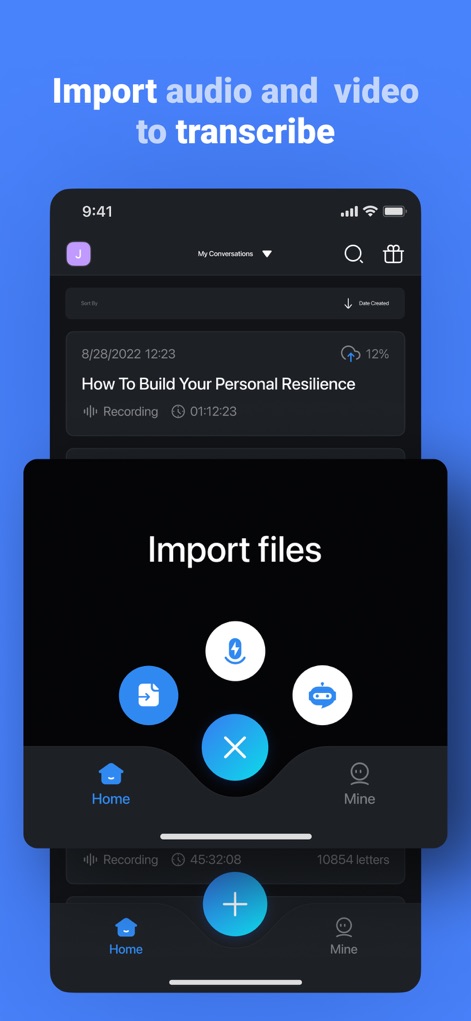
사용자는 녹음 목록과 가져오기 옵션 아이콘을 통해 다양한 형식의 파일을 가져와 손쉽게 전사할 수 있습니다.
간편한 파일 가져오기

이 도구는 영어 음성 파형과 실시간 텍스트 전환을 통해 즉각적인 전사 기능을 제공하여, 사용자가 대화에 집중할 수 있도록 돕습니다.
실시간 자동 전사

사용자는 발표자 라벨과 '주요 요점' 및 '할 일' 같은 마킹 옵션을 활용하여 중요한 대화 내용을 식별하고 효율적으로 관리할 수 있습니다.
중요 메시지 마킹
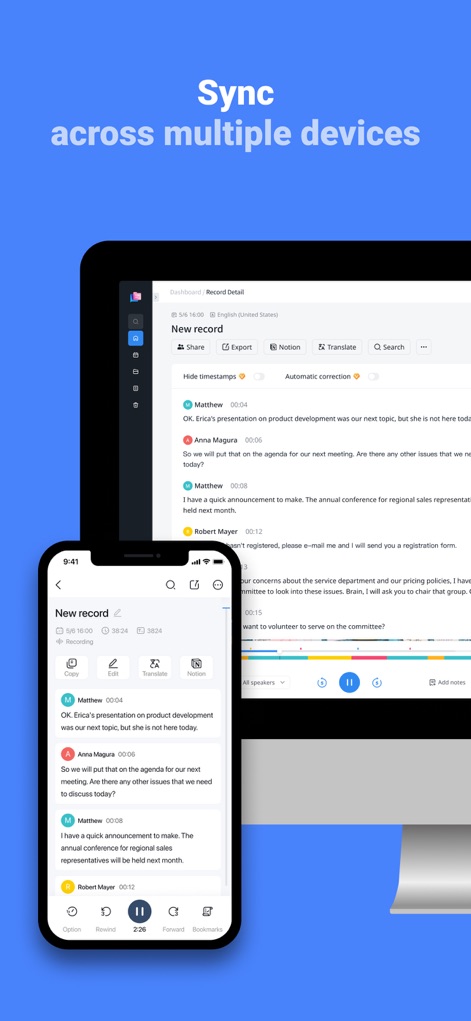
이 앱은 모바일 기기와 데스크톱 화면에서 동일한 전사 내용을 보여주며, 기기 간 원활한 동기화를 시각적으로 표현합니다.
기기 간 자동 동기화

데스크톱 화면과 모바일 키보드를 통해 사용자는 기기에 구애받지 않고 언제 어디서든 전사 내용을 편집하여 매끄러운 작업 흐름을 경험할 수 있습니다.
매끄러운 작업 흐름
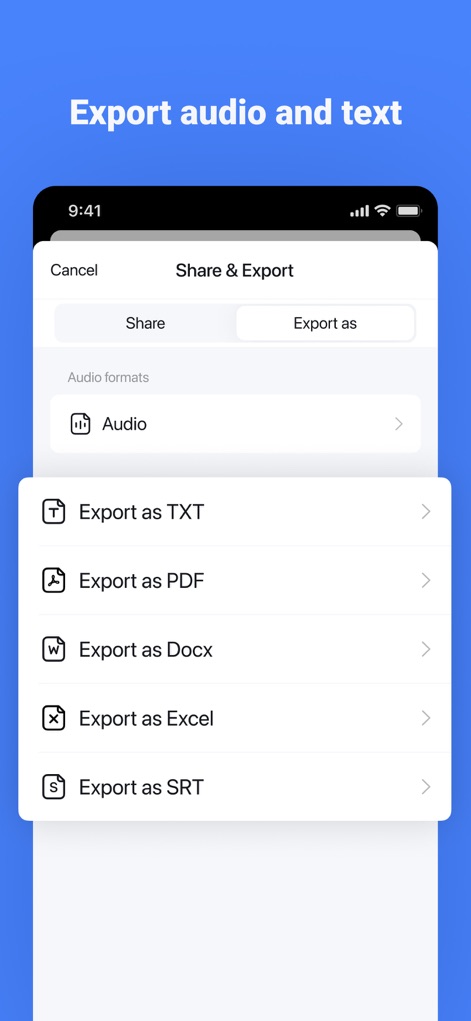
사용자는 TXT, PDF, DOCX, Excel 등 다양한 파일 형식 옵션을 통해 전사된 내용을 편리하게 공유하고 저장할 수 있습니다.
다양한 형식으로 내보내기

이 앱은 Zoom, Google Meet, Microsoft Teams와 같은 화상 회의 플랫폼에서 회의 링크를 통해 실시간 전사 기능을 지원합니다.
화상 통화 전사

이 앱은 '생성 중' 버튼과 'AI 요약' 팝업창을 통해 회의의 핵심 내용을 빠르게 추출하고 요약하여 시간을 절약해줍니다.
AI 요약 생성
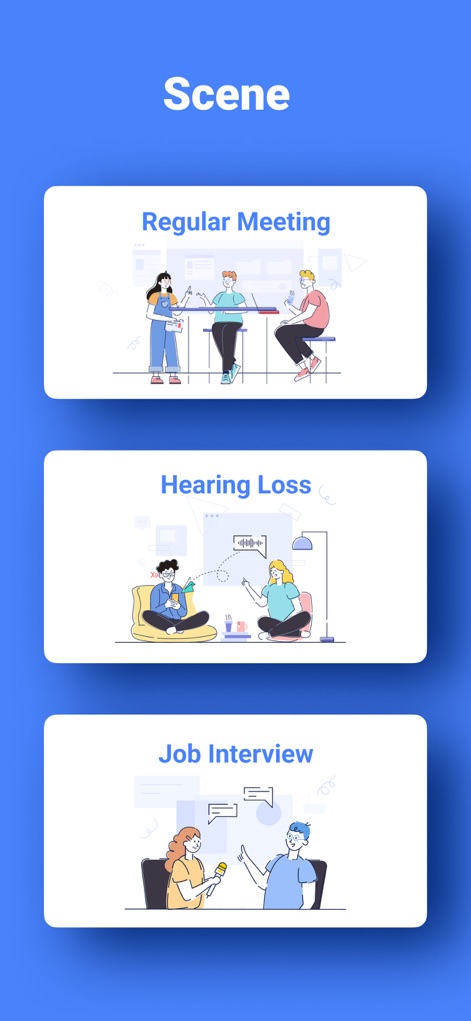
'정기 회의' 및 '구직 면접'과 같은 다양한 사용 시나리오 일러스트를 통해 이 앱의 광범위한 활용성과 유연성을 보여줍니다.
다양한 활용 시나리오
설명
Download
비슷한 앱
유사한 기능과 사용자 경험을 가진 앱

Plaud: AI Note Taker
PLAUD LLC

Notee: AI Note Taker
GM UniverseApps Limited

클로바노트 - 음성 그 이상의 기록
NAVER Corp.

录音专家-专业录音转文字助手
Chongqing Yeyuegua Technology Co., Ltd

听脑AI - 实时录音转文字总结助手
Shanghai Xiuyu Network Technology Co., Ltd

Granola - AI Meeting Notes
Granola inc

Transkriptor - Speech to Text
Textintel FZE

Minutes: AI Meeting Note Taker
Minutes AI, LLC

Fireflies: AI notetaker
FIREFLIES.AI CORP.
이 페이지는 앱이나 개발자의 공식 페이지가 아니며, 정보 제공 및 논평을 목적으로 작성된 독립 편집 간행물입니다. 명시적으로 달리 언급되지 않는 한, 해당 앱이나 개발자는 MWM, Apple, Google Play, 앱 퍼블리셔 또는 앱 개발자와 제휴, 보증, 후원, 승인 또는 공식적으로 연결되어 있지 않으며, 이 페이지의 어떤 내용도 해당 앱이 MWM의 서비스를 사용하여 개발되었음을 의미하지 않습니다. 모든 상표, 로고, 스크린샷 및 기타 콘텐츠는 해당 소유자의 자산입니다.