
이 페이지는 앱이나 개발자의 공식 페이지가 아니며, 정보 제공 및 논평을 목적으로 작성된 독립 편집 간행물입니다. 명시적으로 달리 언급되지 않는 한, 해당 앱이나 개발자는 MWM, Apple, Google Play, 앱 퍼블리셔 또는 앱 개발자와 제휴, 보증, 후원, 승인 또는 공식적으로 연결되어 있지 않으며, 이 페이지의 어떤 내용도 해당 앱이 MWM의 서비스를 사용하여 개발되었음을 의미하지 않습니다. 모든 상표, 로고, 스크린샷 및 기타 콘텐츠는 해당 소유자의 자산입니다.

nPlayer
NAS, 클라우드 또는 FTP에서 모든 파일 형식을 직접 스트리밍하세요. 파일 변환의 번거로움 없이 모바일 기기에서 시네마급 DTS 및 Dolby 오디오를 감상해 보세요.
다운로드
712K+사용자 평점
총 평가 수
18K+개발사
카테고리
Entertainment지원 언어
10최신 버전
3.13.0크기
61.0 MB출시일
2016년 7월 21일미디어 라이브러리를 마스터하세요
NAS, 클라우드 또는 원격 서버에서 영화 컬렉션 전체를 스트리밍하고, 전문가 수준의 오디오 및 비디오 성능으로 모든 파일 형식을 기본 재생하세요.
파일 변환 없는 네이티브 재생
시간이 많이 소요되는 트랜스코딩을 건너뛰세요. 극장급 경험을 위해 DTS-HD 및 Dolby AC3 오디오를 완벽하게 지원하며 MKV, AVI, WMV 파일을 네이티브로 재생합니다.
전문가급 네트워크 스트리밍
SMB, FTP 또는 WebDAV를 통해 20TB 홈 서버나 클라우드 계정에 액세스하세요. 기기 내부 저장소 공간을 차지하지 않고 고비트레이트 4K 콘텐츠를 직접 스트리밍할 수 있습니다.
자주 묻는 질문
에 대해 알아야 할 모든 것 nPlayer
nPlayer는 DTS 오디오를 지원하나요?
네, nPlayer는 DTS HD 및 DTS Headphone:X를 포함한 DTS 오디오 코덱을 공식적으로 지원합니다. 이를 통해 호환되는 미디어에 대한 고품질 오디오 경험을 보장합니다.
nPlayer에서 Dolby 오디오 파일을 재생할 수 있나요?
네, nPlayer는 AC3 및 E-AC3와 같은 Dolby 오디오 코덱을 지원합니다. 또한 호환되는 장치에 대한 Dolby HDMI Bitstream (Passthru)도 지원합니다.
nPlayer는 iOS 기기를 위한 유니버설 앱인가요?
네, nPlayer는 유니버설 앱입니다. 사용자는 초기 구매 후 추가 구매 없이 모든 iOS 기기에 설치할 수 있습니다.
nPlayer는 어떤 비디오 형식을 지원하나요?
nPlayer는 MP4, MOV, MKV, AVI, WMV, ASF, FLV, OGV, RMVB, TP를 포함한 다양한 비디오 형식을 지원합니다. 이 파일들을 변환 없이 재생합니다.
nPlayer는 원격 장치에서 비디오를 스트리밍할 수 있나요?
네, nPlayer는 강력한 네트워크 기술을 사용하여 원격 장치에서 비디오를 스트리밍합니다. 이를 통해 사용자는 장치의 제한된 저장 공간에 파일을 저장하지 않고 콘텐츠를 재생할 수 있습니다.
nPlayer는 Chromecast를 지원하나요?
네, nPlayer는 Chromecast를 지원하여 사용자가 호환되는 장치로 비디오를 전송할 수 있습니다. 스크린샷 #5는 비디오 전송 옵션으로 ChromecastUltra를 선택할 수 있는 것을 보여줍니다.
nPlayer는 스트리밍을 위해 어떤 네트워크 프로토콜을 지원하나요?
nPlayer는 스크린샷 #3에 표시된 대로 WebDAV, FTP, SFTP, HTTP, SMB/CIFS, NFS, UPnP/DLNA를 포함한 여러 네트워크 프로토콜을 스트리밍에 지원합니다.
nPlayer와 연동되는 클라우드 서비스는 무엇인가요?
nPlayer는 Box, Dropbox, OneDrive, Yandex.Disk와 같은 클라우드 서비스와 연동됩니다. 스크린샷 #3은 Amazon Cloud Drive, Google Drive, pCloud에 대한 지원도 보여줍니다.
nPlayer에서 사용자는 재생 위치를 어떻게 제어하나요?
사용자는 화면에서 가로로 드래그하여 nPlayer에서 재생 위치를 제어합니다. 이 제스처를 통해 비디오 재생 중에 정확하게 조정할 수 있습니다.
nPlayer는 자막 사용자 정의 옵션을 제공하나요?
네, nPlayer는 광범위한 자막 사용자 정의 기능을 제공합니다. 사용자는 글꼴, 색상, 그림자, 윤곽선, 위치 및 크기를 조정할 수 있으며 외부 또는 다중 트랙 자막을 사용할 수도 있습니다.
nPlayer는 비디오 재생 속도를 조절할 수 있나요?
네, nPlayer는 0.5x에서 4.0x까지 재생 속도 제어를 지원합니다. 이 기능을 통해 사용자는 시청 경험을 맞춤 설정할 수 있습니다.
nPlayer는 HDMI 출력을 지원하나요?
네, nPlayer는 HDMI 출력을 지원합니다. 이 기능을 통해 사용자는 iOS 장치를 외부 디스플레이에 연결하여 콘텐츠를 볼 수 있습니다.
nPlayer는 비디오 재생을 위해 하드웨어 가속을 지원하나요?
네, nPlayer는 AV1, HEVC, H.264 및 MPEG4 코덱에 대한 하드웨어 가속을 지원합니다. 이는 더 부드러운 재생을 위해 비디오 디코딩 성능을 최적화합니다.
사용자는 nPlayer 앱 내에서 파일을 관리할 수 있나요?
네, nPlayer에는 파일 관리 기능이 포함되어 있습니다. 사용자는 애플리케이션 내에서 직접 파일을 삭제, 이동, 이름 바꾸기하고 새 폴더를 만들 수 있습니다.
다음 스크린샷과 설명은 앱의 공식 스토어 목록에서 직접 가져온 것이며 앱 개발자의 자산입니다.
앱 스토어
스크린샷
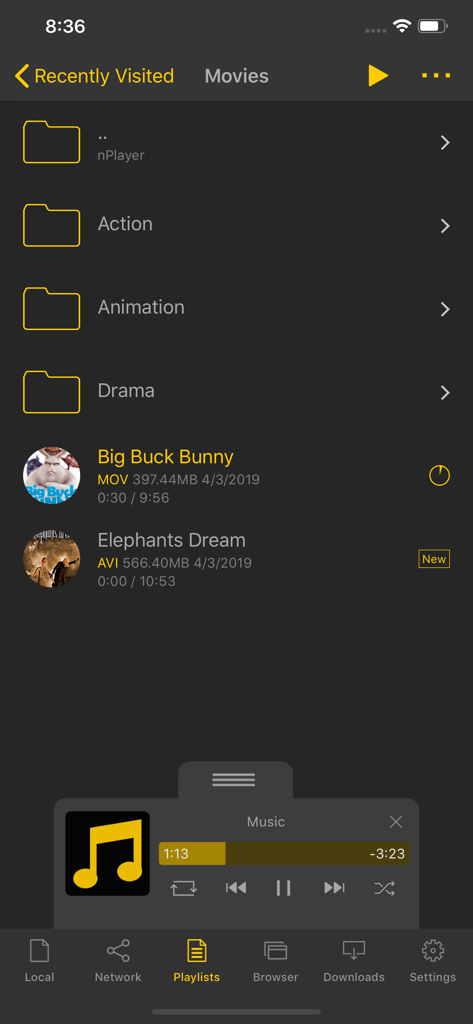
영화 폴더와 다양한 파일 형식의 비디오 파일 목록을 표시하는 nPlayer 앱 인터페이스.
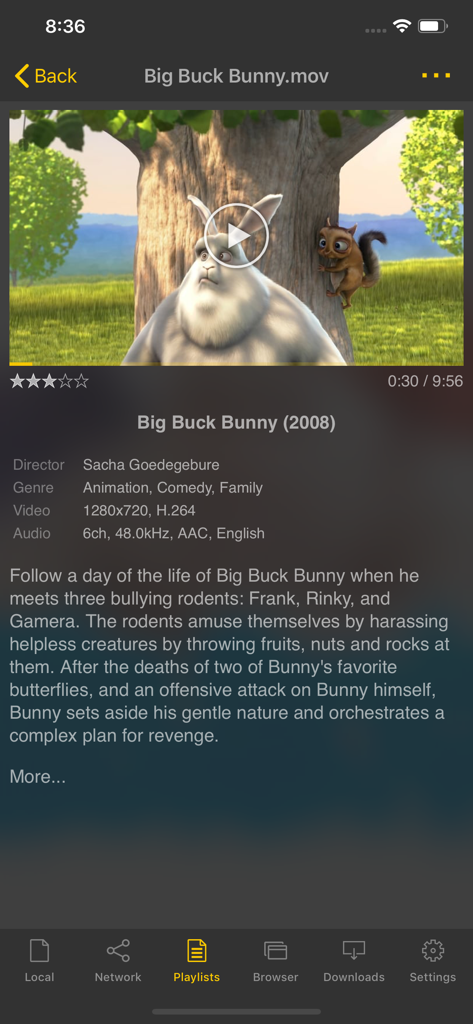
영화 줄거리와 기술적 비디오 데이터를 보여주는 nPlayer 앱 인터페이스 스크린샷
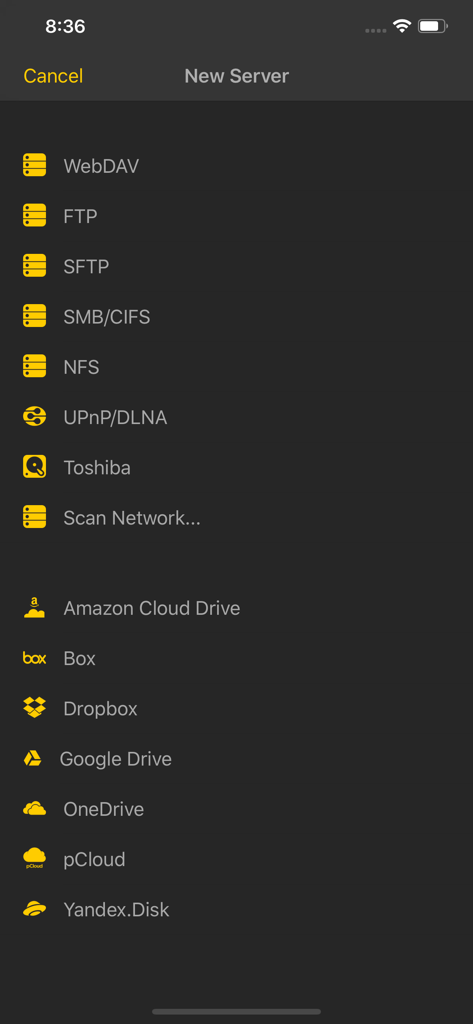
FTP, SMB, Google Drive를 포함하여 nPlayer에서 연결 가능한 네트워크 프로토콜 및 클라우드 저장소 서비스 목록
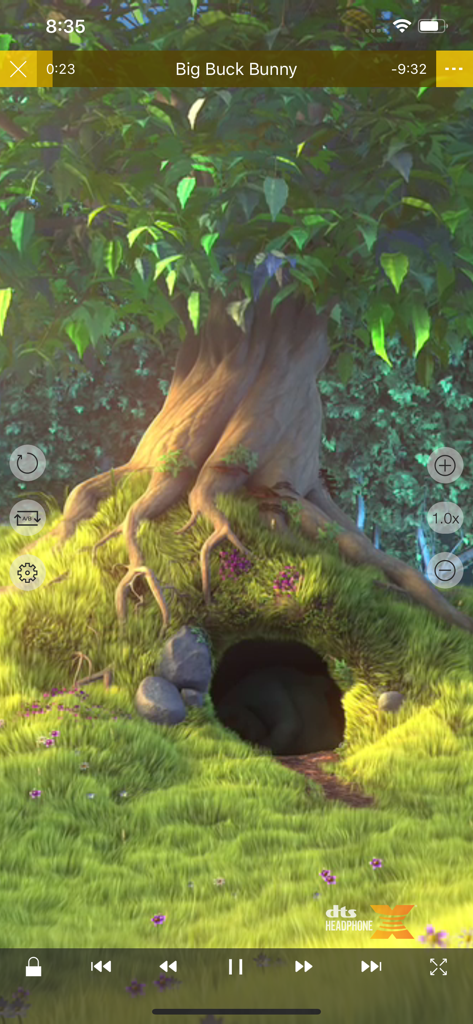
고급 미디어 컨트롤 및 DTS 오디오 지원이 포함된 nPlayer Pro 비디오 재생 인터페이스
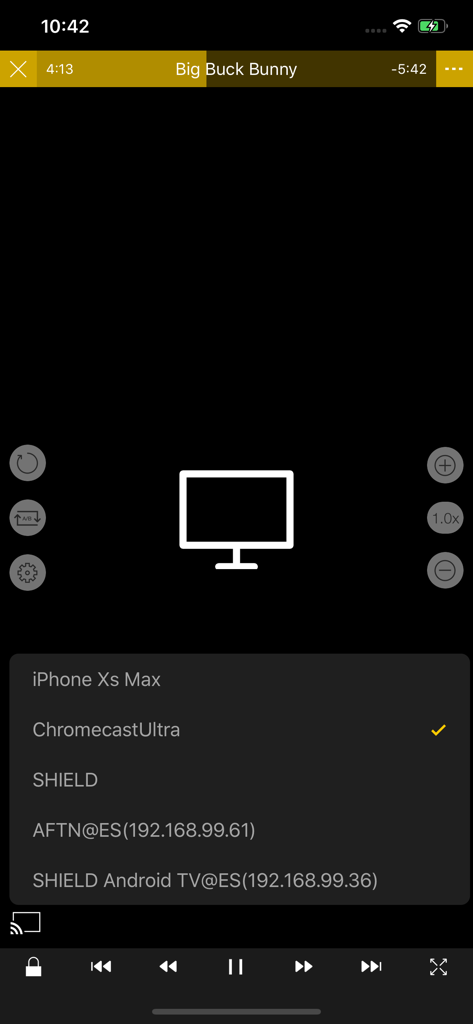
Chromecast 및 Android TV를 포함하여 비디오 캐스팅에 사용할 수 있는 기기 목록을 보여주는 nPlayer 앱
설명
Download
비슷한 앱
유사한 기능과 사용자 경험을 가진 앱

网易爆米花-智能媒体库,全能云盘网盘播放器
Guangzhou NetEase Computer System Co.Ltd

Immich
Hau Tran

飞牛
Guangzhou TR Intelligent Manufacturing Technology Co., Ltd.

MiraPlay
悦 刘

NipaPlay
荣广 梁

VidHub -Video Library & Player
Nanjing Oumi Software Development Co., Ltd.

Fast Player - video player
化媚 席

zFuse - Media Player
s-joys Technology Co., Ltd.

Forever Music
ismail Aygn
이 페이지는 앱이나 개발자의 공식 페이지가 아니며, 정보 제공 및 논평을 목적으로 작성된 독립 편집 간행물입니다. 명시적으로 달리 언급되지 않는 한, 해당 앱이나 개발자는 MWM, Apple, Google Play, 앱 퍼블리셔 또는 앱 개발자와 제휴, 보증, 후원, 승인 또는 공식적으로 연결되어 있지 않으며, 이 페이지의 어떤 내용도 해당 앱이 MWM의 서비스를 사용하여 개발되었음을 의미하지 않습니다. 모든 상표, 로고, 스크린샷 및 기타 콘텐츠는 해당 소유자의 자산입니다.