NZBClient for NZBGet
다운로드: App Store

이 페이지는 앱이나 개발자의 공식 페이지가 아니며, 정보 제공 및 논평을 목적으로 작성된 독립 편집 간행물입니다. 명시적으로 달리 언급되지 않는 한, 해당 앱이나 개발자는 MWM, Apple, Google Play, 앱 퍼블리셔 또는 앱 개발자와 제휴, 보증, 후원, 승인 또는 공식적으로 연결되어 있지 않으며, 이 페이지의 어떤 내용도 해당 앱이 MWM의 서비스를 사용하여 개발되었음을 의미하지 않습니다. 모든 상표, 로고, 스크린샷 및 기타 콘텐츠는 해당 소유자의 자산입니다.


로고: NZBClient for NZBGet
다운로드: App Store

NZBClient for NZBGet

iPhone 또는 iPad에서 Usenet 다운로드를 완벽하게 제어하세요. 큐를 모니터링하고, 여러 서버를 관리하고, 실시간 E2E 암호화된 알림을 받으세요.

주요 수치

다운로드

31K+

사용자 평점

4.5/5

총 평가 수

300

개발사

Digital Tools Ltd

카테고리

Utilities

지원 언어

1

최신 버전

2025.6

크기

27.8 MB

출시일

2016년 12월 6일
기능

어디서든 Usenet 큐 마스터하기

iPhone 또는 iPad를 NZBGet를 위한 강력한 명령 센터로 변환하세요. 파워 유저를 위해 설계된 네이티브, 모바일 우선 경험으로 홈 서버를 완전히 제어할 수 있습니다.

세분화된 큐 관리

다운로드를 정밀하게 일시 중지, 재개, 순서 변경하세요. 속도 제한을 조정하고 파일을 즉석에서 분류하여 홈랩을 최적의 효율로 유지하세요.

안전한 E2E 알림

종단 간 암호화된 푸시 알림으로 정보를 받으세요. 작업이 완료되거나 실패할 때 즉시 업데이트를 받아 개인 정보를 침해하지 않고 서버 상태를 항상 파악할 수 있습니다.

다음 스크린샷과 설명은 앱의 공식 스토어 목록에서 직접 가져온 것이며 앱 개발자의 자산입니다.

앱 스토어

스크린샷
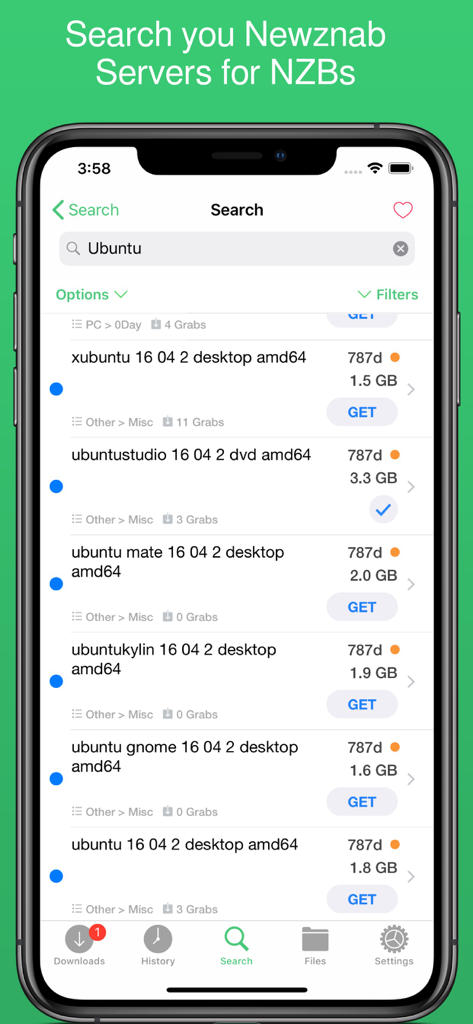
NZBClient for NZBGet - NZBClient 앱 검색 화면에 Newznab 서버의 Ubuntu에 대한 NZB 결과 표시
NZBClient 앱 검색 화면에 Newznab 서버의 Ubuntu에 대한 NZB 결과 표시

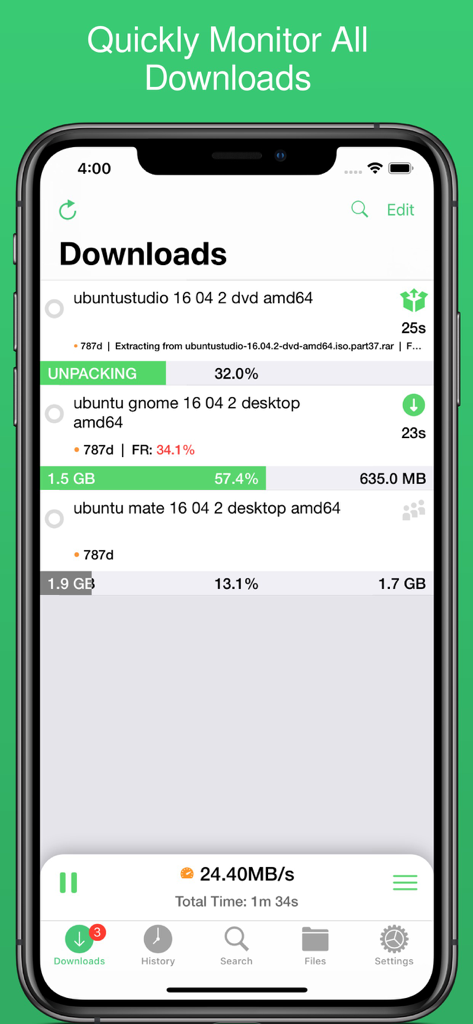
NZBClient for NZBGet - NZBClient 인터페이스에 활성 다운로드 진행률 및 서버 속도 표시
NZBClient 인터페이스에 활성 다운로드 진행률 및 서버 속도 표시

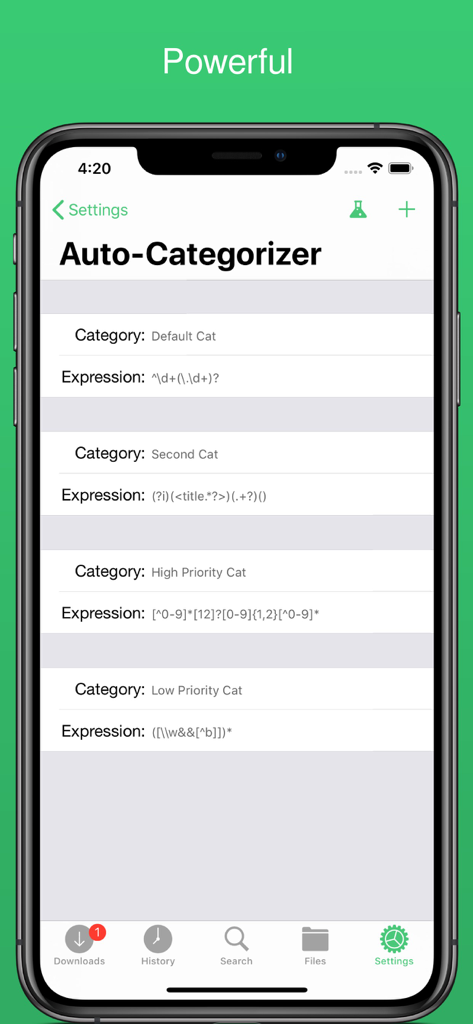
NZBClient for NZBGet - NZBClient의 자동 분류기 설정 화면에 다운로드 정리용 사용자 정의 규칙 표시
NZBClient의 자동 분류기 설정 화면에 다운로드 정리용 사용자 정의 규칙 표시

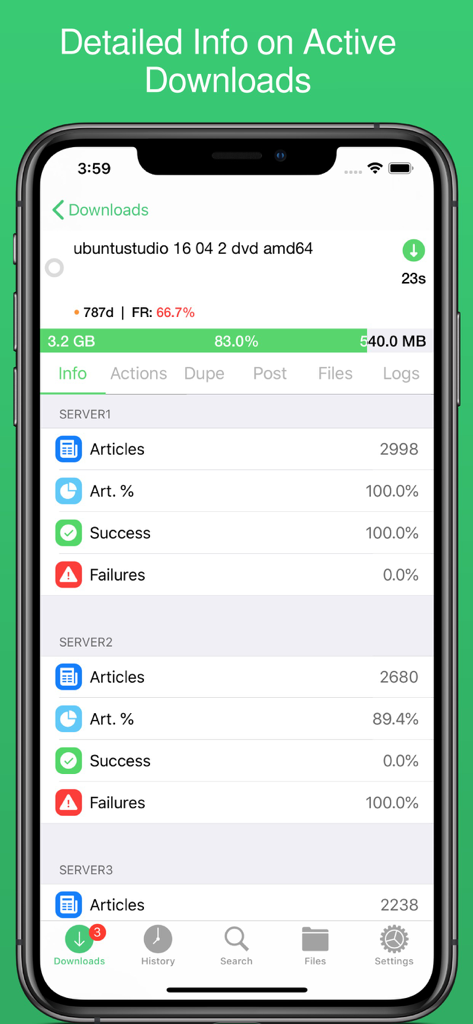
NZBClient for NZBGet - NZBClient의 상세 활성 다운로드 화면에 진행률 및 서버 성공률 표시
NZBClient의 상세 활성 다운로드 화면에 진행률 및 서버 성공률 표시

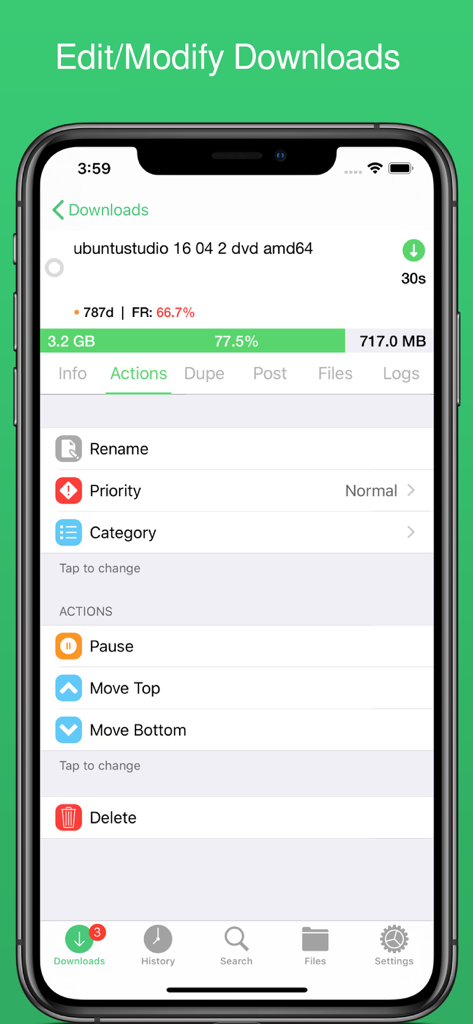
NZBClient for NZBGet - NZBClient 모바일 앱 인터페이스에 이름 변경 및 우선 순위 옵션을 포함한 활성 NZBGet 다운로드 관리용 작업 메뉴 표시
NZBClient 모바일 앱 인터페이스에 이름 변경 및 우선 순위 옵션을 포함한 활성 NZBGet 다운로드 관리용 작업 메뉴 표시

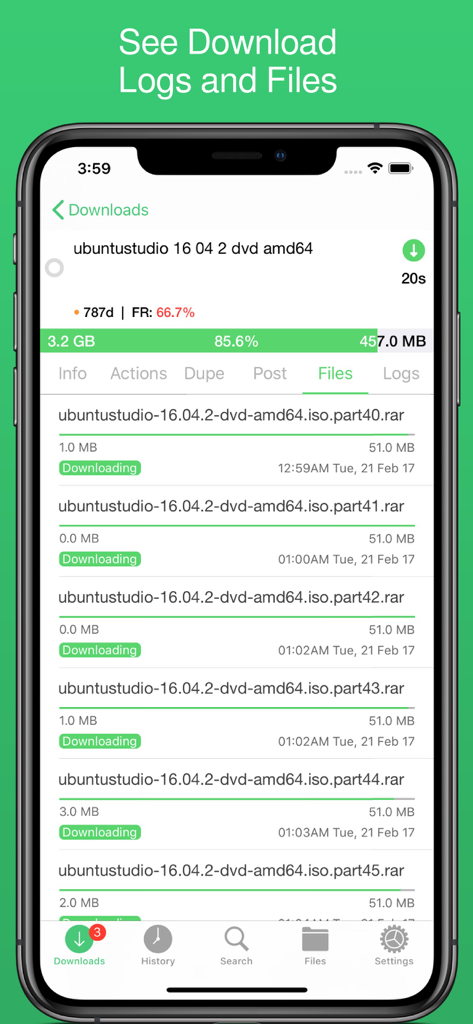
NZBClient for NZBGet - NZBClient의 모바일 인터페이스에 진행 중인 다운로드의 개별 파일 부분 및 진행률 표시
NZBClient의 모바일 인터페이스에 진행 중인 다운로드의 개별 파일 부분 및 진행률 표시

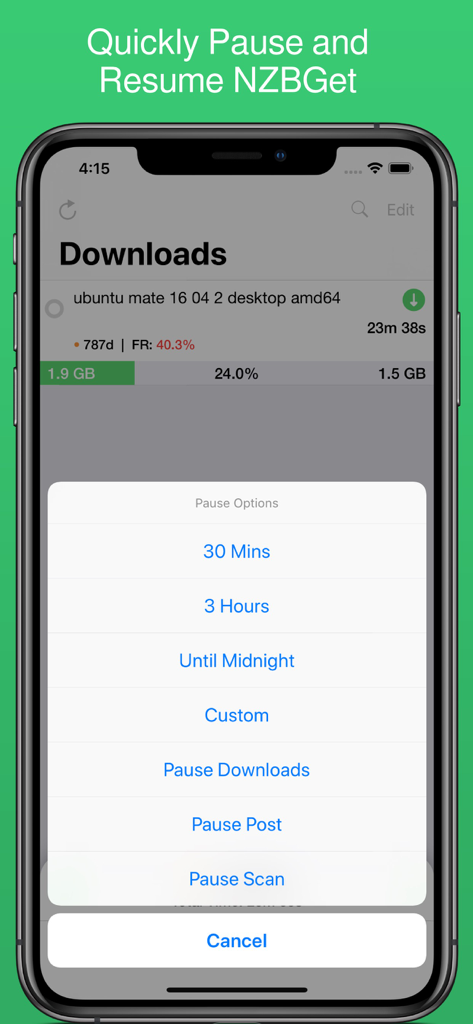
NZBClient for NZBGet - NZBClient 모바일 앱 스크린샷에 다운로드 진행률과 NZBGet의 시간 간격을 포함한 일시 중지 옵션 메뉴 표시
NZBClient 모바일 앱 스크린샷에 다운로드 진행률과 NZBGet의 시간 간격을 포함한 일시 중지 옵션 메뉴 표시

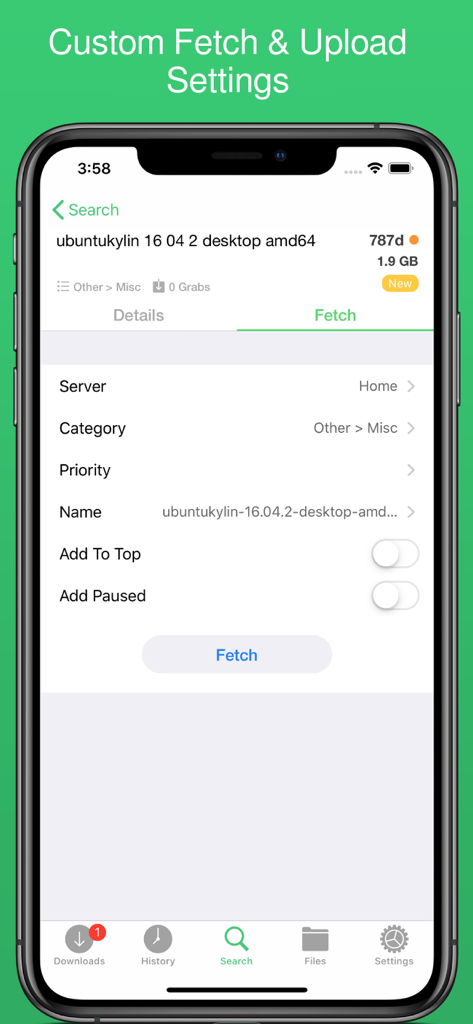
NZBClient for NZBGet - 다운로드 파일에 대한 가져오기 및 업로드 설정 사용자 정의를 위한 NZBClient 앱 인터페이스

다운로드 파일에 대한 가져오기 및 업로드 설정 사용자 정의를 위한 NZBClient 앱 인터페이스

설명

Use NZBClient to manage your NZBGet Server on your iPhone or iPad. This app works as a client or front-end for your NZBGet server v13+. Monitor, delete and edit current downloads and items in your history. Including support for multiple servers with fast switching, great for local/remote access setups. Search or Browse Newznab based servers for new NZB's, then fetch or save them. Create custom searches then automatically search and fetch results. Get push notifications from NZBGet or any other service, when new NZB's are added to queue, deleted, fail, or downloaded. With custom settings and menus you can fully customisable the app to suit your needs. Features include: - Search, Browse & Fetch from Newznab servers, - Pause, Resume downloads - Push Notifications - E2E Encrypted Push Notifications - Delete history or active downloads - Upload .NZB files - Multiple Servers - HTTPS/SSL - Set Speed limit - Pause queue for set time, - Set Category when uploading - Set Priority when uploading - Add to top when uploading - Add paused when uploading - Change priority of NZB in queue, - Change category of NZB in Queue, - Pause resume single NZB file in queue, - Save NZB files locally on device - Re-upload local NZB files - Set Default server - View History - View Log files - Edit and delete Servers - Set Refresh time - See detailed overview of each active download - Mark History items as good/bad - Re-download and Re-Postprocess history items - View Hidden items in history - View server log - Open and Uncompress .zip files - Group upload NZB files - Set unpack password - RSS fetching - Search and filter Downloads and History - Full App customisation Note: Some features require a one-time in-app purchase or a monthly/yearly subscription to use, this helps support independent development. You need to have a Laptop, NAS or PC running NZBGet v13+ to use this app. NZBClient is a free download and offers a limited feature set for free forever! If you would like to unlock the full potential of the app and support independent development, you can purchase a one-time purchase of Premium to access some extra features, or subscribe (monthly or yearly) to Ultra to access all features. NZBClient has monthly and yearly subscription options available that unlock all features. Subscriptions can be canceled at any time at least 24 hours before the next billing cycle. Privacy policy: https://nzbclient.app/privacy Terms of use: https://nzbclient.app/terms

Download

다운로드: App Store

이 페이지는 앱이나 개발자의 공식 페이지가 아니며, 정보 제공 및 논평을 목적으로 작성된 독립 편집 간행물입니다. 명시적으로 달리 언급되지 않는 한, 해당 앱이나 개발자는 MWM, Apple, Google Play, 앱 퍼블리셔 또는 앱 개발자와 제휴, 보증, 후원, 승인 또는 공식적으로 연결되어 있지 않으며, 이 페이지의 어떤 내용도 해당 앱이 MWM의 서비스를 사용하여 개발되었음을 의미하지 않습니다. 모든 상표, 로고, 스크린샷 및 기타 콘텐츠는 해당 소유자의 자산입니다.