Obsbot Live
Obsbot Live
다운로드: App Store

이 페이지는 앱이나 개발자의 공식 페이지가 아니며, 정보 제공 및 논평을 목적으로 작성된 독립 편집 간행물입니다. 명시적으로 달리 언급되지 않는 한, 해당 앱이나 개발자는 MWM, Apple, Google Play, 앱 퍼블리셔 또는 앱 개발자와 제휴, 보증, 후원, 승인 또는 공식적으로 연결되어 있지 않으며, 이 페이지의 어떤 내용도 해당 앱이 MWM의 서비스를 사용하여 개발되었음을 의미하지 않습니다. 모든 상표, 로고, 스크린샷 및 기타 콘텐츠는 해당 소유자의 자산입니다.


로고: Obsbot Live
다운로드: App Store

Obsbot Live

전문적인 멀티앵글 제어, AI 기반 추적, 좋아하는 플랫폼으로의 원활한 라이브 스트리밍(가로 또는 세로 모드)으로 솔로 프로덕션을 한 단계 업그레이드하세요.

주요 수치

다운로드

2K+

사용자 평점

4.6/5

총 평가 수

0

개발사

Remo Tech Co.,Ltd.

카테고리

Photo & Video

지원 언어

28

최신 버전

1.2.4

크기

344.3 MB

출시일

2024년 8월 6일
기능

주머니 속 전문가 수준의 프로덕션 스튜디오

OBSBOT 설정을 멀티카메라 파워하우스로 변환하세요. Obsbot Live는 솔로 크리에이터에게 전문 카메라 팀 없이 방송 품질의 스트림을 제작할 수 있는 도구를 제공합니다.

멀티캠 제어 센터

Wi-Fi 또는 Bluetooth를 통해 최대 3대의 OBSBOT 카메라를 연결하세요. 단일 직관적인 인터페이스에서 앵글을 전환하고, PTZ 설정을 조정하고, 전체 방송을 관리하세요.

AI 기반 카메라 팀

이동 중에도 프레임 안에 머물 수 있도록 고급 AI 추적 기능을 활용하세요. 피트니스 강사, DIY 크리에이터, 역동적인 라이브 프레젠테이션에 완벽합니다.

다음 스크린샷과 설명은 앱의 공식 스토어 목록에서 직접 가져온 것이며 앱 개발자의 자산입니다.

앱 스토어

스크린샷
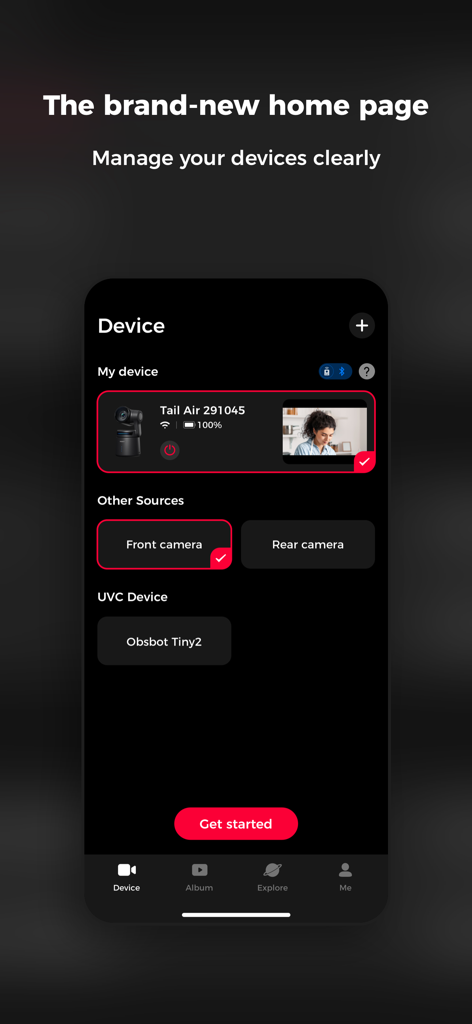
Obsbot Live - Obsbot Live 앱 홈 페이지로, 라이브 스트리밍을 위해 Tail Air 및 Tiny2와 같은 여러 카메라를 관리하는 대시보드를 보여줍니다.
Obsbot Live 앱 홈 페이지로, 라이브 스트리밍을 위해 Tail Air 및 Tiny2와 같은 여러 카메라를 관리하는 대시보드를 보여줍니다.

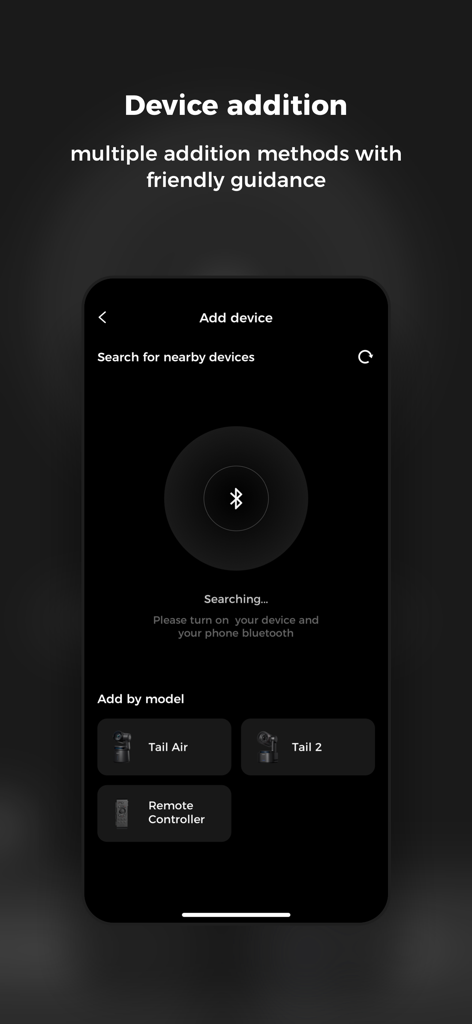
Obsbot Live - Tail Air 및 Tail 2 카메라 연결을 위한 Obsbot Live의 장치 추가 화면
Tail Air 및 Tail 2 카메라 연결을 위한 Obsbot Live의 장치 추가 화면

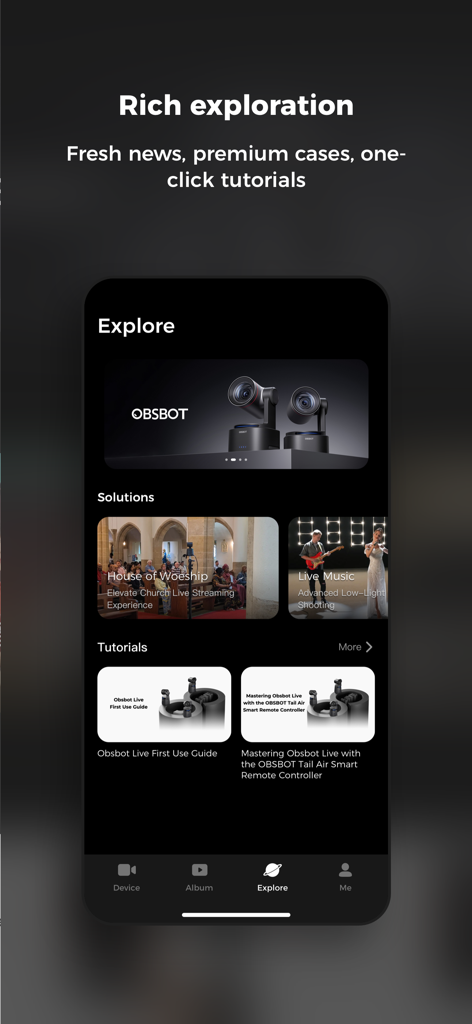
Obsbot Live - Obsbot Live 앱 탐색 인터페이스로, 라이브 스트리밍 솔루션 및 카메라 튜토리얼을 보여줍니다.
Obsbot Live 앱 탐색 인터페이스로, 라이브 스트리밍 솔루션 및 카메라 튜토리얼을 보여줍니다.

Obsbot Live - 요리 스트림을 위한 멀티카메라 제어를 보여주는 모바일 기기의 Obsbot Live 앱 인터페이스
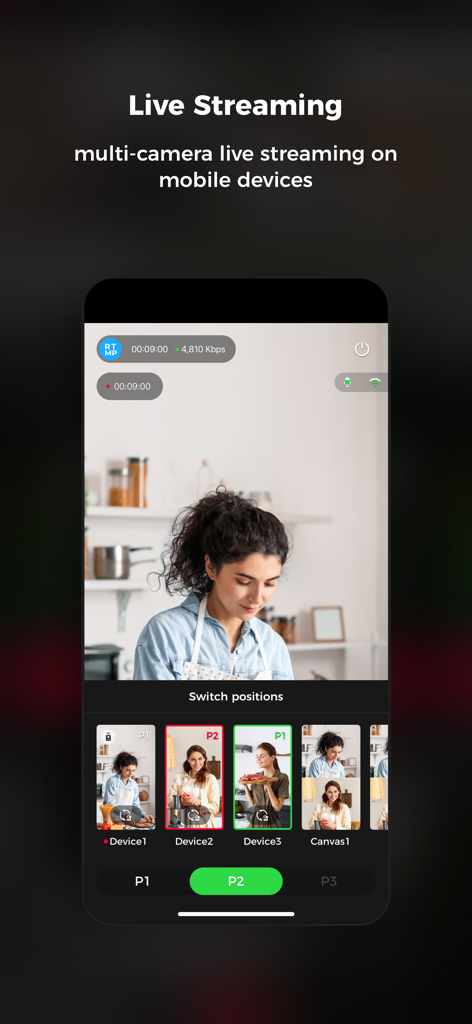
요리 스트림을 위한 멀티카메라 제어를 보여주는 모바일 기기의 Obsbot Live 앱 인터페이스

Obsbot Live - 멀티카메라 스트리밍 및 카메라 전환 옵션을 보여주는 휴대폰의 Obsbot Live 앱 인터페이스
멀티카메라 스트리밍 및 카메라 전환 옵션을 보여주는 휴대폰의 Obsbot Live 앱 인터페이스

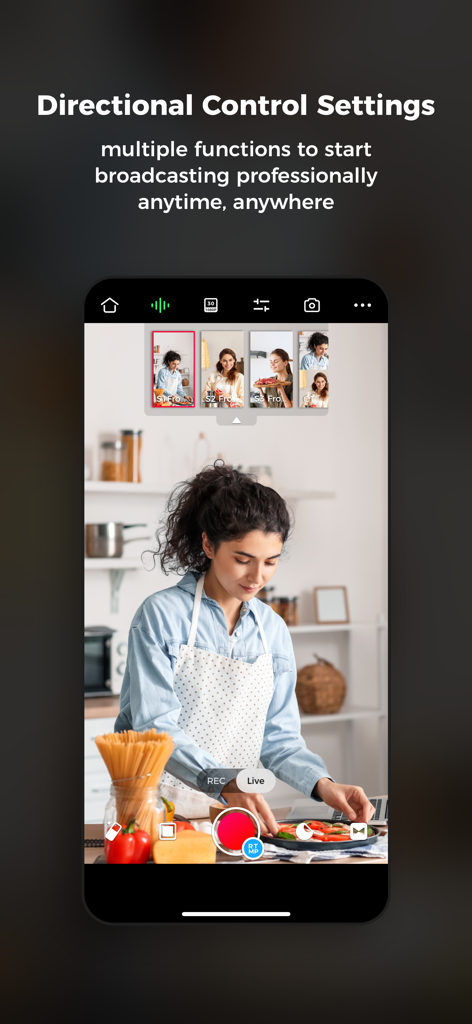
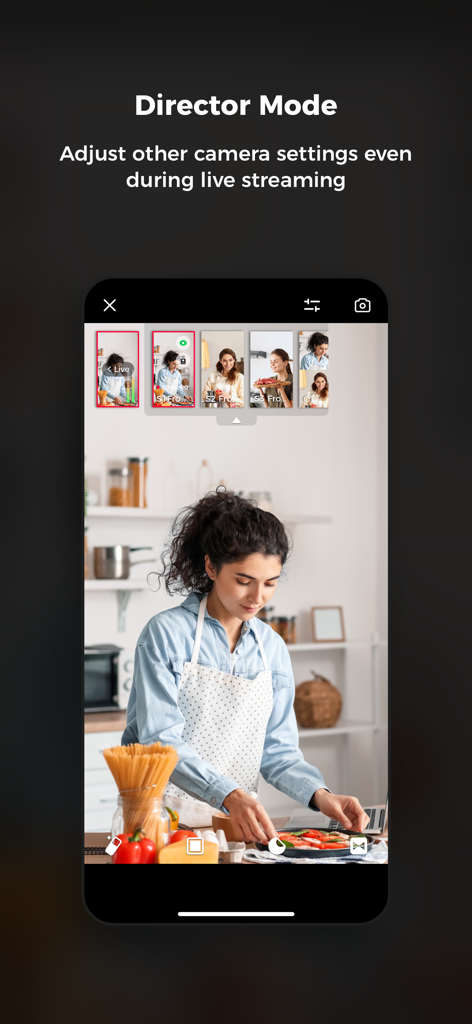
Obsbot Live - 세로 모드에서 라이브 요리 스트림 중 멀티카메라 제어를 보여주는 Obsbot Live 앱의 디렉터 모드 인터페이스

세로 모드에서 라이브 요리 스트림 중 멀티카메라 제어를 보여주는 Obsbot Live 앱의 디렉터 모드 인터페이스

설명

"Experience brand new multi-cam live streaming with the innovative OBSBOT Live Easy and Fast Control of Multiple OBSBOT Cameras Supports simultaneous connection to up to three OBSBOT camera devices via Bluetooth or Wi-Fi for PTZ control, AI Features, image parameter adjustment, and multi-camera recording control. Start Multi-camera Live Streaming Anytime, Anywhere The software supports mainstream social live-streaming platforms. After logging in and authorizing the corresponding accounts and connecting multiple OBSBOT cameras, you can start multi-camera video recording/live streaming anytime, anywhere. Landscape and Portrait View Obsbot Live has been adapted for landscape and portrait views. Users can choose the orientation that meets their current needs for live streaming and video recording based on personal habits and usage scenarios. Convenient Canvas Switching After detecting the video stream, the software can automatically recognize and fill in the video content and overlay it on the built-in canvas features. Users can also manually adjust the canvas content and customize their multi-camera live streaming canvas. Clear Audio Mixer With our advanced built-in audio mixer panel, users can monitor and manage the audio status of the currently connected devices, achieving integrated management of audio and video to ensure a high-quality multi-cam live streaming experience. Perfectly matched with Tail Air Smart Remote Controller With Tail Air Smart Remote Controller, your multi-camera control experience will be taken to the next level. Its easy-to-understand operation logic allows you to immediately experience device switching, more realistic button control, or futuristic Motion Control of the PTZ! OBSBOT aims to provide a simpler and more energetic way to enjoy video shooting and live streaming. Record and share your life moments on air with dynamic video language and limitless imagination. If you have any suggestions while using OBSBOT, feel free to write to service@obsbot.com. We value every communication with you."

Download

다운로드: App Store

이 페이지는 앱이나 개발자의 공식 페이지가 아니며, 정보 제공 및 논평을 목적으로 작성된 독립 편집 간행물입니다. 명시적으로 달리 언급되지 않는 한, 해당 앱이나 개발자는 MWM, Apple, Google Play, 앱 퍼블리셔 또는 앱 개발자와 제휴, 보증, 후원, 승인 또는 공식적으로 연결되어 있지 않으며, 이 페이지의 어떤 내용도 해당 앱이 MWM의 서비스를 사용하여 개발되었음을 의미하지 않습니다. 모든 상표, 로고, 스크린샷 및 기타 콘텐츠는 해당 소유자의 자산입니다.








