Obscura — Pro Camera

Obscura — Pro Camera

다운로드: App Store
로고: Obscura — Pro Camera

Obscura — 전문 사진, 세련되게

한 손으로 정밀하게 제어하고 전문가 수준의 RAW 촬영을 위해 디자인된 수상 경력의 인터페이스로 iPhone 카메라를 완전히 수동으로 제어하세요.

개발사

Ben McCarthy

카테고리

Photo & Video

다운로드

178K+

사용자 평점

4.1/5

총 평가 수

700

지원 언어

10

손끝에서 느껴지는 정밀함

이 인터페이스를 사용하는 178K+ 명의 사용자.

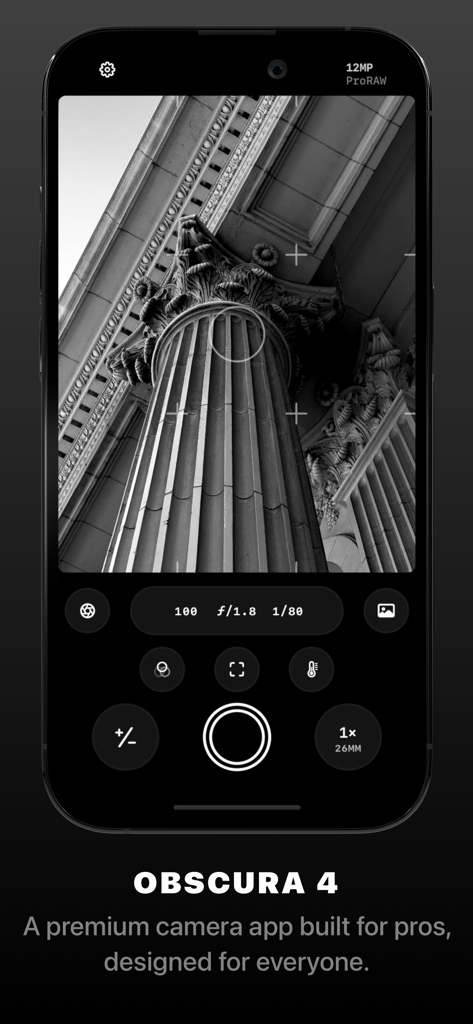
Obscura 4 카메라 앱 인터페이스는 수동 노출 제어와 고전적인 기둥의 흑백 사진을 보여줍니다.
Obscura 4 카메라 앱 인터페이스는 수동 노출 제어와 고전적인 기둥의 흑백 사진을 보여줍니다.

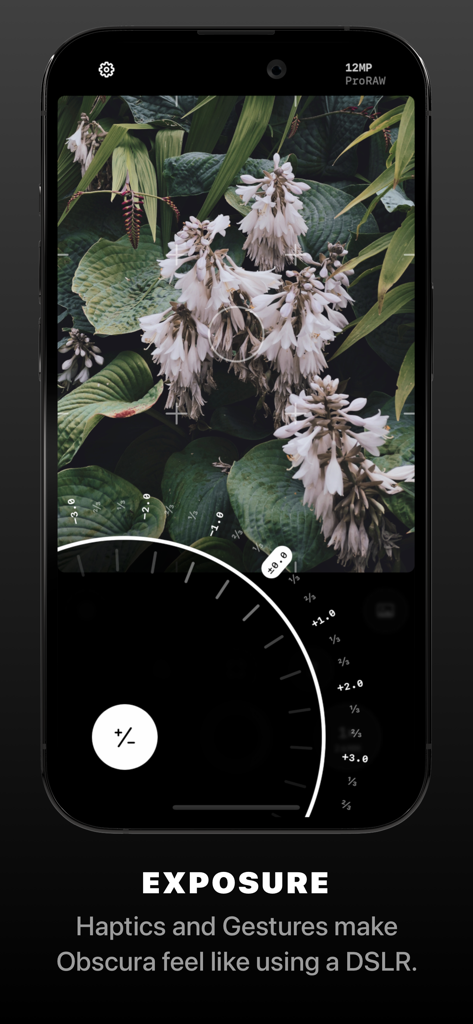
Obscura 프로 카메라 앱 인터페이스는 수동 노출 다이얼과 흰 꽃 사진을 보여줍니다.
Obscura 프로 카메라 앱 인터페이스는 수동 노출 다이얼과 흰 꽃 사진을 보여줍니다.

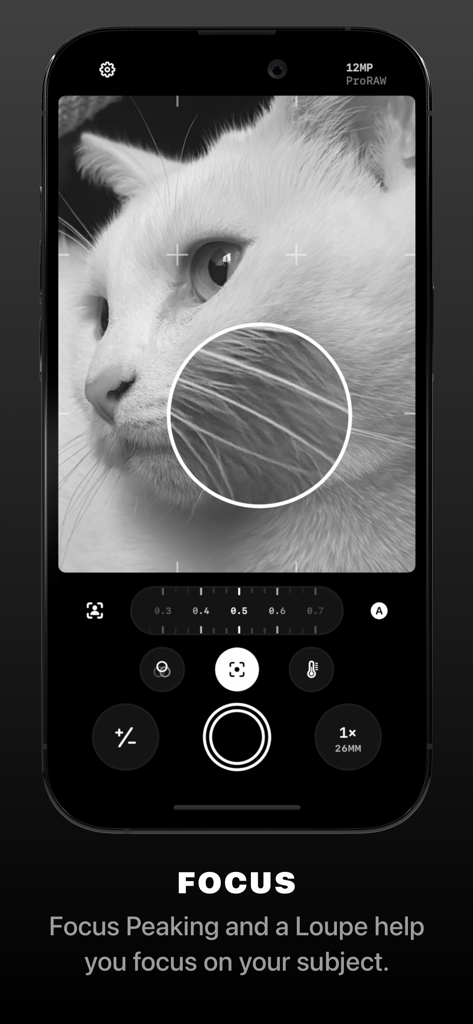
Obscura Pro Camera 앱 인터페이스는 흑백 고양이 사진에 대한 수동 초점 돋보기 및 포커스 피킹 도구를 보여줍니다.
Obscura Pro Camera 앱 인터페이스는 흑백 고양이 사진에 대한 수동 초점 돋보기 및 포커스 피킹 도구를 보여줍니다.

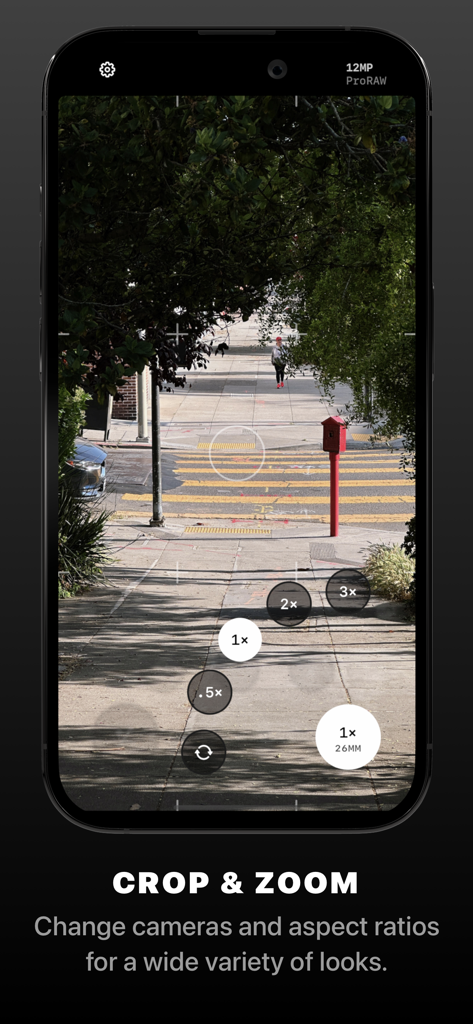
Obscura 프로 카메라 앱 인터페이스는 수동 줌 및 렌즈 선택 제어를 보여줍니다.
Obscura 프로 카메라 앱 인터페이스는 수동 줌 및 렌즈 선택 제어를 보여줍니다.

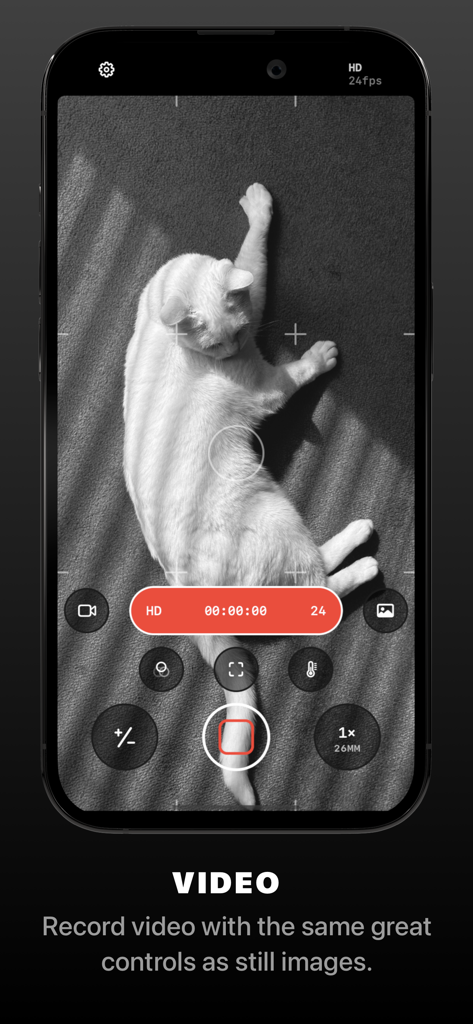
Obscura 앱 비디오 녹화 인터페이스 스크린샷으로, 흑백으로 흰 고양이를 촬영하는 동안 전문적인 수동 제어를 보여줍니다.
Obscura 앱 비디오 녹화 인터페이스 스크린샷으로, 흑백으로 흰 고양이를 촬영하는 동안 전문적인 수동 제어를 보여줍니다.

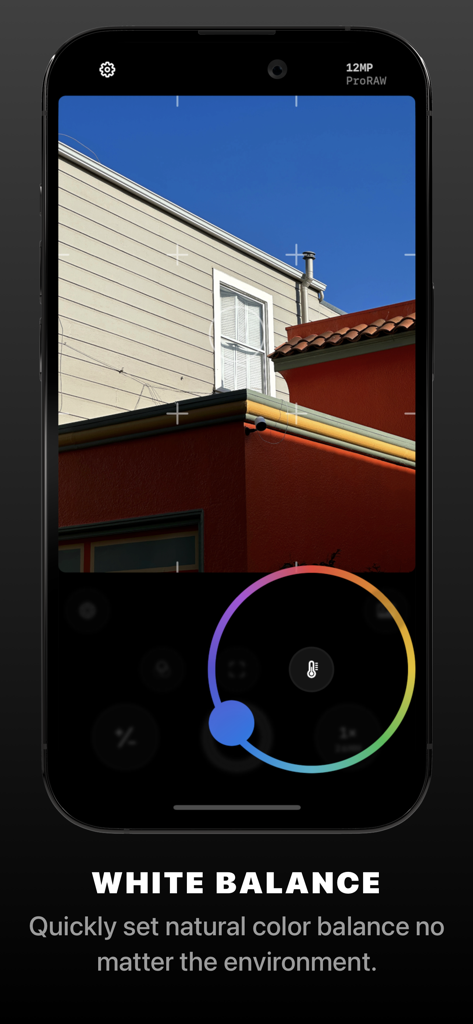
Obscura Pro Camera 앱 인터페이스는 수동 화이트 밸런스 제어 휠을 보여줍니다.
Obscura Pro Camera 앱 인터페이스는 수동 화이트 밸런스 제어 휠을 보여줍니다.

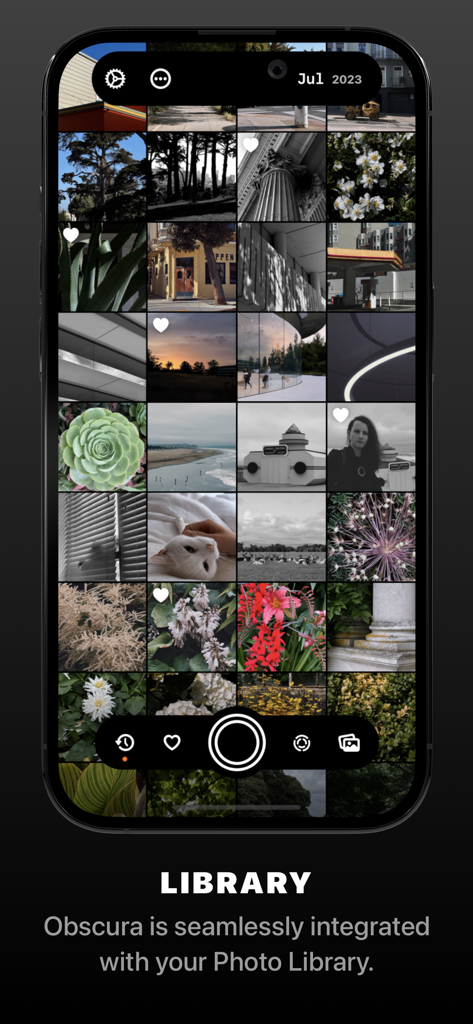
Obscura 앱 스크린샷으로, iPhone에서 시스템 라이브러리의 사진 그리드를 보여줍니다.
Obscura 앱 스크린샷으로, iPhone에서 시스템 라이브러리의 사진 그리드를 보여줍니다.

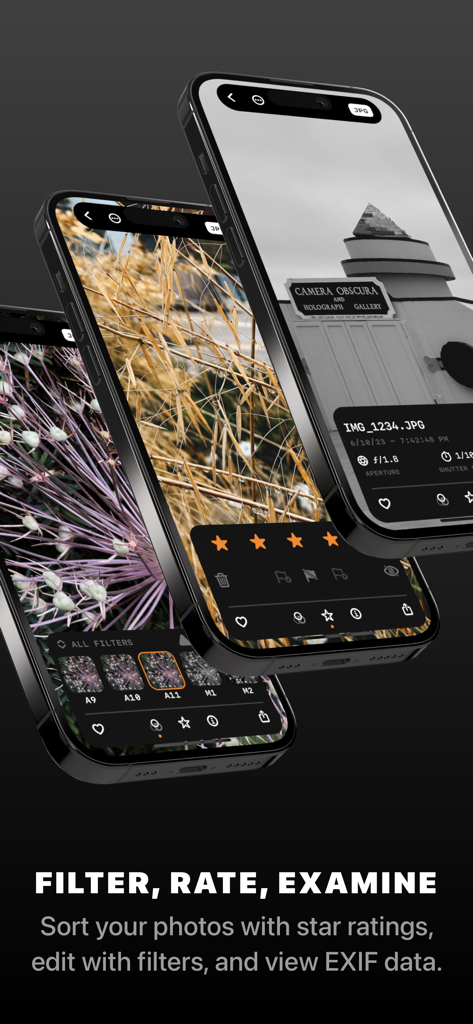
Obscura 앱은 사진 메타데이터 필터링, 평가 및 보기를 위한 인터페이스를 제공합니다.
Obscura 앱은 사진 메타데이터 필터링, 평가 및 보기를 위한 인터페이스를 제공합니다.

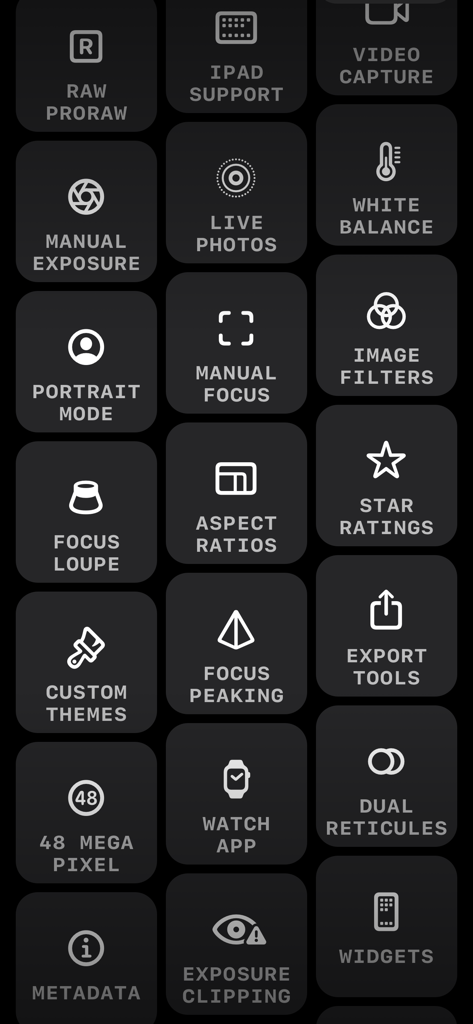
RAW 지원, 수동 노출, 포커스 피킹과 같은 전문 사진 기능인 Obscura 카메라 앱의 아이콘 그리드.
RAW 지원, 수동 노출, 포커스 피킹과 같은 전문 사진 기능인 Obscura 카메라 앱의 아이콘 그리드.

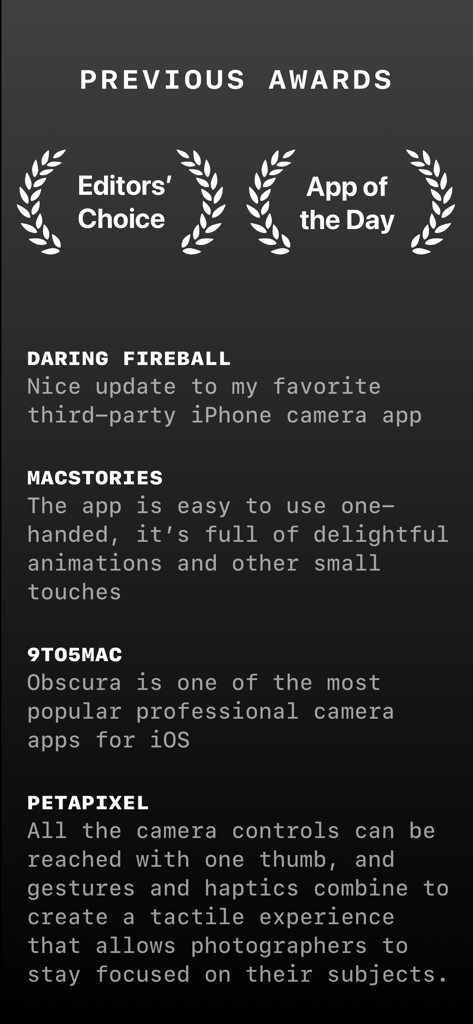
Obscura Pro Camera 앱의 업계 수상 내역 및 언론 리뷰 목록으로, 전문적인 기능과 디자인을 강조합니다.

Obscura Pro Camera 앱의 업계 수상 내역 및 언론 리뷰 목록으로, 전문적인 기능과 디자인을 강조합니다.

주머니 속 전문가급 파워

이 앱을 돋보이게 하는 도구, 178K+ 명의 사용자가 선택.

🎛️

완벽한 수동 제어

ISO, 셔터 속도, 화이트 밸런스를 직관적인 다이얼로 완전히 제어하여 빠르고 전문적인 조정을 할 수 있습니다.

한 손 조작 인체공학

촉각적이고 제스처 기반의 인터페이스로 피사체에 집중하세요. 한 손으로 쉽게 촬영하고 햅틱 피드백을 경험할 수 있도록 설계되었습니다.

💎

전문가급 워크플로우

실시간 히스토그램과 포커스 피킹으로 RAW 및 ProRAW로 촬영한 다음, 시스템 라이브러리에서 즉시 정리하고 평가하세요.

앱 소개

에 대해 알아야 할 모든 것 Obscura — Pro Camera.

설명

Obscura 4 is a camera app packed full of features to help you take incredible photos. Obscura pairs a stunning design with intuitive controls that make taking photos a delight. — Over its 10 years on the App Store, Obscura has been much numerous times around the world, including as Editors’ Choice and App of the Day. — Design Obscura squeezes a bunch of powerful features into simple controls anyone can master. The interface balances aesthetics, ergonomics, and intuitiveness. You won’t want to use anything else. Controls can be reached with one thumb, and gestures and haptics combine to create a tactile experience that lets you stay focused on your subject. — Capture Modes & Formats Obscura captures photos, videos, Live Photos, and portraits. Photos can captured in RAW, ProRAW, HEIC, and JPEG (on supported devices, see http://obscura.camera/compatibility). Capture images in multiple different aspect ratios, or filters live in camera for a wide variety of styles. — Camera Settings Obscura gives you control over exposure, focus, white balance, ISO, shutter speed, and flash, with intuitive controls that make you feel in control of your device’s camera. — View Options Obscura lets you display a grid, a spirit level, a histogram, focus peaking, a focus loupe, and exposure clipping highlights to help you understand every detail of what you’re shooting. — Photo Library Obscura has its own interface for browsing, rating, editing, and sharing images, but it’s fully integrated with your system photo library, so images captured with Obscura are available everywhere. — Obscura Ultra Obscura is free to use, with an annual subscription for premium features. See http://obscura.camera/ultra for full details. — I hope you love using Obscura as much as I’ve loved designing and building it. If you do, please consider subscribing to Ultra, leaving a review, or just sharing with a friend. All the best, Ben ———— Privacy Policy: http://obscura.camera/privacy Terms of use: http://obscura.camera/terms

최신 버전

2025.12

크기

98.4 MB

출시일

2022년 2월 16일

사진 촬영을 전문가 수준의 기술로 끌어올리세요

AI가 당신의 사진을 결정하게 두지 마세요. 의도적인 창작자 커뮤니티에 참여하여 수동 제어의 정밀함, ProRAW 촬영, iPhone을 위해 디자인된 수상 경력의 인체공학적 디자인을 활용하세요.

다운로드: App Store

App information, icons, screenshots, and descriptions displayed on this page are sourced from the Apple App Store and are the property of their respective developers. Download estimates and rankings are based on MWM's proprietary models and may not reflect actual figures. This page is provided for informational and analytical purposes only.

Believe this page infringes your intellectual property? File a dispute