OcenAudio - Audio Editor Pro

OcenAudio - Audio Editor Pro

다운로드: App Store
로고: OcenAudio - Audio Editor Pro

OcenAudio - 오디오 편집 프로: 콘텐츠 제작자를 위한 올인원 모바일 스튜디오

이동 중에 사운드를 마스터하세요. TikTok 크리에이터, 팟캐스터, 모바일 우선 크리에이터를 위해 설계된 전문 도구로 오디오를 쉽게 자르고, 추출하고, 변환하세요.

다운로드: App Store

개발사

双平 卿

카테고리

Utilities

다운로드

800

사용자 평점

1.0/5

총 평가 수

0

지원 언어

2

손끝에서의 정밀함

이 인터페이스를 사용하는 800 명의 사용자.

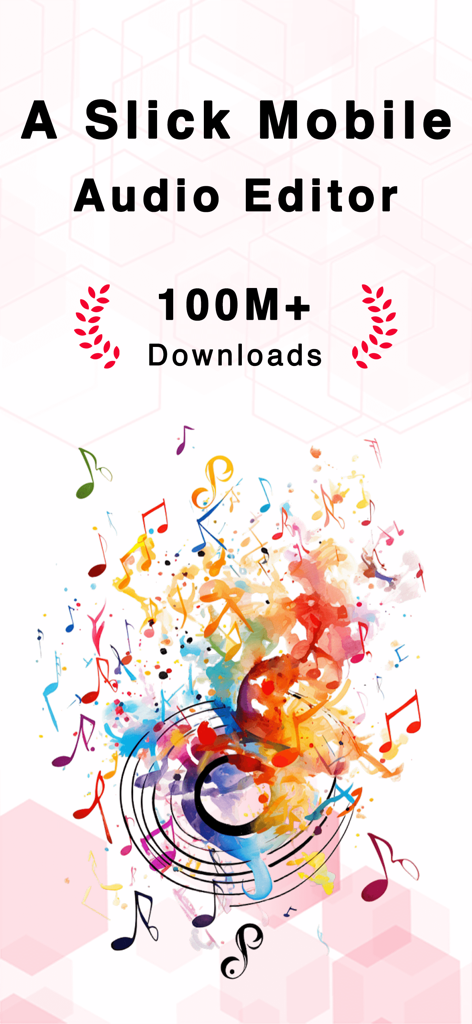
OcenAudio 앱 홍보 그래픽으로 다채로운 음표와 1억 다운로드 마일스톤을 특징으로 합니다.
OcenAudio 앱 홍보 그래픽으로 다채로운 음표와 1억 다운로드 마일스톤을 특징으로 합니다.

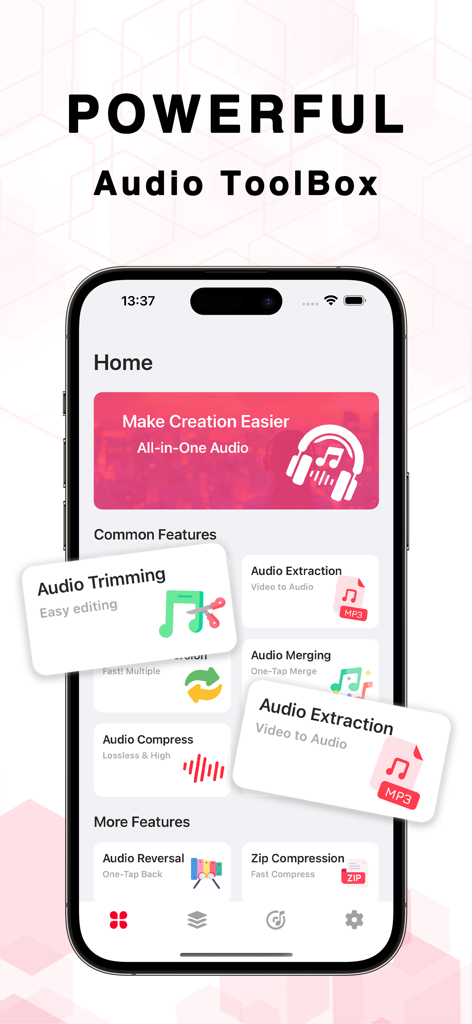
OcenAudio 오디오 편집 프로 앱 인터페이스에 다양한 오디오 편집 도구 및 기능 표시
OcenAudio 오디오 편집 프로 앱 인터페이스에 다양한 오디오 편집 도구 및 기능 표시

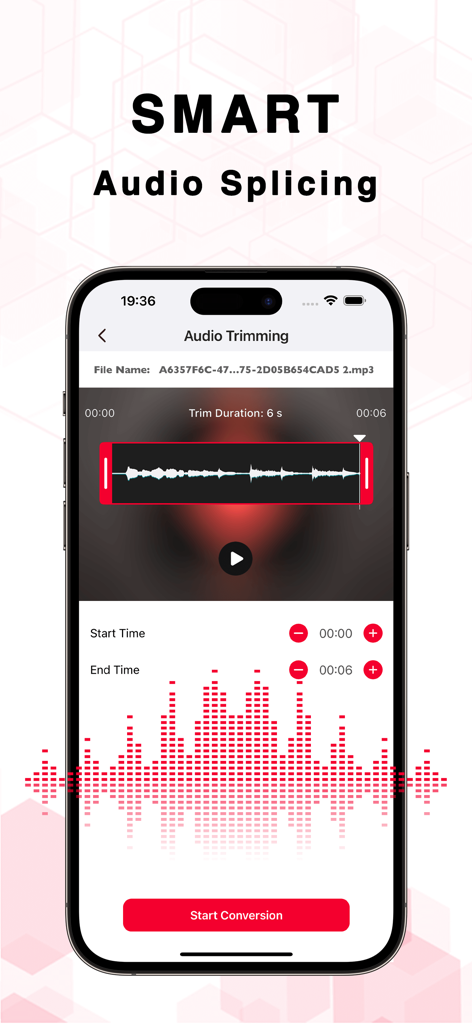
OcenAudio 앱의 스마트 오디오 자르기 및 트리밍 인터페이스
OcenAudio 앱의 스마트 오디오 자르기 및 트리밍 인터페이스

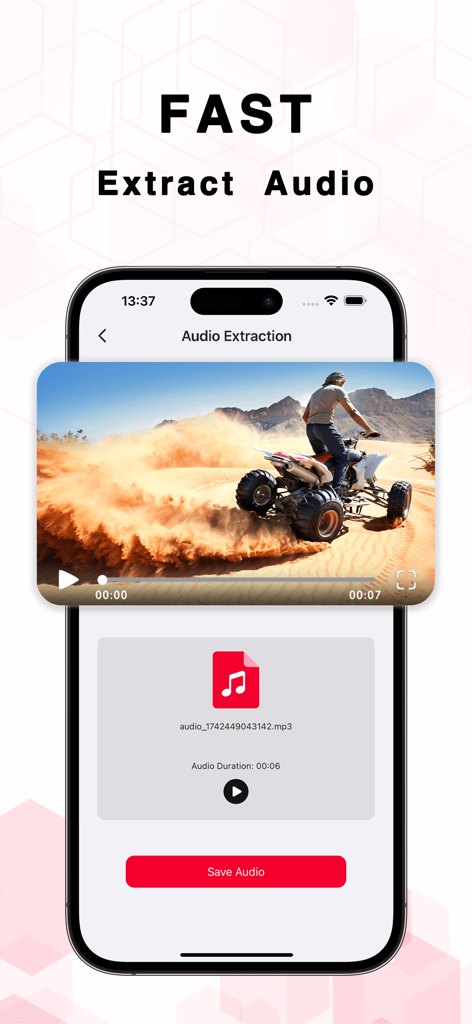
쿼드 바이크를 타는 사람의 비디오에서 mp3 파일을 추출하는 OcenAudio 앱을 보여주는 스마트폰 인터페이스.
쿼드 바이크를 타는 사람의 비디오에서 mp3 파일을 추출하는 OcenAudio 앱을 보여주는 스마트폰 인터페이스.

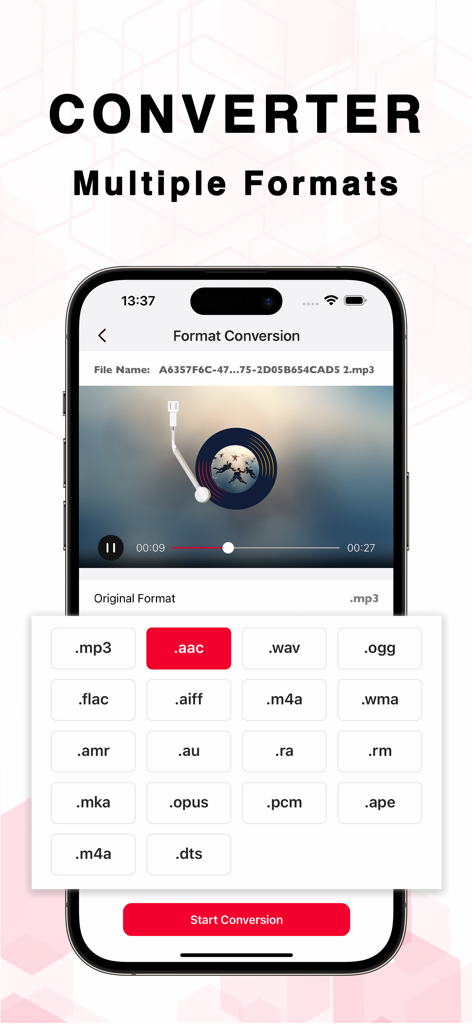
MP3, AAC, WAV와 같은 다양한 오디오 형식 변환 옵션을 보여주는 OcenAudio 앱 인터페이스
MP3, AAC, WAV와 같은 다양한 오디오 형식 변환 옵션을 보여주는 OcenAudio 앱 인터페이스

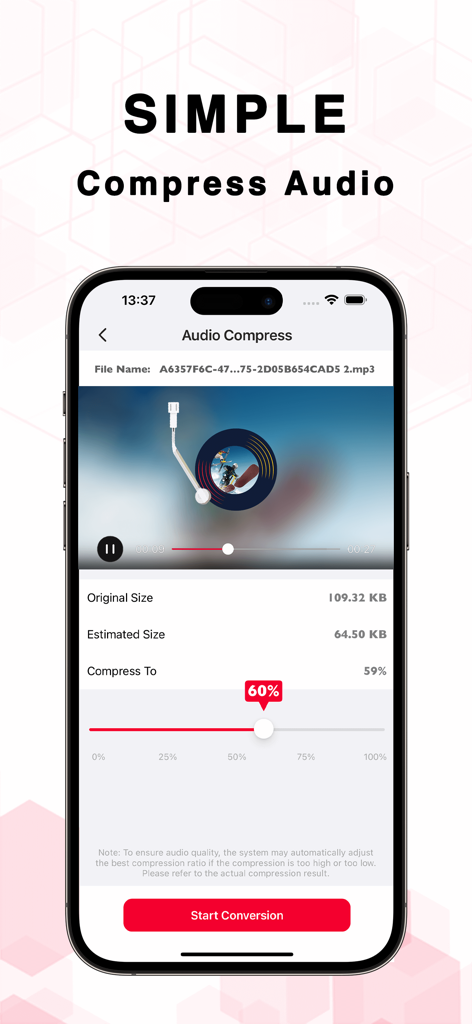
크기 조절 슬라이더로 오디오 파일 압축을 위한 OcenAudio 앱 화면
크기 조절 슬라이더로 오디오 파일 압축을 위한 OcenAudio 앱 화면

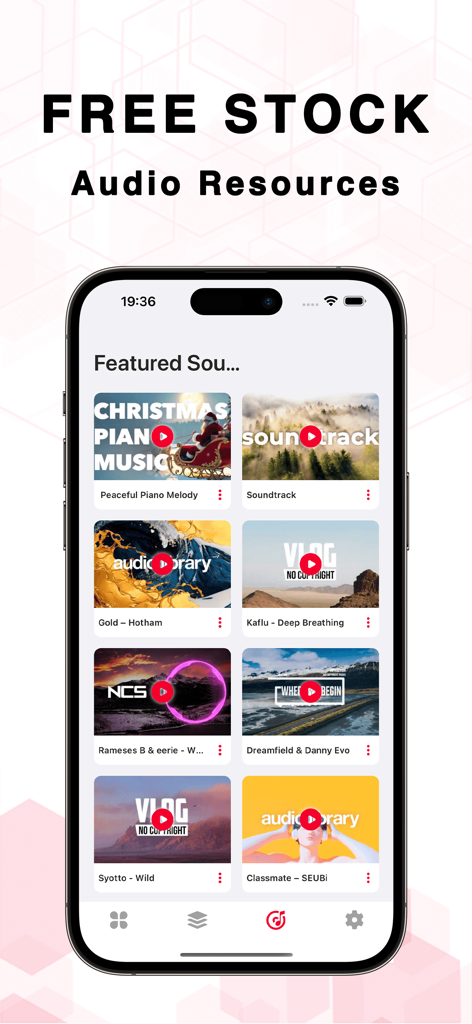
콘텐츠 제작자를 위한 무료 스톡 오디오 리소스를 표시하는 OcenAudio 앱 화면.

콘텐츠 제작자를 위한 무료 스톡 오디오 리소스를 표시하는 OcenAudio 앱 화면.

어디서든 사운드를 마스터하세요

이 앱을 돋보이게 하는 도구, 800 명의 사용자가 선택.

🎬

즉시 비디오-오디오 추출

바이럴 소셜 미디어 클립을 위한 콘텐츠 재활용의 궁극적인 도구인 고품질 사운드를 몇 초 만에 모든 비디오 파일에서 추출하세요.

✂️

정밀 편집 및 병합

전문적인 전환으로 여러 트랙을 원활하게 자르고, 잘라내고, 결합하세요. 이동 중에 팟캐스트 및 음악 데모를 다듬는 데 완벽합니다.

🚀

창의적인 속도 및 효과

재생 속도를 조정하거나 역방향 효과를 추가하여 독특한 사운드와 실험적인 오디오 분위기를 연출하여 트렌드를 앞서나가세요.

앱 소개

에 대해 알아야 할 모든 것 OcenAudio - Audio Editor Pro.

설명

Audio Editor: The Ultimate Audio Editing Tool AudioEditor brings complex audio processing features seamlessly to your phone, helping you easily edit, enhance, and convert audio files anytime, anywhere. Whether you're a content creator, musician, or just someone who loves working with audio, this app provides all the tools you need in one place. Key Features: - Audio Editing: Trim, cut, and modify your audio files to perfection with an intuitive interface. - Audio Extraction: Extract high-quality audio from your videos or other media files. - Audio Merging: Combine multiple audio files into one with seamless transitions. - Format Conversion: Convert audio files between different formats effortlessly for compatibility with any device. - Audio Trimming: Easily trim any unwanted parts of your audio files to keep only what matters. - Speed Adjustment: Slow down or speed up your audio for precise control over playback. - Reverse Playback: Create unique effects by playing your audio in reverse. With Audio Editor, you can quickly transform your audio files, whether it's for a podcast, video, or music production. Simplify your workflow and enhance your creativity with the most versatile audio tool in the market! Subscription Information - You can view subscription prices and upgrade to unlock all features through the in-app purchase page. - Payment: Payment will be charged to your iTunes account upon purchase confirmation. - Renewal: For monthly subscriptions, Apple iTunes will charge your account 24 hours before the subscription period ends. After a successful charge, the subscription period will be extended. - Cancellation: To cancel auto-renewal, go to "iTunes Store & App Store," tap "Apple ID," select "View Apple ID," and then access the "Account Settings" page. Tap "Subscriptions" and choose the subscription you wish to cancel. Privacy Policy: https://docs.qq.com/doc/p/87bec6264721ab013c787dda3769518843731ece
User Agreement: https://docs.qq.com/doc/p469c89889e622046b26e6c40b7331b94f4e5509b

최신 버전

1.3.0

크기

71.1 MB

출시일

2025년 3월 10일

스튜디오 품질 오디오를 만들 준비가 되셨나요?

모바일 우선 제작자 세대에 참여하세요. iPhone에서 바로 전문가처럼 추출, 자르기, 병합하세요.

다운로드: App Store

App information, icons, screenshots, and descriptions displayed on this page are sourced from the Apple App Store and are the property of their respective developers. Download estimates and rankings are based on MWM's proprietary models and may not reflect actual figures. This page is provided for informational and analytical purposes only.

Believe this page infringes your intellectual property? File a dispute