OCR Image AI - Photo to Text

OCR Image AI - Photo to Text

다운로드: App Store
로고: OCR Image AI - Photo to Text

OCRacle: AI 기반 사진 텍스트 변환 및 스마트 문서 스캔

물리적 세계와 디지털 세계를 연결하세요. 높은 정확도의 AI와 일괄 처리를 통해 메모, 영수증, 문서를 검색 가능하고 편집 가능한 텍스트로 즉시 변환합니다.

개발사

RapidNova Private Limited

카테고리

Productivity

다운로드

14K+

사용자 평점

4.9/5

총 평가 수

0

지원 언어

1

효율성을 시각화하다

이 인터페이스를 사용하는 14K+ 명의 사용자.

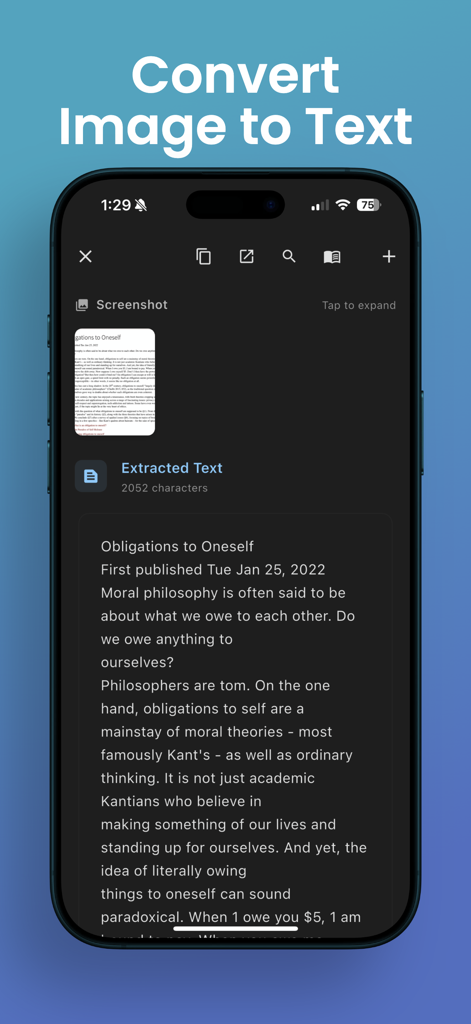
OCR 앱 인터페이스가 스캔된 문서 이미지에서 텍스트 추출을 시연합니다.
OCR 앱 인터페이스가 스캔된 문서 이미지에서 텍스트 추출을 시연합니다.

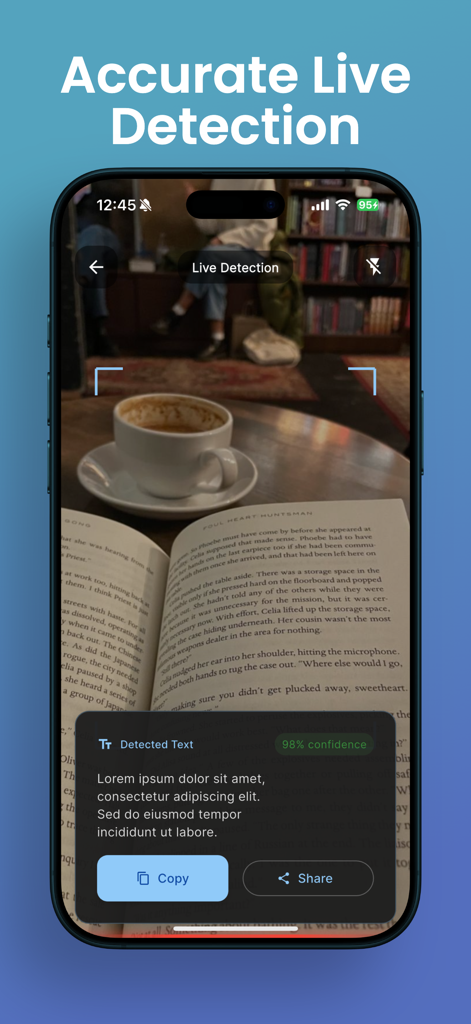
OCRacle 앱이 책에서 실시간으로 텍스트를 추출하는 것을 보여주는 스마트폰 화면.
OCRacle 앱이 책에서 실시간으로 텍스트를 추출하는 것을 보여주는 스마트폰 화면.

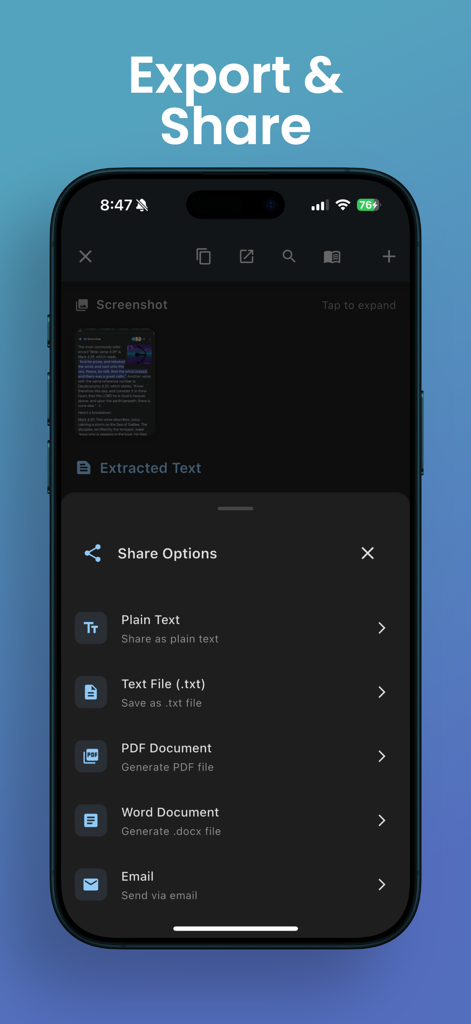
OCRacle 앱 인터페이스가 PDF 및 Word와 같은 추출된 텍스트에 대한 내보내기 및 공유 옵션을 보여줍니다.
OCRacle 앱 인터페이스가 PDF 및 Word와 같은 추출된 텍스트에 대한 내보내기 및 공유 옵션을 보여줍니다.

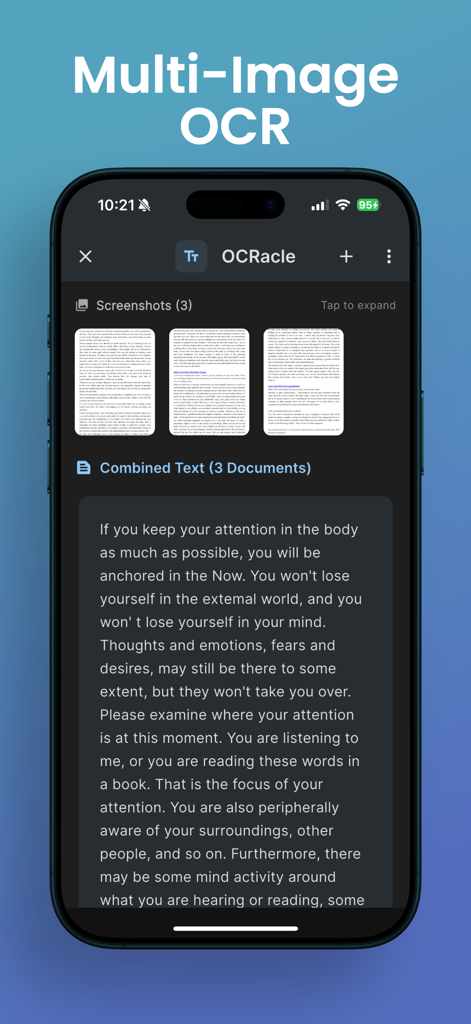
OCRacle 앱이 다중 이미지 OCR을 사용하여 세 장의 문서에서 텍스트를 추출하고 결합하는 것을 보여주는 iPhone 화면.
OCRacle 앱이 다중 이미지 OCR을 사용하여 세 장의 문서에서 텍스트를 추출하고 결합하는 것을 보여주는 iPhone 화면.

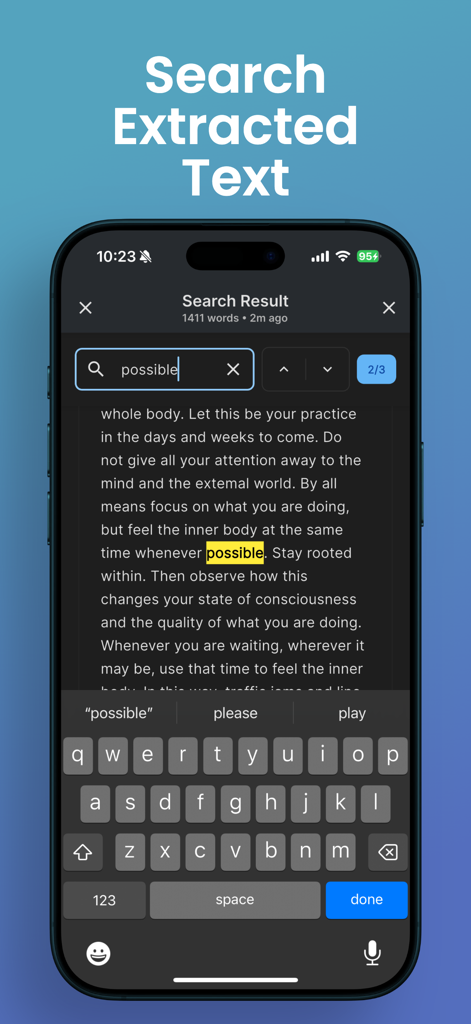
OCRacle 앱 인터페이스가 iPhone에서 추출된 텍스트에 강조 표시된 키워드와 함께 검색 기능을 보여줍니다.
OCRacle 앱 인터페이스가 iPhone에서 추출된 텍스트에 강조 표시된 키워드와 함께 검색 기능을 보여줍니다.

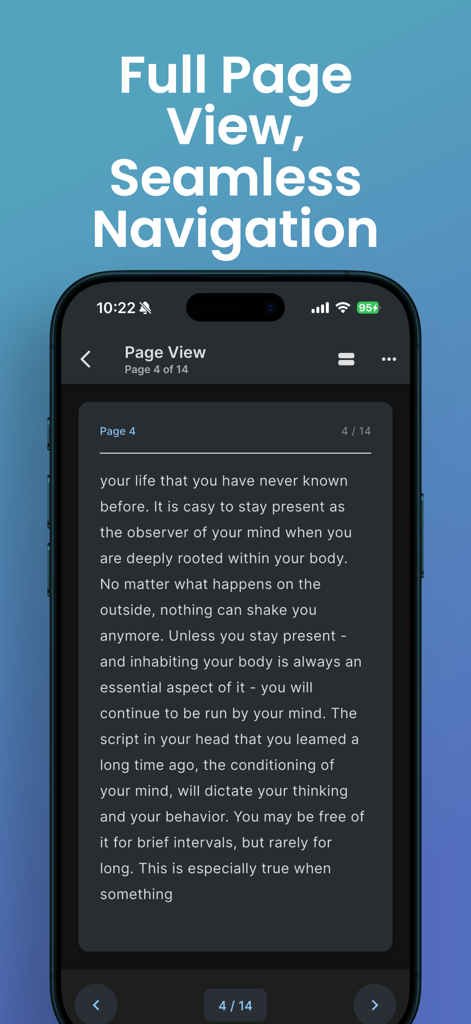
OCRacle 앱이 문서에서 디지털화된 텍스트의 전체 페이지 보기를 표시하는 것을 보여주는 스마트폰 화면.

OCRacle 앱이 문서에서 디지털화된 텍스트의 전체 페이지 보기를 표시하는 것을 보여주는 스마트폰 화면.

AI 기반 정밀도로 워크플로우 간소화

이 앱을 돋보이게 하는 도구, 14K+ 명의 사용자가 선택.

즉석 AI 텍스트 추출

수동 타이핑은 건너뛰세요. 높은 정확도의 AI가 책, 영수증 또는 메모에서 실시간으로 텍스트를 감지하고 캡처합니다.

🔍

전체 텍스트 스마트 검색

다시는 세부 사항을 놓치지 마세요. OCRacle은 스캔한 문서의 모든 단어를 검색 가능하게 하여 몇 초 안에 필요한 것을 찾을 수 있습니다.

📚

고속 일괄 스캔

스마트 가장자리 감지와 빠른 처리로 다페이지 보고서 또는 명함 더미를 손쉽게 디지털화하세요.

앱 소개

에 대해 알아야 할 모든 것 OCR Image AI - Photo to Text.

설명

OCRacle is a powerful and user-friendly document scanning and text extraction app that helps you digitize your physical documents with ease. Whether you need to capture text from books, documents, receipts, or any printed material, OCRacle makes it simple and efficient. KEY FEATURES: ADVANCED DOCUMENT SCANNING • Smart camera with real-time document edge detection • Batch scanning for multiple pages • High-quality image processing • Flash control and zoom capabilities • Support for both camera capture and gallery imports LIVE TEXT DETECTION • Real-time text extraction as you scan • High-accuracy OCR technology • Support for multiple languages • Instant text preview POWERFUL ORGANIZATION • Automatic document organization • Searchable text content • Document history with timestamps • Easy access to recent scans • Batch processing support SMART SEARCH • Full-text search across all documents • Quick navigation to specific content • Search within individual documents • Real-time search results READING & VIEWING OPTIONS • Comfortable reading mode with page view • Adjustable text size • Dark and light theme support • Clean, distraction-free interface SHARING & EXPORT • Copy extracted text instantly • Share text and images easily • Multiple sharing options • Quick access to sharing features ADDITIONAL FEATURES • User-friendly interface • Intuitive navigation • Fast processing speed • Minimal battery usage • Regular updates and improvements Whether you're a student digitizing study materials, a professional managing documents, or someone who needs to extract text from images regularly, OCRacle provides the perfect solution with its combination of powerful features and ease of use. Download OCRacle today and experience the convenience of instant text extraction and document organization! Note: OCRacle requires camera permissions for document scanning and storage permissions for saving processed documents. For support or feedback, contact us at: rapidnova2025@gmail.com privacy policy: https://rapidnova.co/apps/ocracle/privacy-policy terms: https://www.apple.com/legal/internet-services/itunes/dev/stdeula/

최신 버전

1.0.8

크기

49.2 MB

출시일

2025년 7월 14일

타이핑은 그만. OCRacle로 스캔하세요.

14,000명 이상의 전문가와 학생들과 함께 물리적 혼돈을 검색 가능한 디지털 명확성으로 바꾸세요. 오늘 당신이 원하는 AI 기반 정밀도를 경험하세요.

다운로드: App Store

App information, icons, screenshots, and descriptions displayed on this page are sourced from the Apple App Store and are the property of their respective developers. Download estimates and rankings are based on MWM's proprietary models and may not reflect actual figures. This page is provided for informational and analytical purposes only.

Believe this page infringes your intellectual property? File a dispute