Screenshot PRO Screenshots App

Screenshot PRO Screenshots App

다운로드: App Store
로고: Screenshot PRO Screenshots App

Screenshot PRO: 스크린샷을 검색 가능한 제2의 뇌로 변환

메모와 영수증을 찾느라 시간을 낭비하는 것을 멈추세요. AI 기반 OCR을 사용하여 이미지 내 텍스트를 검색하고, 태그로 정리하고, Face-ID로 개인 데이터를 보호하세요.

다운로드: App Store

개발사

Beatcode Srl

카테고리

Utilities

다운로드

204K+

사용자 평점

4.1/5

총 평가 수

1K+

지원 언어

3

내부 살짝 보기

이 인터페이스를 사용하는 204K+ 명의 사용자.

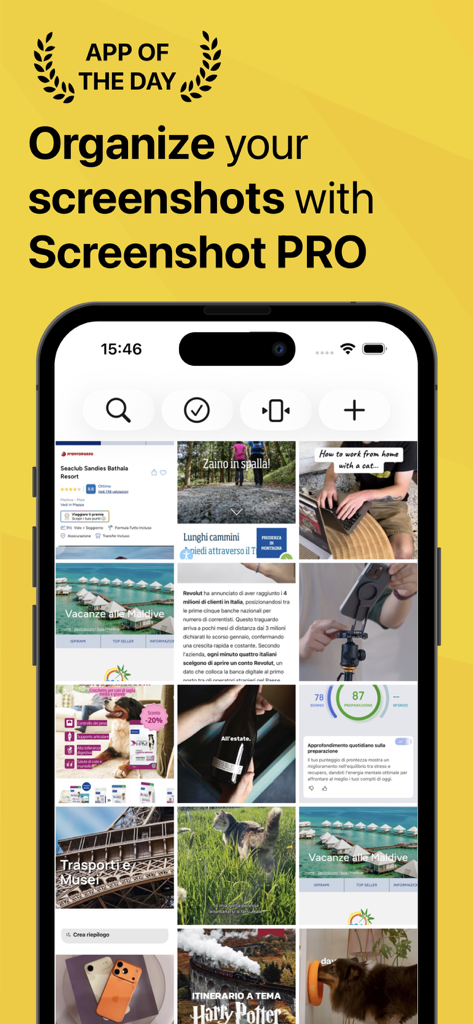
iPhone 화면에 정리된 스크린샷 그리드를 표시하는 Screenshot PRO 앱.
iPhone 화면에 정리된 스크린샷 그리드를 표시하는 Screenshot PRO 앱.

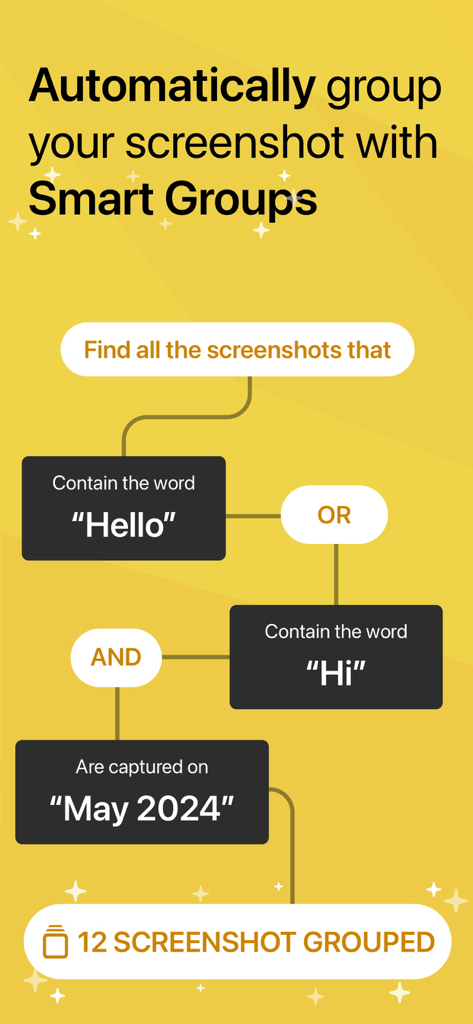
키워드 및 날짜별로 이미지를 자동으로 정리하는 Screenshot PRO의 스마트 그룹 기능을 보여주는 순서도.
키워드 및 날짜별로 이미지를 자동으로 정리하는 Screenshot PRO의 스마트 그룹 기능을 보여주는 순서도.

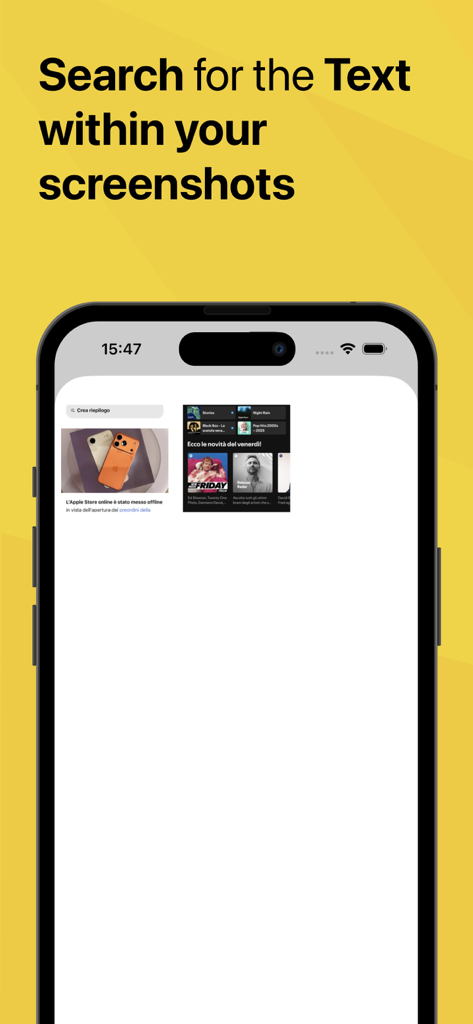
스크린샷에서 텍스트 검색 기능을 보여주는 Screenshot PRO 앱 인터페이스
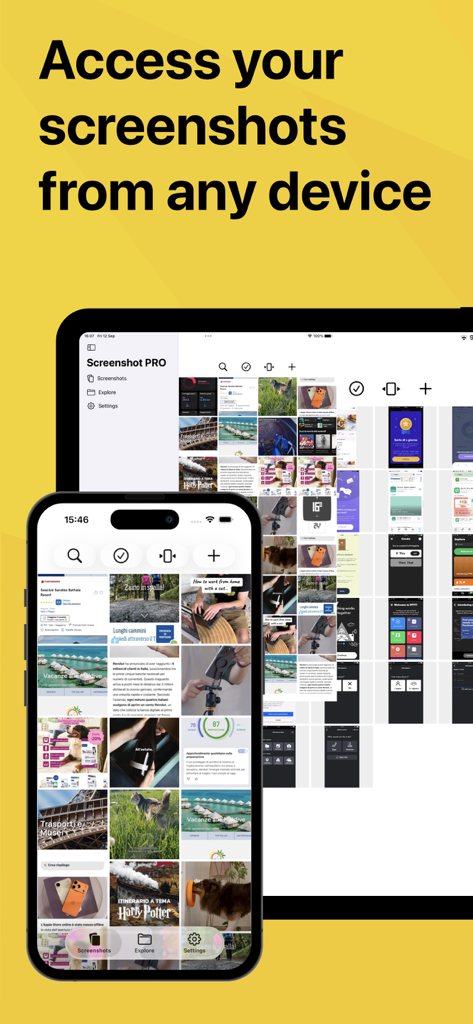
스크린샷에서 텍스트 검색 기능을 보여주는 Screenshot PRO 앱 인터페이스

크로스 장치 동기화 기능을 강조하는 iPhone 및 iPad에 표시되는 Screenshot PRO 앱 인터페이스
크로스 장치 동기화 기능을 강조하는 iPhone 및 iPad에 표시되는 Screenshot PRO 앱 인터페이스

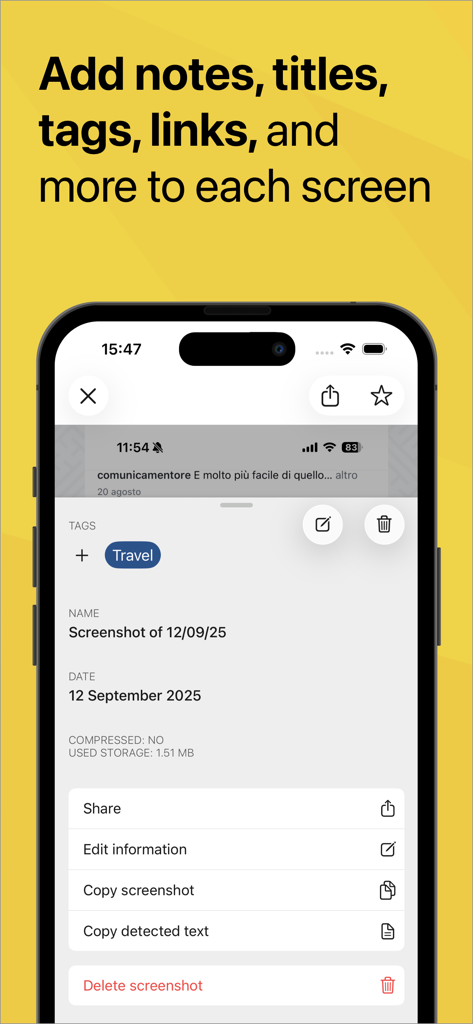
스크린샷에 태그, 메모 및 제목을 추가하는 옵션을 보여주는 Screenshot PRO 앱 인터페이스
스크린샷에 태그, 메모 및 제목을 추가하는 옵션을 보여주는 Screenshot PRO 앱 인터페이스

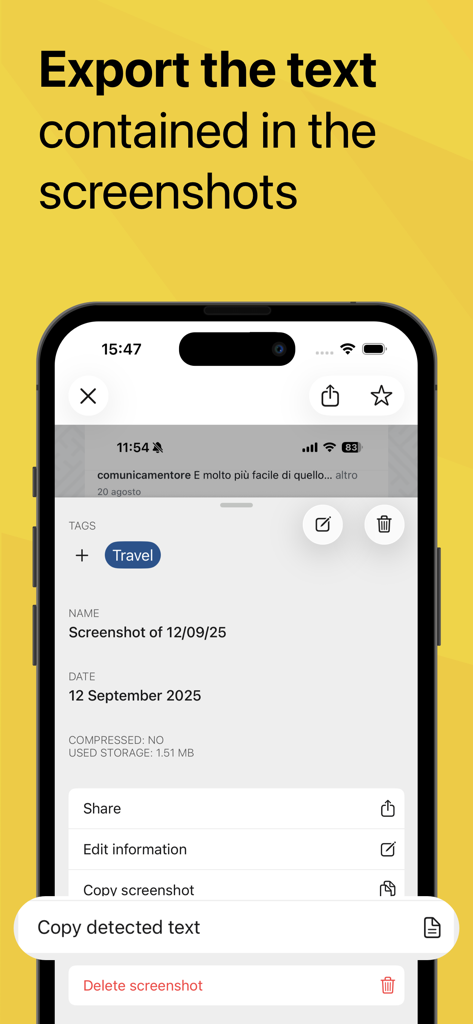
이미지에서 정보를 추출하기 위해 감지된 텍스트 복사 기능을 강조하는 Screenshot PRO 앱 인터페이스
이미지에서 정보를 추출하기 위해 감지된 텍스트 복사 기능을 강조하는 Screenshot PRO 앱 인터페이스

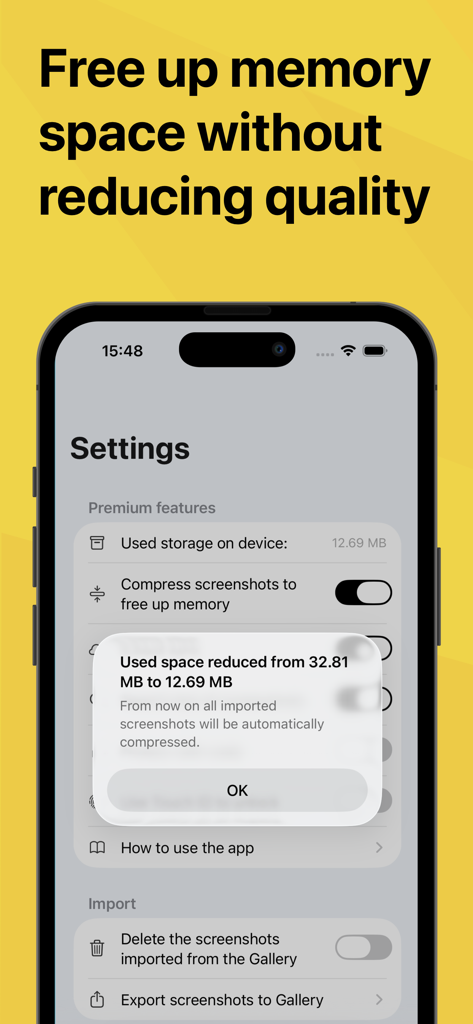
스크린샷 압축으로 메모리 공간 감소를 보여주는 모바일 앱 화면
스크린샷 압축으로 메모리 공간 감소를 보여주는 모바일 앱 화면

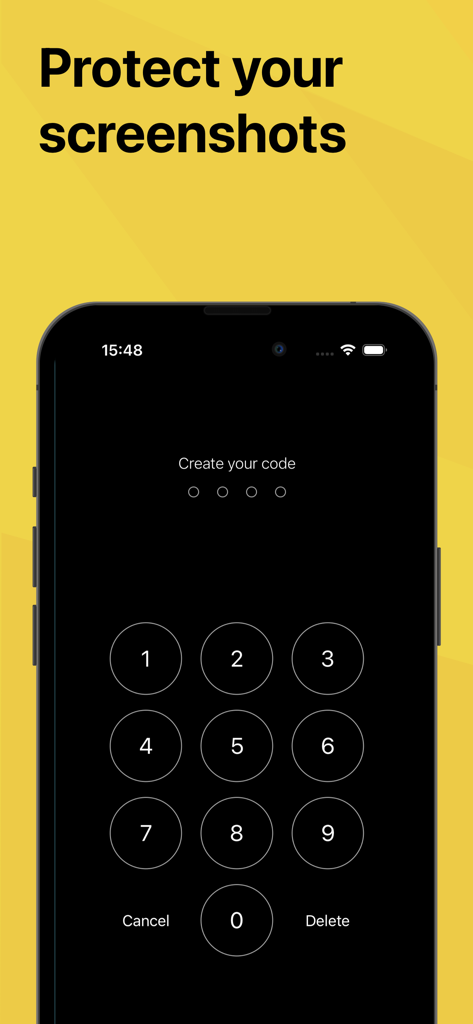
개인 스크린샷을 보호하기 위한 보안 비밀번호 설정용 숫자 키패드를 보여주는 iPhone 화면

개인 스크린샷을 보호하기 위한 보안 비밀번호 설정용 숫자 키패드를 보여주는 iPhone 화면

스크린샷을 검색 가능한 라이브러리로 변환

이 앱을 돋보이게 하는 도구, 204K+ 명의 사용자가 선택.

🔍

AI 기반 텍스트 검색

이미지 내에 있는 단어를 검색하여 몇 초 안에 모든 스크린샷을 찾으세요. 잃어버린 영수증, 인용문 또는 회의 메모를 찾는 데 완벽합니다.

카메라 롤 정리

개인적인 추억을 업무와 분리하세요. 스크린샷을 앱으로 자동 가져오고 메인 갤러리에서 삭제하여 저장 공간을 절약하세요.

🔒

안전한 Face-ID 보호

민감한 정보와 개인적인 대화를 보호하세요. Face-ID 또는 Touch-ID 뒤에 스크린샷 라이브러리를 잠가 궁극적인 마음의 평화를 얻으세요.

앱 소개

에 대해 알아야 할 모든 것 Screenshot PRO Screenshots App.

설명

THE BEST APP FOR MANAGING YOUR SCREENSHOTS Do you save many screenshots for work or to avoid forgetting something you saw on your device? Do you have the photo album on your phone full of screens that you can never find quickly? Screenshot PRO lets you better manage your screenshots: - Search the text inside your screenshots: thanks to the Artificial Intelligence features, Screenshot PRO analyzes your screenshots and makes all the words that appear on the screen searchable (works only for Latin languages, doesn't work for Chinese, Arabic o Russian Languages) - Export the text contained in all the screenshots: from today you can easily export the text contained in your screenshots to send it to whomever you want by simply copying it and pasting it on Whatsapp, Mail or any other application (works only for Latin languages) - Tag any content: divide your screenshots into categories using tags to find them immediately thanks to the "explore" feature or search for them using the "search" function. - Access your screenshots from every device thanks to iCloud sync (iOS 15 only) - Save your favorite screenshots to access them in a moment - Reduce the size of your screenshots to take up less space on your device - Add notes and links: for each screenshot you can attach a textual note and a link to further increase the information and to be able to search more easily with the "search" function. - Protect your screenshots: set a code or unlock using Face-ID or Touch-ID to protect your secret screens - Automatic import: at every startup Screenshot PRO automatically imports all your screenshots to start managing them at best. - Clean your camera roll: your screenshots are precious but also take up space between your personal photos. With Screenshot PRO, if you wish, your screenshots will be automatically deleted from your camera roll to avoid wasting valuable space. Other features: - Light and Dark mode: choose if you like more light or dark application - iMessage integration: quickly share your screenshots with iMessage - Multiple selection: delete or share multiple screenshots at once All contents imported on Screenshot PRO are saved exclusively on your iPhone or iPad and not on Cloud or other servers so no one will ever be able to access your content, not even those who have developed the application. We created this application because we felt the need for it since we lacked an app that would help us manage all the screenshots we do :) We hope it is also useful to you and we await your feedback to constantly improve Screenshot PRO. If you have any suggestions or feedback, write to us at feedback@beatcode.it Privacy Policy: https://www.iubenda.com/privacy-policy/99227405 Terms&Conditions: https://beatcode.it/screenshot_pro/tos.html

최신 버전

3.8.1

크기

24.3 MB

출시일

2019년 10월 24일

카메라 롤을 되찾을 준비가 되셨나요?

스크롤을 멈추고 찾기를 시작한 200,000명 이상의 전문가들과 함께하세요. 오늘 Screenshot PRO를 다운로드하여 디지털 잡동사니를 검색 가능하고 안전하며 정리된 지식 베이스로 바꾸세요.

다운로드: App Store

App information, icons, screenshots, and descriptions displayed on this page are sourced from the Apple App Store and are the property of their respective developers. Download estimates and rankings are based on MWM's proprietary models and may not reflect actual figures. This page is provided for informational and analytical purposes only.

Believe this page infringes your intellectual property? File a dispute