
이 페이지는 앱이나 개발자의 공식 페이지가 아니며, 정보 제공 및 논평을 목적으로 작성된 독립 편집 간행물입니다. 명시적으로 달리 언급되지 않는 한, 해당 앱이나 개발자는 MWM, Apple, Google Play, 앱 퍼블리셔 또는 앱 개발자와 제휴, 보증, 후원, 승인 또는 공식적으로 연결되어 있지 않으며, 이 페이지의 어떤 내용도 해당 앱이 MWM의 서비스를 사용하여 개발되었음을 의미하지 않습니다. 모든 상표, 로고, 스크린샷 및 기타 콘텐츠는 해당 소유자의 자산입니다.


office interactive tutorials
지루한 강의는 잊어라. 이 앱은 당신의 오피스 기술을 실제 작업처럼 다룬다. 탭하고, 드래그하고, 바로가기를 사용하라. 이것은 단순히 배우는 것이 아니라, 실시간으로 엑셀, 워드, 파워포인트를 지배하는 방법을 익히는 것이다. 비디오를 보거나 책을 읽는 것보다 더 효과적인 방법으로 당신은 디지털 워크플로우의 마스터가 된다. 복잡한 이론이 아닌, 즉각적인 적용을 위한 훈련 패키지다. 당신의 잠재력을 일깨우는 직접적인 경험을 제공한다.
다운로드
8k+사용자 평점
총 평가 수
367개발사
카테고리
Education지원 언어
7최신 버전
5.0크기
33.4 MB출시일
2016년 5월 15일대화형 학습을 통한 오피스 프로그램 숙련도 향상
Office Interactive Tutorials 앱 분석
실제 소프트웨어와 동일한 대화형 실습 환경
이 도구는 사용자가 탭, 더블 탭, 드래그 앤 드롭 등 실제 엑셀, 워드, 파워포인트와 동일한 방식으로 조작하며 학습할 수 있도록 하는 몰입형 환경을 제공합니다.
핵심 기능부터 고급 기술까지 단계별 심층 가이드
이 앱은 초보자를 위한 기본 개념부터 전문가 수준의 워크플로우를 위한 고급 기술까지, 전문 용어 없이 명확하고 단계별로 자세한 지침을 제공하여 사용자의 숙련도를 높여줍니다.
엑셀, 워드, 파워포인트의 최신 및 주요 기능 상세 설명
이 도구는 엑셀, 워드, 파워포인트의 각 기능과 최신 기능들을 상세하게 설명하고 사용 방법을 구체적으로 안내하여 사용자가 오피스 애플리케이션을 완벽하게 이해하도록 돕습니다.
풍부한 실무 중심의 기업 애플리케이션 예제
이 앱은 다양한 기업 애플리케이션 예제와 함께 입력 기술, 정렬, 필터링, 함수 공식, 피벗 테이블, 차트 등 실제 업무에 필요한 기능을 인터랙티브한 방식으로 해결하는 아이디어와 운영 과정을 보여줍니다.
개인 튜터와 같은 맞춤형 학습 경험
이 앱은 마치 개인 튜터가 최신 버전의 엑셀, 워드, 파워포인트를 가르쳐주는 것처럼, 사용자 맞춤형의 명확하고 간결하며 효과적인 학습 경험을 제공합니다.
명확하고 간결한 인터랙티브 학습 방식
이 도구는 비디오 시청이나 책을 읽는 것보다 더 효과적이고 재미있으며, 전체 학습 과정을 명확하고 간결하며 대화형으로 제공하여 사용자가 빠르고 직관적으로 학습할 수 있도록 합니다.
자주 묻는 질문
에 대해 알아야 할 모든 것 office interactive tutorials
What is the office interactive tutorials app?
The office interactive tutorials app provides interactive training for Excel, Word, and PowerPoint. It teaches users features and how to use them through step-by-step guidance, acting as a personal tutor.
What programs does the office interactive tutorials app teach?
The office interactive tutorials app teaches users about Excel, Word, and PowerPoint. It provides comprehensive interactive learning for each of these Microsoft Office applications.
How many Excel tutorials does the office interactive tutorials app offer?
The office interactive tutorials app offers 189 interactive tutorials specifically for learning Excel. These tutorials guide users through the process of mastering Excel from scratch.
How many Word tutorials does the office interactive tutorials app provide?
The office interactive tutorials app includes 234 interactive tutorials designed to help users learn Word from scratch. These provide a structured learning path for Word features.
How many PowerPoint tutorials are available in the office interactive tutorials app?
The office interactive tutorials app offers 332 interactive tutorials for learning PowerPoint. These tutorials are structured to help users master PowerPoint from scratch with detailed guidance.
Does the office interactive tutorials app include a progress tracking system?
Yes, the office interactive tutorials app features a fantastic progress tracking system. It provides clear visibility into learning progress and allows quick queries for required courses.
What specific features does the office interactive tutorials app cover for Excel?
The app covers Excel features like input skills, sorting, filtering, function formulas, pivot tables, charts, and summary applications. It also includes numerous enterprise application examples.
Can the office interactive tutorials app function as video tutorials?
Yes, in addition to interactive mode, the app supports an inspector mode. This mode converts the app into 20 hours of video tutorials, offering a valuable alternative learning method.
How can I contact support for the office interactive tutorials app?
You can contact support for the office interactive tutorials app by emailing tapinfinity@gmail.com. This address is provided for help, comments, and suggestions related to the app.
다음 스크린샷과 설명은 앱의 공식 스토어 목록에서 직접 가져온 것이며 앱 개발자의 자산입니다.
앱 스토어
스크린샷
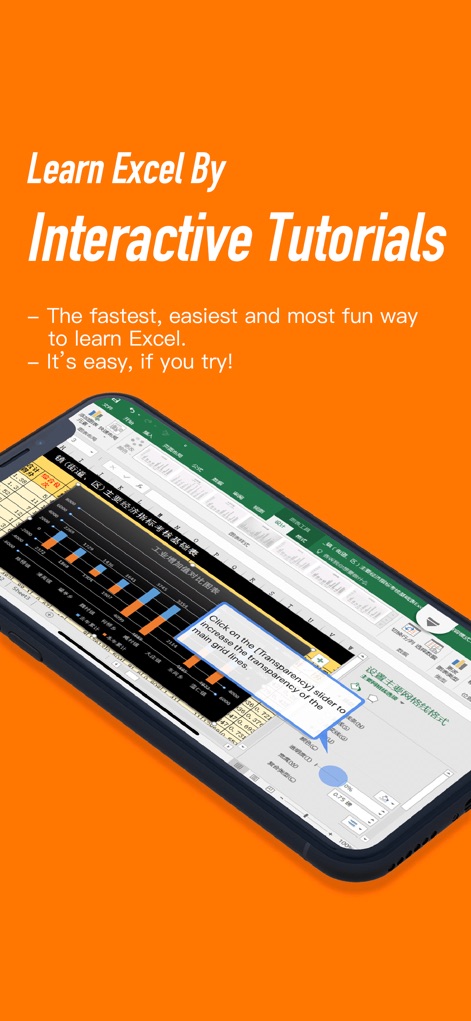
사용자는 모바일 화면에 표시된 엑셀 스프레드시트와 특정 조작법을 안내하는 대화형 팝업을 통해 실시간으로 엑셀 기능을 학습할 수 있습니다.
대화형 엑셀 마스터

이 앱은 차트가 포함된 복잡한 엑셀 데이터 시트를 보여주며, 상단에 '189 Interactive Tutorials for Excel' 문구가 학습 가능한 방대한 튜토리얼 수를 강조합니다.
엑셀 심층 가이드

사용자는 텍스트와 이미지가 포함된 워드 문서 화면과 'OUR AWESOME TEAM'이라는 제목의 콘텐츠 블록을 통해 워드 문서 작성 및 편집 기술을 실습할 수 있습니다.
워드 문서 제작
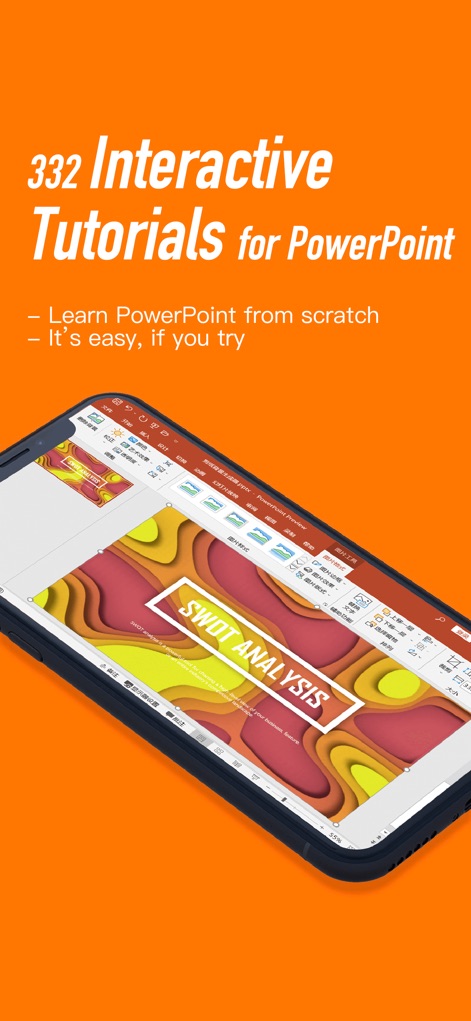
이 앱은 전문적인 'SWOT ANALYSIS' 슬라이드 디자인과 하단에 배열된 슬라이드 미리보기 썸네일을 통해 파워포인트 프레젠테이션 제작 과정을 학습하는 방법을 제시합니다.
파워포인트 슬라이드 디자인

이 앱은 다양한 학습 모듈 아이콘이 배열된 대시보드를 제공하여 사용자가 학습 진행 상황을 체계적으로 관리할 수 있으며, 'Fantastic Progress Tracking System!'이라는 문구가 그 기능을 강조합니다.
체계적인 학습 추적
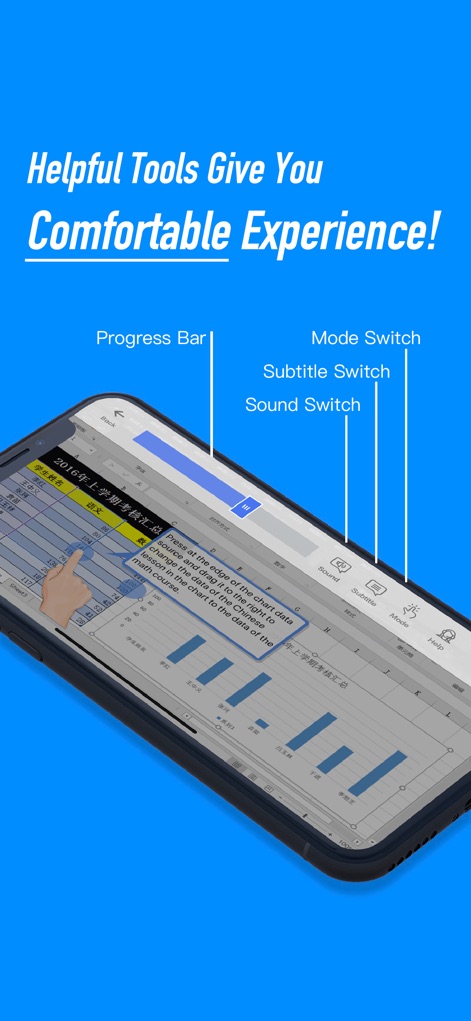
사용자는 진행 상황을 표시하는 프로그레스 바와 모드, 자막, 사운드 스위치와 같은 학습 보조 기능을 통해 개인에게 최적화된 학습 환경을 경험할 수 있습니다.
맞춤형 학습 환경
설명
Download
비슷한 앱
같은 카테고리의 상위 앱

Duolingo - Language Lessons
Duolingo, Inc

Speak & Learn English: Learna
DEEP FLOW SOFTWARE SERVICES - FZCO

驾考宝典-科一科四驾驶证考试驾考通
Wuhan Jiakaobaodian Information Service Co., Ltd.

Toca Boca World
Toca Boca AB

Google Classroom
Google LLC

作业帮-中小学家长作业检查和辅导工具
Guangzhou Polar Future Culture Technology Co., Ltd

学信网
Student Information Consultation Service Co., Ltd.

Gauth: AI Study Companion
GAUTHTECH PTE. LTD.

ArtWorkout: Learn How to Draw
Aleksandr Ulitin
이 페이지는 앱이나 개발자의 공식 페이지가 아니며, 정보 제공 및 논평을 목적으로 작성된 독립 편집 간행물입니다. 명시적으로 달리 언급되지 않는 한, 해당 앱이나 개발자는 MWM, Apple, Google Play, 앱 퍼블리셔 또는 앱 개발자와 제휴, 보증, 후원, 승인 또는 공식적으로 연결되어 있지 않으며, 이 페이지의 어떤 내용도 해당 앱이 MWM의 서비스를 사용하여 개발되었음을 의미하지 않습니다. 모든 상표, 로고, 스크린샷 및 기타 콘텐츠는 해당 소유자의 자산입니다.