
이 페이지는 앱이나 개발자의 공식 페이지가 아니며, 정보 제공 및 논평을 목적으로 작성된 독립 편집 간행물입니다. 명시적으로 달리 언급되지 않는 한, 해당 앱이나 개발자는 MWM, Apple, Google Play, 앱 퍼블리셔 또는 앱 개발자와 제휴, 보증, 후원, 승인 또는 공식적으로 연결되어 있지 않으며, 이 페이지의 어떤 내용도 해당 앱이 MWM의 서비스를 사용하여 개발되었음을 의미하지 않습니다. 모든 상표, 로고, 스크린샷 및 기타 콘텐츠는 해당 소유자의 자산입니다.


ONLYOFFICE Documents
문서, 스프레드시트, 프레젠테이션을 위한 개인 정보 우선 올인원 편집기로 워크플로우를 완벽하게 제어하세요. MS Office 및 Apple 형식 파일을 광고, 인앱 구매 없이 원활하게 처리하고 완벽한 클라우드 유연성을 누리세요.
다운로드
239K+사용자 평점
총 평가 수
200개발사
카테고리
Productivity지원 언어
15최신 버전
9.2.1크기
361.4 MB출시일
2015년 4월 2일모바일에서 작업하는 더 스마트한 방법
구독에 대한 부담 없이 데스크톱 수준의 생산성을 확보하세요. ONLYOFFICE Documents는 파일에 대한 완벽한 제어를 요구하는 전문가를 위해 안전하고 광고 없는 제품군을 제공합니다.
범용 형식 호환성
앱 간 전환을 중단하세요. iPhone 또는 iPad에서 완벽한 레이아웃 보존으로 MS Office, Apple iWork 및 ODT 파일을 원활하게 편집하세요.
개인 정보 보호 및 클라우드 주권
데이터를 되찾으세요. Nextcloud 또는 ownCloud와 같은 개인 클라우드에 연결하고 유연한 권한으로 안전한 가상 데이터 룸에서 협업하세요.
자주 묻는 질문
에 대해 알아야 할 모든 것 ONLYOFFICE Documents
ONLYOFFICE Documents는 무엇인가요?
ONLYOFFICE Documents는 무료 iOS 오피스 앱입니다. 사용자가 iPhone 또는 iPad에서 직접 문서, 스프레드시트, 프레젠테이션, 양식 및 PDF를 만들고 편집할 수 있습니다.
ONLYOFFICE Documents 앱은 무료인가요?
네, ONLYOFFICE Documents는 다운로드하여 사용하는 데 완전히 무료입니다. 광고나 인앱 구매가 포함되어 있지 않아 비용 없이 모든 기능을 사용할 수 있습니다.
ONLYOFFICE Documents는 어떤 문서 형식을 지원하나요?
ONLYOFFICE Documents는 MS Office(DOCX, XLSX, PPTX), Apple(Pages, Numbers, Keynote), Hangul(HWP, HWPX), ODG 드로잉, Markdown 및 다양한 미디어 파일을 편집 및 생성할 수 있도록 지원합니다.
ONLYOFFICE Documents는 클라우드 스토리지 서비스에 연결할 수 있나요?
네, ONLYOFFICE Documents는 여러 클라우드 서비스에 연결됩니다. 여기에는 ONLYOFFICE DocSpace, Workspace, Dropbox, Box, iCloud, Nextcloud, ownCloud, kDrive 및 기타 WebDAV 클라우드가 포함됩니다.
ONLYOFFICE Documents는 실시간 협업 기능을 제공하나요?
네, ONLYOFFICE Documents는 강력한 실시간 협업 기능을 제공합니다. 사용자는 DocSpace 허브에 연결하여 댓글을 달고, 변경 사항을 추적하고, 버전을 관리하고, 권한을 할당하고, 링크를 통해 외부 협력자와 공유할 수 있습니다.
ONLYOFFICE Documents로 문서를 스캔할 수 있나요?
네, ONLYOFFICE Documents는 카메라를 사용하여 종이 문서를 스캔할 수 있습니다. 스캔한 이미지에서 텍스트를 추출하여 편집 가능한 파일로 변환하여 디지털 문서 관리를 용이하게 합니다.
ONLYOFFICE Documents에는 어떤 문서 편집 도구가 있나요?
ONLYOFFICE Documents의 문서 편집기에는 표, 자동 도형, 이미지, 차트, 그래픽 주석, 각주 및 페이지 번호를 삽입하는 도구가 포함되어 있습니다. 사용자는 글꼴 속성을 설정하고 문서를 보호할 수도 있습니다.
ONLYOFFICE Documents에는 스프레드시트 편집기가 포함되어 있나요?
네, ONLYOFFICE Documents에는 스프레드시트 편집기가 있습니다. 데이터 선택, 셀 스타일링, 테두리, 정렬, 텍스트 줄 바꿈, 수식, 차트, 이미지 및 협업 작업을 지원합니다.
ONLYOFFICE Documents로 프레젠테이션을 만들 수 있나요?
네, ONLYOFFICE Documents는 프레젠테이션 편집기를 제공합니다. 사용자는 레이아웃, 배경을 변경하고, 전환 효과를 적용하고, 표, 이미지, 차트를 삽입하고, 주석을 추가할 수 있습니다. 또한 암호 보호도 지원합니다.
ONLYOFFICE Documents는 PDF 양식을 어떻게 처리하나요?
ONLYOFFICE Documents를 사용하면 PDF 양식을 직접 열고 작성할 수 있습니다. 준비된 템플릿 사용, 암호로 양식 보호, 완성된 양식을 DOCX 또는 PDF 파일로 내보내기 기능을 지원합니다.
ONLYOFFICE Documents에서 파일을 암호로 보호할 수 있나요?
네, ONLYOFFICE Documents는 문서, 스프레드시트, 프레젠테이션 및 PDF 양식에 대한 암호 보호 기능을 제공합니다. 이 기능을 통해 앱 내의 민감한 정보 보안을 강화할 수 있습니다.
다음 스크린샷과 설명은 앱의 공식 스토어 목록에서 직접 가져온 것이며 앱 개발자의 자산입니다.
앱 스토어
스크린샷
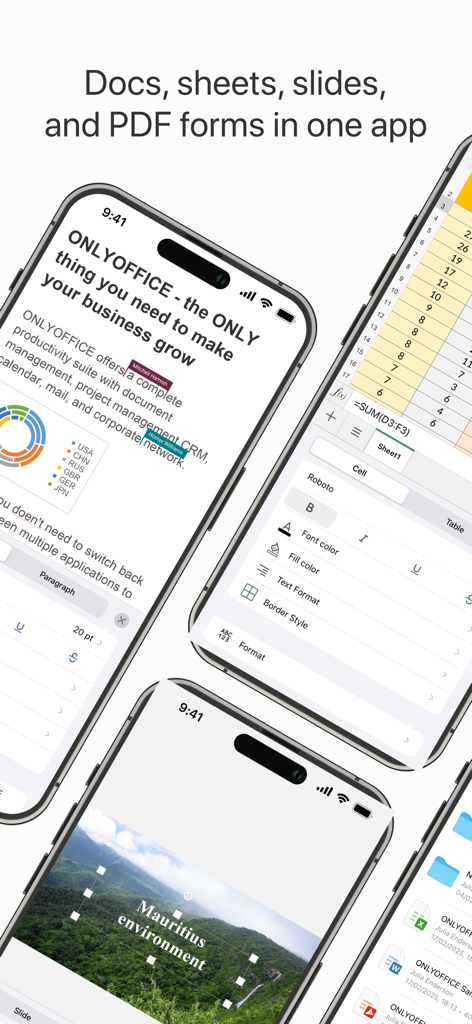
모바일에서 문서, 스프레드시트, 슬라이드 편집 기능을 보여주는 ONLYOFFICE Documents 앱
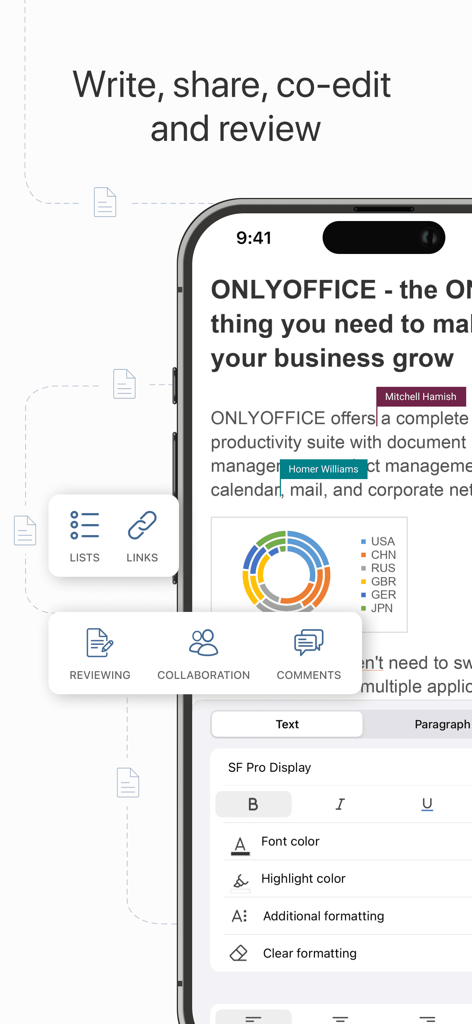
문서 편집 및 실시간 협업을 보여주는 ONLYOFFICE Documents 모바일 앱 인터페이스
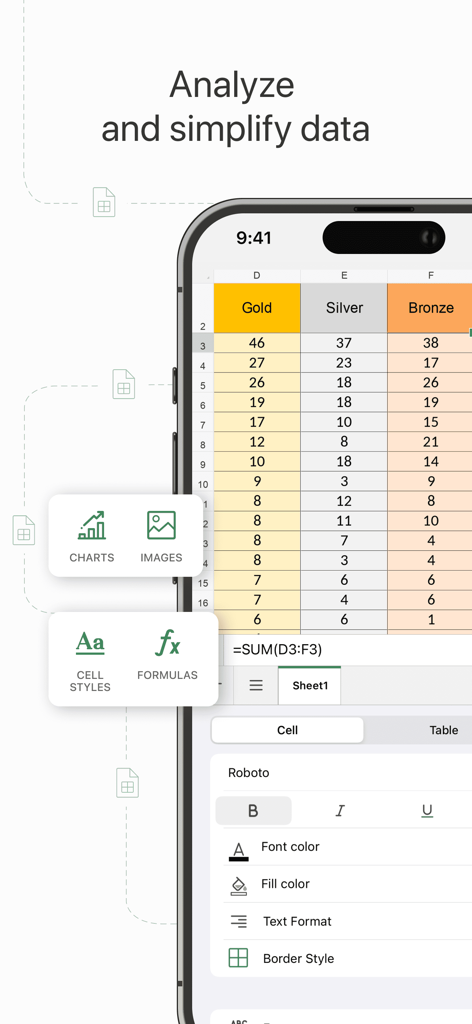
데이터 분석 도구 및 서식 옵션이 있는 스프레드시트를 보여주는 ONLYOFFICE Documents의 모바일 인터페이스
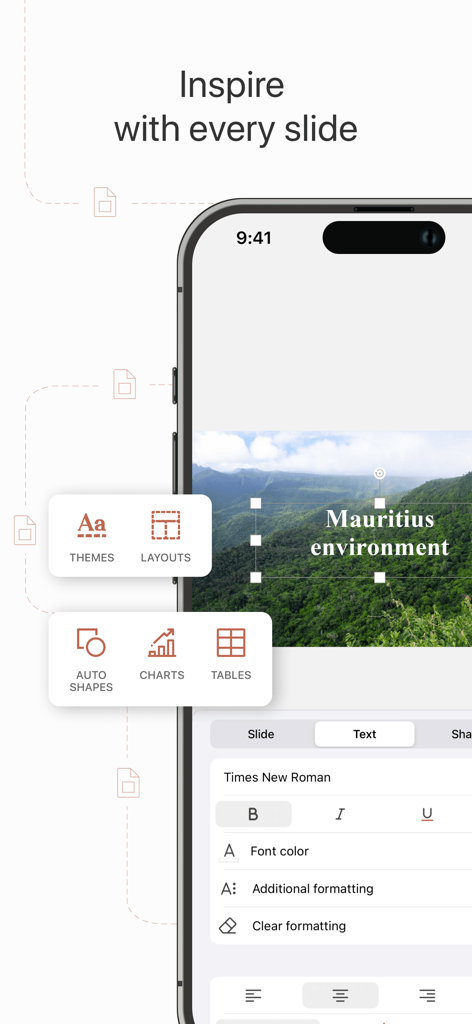
슬라이드 레이아웃 및 텍스트 서식 도구를 보여주는 iPhone에서 ONLYOFFICE Documents 프레젠테이션 편집기 인터페이스
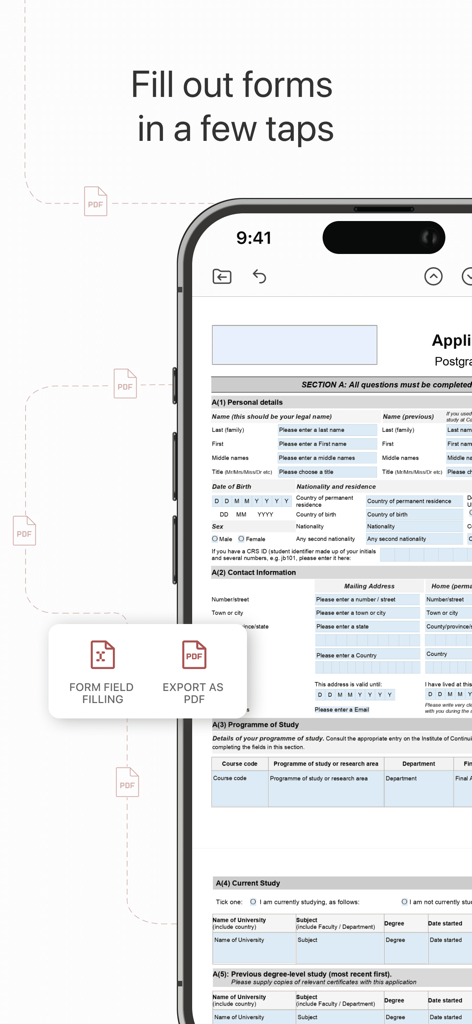
스마트폰에서 PDF 양식을 작성 중인 ONLYOFFICE Documents 모바일 앱
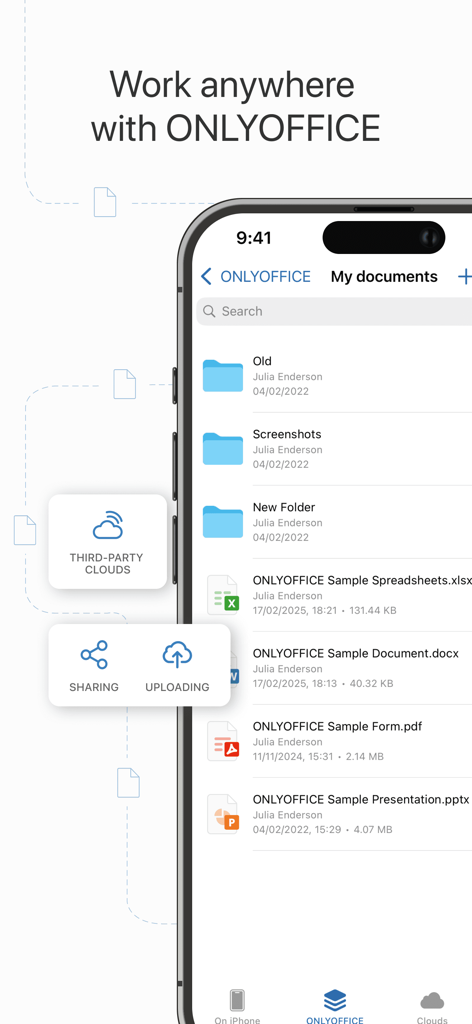
파일 목록 및 클라우드 저장소 기능을 보여주는 ONLYOFFICE Documents 모바일 앱 인터페이스
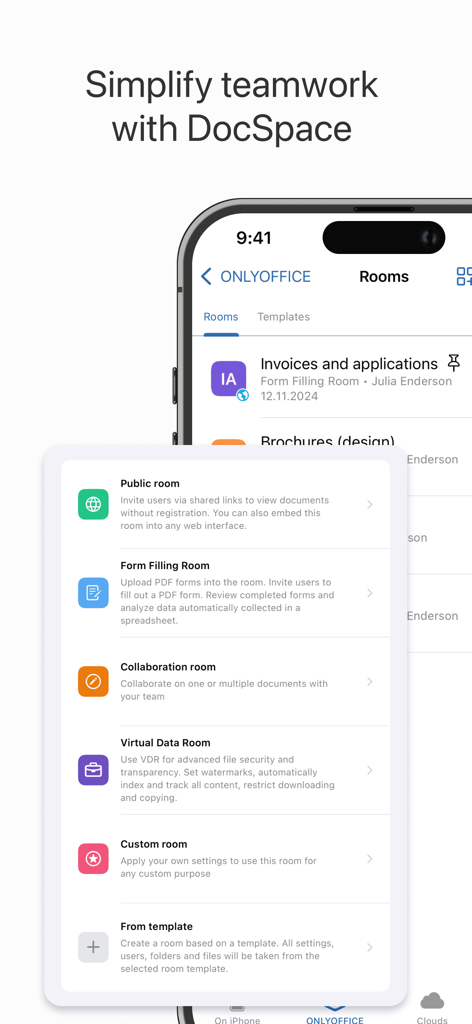
Public, Form Filling, Virtual Data Rooms를 포함한 협업룸 옵션을 보여주는 ONLYOFFICE DocSpace 모바일 인터페이스
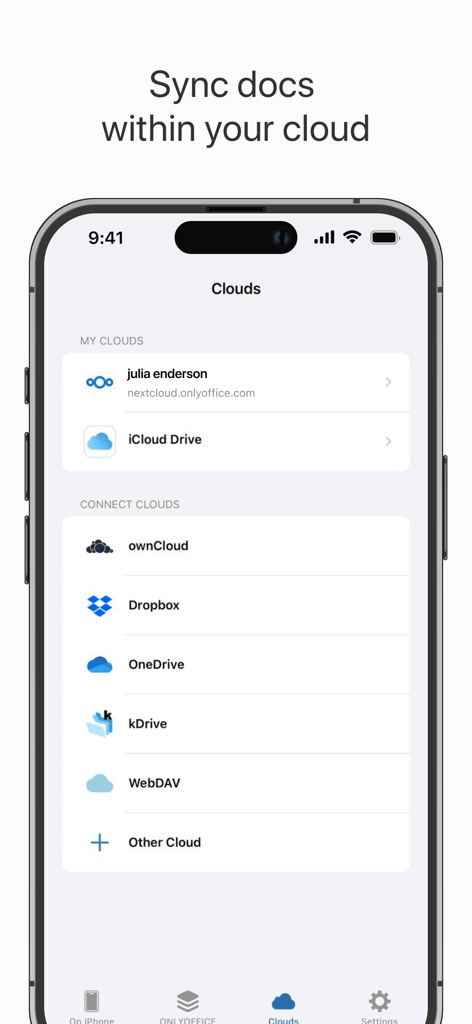
Nextcloud, iCloud Drive, Dropbox를 포함한 클라우드 스토리지 연결 옵션을 보여주는 ONLYOFFICE Documents 앱 인터페이스
설명
Download
비슷한 앱
유사한 기능과 사용자 경험을 가진 앱

石墨文档 - 在线文档协作编辑和表格制作
ChuXin Tec Co., Ltd.

Documents - Create & Edit
Normal Vector Limited

全能办公文档-在线word文档手机版、在线文档编辑
亚敏 陈

表格手机版 -手机编辑表格文档
晶晶 姜

word文档手机版-在线文档编辑办公软件
根根 黄

OpenDocument Reader - view ODT
Stefl und Taschauer OG

xlsx表格手机版 -移动端表格编辑
华 杨

文档手机版-手机办公软件
卓臻 李

AO Office
Akikazu Yoshikawa
이 페이지는 앱이나 개발자의 공식 페이지가 아니며, 정보 제공 및 논평을 목적으로 작성된 독립 편집 간행물입니다. 명시적으로 달리 언급되지 않는 한, 해당 앱이나 개발자는 MWM, Apple, Google Play, 앱 퍼블리셔 또는 앱 개발자와 제휴, 보증, 후원, 승인 또는 공식적으로 연결되어 있지 않으며, 이 페이지의 어떤 내용도 해당 앱이 MWM의 서비스를 사용하여 개발되었음을 의미하지 않습니다. 모든 상표, 로고, 스크린샷 및 기타 콘텐츠는 해당 소유자의 자산입니다.