OpManager

OpManager

다운로드: App Store
로고: OpManager

OpManager: 손안에서 펼쳐지는 엔터프라이즈급 네트워크 모니터링

IT 관리자가 언제 어디서든 실시간으로 성능을 모니터링하고, 중요 경보를 분류하고, 인프라 문제를 해결할 수 있도록 지원합니다. 책상에 얽매이지 않고 24/7 가동 시간을 보장하세요.

다운로드: App Store

개발사

Zoho Corporation

카테고리

Business

다운로드

4K+

사용자 평점

4.6/5

총 평가 수

100

지원 언어

6

시각화된 당신의 네트워크

이 인터페이스를 사용하는 4K+ 명의 사용자.

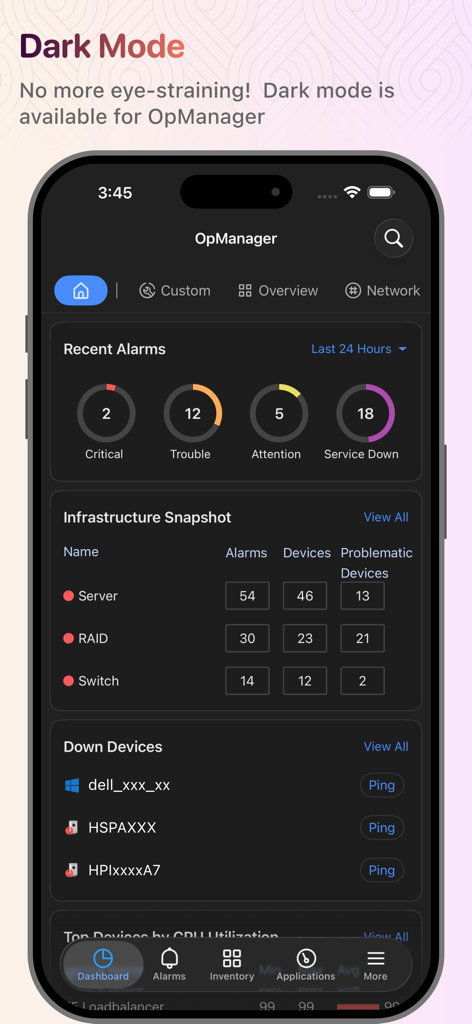
OpManager 네트워크 모니터링 대시보드가 다크 모드로 표시되며 인프라 상태 및 경보를 보여줍니다.
OpManager 네트워크 모니터링 대시보드가 다크 모드로 표시되며 인프라 상태 및 경보를 보여줍니다.

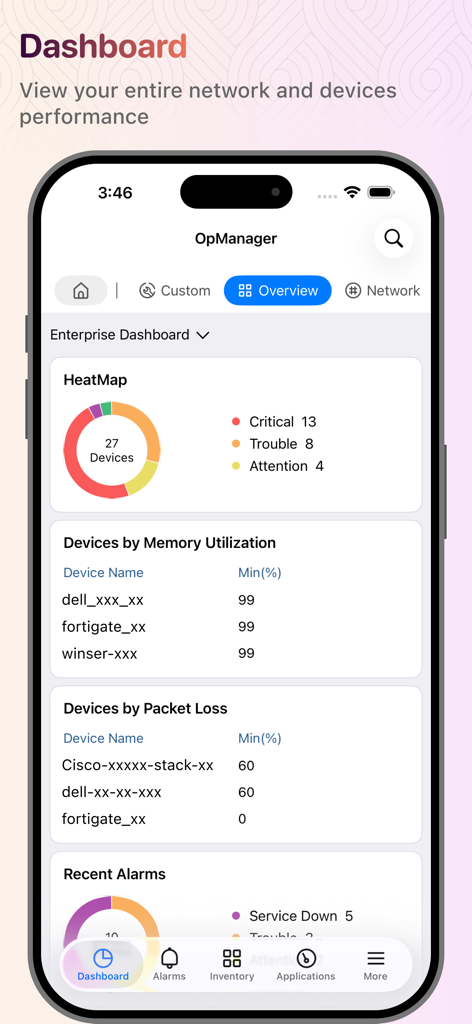
OpManager 모바일 앱 대시보드가 네트워크 장치 히트맵 및 성능 통계를 표시합니다.
OpManager 모바일 앱 대시보드가 네트워크 장치 히트맵 및 성능 통계를 표시합니다.

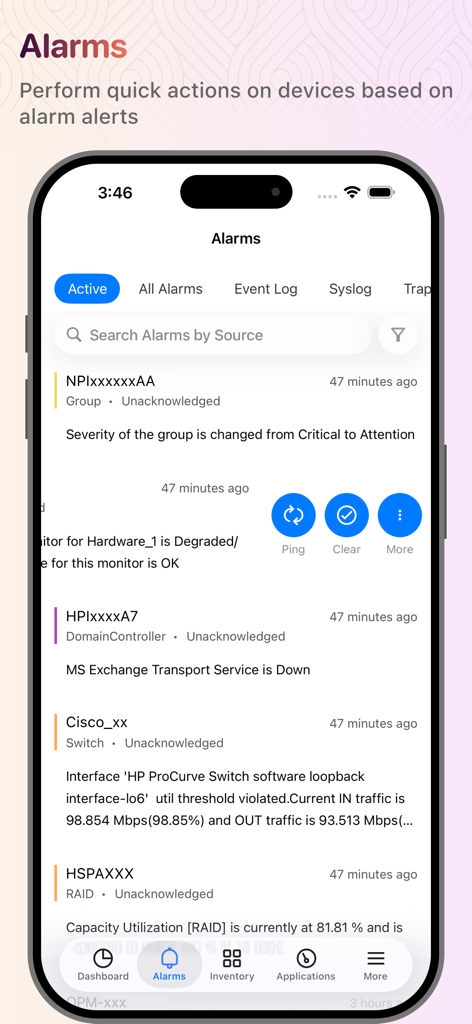
OpManager 모바일 앱 경보 화면에 활성 네트워크 알림 및 장치 상태가 표시됩니다.
OpManager 모바일 앱 경보 화면에 활성 네트워크 알림 및 장치 상태가 표시됩니다.

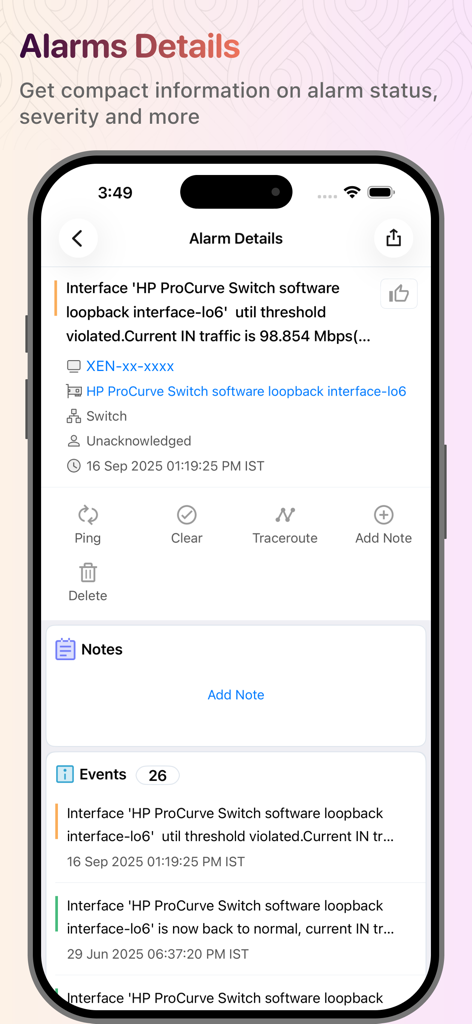
OpManager 앱 화면에 네트워크 경보 세부 정보 및 문제 해결 작업이 표시됩니다.
OpManager 앱 화면에 네트워크 경보 세부 정보 및 문제 해결 작업이 표시됩니다.

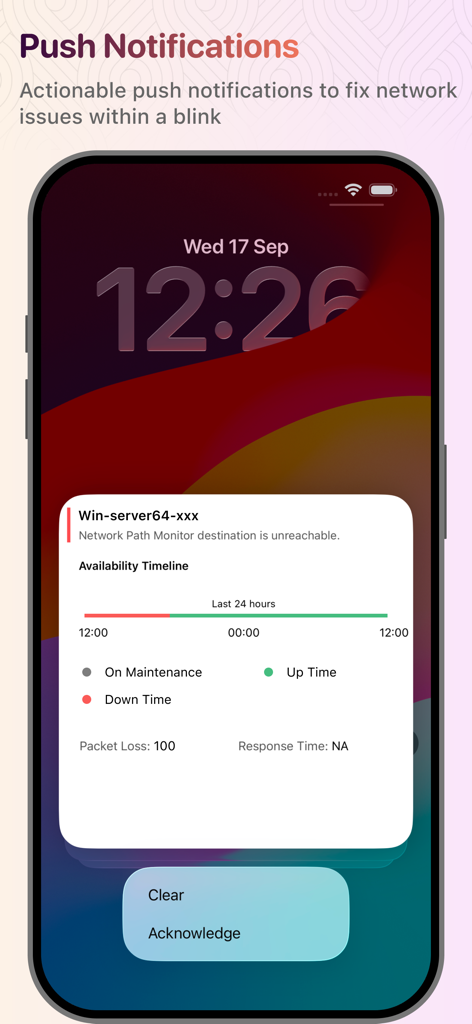
스마트폰에서 실행 가능한 푸시 알림이 네트워크 서버 경고를 표시하고 해제 또는 확인 옵션을 제공합니다.
스마트폰에서 실행 가능한 푸시 알림이 네트워크 서버 경고를 표시하고 해제 또는 확인 옵션을 제공합니다.

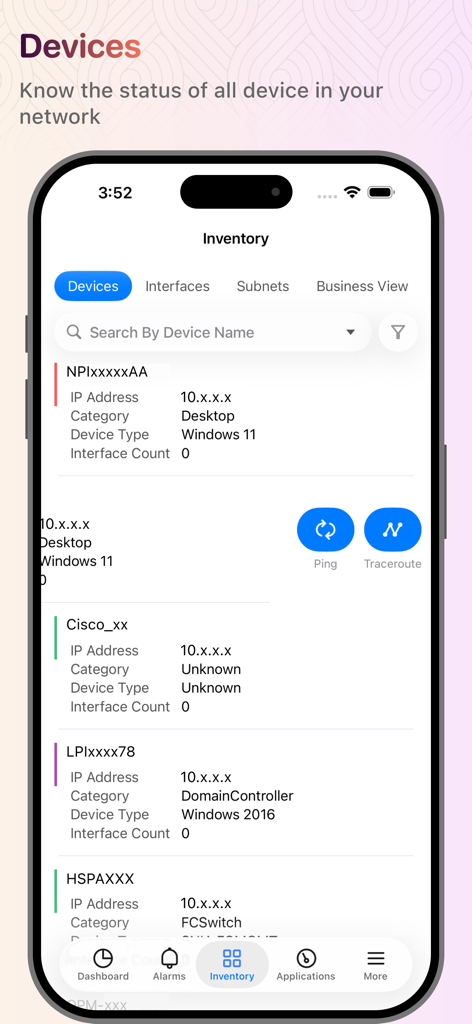
OpManager 앱 화면에 IP 주소 및 상태 정보가 포함된 네트워크 장치 목록이 표시됩니다.
OpManager 앱 화면에 IP 주소 및 상태 정보가 포함된 네트워크 장치 목록이 표시됩니다.

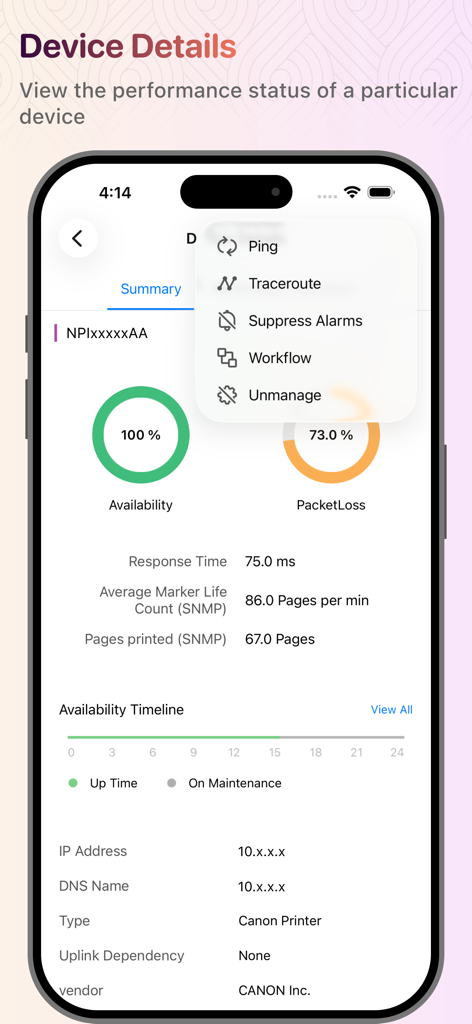
OpManager 모바일 앱 인터페이스에 프린터의 장치 세부 정보 및 네트워크 성능 메트릭이 표시됩니다.
OpManager 모바일 앱 인터페이스에 프린터의 장치 세부 정보 및 네트워크 성능 메트릭이 표시됩니다.

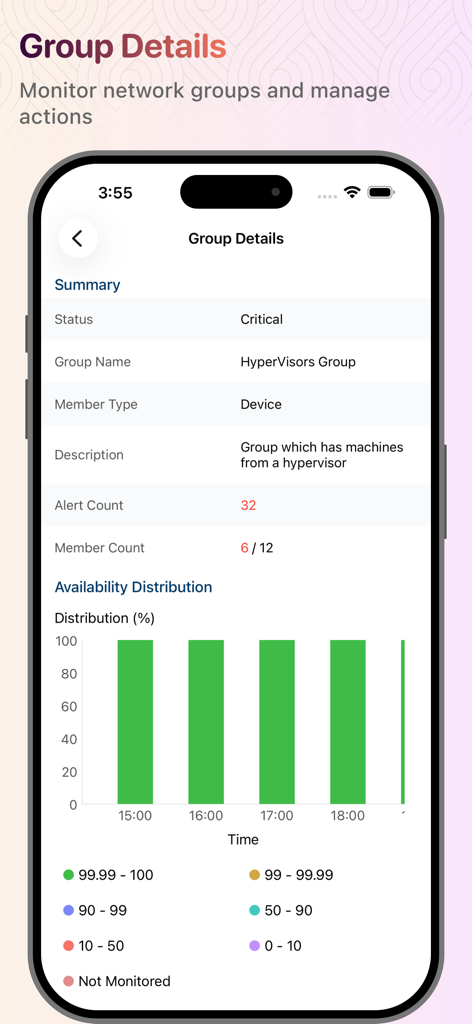
OpManager의 모바일 화면에 HyperVisors 네트워크 그룹에 대한 중요 상태 및 가용성 분포가 표시됩니다.
OpManager의 모바일 화면에 HyperVisors 네트워크 그룹에 대한 중요 상태 및 가용성 분포가 표시됩니다.

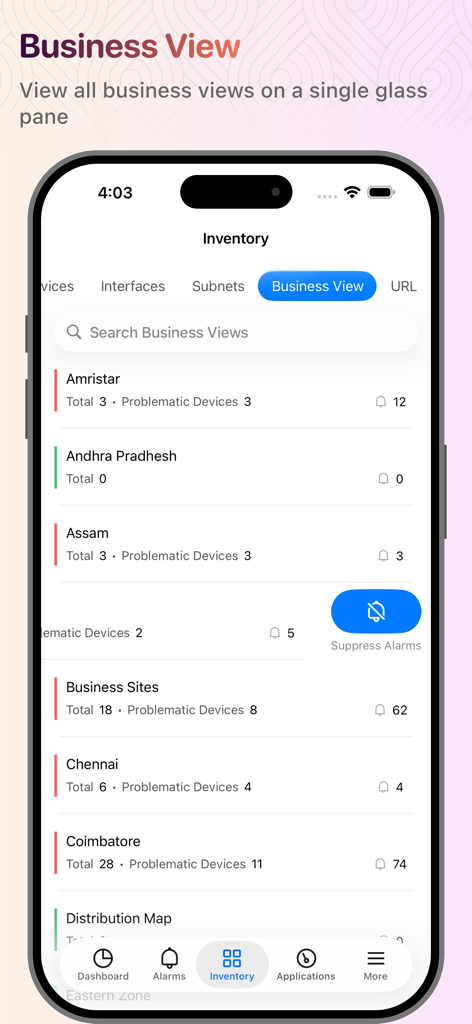
OpManager 앱 인터페이스에 네트워크 장치 및 경보 모니터링을 위한 비즈니스 보기가 표시됩니다.
OpManager 앱 인터페이스에 네트워크 장치 및 경보 모니터링을 위한 비즈니스 보기가 표시됩니다.

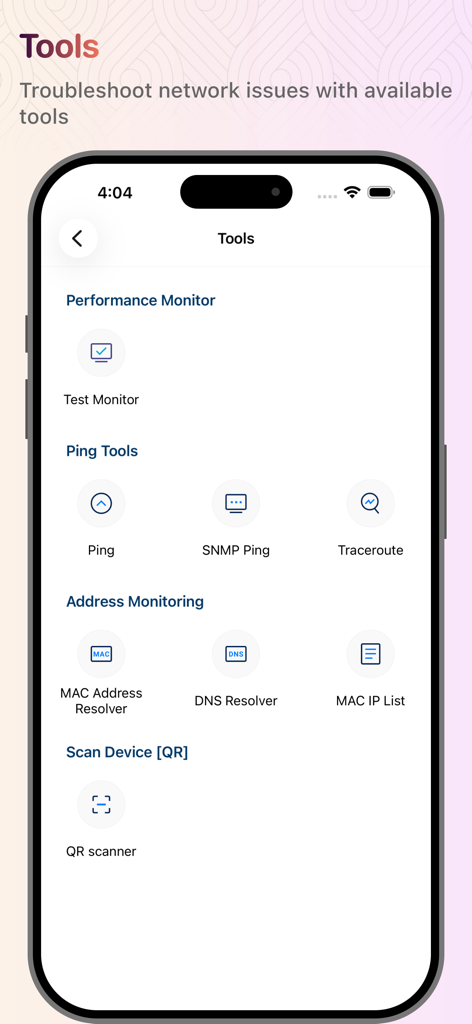
OpManager 모바일 앱 인터페이스에 Ping, SNMP Ping, Traceroute 및 DNS Resolver를 포함한 네트워크 문제 해결 도구가 표시됩니다.

OpManager 모바일 앱 인터페이스에 Ping, SNMP Ping, Traceroute 및 DNS Resolver를 포함한 네트워크 문제 해결 도구가 표시됩니다.

어디서든 인프라를 마스터하세요

이 앱을 돋보이게 하는 도구, 4K+ 명의 사용자가 선택.

🚨

즉각적인 장애 관리

중요 경보에 대한 우선순위 푸시 알림을 받으세요. 심각도별로 필터링하여 가장 중요한 문제에 집중하고 페이저 피로를 줄이세요.

🛠️

원격 문제 해결 도구

휴대폰에서 직접 Ping, Traceroute 및 워크플로우 작업을 수행하세요. 이동 중에 인시던트를 해결하기 위해 경보를 확인하거나 해제하세요.

빠른 액세스 생태계

홈 화면 위젯을 통해 한눈에 정보를 파악하고 Siri 바로 가기를 사용하여 앱을 열지 않고도 즉시 다운된 장치를 확인하세요.

앱 소개

에 대해 알아야 할 모든 것 OpManager.

설명

You need to run ManageEngine OpManager server to work with this app. OpManager is complete, end-to-end network monitoring software that offers advanced fault and performance management functionalities across critical IT resources such as routers, WAN links, switches, firewalls, VoIP call paths, physical servers, virtual servers, domain controllers, and other IT infrastructure devices. You are only able to access your machine setup using this app if you're already running OpManager on-premises, and you can use this app to access the machine setup from your Apple device (iPad and iPhone). This app helps data center administrators stay connected to their IT and access it from anywhere, anytime. It offers quick access to the OpManager on-premises tool to view the performance of devices and troubleshoot faults instantly. This app is not stand-alone. Features Lists all the devices in your network based on category, groups, business view, type, vendor, apps, protocol, severity. Lists alarm and their causes based on the time and severity (Critical, Attention, Trouble, Service Down) Lists all the down devices and their corresponding alarms in your network Search for a particular device in your network and know its detail and status Perform Test Monitor, Ping, Traceroute, and Workflow actions on devices Perform actions such as Clear Alarm, Acknowledge Alarm, Delete Alarm, Suppress Alarms, and Add Notes on alarms Push notifications for getting timely notifications on events that are generated in the OpManager server With the help of Siri Shortcuts, execute actions to show a list of down devices, and filter alarms based on severity, category, time, acknowledged/unacknowledged Home screen widgets to have a quick overview of alarms, down devices. Applications Manager Plugin support Ping Tools and Address Monitoring Tools Support for Https AD and SAML authentication support. Compatible with OpManager and OpManager plus versions 12400 and later Want to try OpManager on-premises? https://www.manageengine.com/network-monitoring/download.html?appstore

최신 버전

4.3.5

크기

120.4 MB

출시일

2012년 9월 28일

어디에 있든 당신의 네트워크 인프라를 관리하세요

실시간 알림과 즉각적인 문제 해결로 다운타임을 방지하세요. OpManager 앱을 다운로드하여 iPhone 또는 iPad에서 직접 온프레미스 서버 및 장치를 관리하세요.

다운로드: App Store

App information, icons, screenshots, and descriptions displayed on this page are sourced from the Apple App Store and are the property of their respective developers. Download estimates and rankings are based on MWM's proprietary models and may not reflect actual figures. This page is provided for informational and analytical purposes only.

Believe this page infringes your intellectual property? File a dispute