
이 페이지는 앱이나 개발자의 공식 페이지가 아니며, 정보 제공 및 논평을 목적으로 작성된 독립 편집 간행물입니다. 명시적으로 달리 언급되지 않는 한, 해당 앱이나 개발자는 MWM, Apple, Google Play, 앱 퍼블리셔 또는 앱 개발자와 제휴, 보증, 후원, 승인 또는 공식적으로 연결되어 있지 않으며, 이 페이지의 어떤 내용도 해당 앱이 MWM의 서비스를 사용하여 개발되었음을 의미하지 않습니다. 모든 상표, 로고, 스크린샷 및 기타 콘텐츠는 해당 소유자의 자산입니다.


Otter Transcribe Voice Notes
대부분의 사람들은 회의록 작성을 지루하게 생각합니다. 이 앱은 그들을 쓸모없는 존재로 만듭니다.
다운로드
7.5M+사용자 평점
총 평가 수
90.0K개발사
카테고리
Productivity지원 언어
1최신 버전
3.96.0크기
159.1 MB출시일
2018년 2월 17일Otter Transcribe Voice Notes 앱의 핵심 기능 및 생산성 향상 분석
전문가 관점: Otter Transcribe Voice Notes 기능 분석
AI 회의 도우미 및 자동 요약
이 도구는 회의록을 자동으로 생성하고, 주요 내용을 요약하며, 슬라이드를 자동으로 캡처하여 사용자가 회의 후 핵심 정보를 빠르게 파악하고 공유할 수 있게 합니다. 이는 생산성을 크게 향상시킵니다.
실시간 녹음 및 AI 기반 받아쓰기
이 앱은 사용자가 실시간으로 음성을 녹음하고 동시에 AI가 자동으로 받아쓰기하여 중요한 정보를 즉시 텍스트로 변환할 수 있도록 지원합니다. 회의, 강의, 인터뷰 중 필기 부담을 줄이고 대화에 집중할 수 있게 해줍니다.
AI 기반 노트 보강
이 앱은 AI를 활용하여 문장 부호 자동 추가, 대소문자 변환, 단락 나누기, 핵심 키워드 및 개요 생성 등 노트의 가독성과 구조를 자동으로 개선합니다. 또한 가상 회의 중 슬라이드를 자동으로 캡처합니다.
AI 챗 및 콘텐츠 생성
사용자는 AI 챗 기능을 통해 모든 대화에서 정보를 취합하고, 특정 회의에 대해 질문하며, 후속 이메일과 같은 콘텐츠를 생성할 수 있습니다. 이는 정보 활용도를 높이고 추가 작업 시간을 단축시킵니다.
공유 및 협업 기능
이 앱은 팀원들이 회의록을 함께 보고, 편집하고, 하이라이트 표시할 수 있도록 지원합니다. 또한 댓글 추가 및 작업 항목 할당 기능은 원격 근무자와 전문가의 협업을 강화합니다.
검색 및 재생
이 도구는 녹음된 오디오에서 특정 텍스트를 검색할 수 있게 하여, 사용자가 전체 오디오를 일일이 들을 필요 없이 필요한 정보를 신속하게 찾을 수 있도록 돕습니다. 재생 속도 조절 및 텍스트 동기화 기능도 제공합니다.
미디어 파일 가져오기 및 동기화
사용자는 기존 오디오 및 비디오 파일을 앱으로 가져와서 받아쓰고, 캘린더와 동기화하여 회의 녹음을 상기시키고 노트를 자동 제목화할 수 있습니다.
다양한 언어 지원
이 도구는 영어, 스페인어, 프랑스어, 일본어 등 여러 언어를 지원하여 다양한 배경을 가진 사용자들이 앱을 효과적으로 활용하고 글로벌 협업을 용이하게 합니다.
자주 묻는 질문
에 대해 알아야 할 모든 것 Otter Transcribe Voice Notes
What is Otter AI and what does it do?
Otter AI is a meeting assistant that transcribes voice in real-time, records audio, captures slides, and generates summaries. It helps users avoid manual note-taking.
Does Otter AI provide real-time transcription?
Yes, Otter AI transcribes voice conversations, meetings, interviews, and lectures in real-time. This functionality enables users to focus on the discussion without manual note-taking.
What languages does Otter AI support for transcription?
Otter AI supports transcription in English, Spanish, French, and Japanese. This feature applies to real-time transcription and recorded audio files.
Is Otter AI free to use or does it have a subscription?
Yes, Otter AI offers a free starting option. Paid features are available through Otter Pro, a subscription service billed to your iTunes Account.
What artificial intelligence (AI) features does Otter AI offer?
Otter AI provides an AI Meeting Assistant for automated notes and summaries, AI Chat for quick answers, and AI Channels for team collaboration and async updates.
Which meeting platforms does Otter AI support?
Otter AI integrates with popular meeting platforms, providing automated notes for Zoom, Google Meet, and Microsoft Teams. It supports remote work collaboration.
How does Otter AI support collaboration and sharing?
Otter AI facilitates sharing and collaboration by allowing group members to view, edit, and highlight collaboratively. Users can add comments, assign action items, and share external links.
Are there any specific features for Otter AI on iOS devices?
Yes, Otter AI is optimized for iOS with features like Siri Shortcuts for recording, AirPods integration, and syncing with iOS Calendar, Contacts, and Camera.
How do I manage my Otter Pro subscription and billing?
You manage your Otter Pro subscription and auto-renewal settings in your Account Settings after purchase. Payment processes through your iTunes Account.
Where can I find the privacy policy for Otter AI?
The official privacy policy for Otter AI is accessible on their website. You can review the full policy at https://otter.ai/privacy-policy.
다음 스크린샷과 설명은 앱의 공식 스토어 목록에서 직접 가져온 것이며 앱 개발자의 자산입니다.
앱 스토어
스크린샷
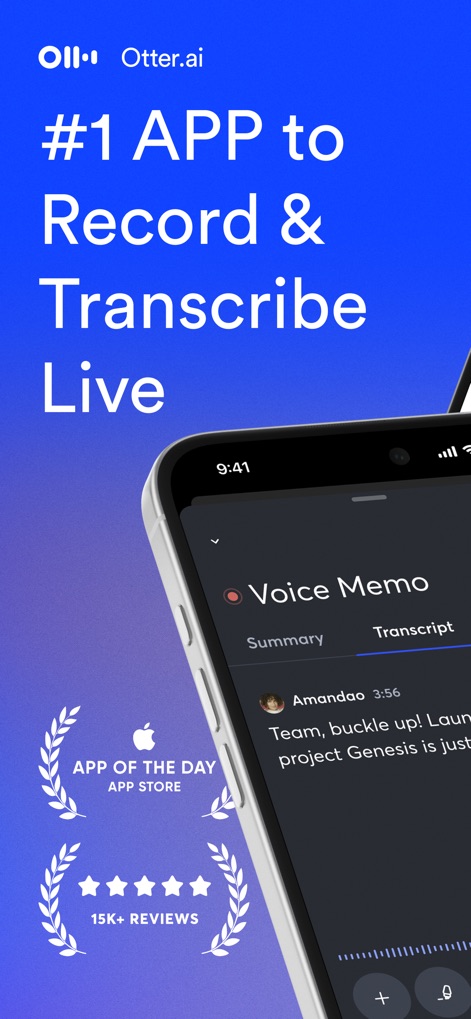
이 앱은 "Summary" 및 "Transcript" 탭을 통해 음성 메모를 효율적으로 관리하며, "APP OF THE DAY" 수상과 15K개 이상의 리뷰로 그 가치를 입증합니다.
실시간 녹음 및 전사
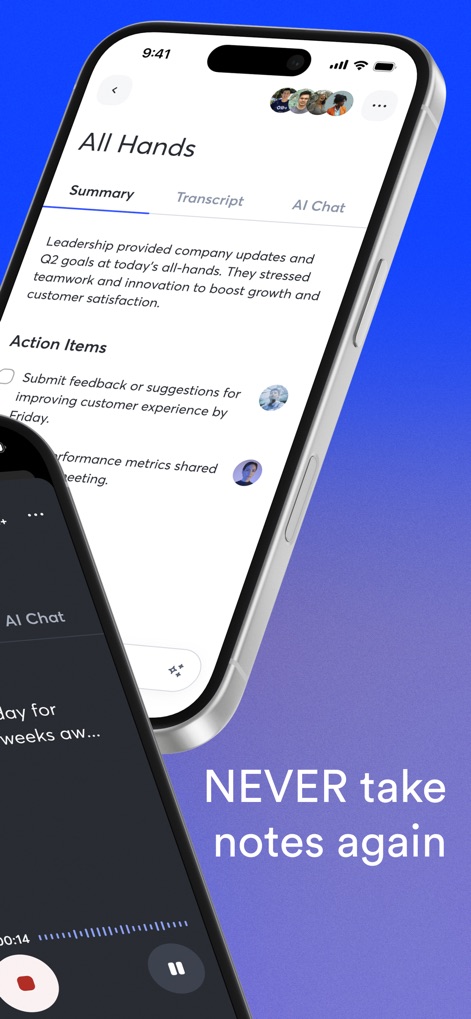
사용자는 회의 요약 및 "Action Items" 섹션으로 중요한 결정을 쉽게 파악하며, 중첩된 어두운 UI의 재생 컨트롤로 편리하게 내용을 검토할 수 있습니다.
회의록 자동 요약
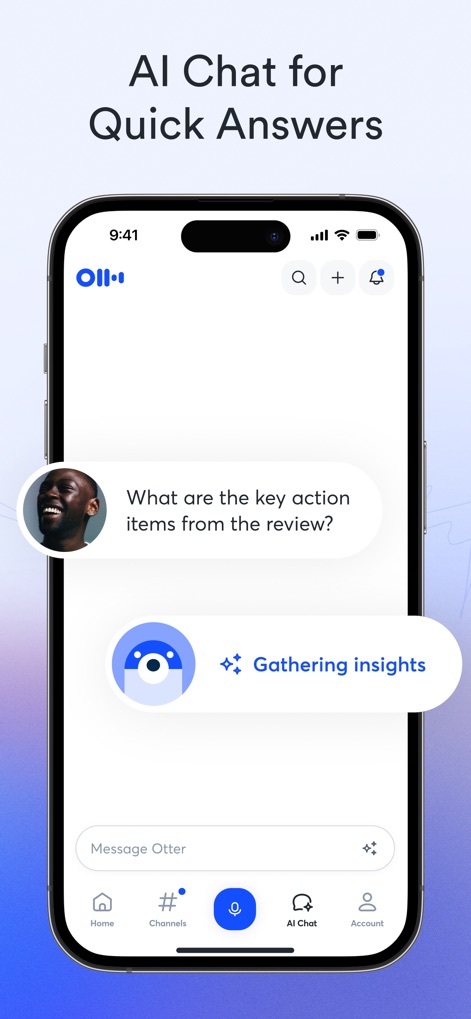
이 도구는 AI 챗봇과의 질문-답변 인터페이스를 제공하여 사용자의 질문에 답하고, "Gathering insights" 처리 상태를 통해 심층적인 분석 과정을 보여줍니다.
AI 챗으로 즉시 답변
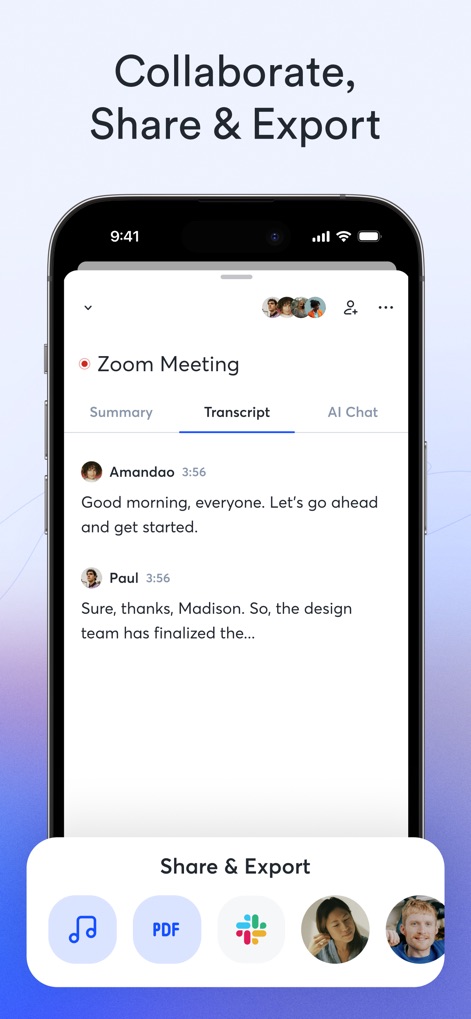
사용자는 발화자 이름과 함께 표시되는 회의록을 통해 내용을 쉽게 파악하고, PDF 및 Slack을 포함한 다양한 공유 및 내보내기 옵션으로 팀원들과 협업할 수 있습니다.
간편한 공유 및 협업
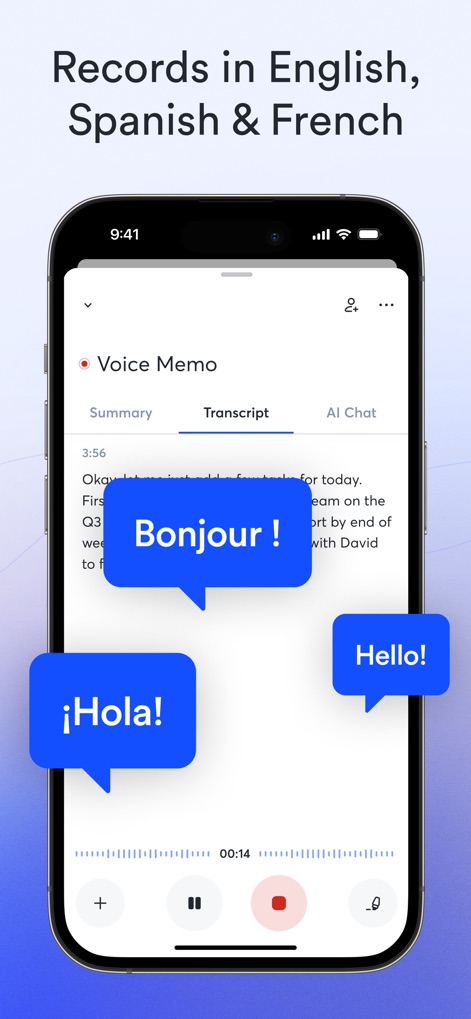
이 앱은 "Hola!", "Bonjour!", "Hello!"와 같은 다양한 언어의 음성 인식 버블을 실시간으로 보여주며, 다국어 환경에서 효율적인 의사소통을 지원합니다.
다국어 음성 인식
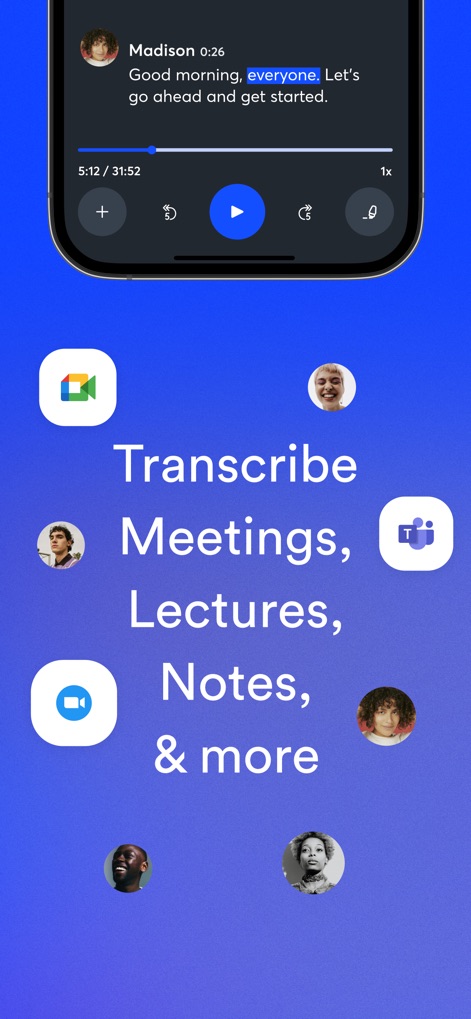
사용자는 재생 컨트롤과 함께 표시되는 회의록을 통해 내용을 정확히 검토할 수 있으며, Zoom, Google Meet, Microsoft Teams와 같은 다양한 플랫폼 아이콘이 폭넓은 연동성을 나타냅니다.
모든 대화 기록
설명
Download
비슷한 앱
유사한 기능과 사용자 경험을 가진 앱

Plaud: AI Note Taker
PLAUD LLC

Notee: AI Note Taker
GM UniverseApps Limited

클로바노트 - 음성 그 이상의 기록
NAVER Corp.

录音专家-专业录音转文字助手
Chongqing Yeyuegua Technology Co., Ltd

听脑AI - 实时录音转文字总结助手
Shanghai Xiuyu Network Technology Co., Ltd

Granola - AI Meeting Notes
Granola inc

Transkriptor - Speech to Text
Textintel FZE

Minutes: AI Meeting Note Taker
Minutes AI, LLC

Fireflies: AI notetaker
FIREFLIES.AI CORP.
이 페이지는 앱이나 개발자의 공식 페이지가 아니며, 정보 제공 및 논평을 목적으로 작성된 독립 편집 간행물입니다. 명시적으로 달리 언급되지 않는 한, 해당 앱이나 개발자는 MWM, Apple, Google Play, 앱 퍼블리셔 또는 앱 개발자와 제휴, 보증, 후원, 승인 또는 공식적으로 연결되어 있지 않으며, 이 페이지의 어떤 내용도 해당 앱이 MWM의 서비스를 사용하여 개발되었음을 의미하지 않습니다. 모든 상표, 로고, 스크린샷 및 기타 콘텐츠는 해당 소유자의 자산입니다.