Outliner

Outliner

다운로드: App Store
로고: Outliner

Outliner: 생각을 구조화하고 복잡한 프로젝트를 마스터하세요

전문가를 위한 신뢰할 수 있는 계층 구조 도구. 중첩된 목록을 만들고, 시각적인 파이 차트로 진행 상황을 추적하고, Dropbox 또는 OneDrive를 통해 원활하게 동기화하세요.

다운로드: App Store

개발사

Jeremy Dewey

카테고리

Productivity

다운로드

195K+

사용자 평점

4.0/5

총 평가 수

1K+

지원 언어

1

작업 중인 구조

이 인터페이스를 사용하는 195K+ 명의 사용자.

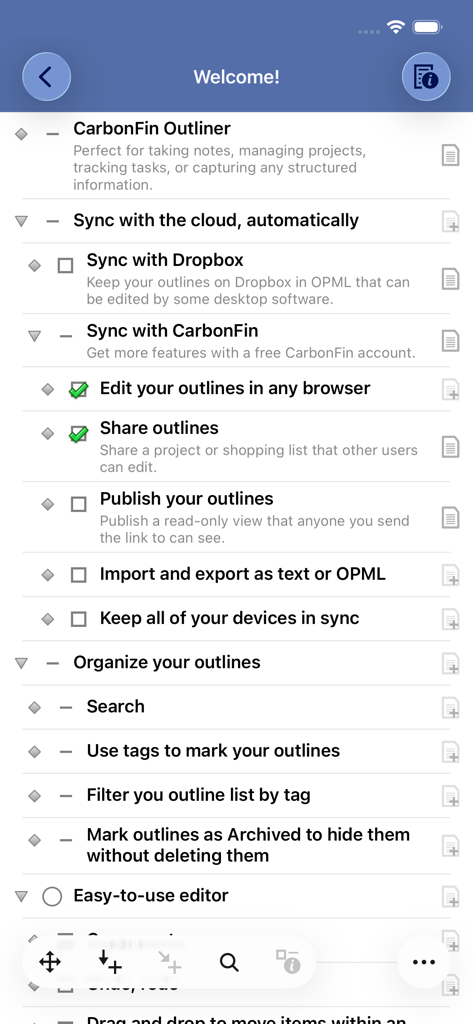
클라우드 동기화, 구성 도구, 편집기 기능을 포함한 주요 기능의 계층 목록을 표시하는 Outliner 앱 환영 화면 스크린샷.

클라우드 동기화, 구성 도구, 편집기 기능을 포함한 주요 기능의 계층 목록을 표시하는 Outliner 앱 환영 화면 스크린샷.

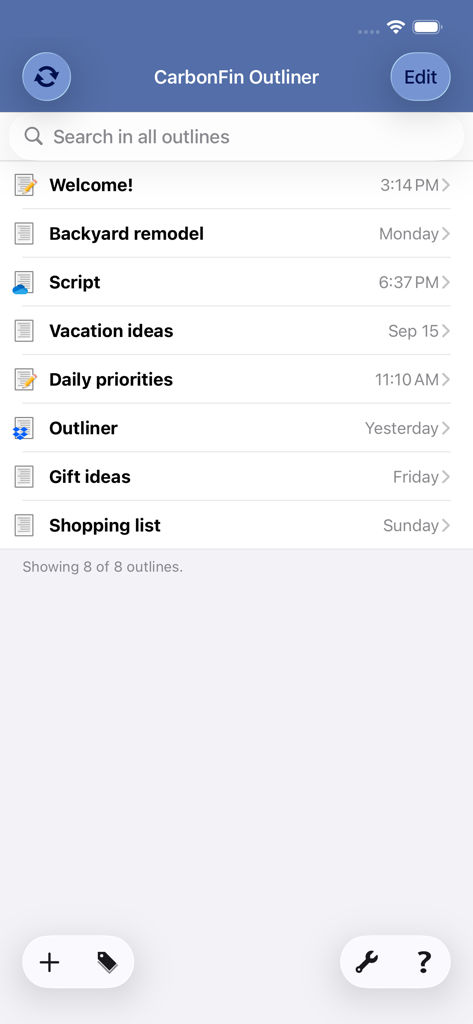
프로젝트 개요 목록을 보여주는 CarbonFin Outliner 앱 메인 인터페이스

프로젝트 개요 목록을 보여주는 CarbonFin Outliner 앱 메인 인터페이스

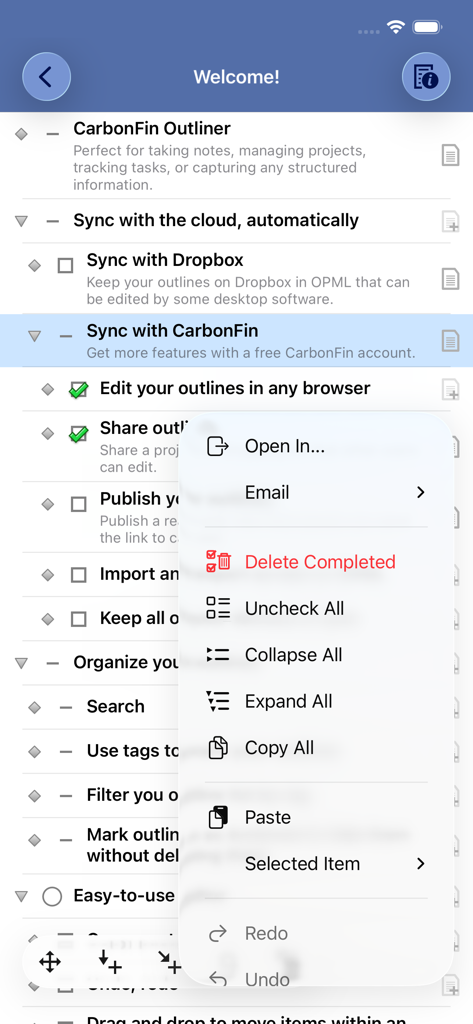
구성 메뉴가 보이는 CarbonFin Outliner 앱의 계층 작업 목록

구성 메뉴가 보이는 CarbonFin Outliner 앱의 계층 작업 목록

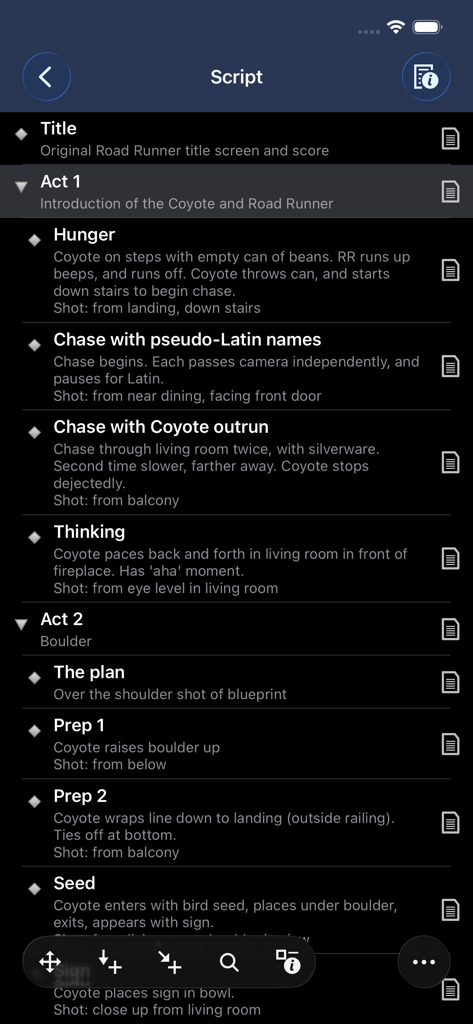
어두운 모드에서 프로젝트의 스크립트 계층 구조를 보여주는 Outliner 앱 스크린샷.

어두운 모드에서 프로젝트의 스크립트 계층 구조를 보여주는 Outliner 앱 스크린샷.

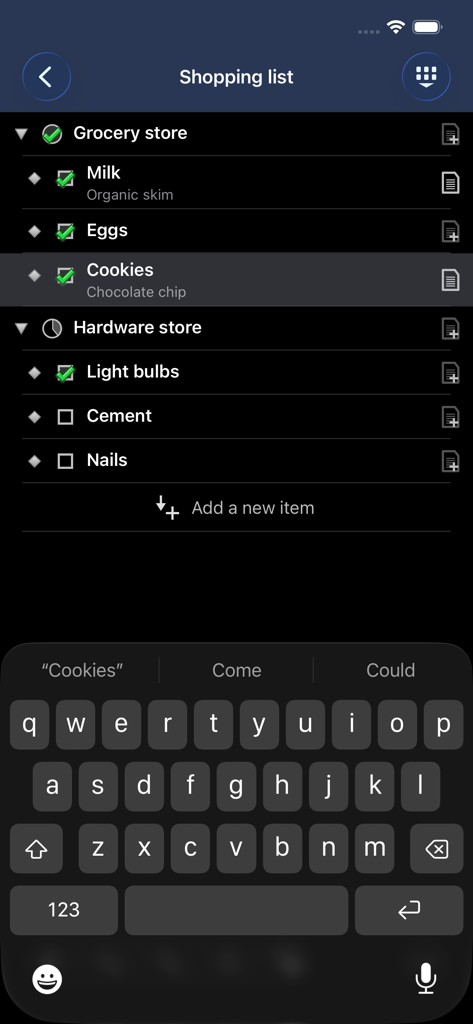
어두운 모드에서 중첩된 쇼핑 목록을 표시하는 Outliner 앱 인터페이스

어두운 모드에서 중첩된 쇼핑 목록을 표시하는 Outliner 앱 인터페이스

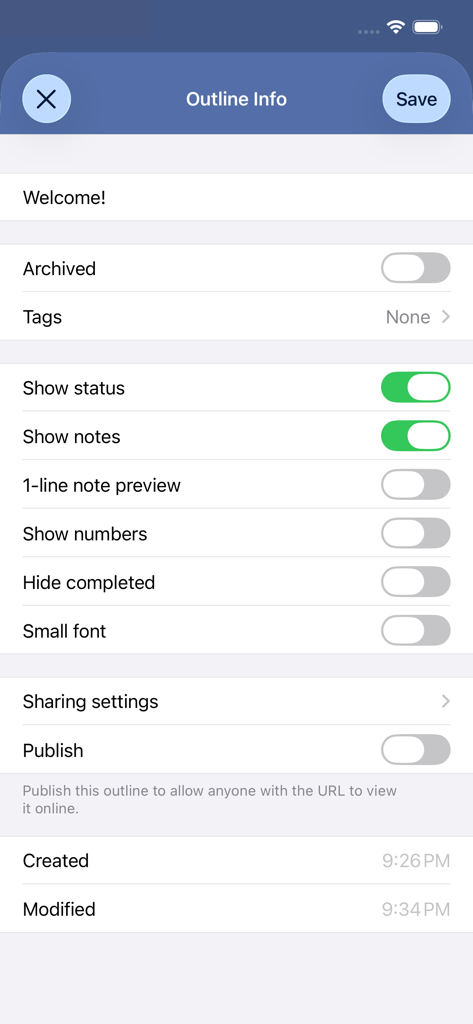
CarbonFin Outliner 앱의 태그, 표시 기본 설정, 온라인 게시 옵션을 보여주는 개요 설정 메뉴.

CarbonFin Outliner 앱의 태그, 표시 기본 설정, 온라인 게시 옵션을 보여주는 개요 설정 메뉴.

복잡성을 마스터하세요

이 앱을 돋보이게 하는 도구, 195K+ 명의 사용자가 선택.

📑

무한 계층 논리

생각하는 방식 그대로 생각을 구조화하세요. 깊은 중첩 목록을 만들고 특정 하위 트리를 확대하여 가장 복잡한 프로젝트에 집중하세요.

📊

시각적 진행 상황 추적

시각적 지표로 추측을 제거하세요. 하위 작업을 완료하면 자동 파이 차트가 완료율을 계산하여 목표를 추적합니다.

🔄

전문적인 동기화 및 주권

귀하의 데이터는 귀하의 것입니다. iPhone, iPad 및 웹 전반에 걸쳐 Dropbox 또는 OneDrive를 통해 원활하게 동기화하여 어디에서 작업하든 안정적인 워크플로를 보장합니다.

앱 소개

에 대해 알아야 할 모든 것 Outliner.

설명

CarbonFin Outliner allows you to organize your thoughts, tasks, and projects. Easily create a todo list for today, or track an entire project anywhere you are. Share your outlines, edit them online, and collaborate with other Outliner users. Highlights • Create outlines full of notes, structured lists, tasks, or detailed projects • Sync your outlines automatically to Outliner Online, OneDrive, or Dropbox for web or desktop editing • Get a quick view of project progress - tasks with subtasks show a pie-chart indicating percent completed Organize • Search through all your outlines or an individual outline • Tag your outlines, and filter based on tag • Archive old outlines to hide them from view without deleting Easy-to-use Editor • Drag and drop to move items within an outline • Copy, paste • Undo, redo • Expand all, collapse all • Optional outline numbering • Zoom in to focus on a single subtree Outliner Online • Securely synchronize your outlines with Outliner Online • View and edit your outlines in any web browser • Import and export outlines as plain text or OPML • Keep all your devices synchronized • Share an outline with other Outliner users to collaborate OneDrive and Dropbox • Sync your outlines with OneDrive or Dropbox to allow quick import/export • Seamlessly access and edit across your iOS devices and PCs -= Recent version history =- Version 3.19 • iOS 26 support and adoption of liquid glass Version 3.18 • iOS 18 support • Dark and tinted app icons Version 3.17 • Minor bug fixes Version 3.16 • Minor bug fixes • iOS 17 support Version 3.15 • Fixed Dropbox integration • Show a warning when unlinking Dropbox/OneDrive if there are unsynced outlines • iOS 16 support Version 3.12 • Dark mode • Added confirmation to "Delete Completed" • Changing "Archived" won't update the outline's modification time • iOS 13 support Version 3.11 • OneDrive sync support Version 3.10 • Sync the order of outlines across devices (CarbonFin outlines only) • iOS 12 support Version 3.9 • iPhone X support • iOS 11 support Version 3.8 • Open In... support • Ability to hide the outline list on iPad • Minor UI tweaks

최신 버전

3.19.2

크기

11.7 MB

출시일

2019년 2월 12일

오늘부터 성공 구조화를 시작하세요

복잡한 아이디어를 실행 가능한 계층 구조로 바꾸는 195,000명 이상의 전문가와 함께하세요. CarbonFin Outliner를 다운로드하고 iOS 및 웹에서 프로젝트를 동기화 상태로 유지하세요.

다운로드: App Store

App information, icons, screenshots, and descriptions displayed on this page are sourced from the Apple App Store and are the property of their respective developers. Download estimates and rankings are based on MWM's proprietary models and may not reflect actual figures. This page is provided for informational and analytical purposes only.

Believe this page infringes your intellectual property? File a dispute