Packet Capture Pro: HTTPS
다운로드: App Store

이 페이지는 앱이나 개발자의 공식 페이지가 아니며, 정보 제공 및 논평을 목적으로 작성된 독립 편집 간행물입니다. 명시적으로 달리 언급되지 않는 한, 해당 앱이나 개발자는 MWM, Apple, Google Play, 앱 퍼블리셔 또는 앱 개발자와 제휴, 보증, 후원, 승인 또는 공식적으로 연결되어 있지 않으며, 이 페이지의 어떤 내용도 해당 앱이 MWM의 서비스를 사용하여 개발되었음을 의미하지 않습니다. 모든 상표, 로고, 스크린샷 및 기타 콘텐츠는 해당 소유자의 자산입니다.


로고: Packet Capture Pro: HTTPS
다운로드: App Store

Packet Capture Pro: HTTPS

기기에서 직접 HTTPS 트래픽을 캡처, 재작성 및 분석합니다. 데스크톱 프록시 없이 언제 어디서든 디버깅해야 하는 개발자 및 QA 엔지니어를 위한 개인 정보 보호 우선 로컬 VPN 솔루션입니다.

주요 수치

다운로드

2K+

사용자 평점

4.6/5

총 평가 수

0

개발사

REALSIGNAL PTE. LTD.

카테고리

Developer Tools

지원 언어

2

최신 버전

3.0.0

크기

42.6 MB

출시일

2025년 4월 17일
기능

전문적인 수준의 네트워크 디버깅

실시간으로 HTTPS 트래픽을 캡처, 검사 및 수정하는 최고의 모바일 툴킷입니다. 테더링 없이 기기에서 직접 API를 디버깅하고 엣지 케이스를 시뮬레이션하세요.

테더링 없는 패킷 스니핑

로컬 VPN 기술을 사용하여 어디서든 HTTP, HTTPS, WebSocket 트래픽을 캡처합니다. 데스크톱 프록시 없이 JSON, XML 또는 원시 데이터로 전체 요청 및 응답 본문을 검사하세요.

고급 재작성 및 모킹

서버 오류, 리디렉션 또는 사용자 정의 페이로드를 시뮬레이션하기 위해 네트워크 응답을 즉석에서 수정합니다. 백엔드를 건드리지 않고 엣지 케이스 및 앱 안정성을 테스트하는 데 적합합니다.

다음 스크린샷과 설명은 앱의 공식 스토어 목록에서 직접 가져온 것이며 앱 개발자의 자산입니다.

앱 스토어

스크린샷
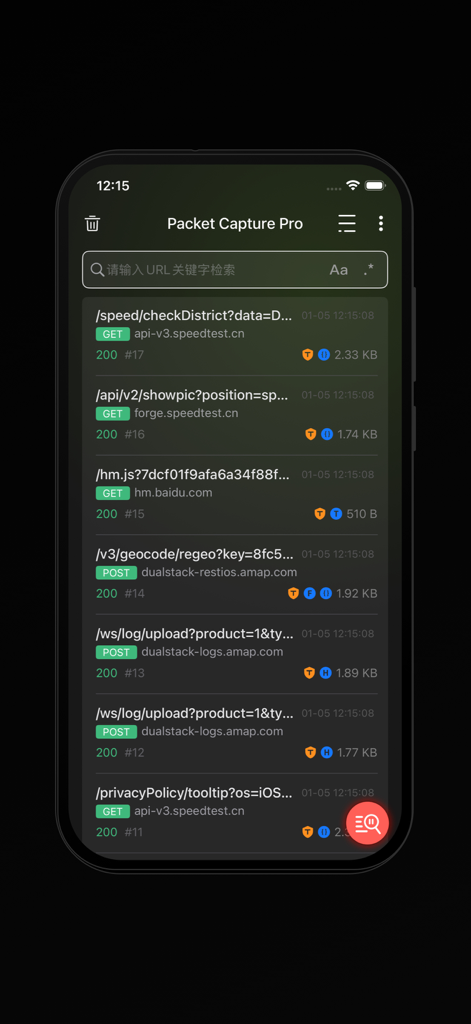
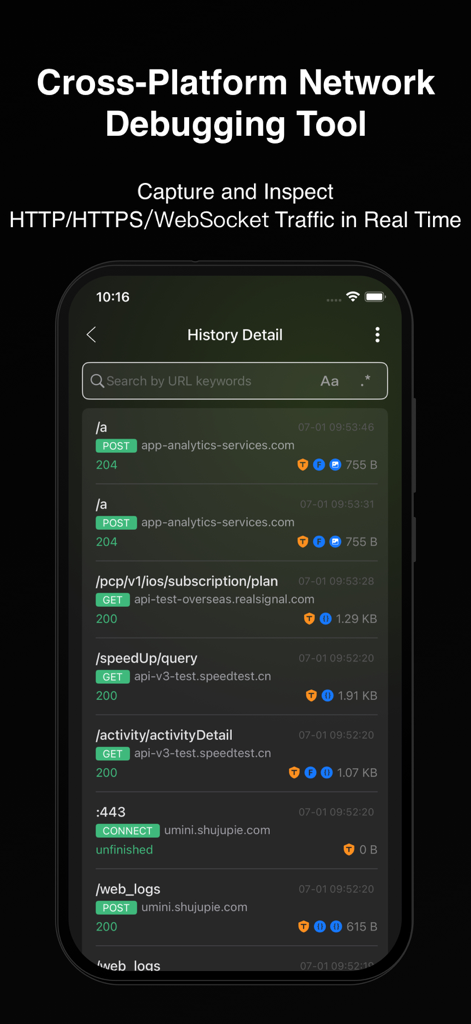
Packet Capture Pro: HTTPS - Packet Capture Pro 앱에서 캡처된 실시간 HTTP 및 HTTPS 네트워크 요청 목록입니다.
Packet Capture Pro 앱에서 캡처된 실시간 HTTP 및 HTTPS 네트워크 요청 목록입니다.

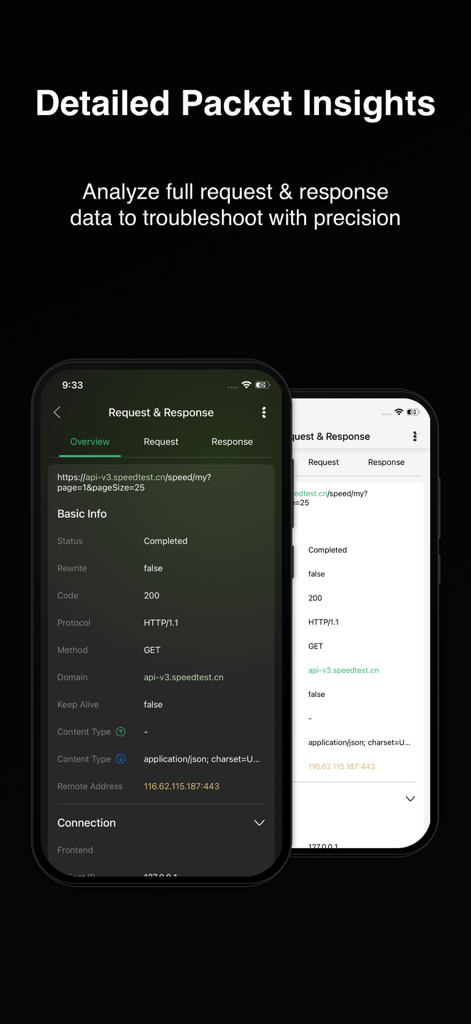
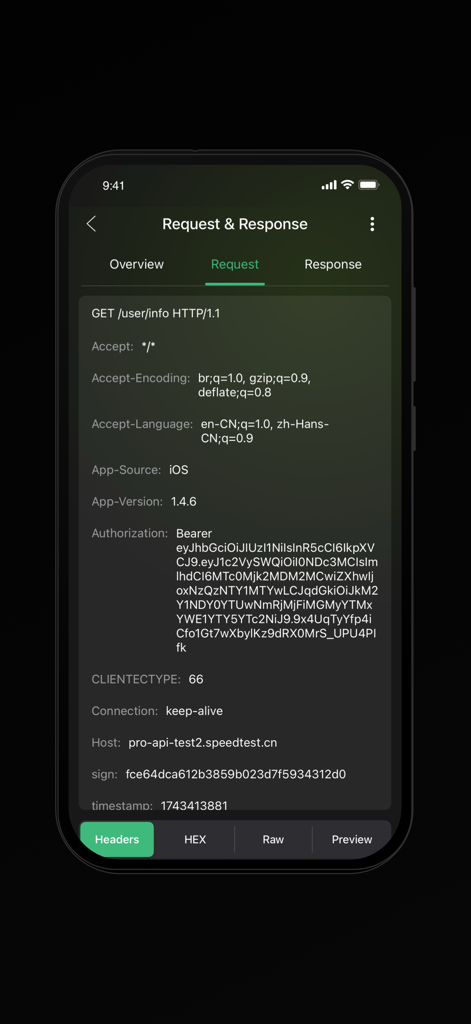
Packet Capture Pro: HTTPS - Packet Capture Pro 모바일 앱 인터페이스의 상세 요청 및 응답 인사이트
Packet Capture Pro 모바일 앱 인터페이스의 상세 요청 및 응답 인사이트

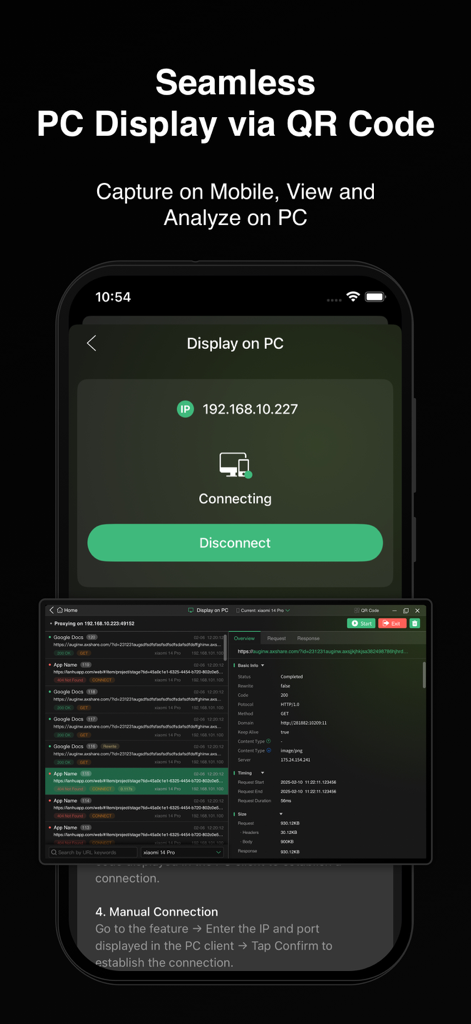
Packet Capture Pro: HTTPS - Packet Capture Pro 인터페이스가 PC 화면에 동기화된 모바일 네트워크 트래픽 분석을 보여줍니다.
Packet Capture Pro 인터페이스가 PC 화면에 동기화된 모바일 네트워크 트래픽 분석을 보여줍니다.

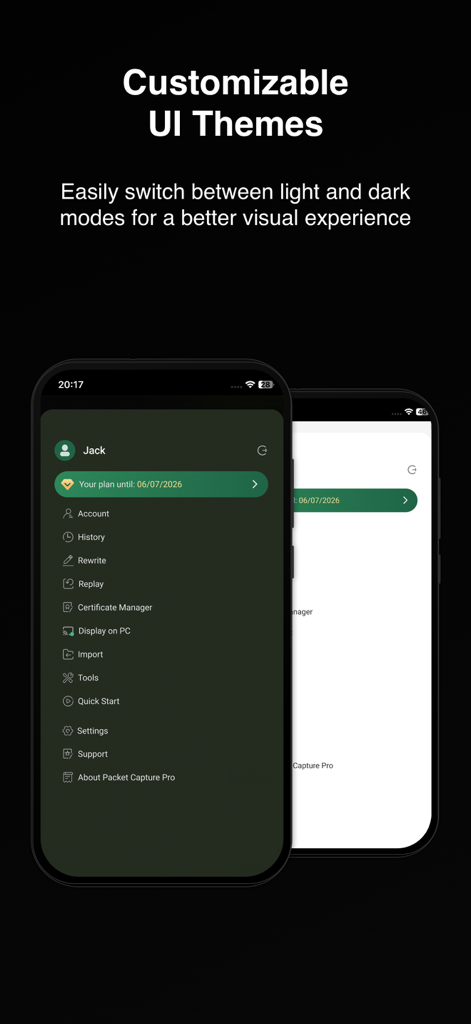
Packet Capture Pro: HTTPS - Packet Capture Pro 사용자 정의 가능한 밝은 및 어두운 UI 테마
Packet Capture Pro 사용자 정의 가능한 밝은 및 어두운 UI 테마

Packet Capture Pro: HTTPS - 상태 코드와 함께 캡처된 HTTP 및 HTTPS 네트워크 요청 목록을 보여주는 모바일 앱 인터페이스
상태 코드와 함께 캡처된 HTTP 및 HTTPS 네트워크 요청 목록을 보여주는 모바일 앱 인터페이스

Packet Capture Pro: HTTPS - Packet Capture Pro 인터페이스가 인증 및 호스트 세부 정보를 포함한 HTTP 요청 헤더를 보여줍니다.
Packet Capture Pro 인터페이스가 인증 및 호스트 세부 정보를 포함한 HTTP 요청 헤더를 보여줍니다.

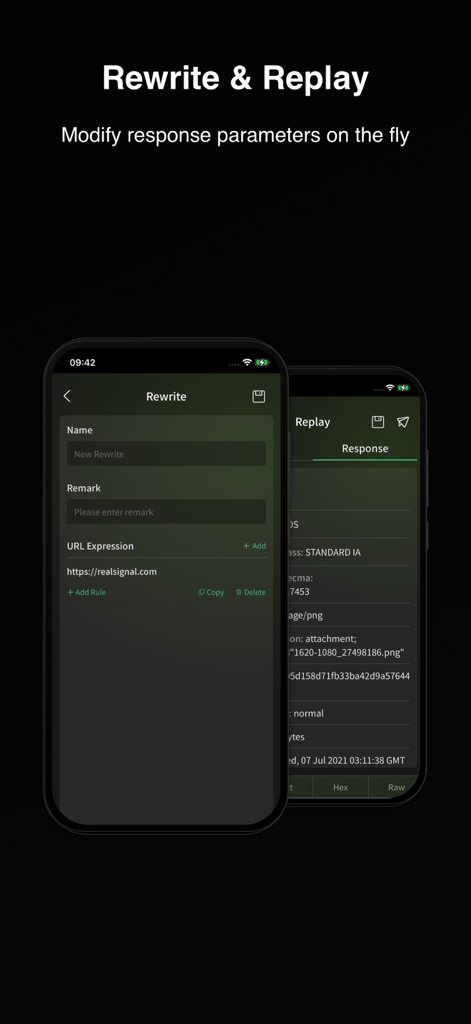
Packet Capture Pro: HTTPS - Packet Capture Pro 인터페이스가 즉석에서 네트워크 응답 매개변수를 수정하기 위한 재작성 및 재생 기능을 보여줍니다.

Packet Capture Pro 인터페이스가 즉석에서 네트워크 응답 매개변수를 수정하기 위한 재작성 및 재생 기능을 보여줍니다.

설명

Features Packet Capture & Packet Sniffer Capture HTTP/HTTPS/WebSocket traffic using local VPN technology and view full request and response details in real time, including status codes, headers, and body data. Choose from multiple view modes, such as raw data, JSON, XML, HTML, images, or videos, for seamless debugging. Packet Capture Pro works as a powerful packet sniffer and analysis tool on your device. Quick Filtering Filter by URL keywords to pinpoint issues quickly and save debugging time. These filters help you focus on the requests that matter most during network debug sessions. Rewrite & Replay Rewrite is one of PCP’s core debugging features. It allows automatic modification of network responses based on preset rules. Five modes are supported: request replacement, response replacement, request modification, response modification, and redirection. Multiple rewrite rules can run simultaneously, making it easy to simulate and debug complex network behaviors efficiently. Replay captured requests using custom parameters to reproduce and debug specific scenarios with precision. Cross-Device Collaboration Stream mobile app traffic to a PC client for real-time analysis on a larger screen. Connect easily via QR code or IP/port input for seamless teamwork. Visit our website to get Packet Capture Pro for other operating systems (macOS, Windows). Packet Import & Export Supports HAR file export for captured data, compatible with third-party analysis tools. This makes long-term data capture and sharing much easier. History list supports swipe actions for Export and Delete, and session details page also supports direct export. Also supports HAR file import, with imported entries listed in a separate view for easy access. Supports HAR file sharing. Quick Actions Easily copy any field content or decrypt data directly from the packet details view — faster and more efficient network debug and analysis. Tools Packet Capture Pro’s Tools module offers everything you need to streamline packet analysis and troubleshooting. It supports text encryption/decryption and multiple encoding/decoding formats including URL, Base64, Unicode, and MD5. You’ll also find practical utilities such as timestamp conversion, certificate hash conversion, regex testing, and QR code generation/ scanning. All tools are built to match the actual needs of packet capture and network debugging—making your workflow faster, smoother, and far more efficient. How it works Packet Capture Pro iOS creates a local VPN on your device, routing all traffic through a local proxy server. When the VPN is active, it captures all Wi-Fi and cellular data traffic for comprehensive on-device data capture and inspection. How about my sensitive data? Packet Capture Pro uses a self-signed root certificate generated on your device. All captured request and response data stays on your device and is never sent to remote servers, ensuring your data privacy during every data capture and network debug session. Privacy Policy and Terms of Service Privacy Policy: https://pcp.realsignal.com/privacy Terms of Service: https://pcp.realsignal.com/terms Our Website Download macOS, Windows, and other versions, or learn more about the app by visiting the official Packet Capture Pro website: https://pcp.realsignal.com To explore other products by RealSignal, welcome to the company’s official website: https://www.realsignal.com

Download

다운로드: App Store

이 페이지는 앱이나 개발자의 공식 페이지가 아니며, 정보 제공 및 논평을 목적으로 작성된 독립 편집 간행물입니다. 명시적으로 달리 언급되지 않는 한, 해당 앱이나 개발자는 MWM, Apple, Google Play, 앱 퍼블리셔 또는 앱 개발자와 제휴, 보증, 후원, 승인 또는 공식적으로 연결되어 있지 않으며, 이 페이지의 어떤 내용도 해당 앱이 MWM의 서비스를 사용하여 개발되었음을 의미하지 않습니다. 모든 상표, 로고, 스크린샷 및 기타 콘텐츠는 해당 소유자의 자산입니다.








