PACSonWEB
PACSonWEB
다운로드: App Store

이 페이지는 앱이나 개발자의 공식 페이지가 아니며, 정보 제공 및 논평을 목적으로 작성된 독립 편집 간행물입니다. 명시적으로 달리 언급되지 않는 한, 해당 앱이나 개발자는 MWM, Apple, Google Play, 앱 퍼블리셔 또는 앱 개발자와 제휴, 보증, 후원, 승인 또는 공식적으로 연결되어 있지 않으며, 이 페이지의 어떤 내용도 해당 앱이 MWM의 서비스를 사용하여 개발되었음을 의미하지 않습니다. 모든 상표, 로고, 스크린샷 및 기타 콘텐츠는 해당 소유자의 자산입니다.


로고: PACSonWEB
다운로드: App Store

PACSonWEB

VPN 및 복잡한 Citrix 설정을 버리세요. 간편한 2단계 인증으로 계정을 보호하고 iPhone을 실시간 음성 인식 기능을 갖춘 고급 구술 도구로 전환하여 원활한 재택 판독을 경험하세요.

주요 수치

다운로드

6K+

사용자 평점

1.0/5

총 평가 수

0

개발사

DC.SYSTEMS BVBA

카테고리

Medical

지원 언어

7

최신 버전

3.2.14

크기

66.3 MB

출시일

2019년 8월 11일
기능

판독실을 넘어 영상의학과 의사에게 힘을 실어주세요

VPN 없이 안전한 2단계 인증, 실시간 구술, 원활한 원격 판독으로 번거로움 없는 진단 환경을 경험하세요.

즉각적인 2단계 인증

번거로운 SMS 코드는 건너뛰세요. HIPAA를 준수하는 최대 보안을 위해 신뢰하는 기기에서 한 번의 탭으로 DU PACSonWEB 로그인을 안전하게 인증하세요.

스마트 모바일 구술

스마트폰을 전문가급 마이크로 바꾸세요. 내장된 음성 인식을 사용하여 워크스테이션 브라우저에 실시간으로 표시되는 보고서를 구술하세요.

다음 스크린샷과 설명은 앱의 공식 스토어 목록에서 직접 가져온 것이며 앱 개발자의 자산입니다.

앱 스토어

스크린샷
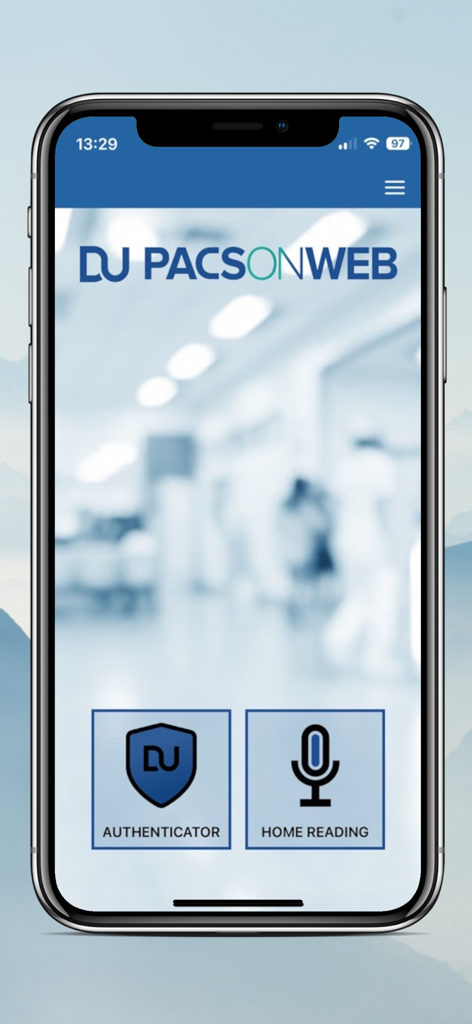
PACSonWEB - PACSonWEB 앱 메인 메뉴 (인증 도구 및 재택 판독 옵션 포함)
PACSonWEB 앱 메인 메뉴 (인증 도구 및 재택 판독 옵션 포함)

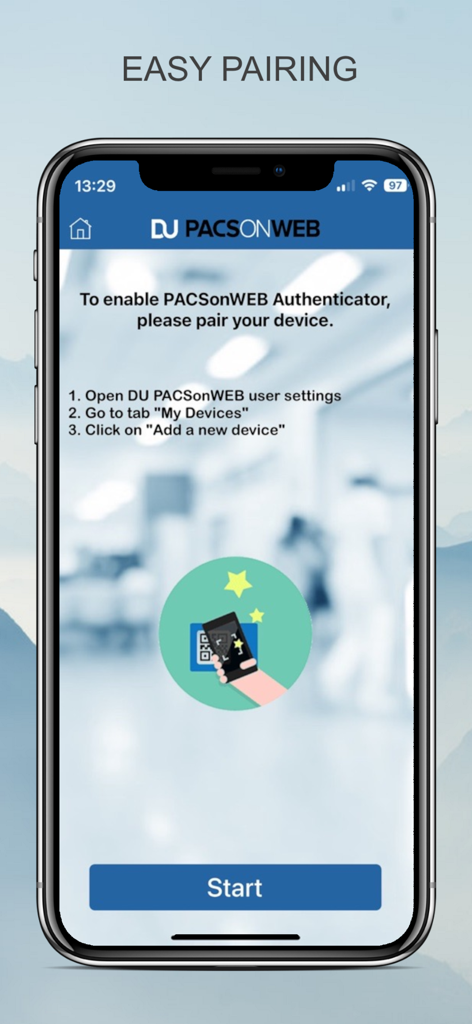
PACSonWEB - 영상 의학과 전문의를 위한 PACSonWEB 의료 앱의 쉬운 기기 페어링 화면 (설정 지침 표시)
영상 의학과 전문의를 위한 PACSonWEB 의료 앱의 쉬운 기기 페어링 화면 (설정 지침 표시)

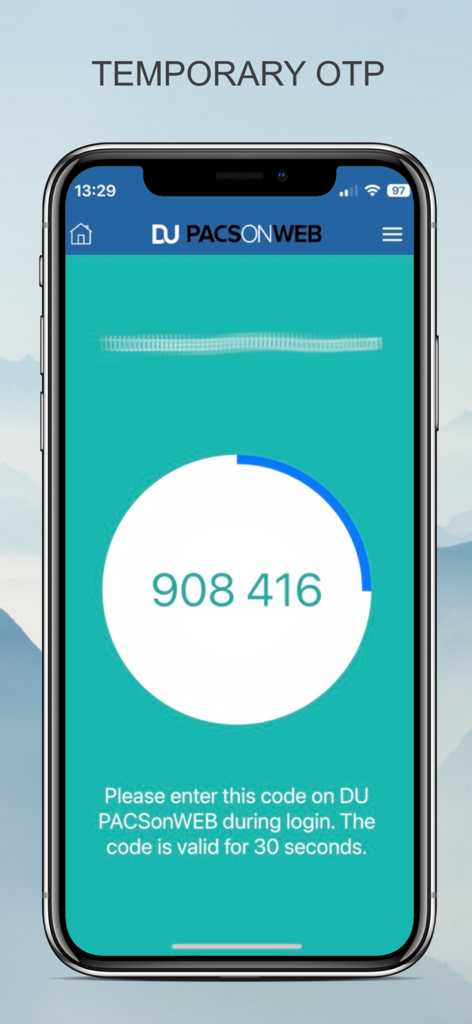
PACSonWEB - PACSonWEB 모바일 앱 인터페이스 (의료 전문가 로그인을 위한 임시 일회용 비밀번호 코드 표시)
PACSonWEB 모바일 앱 인터페이스 (의료 전문가 로그인을 위한 임시 일회용 비밀번호 코드 표시)

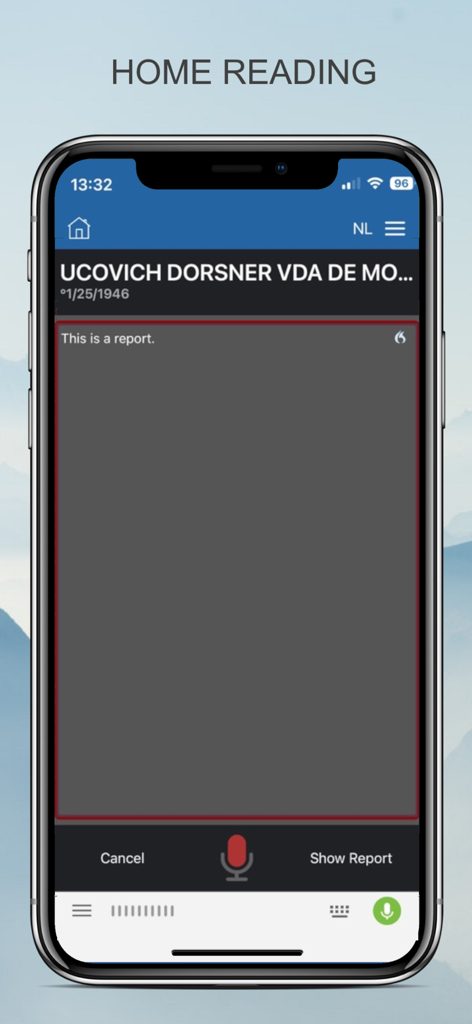
PACSonWEB - PACSonWEB 재택 판독 인터페이스 (음성 인식 기능 포함 의료 보고서 구술용)를 보여주는 스마트폰 화면

PACSonWEB 재택 판독 인터페이스 (음성 인식 기능 포함 의료 보고서 구술용)를 보여주는 스마트폰 화면

설명

The DeepUnity PACSonWEB App offers a secure and user-friendly solution for securing your account. The App replaces two-factor authentication via SMS by sending a notification to the app. You can then identify yourself and login on DU PACSonWEB with one simple tap in the app. You can connect one or more devices (maximum 5) that function as a trusted device for your account. Connecting is made easy by simply scanning a QR code on your device. This is possible in the app itself, in the camera app of your device or any third party authenticator app. How does it work: 1. Connect your device with your DU PACSonWEB Account 2. On your DU PACSonWEB Account, choose two-factor authentication type "TOTP" 3. With each login attempt you will get a notification and be able to login with one click on the app. With DU PACSonWEB Home Reading, a radiologist can easily report an exam outside the walls of the hospital using embedded speech recognition. There are no complex VPN or Citrix implementations nor any remote PACS or RIS client installations needed. The radiologist can dictate the report on the iPhone or iPad while judging the imagery on any computer or tablet using a web browser. Image and report are always linked in real-time and the dictated text appears simultaneously on the screen. This unique innovation makes it possible for any doctor to make a report using nothing more than a browser and smartphone - for example during on call -. The report is subsequently tunneled back to the regular workflow within the hospital, e.g. as a preliminary report that has to be validated, or a full report that goes directly to the RIS / HIS / EPR. This unique system saves the radiologist time, support for specialization or workload balancing during service hours and allows for more flexible scheduling for the radiologists. How does it work: 1. The radiologist access the exam via the DU PACSonWEB platform. 2. Through this app, he scans the displayed QR code in DU PACSonWEB and his account is linked. He can make a (preliminary) report of any exam using real-time speech recognition on the smartphone. 3. The report is made available to the requesting physician and is send into the regular workflow of medical imaging. 4. If it concerns a preliminary report, the radiologist validates his report during his normal workflow at the hospital.

Download

다운로드: App Store

이 페이지는 앱이나 개발자의 공식 페이지가 아니며, 정보 제공 및 논평을 목적으로 작성된 독립 편집 간행물입니다. 명시적으로 달리 언급되지 않는 한, 해당 앱이나 개발자는 MWM, Apple, Google Play, 앱 퍼블리셔 또는 앱 개발자와 제휴, 보증, 후원, 승인 또는 공식적으로 연결되어 있지 않으며, 이 페이지의 어떤 내용도 해당 앱이 MWM의 서비스를 사용하여 개발되었음을 의미하지 않습니다. 모든 상표, 로고, 스크린샷 및 기타 콘텐츠는 해당 소유자의 자산입니다.