Panasonic LUMIX Flow

Panasonic LUMIX Flow

다운로드: App Store다운로드: Google Play
로고: Panasonic LUMIX Flow

Panasonic LUMIX Flow: 스크립트부터 화면까지 비전 간소화

독립 제작자를 위한 궁극의 워크플로우 동반자. 스마트폰을 전문가급 모니터로 변환하고, 걸작을 스토리보드화하고, 지능적인 클립 구성을 통해 편집 시간을 절반으로 줄이세요.

개발사

PANASONIC ENTERTAINMENT & COMMUNICATION CO., LTD.

카테고리

Photo & Video

다운로드

11K+

사용자 평점

3.4/5

총 평가 수

0

지원 언어

11

제작 과정을 시각화하세요

이 인터페이스를 사용하는 11K+ 명의 사용자.

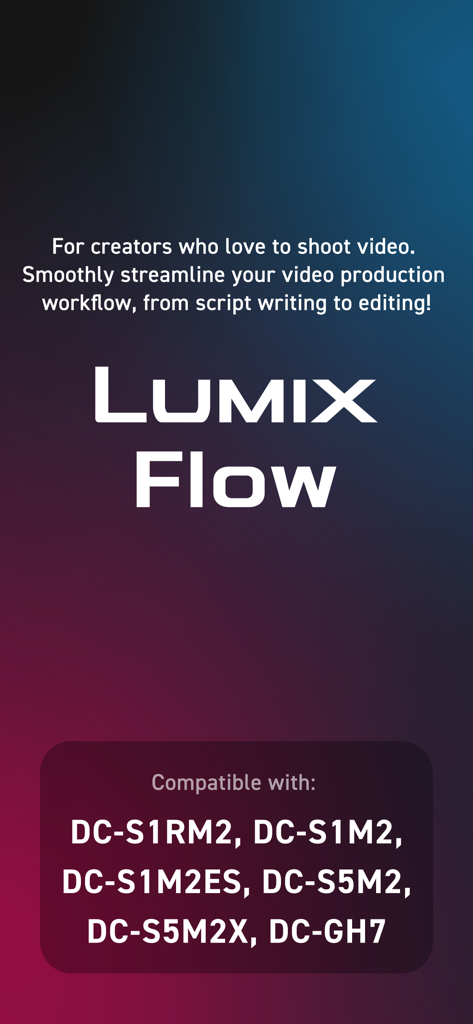
Panasonic LUMIX Flow 앱 소개 화면으로, 동영상 제작 워크플로우와 호환되는 카메라 모델을 강조합니다.
Panasonic LUMIX Flow 앱 소개 화면으로, 동영상 제작 워크플로우와 호환되는 카메라 모델을 강조합니다.

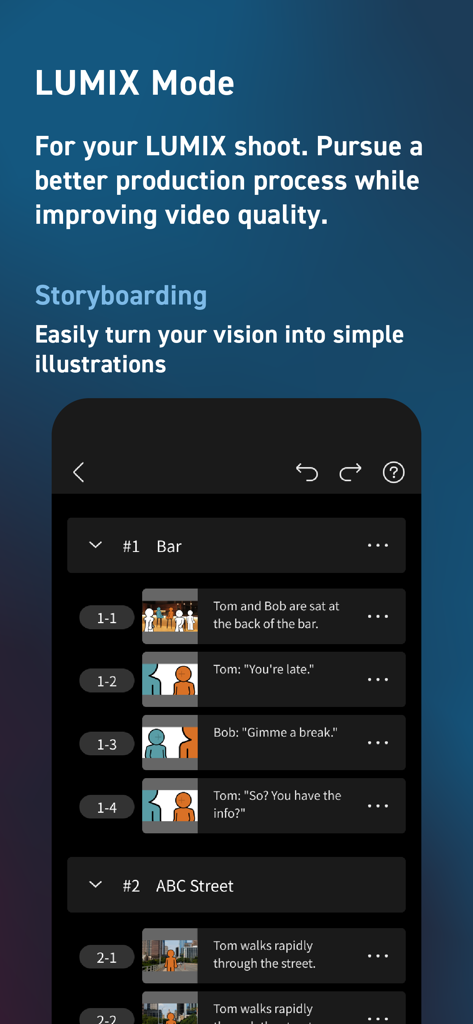
Panasonic LUMIX Flow 앱 스토리보딩 화면으로, 장면 설명과 간단한 삽화가 포함된 장면 목록을 보여줍니다.
Panasonic LUMIX Flow 앱 스토리보딩 화면으로, 장면 설명과 간단한 삽화가 포함된 장면 목록을 보여줍니다.

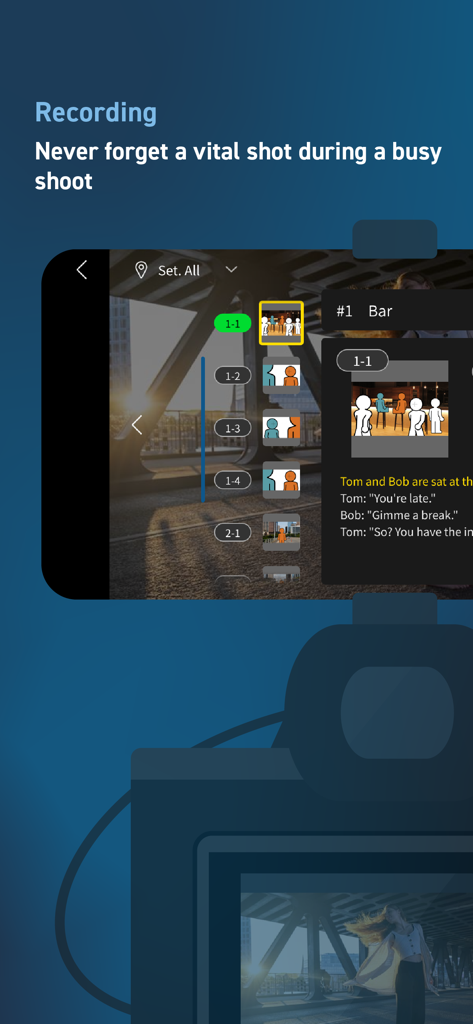
Panasonic LUMIX Flow 녹화 인터페이스로, 통합 스토리보드와 디지털 샷 목록이 특징입니다.
Panasonic LUMIX Flow 녹화 인터페이스로, 통합 스토리보드와 디지털 샷 목록이 특징입니다.

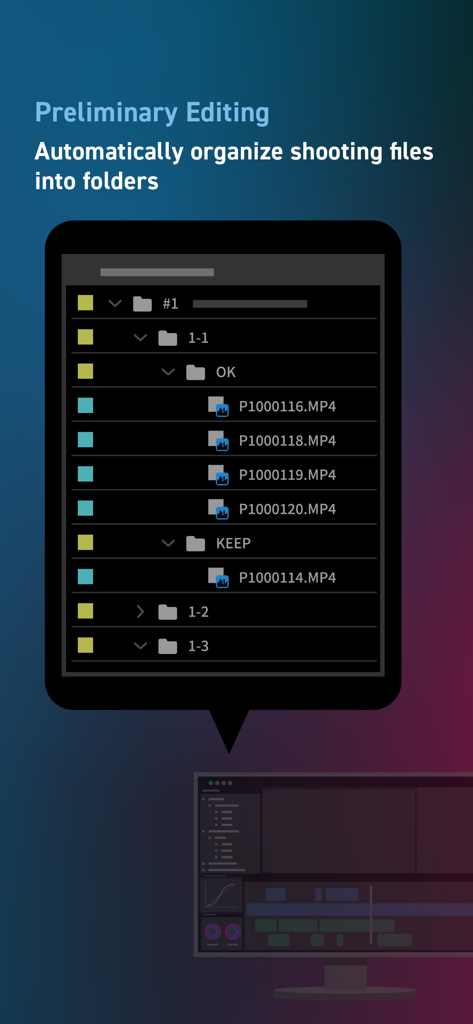
LUMIX Flow 앱 인터페이스로, 초기 편집을 위해 폴더별로 자동 구성된 동영상 파일을 보여줍니다.
LUMIX Flow 앱 인터페이스로, 초기 편집을 위해 폴더별로 자동 구성된 동영상 파일을 보여줍니다.

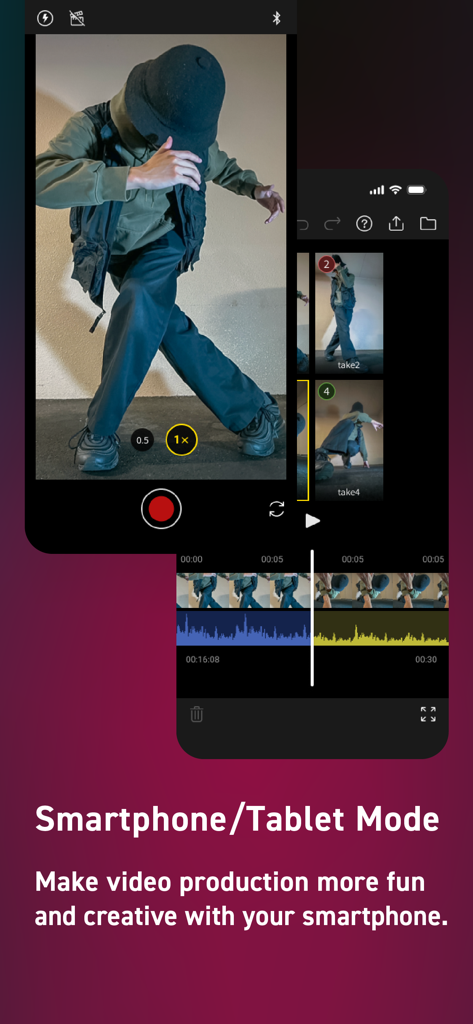
Panasonic LUMIX Flow 앱 인터페이스로, 모바일 동영상 녹화 및 편집을 위한 스마트폰 모드를 보여줍니다.
Panasonic LUMIX Flow 앱 인터페이스로, 모바일 동영상 녹화 및 편집을 위한 스마트폰 모드를 보여줍니다.

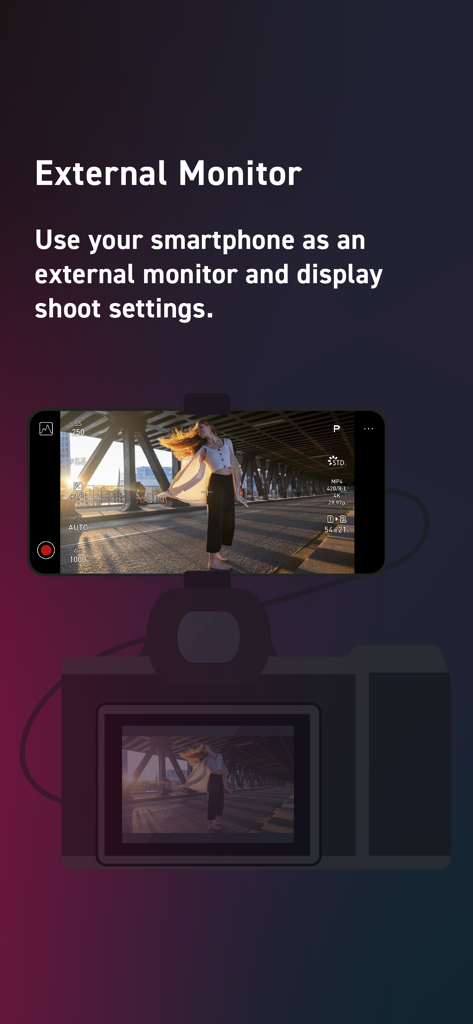
LUMIX Flow 앱을 통해 동영상 설정을 표시하는 외부 모니터로 사용되는 카메라에 장착된 스마트폰

LUMIX Flow 앱을 통해 동영상 설정을 표시하는 외부 모니터로 사용되는 카메라에 장착된 스마트폰

시네마틱 워크플로우 마스터하기

이 앱을 돋보이게 하는 도구, 11K+ 명의 사용자가 선택.

즉각적인 푸티지 선별

현장에서 클립을 'OK' 또는 'BAD'로 평가하고 DaVinci Resolve 또는 Premiere Pro로 XML 파일을 직접 내보내 수동 정렬에 드는 시간을 절약하세요.

🎬

통합 스토리보딩

앱 내에서 스크립트를 작성하고 시각적 스토리보드를 스케치하여 영웅적인 장면이 완벽하게 계획되고 제작 중에 놓치지 않도록 하세요.

📱

전문가 수준의 현장 모니터링

스마트폰을 고화질 외부 모니터로 변환하여 비싼 추가 하드웨어에 투자하지 않고도 실시간으로 초점과 구도를 확인하세요.

앱 소개

에 대해 알아야 할 모든 것 Panasonic LUMIX Flow.

설명

For creators who love to shoot video. Smoothly streamline your video production workflow, from script writing to editing! From dramas and documentaries to music videos and dance clips in the entertainment genre, LUMIX Flow is easy to use even for beginners and supports a smooth video production process. 【LUMIX Mode】 Easily create scripts, storyboards, and shot lists. Use the app to visually sketch out scenes, illustrating your subject's position, direction, shot angle and more. Use your smartphone as an external monitor for your LUMIX camera. Check your shot list and storyboard on your smartphone while shooting. You can easily see which shots have already been taken at a glance, ensuring you never forget a key shot and allowing you to work through your shoot smoothly and efficiently. Shooting files are automatically divided into folders based on your ' OK / KEEP / BAD' rating by importing XML files from the app into your video editing software. Efficiently organize files after shooting and shorten the time you spend editing. 【Smartphone/Tablet Mode】 You can script, shoot, and edit a short drama or documentary video using just your smartphone, enjoying all the fun of filmmaking without the need for a camera or computer. 【External Monitor】 Connect your smartphone to your LUMIX camera to use it as an external monitor while shooting. Quickly check focus on-site. Compatible with: DC-S1RM2, DC-S1M2, DC-S1M2ES, DC-S5M2, DC-S5M2X, DC-GH7 OS Compatibility: iOS 15.4 or higher *Recommended for models with a USB Type-C connector. To connect with a Lightning cable, a genuine Apple 'Lightning-USB Camera Adapter' or 'Lightning-USB3 Camera Adapter' is required. [Notes] ・Be aware that when using the location information recording function, continued use of the GPS function can lead to a dramatic decrease in battery capacity. ・For information on using this app or compatible models, visit the following support page. https://panasonic.jp/support/global/cs/soft/lumix_flow/index.html ・Please understand that we will not be able to contact you directly even if you use the “Email Developer” link.

최신 버전

1.3.0

크기

46.3 MB

출시일

2025년 2월 25일

워크플로우 마스터할 준비 되셨나요?

수천 명의 독립 스토리텔러와 함께 번거로움을 줄이세요. 지금 LUMIX Flow를 다운로드하고 카메라와 최종 편집본 사이의 격차를 해소하세요.

다운로드: App Store다운로드: Google Play

App information, icons, screenshots, and descriptions displayed on this page are sourced from the Apple App Store and are the property of their respective developers. Download estimates and rankings are based on MWM's proprietary models and may not reflect actual figures. This page is provided for informational and analytical purposes only.

Believe this page infringes your intellectual property? File a dispute