Pause Camera Video Recorder
다운로드: App Store

이 페이지는 앱이나 개발자의 공식 페이지가 아니며, 정보 제공 및 논평을 목적으로 작성된 독립 편집 간행물입니다. 명시적으로 달리 언급되지 않는 한, 해당 앱이나 개발자는 MWM, Apple, Google Play, 앱 퍼블리셔 또는 앱 개발자와 제휴, 보증, 후원, 승인 또는 공식적으로 연결되어 있지 않으며, 이 페이지의 어떤 내용도 해당 앱이 MWM의 서비스를 사용하여 개발되었음을 의미하지 않습니다. 모든 상표, 로고, 스크린샷 및 기타 콘텐츠는 해당 소유자의 자산입니다.

로고: Pause Camera Video Recorder
다운로드: App Store

Pause Camera Video Recorder

수십 개의 클립을 이어 붙이는 것을 멈추세요. AI 기반 자막 및 자동 무음 제거 기능으로 하나의 파일에서 녹화, 일시정지, 재개를 하세요. TikTok, Reels, Shorts용 바이럴 준비 4K 콘텐츠를 절반의 시간 안에 만드세요.

주요 수치

다운로드

4K+

사용자 평점

4.4/5

총 평가 수

800

개발사

Saturday Technologies Incorporated

카테고리

Photo & Video

지원 언어

8

최신 버전

4.92

크기

48.5 MB

출시일

2022년 3월 21일
기능

한 번에 녹화, 편집, 게시

복잡한 편집 소프트웨어에서 몇 시간을 낭비하지 마세요. AI 기반 캡션부터 끊김 없는 녹화까지, 번거로움 없이 전문가 수준의 결과물을 얻으세요.

끊김 없는 원테이크 녹화

수십 개의 클립을 병합하는 것은 잊어버리세요. 녹화를 일시정지하고 재개하여 모든 것을 하나의 파일에 담아 후반 작업 시간을 대폭 절약하세요.

AI 기반 매직 편집

AI를 사용하여 정확한 자막을 즉시 추가하고 어색한 침묵을 제거하세요. 빠르게 진행되는 고품질 콘텐츠로 시청자를 사로잡으세요.

다음 스크린샷과 설명은 앱의 공식 스토어 목록에서 직접 가져온 것이며 앱 개발자의 자산입니다.

앱 스토어

스크린샷
Pause Camera Video Recorder - UGC 블로그 및 TikTok 텍스트가 포함된 Pause Camera Video Recorder의 프로모션 그래픽
UGC 블로그 및 TikTok 텍스트가 포함된 Pause Camera Video Recorder의 프로모션 그래픽

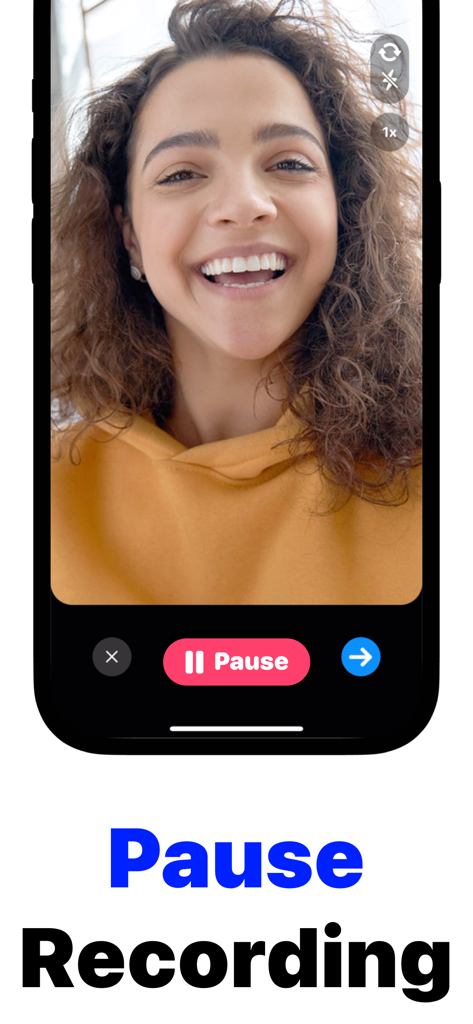
Pause Camera Video Recorder - 빨간색 일시정지 버튼을 보여주는 Pause Camera Video Recorder 앱을 사용하여 브이로그를 녹화하는 여성
빨간색 일시정지 버튼을 보여주는 Pause Camera Video Recorder 앱을 사용하여 브이로그를 녹화하는 여성

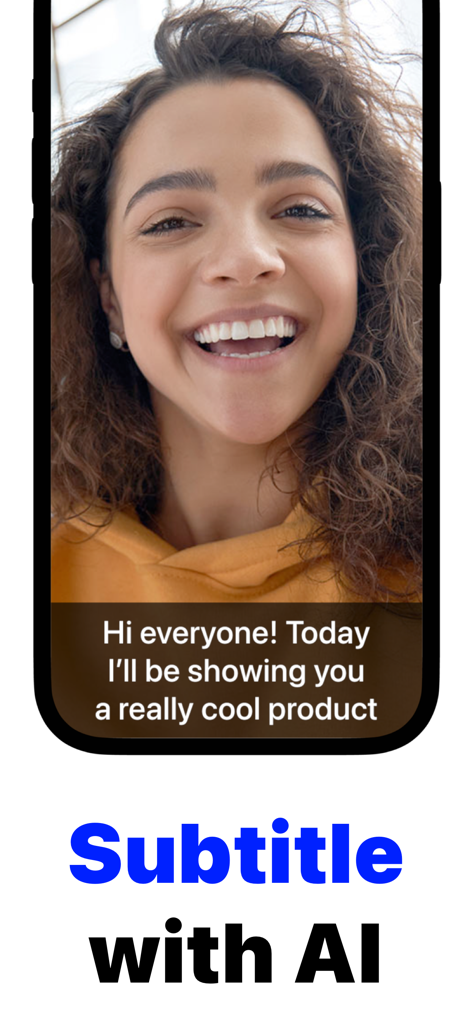
Pause Camera Video Recorder - 자동 AI 자막이 있는 동영상을 녹화하는 크리에이터

자동 AI 자막이 있는 동영상을 녹화하는 크리에이터

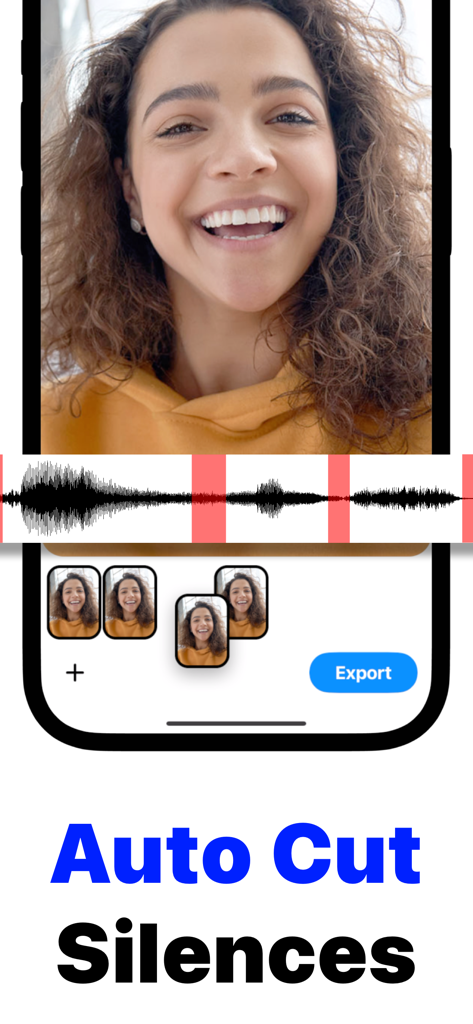
Pause Camera Video Recorder - 빨간색으로 강조 표시된 자동 무음 구간 제거 기능이 있는 비디오 파형과 비디오 제작자가 있는 모바일 앱 인터페이스

빨간색으로 강조 표시된 자동 무음 구간 제거 기능이 있는 비디오 파형과 비디오 제작자가 있는 모바일 앱 인터페이스

설명

Pause your camera while recording. Edit videos without complex controls. Pause Cam is a powerful video editing tool, yet delightfully easy to use. Just record video segments, and then splice them together. Use Dual Cam to record from both the front and the back cameras: you can render split screen or picture-in-picture videos. You can also trim and cut individual video segments. Use the power of AI to automatically subtitle your video & remove silent gaps. But wait, there's more: • Perfect your videos with easy-to-use pause and resume recording. • Dual Camera — record both front and back camera at the same time. • 4k HDR Video Recording • Adjust frame rate to 24 fps, 30 fps, or 60 fps • Trim, cut, and crop video segments effortlessly. • Use AI to automatically add subtitles and remove silent gaps in your videos. • Format your videos perfectly for TikTok, Instagram Reels, YouTube Shorts and more. • Apply slow-mo & speed effects. • Cinematic & professional-grade video stabilization. • Rearrange or remove video segments for a smooth, seamless video. • Enjoy high quality video output. It makes editing a breeze: • Add Accurate Subtitles: Use cutting-edge AI for a synchronized transcript of your videos. • Magic Jumpcuts: Automatically remove mute sections or gaps in your videos. • Crop Tool: Size your videos to finger-tip perfection on many platforms. • Manage Video Segments: Reorder or delete parts with user-friendly controls. Whether you're creating TikToks, vlogs, UGC, talking head style videos, montages, sales demos, or keeping a video journal, Pause Cam is the ultimate video recording tool for you. Pause Cam Pro • The app is free to use, but additional functionality requires a subscription to Plus. We offer a monthly and an annual subscription plan. See in-app for more information. Privacy Policy: https://www.saturdaytechnologies.com/privacy Terms of Use: https://www.saturdaytechnologies.com/terms

Download

다운로드: App Store

이 페이지는 앱이나 개발자의 공식 페이지가 아니며, 정보 제공 및 논평을 목적으로 작성된 독립 편집 간행물입니다. 명시적으로 달리 언급되지 않는 한, 해당 앱이나 개발자는 MWM, Apple, Google Play, 앱 퍼블리셔 또는 앱 개발자와 제휴, 보증, 후원, 승인 또는 공식적으로 연결되어 있지 않으며, 이 페이지의 어떤 내용도 해당 앱이 MWM의 서비스를 사용하여 개발되었음을 의미하지 않습니다. 모든 상표, 로고, 스크린샷 및 기타 콘텐츠는 해당 소유자의 자산입니다.