PDF Merge - Combine & Join PDF
다운로드: App Store

이 페이지는 앱이나 개발자의 공식 페이지가 아니며, 정보 제공 및 논평을 목적으로 작성된 독립 편집 간행물입니다. 명시적으로 달리 언급되지 않는 한, 해당 앱이나 개발자는 MWM, Apple, Google Play, 앱 퍼블리셔 또는 앱 개발자와 제휴, 보증, 후원, 승인 또는 공식적으로 연결되어 있지 않으며, 이 페이지의 어떤 내용도 해당 앱이 MWM의 서비스를 사용하여 개발되었음을 의미하지 않습니다. 모든 상표, 로고, 스크린샷 및 기타 콘텐츠는 해당 소유자의 자산입니다.

로고: PDF Merge - Combine & Join PDF
다운로드: App Store

PDF Merge - Combine & Join PDF

이동 중에 파일을 손쉽게 병합, 변환 및 보호하세요. 속도와 보안으로 문서를 처리하기 위해 우리를 신뢰하는 100,000명 이상의 전문가 및 학생들과 함께하세요.

주요 수치

다운로드

113K+

사용자 평점

4.6/5

총 평가 수

17K+

개발사

Haris Tayyab

카테고리

Utilities

지원 언어

45

최신 버전

1.9

크기

13.6 MB

출시일

2021년 9월 16일
기능

생산성 향상

현대 전문가를 위해 설계된 올인원 PDF 도구 모음. 데스크탑 없이도 파일을 관리, 변환 및 보호하세요.

통합 파일 관리

여러 PDF를 하나의 전문 문서로 결합하세요. 페이지 순서를 탭하여 완벽한 프레젠테이션을 만드세요.

범용 문서 변환기

Word, Excel 및 이미지를 고품질 PDF로 변환하세요. 즉석에서 편집해야 할 때 언제든지 다시 변환하세요.

다음 스크린샷과 설명은 앱의 공식 스토어 목록에서 직접 가져온 것이며 앱 개발자의 자산입니다.

앱 스토어

스크린샷
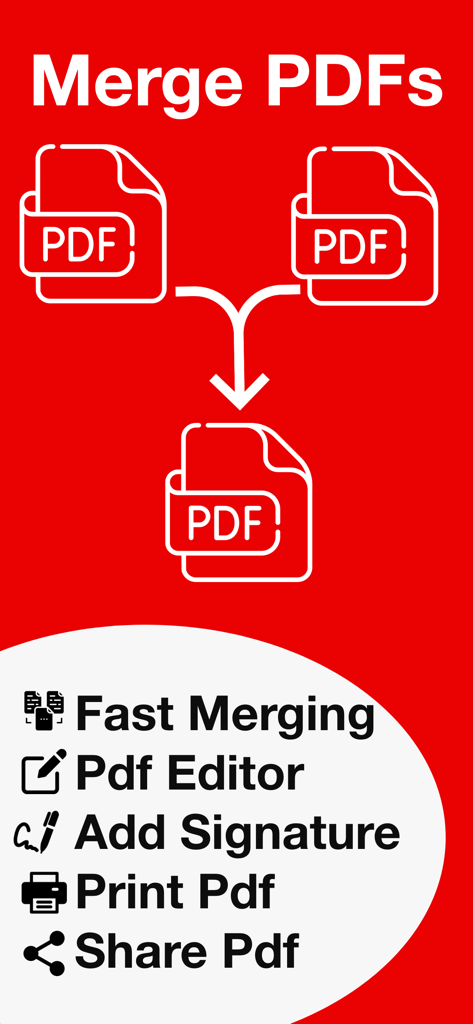
PDF Merge - Combine & Join PDF - 문서 병합, 편집기, 서명 기능이 있는 PDF 앱의 프로모션 그래픽
문서 병합, 편집기, 서명 기능이 있는 PDF 앱의 프로모션 그래픽

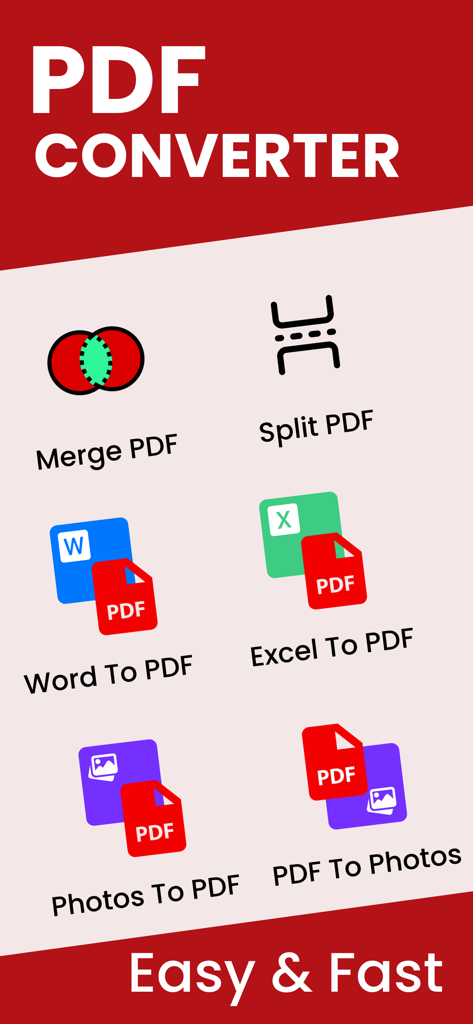
PDF Merge - Combine & Join PDF - Word Excel 및 사진을 PDF로 병합 분할 변환하는 도구를 보여주는 PDF 변환기 앱 대시보드
Word Excel 및 사진을 PDF로 병합 분할 변환하는 도구를 보여주는 PDF 변환기 앱 대시보드

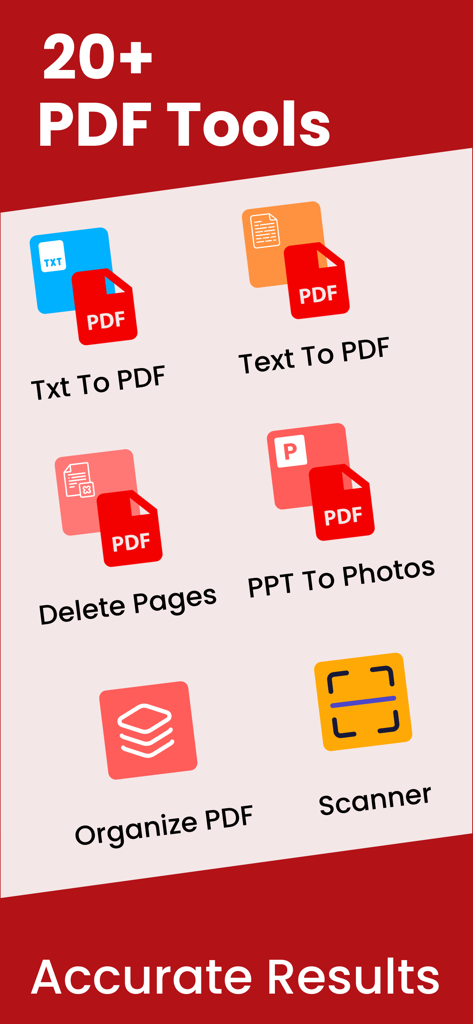
PDF Merge - Combine & Join PDF - 텍스트 변환, 페이지 삭제, 문서 스캔, 파일 구성 등 다양한 PDF 도구를 보여주는 모바일 앱 인터페이스
텍스트 변환, 페이지 삭제, 문서 스캔, 파일 구성 등 다양한 PDF 도구를 보여주는 모바일 앱 인터페이스

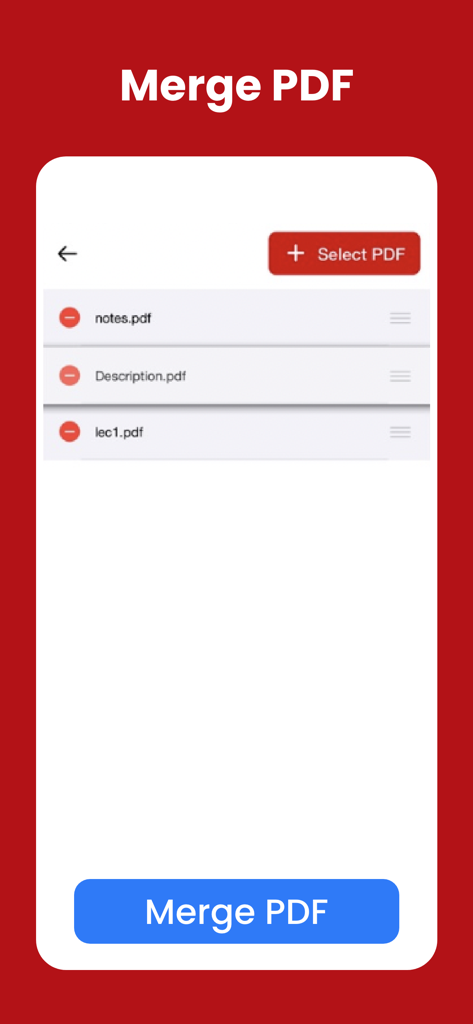
PDF Merge - Combine & Join PDF - 메모 및 설명과 같은 PDF 파일 목록을 보여주는 모바일 앱 화면, 아래쪽에 파란색 버튼이 있어 병합 준비 완료
메모 및 설명과 같은 PDF 파일 목록을 보여주는 모바일 앱 화면, 아래쪽에 파란색 버튼이 있어 병합 준비 완료

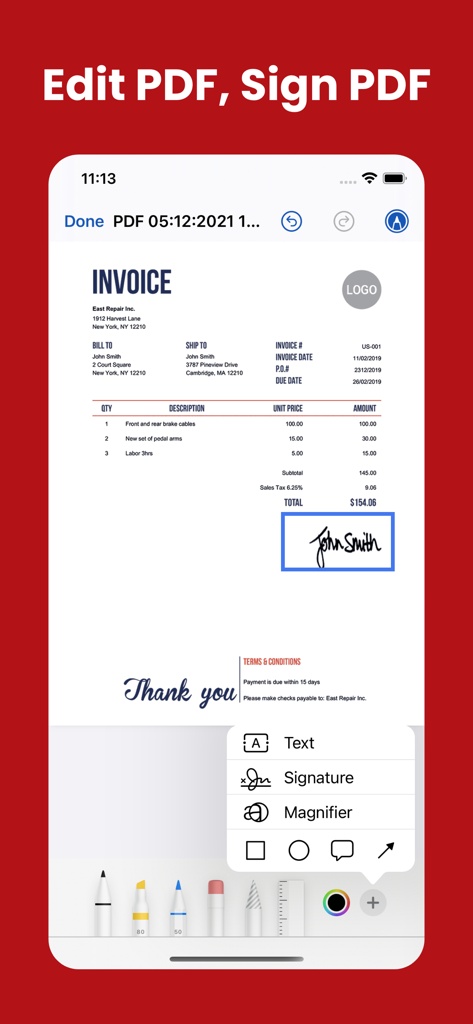
PDF Merge - Combine & Join PDF - 디지털 서명 도구를 사용하여 PDF 송장을 편집하고 서명하는 모바일 인터페이스
디지털 서명 도구를 사용하여 PDF 송장을 편집하고 서명하는 모바일 인터페이스

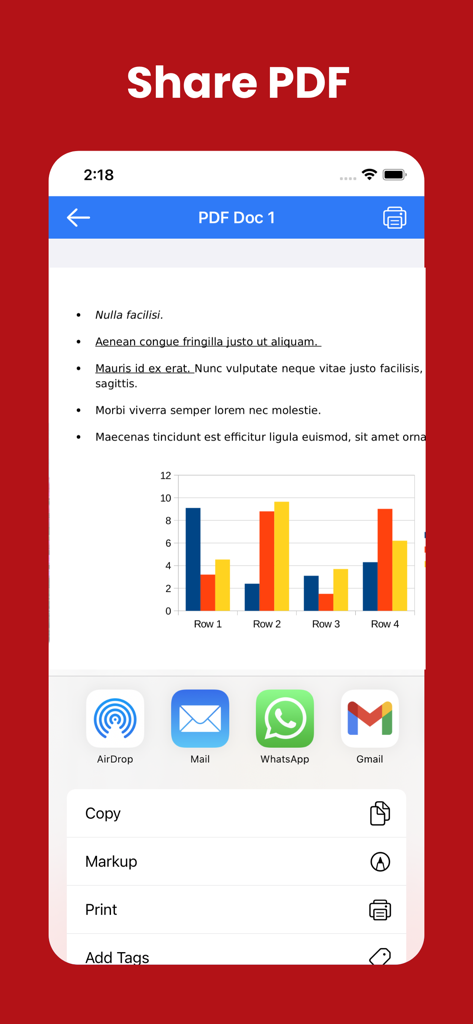
PDF Merge - Combine & Join PDF - AirDrop, Mail, WhatsApp, Gmail 등 다양한 옵션으로 PDF 문서를 공유하는 모바일 앱 인터페이스
AirDrop, Mail, WhatsApp, Gmail 등 다양한 옵션으로 PDF 문서를 공유하는 모바일 앱 인터페이스

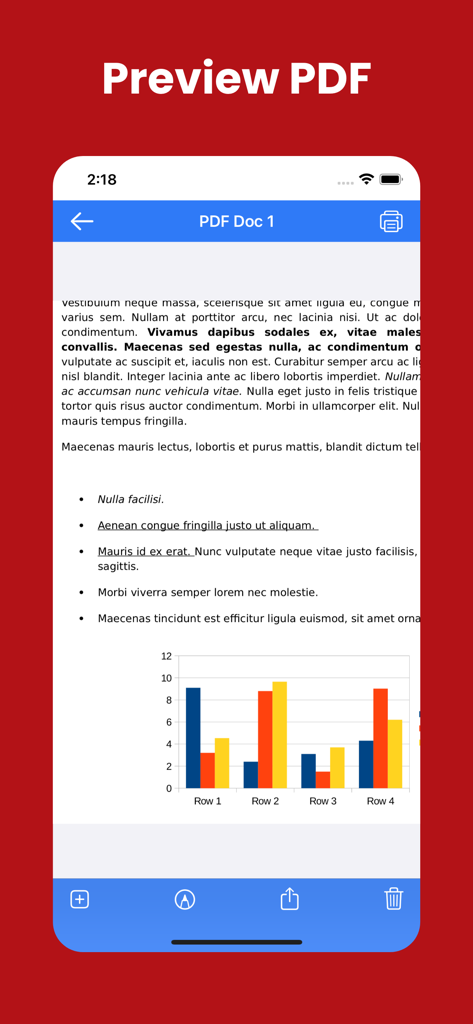
PDF Merge - Combine & Join PDF - 텍스트와 컬러 바 차트가 포함된 PDF 문서 미리보기를 보여주는 모바일 애플리케이션 화면

텍스트와 컬러 바 차트가 포함된 PDF 문서 미리보기를 보여주는 모바일 애플리케이션 화면

설명

PDF Merger & PDF Converter – All-in-One PDF Toolkit PDF Merger & PDF Converter is the ultimate all-in-one solution to manage, convert, and secure your PDF documents—right from your iPhone and iPad. Whether you’re a student, professional, or business user, our powerful yet easy-to-use tools help you handle PDFs faster and smarter. Turn multiple files into a single PDF, convert documents to and from PDF, protect sensitive files, and organize pages with just a few taps. Key Features PDF Merge •⁠ ⁠Combine multiple PDFs into one document •⁠ ⁠Reorder files before merging •⁠ ⁠Fast and high-quality merging PDF to Photos •⁠ ⁠Convert PDF pages into high-resolution images •⁠ ⁠Share or save images instantly Convert To PDF Convert your documents into professional-quality PDFs: •⁠ ⁠Word to PDF •⁠ ⁠Excel to PDF •⁠ ⁠PowerPoint to PDF •⁠ ⁠Text (TXT) to PDF Perfect for sharing, printing, and archiving. Convert From PDF Easily turn PDFs back into editable formats: •⁠ ⁠PDF to Word •⁠ ⁠PDF to Excel •⁠ ⁠PDF to PowerPoint •⁠ ⁠PDF to Text Maintain formatting and content accuracy. Secure Your PDFs Protect your important documents: •⁠ ⁠Lock PDF with a password •⁠ ⁠Unlock password-protected PDFs •⁠ ⁠Keep your files safe and private Powerful PDF Tools Take full control of your PDFs: •⁠ ⁠Organize pages •⁠ ⁠Delete pages •⁠ ⁠Edit PDFs •⁠ ⁠Print PDFs •⁠ ⁠Import PDFs from Files, iCloud, or other apps Why Choose PDF Merger & PDF Converter? •⁠ ⁠Simple & intuitive interface •⁠ ⁠Fast and reliable performance •⁠ ⁠Works perfectly on iPhone & iPad •⁠ ⁠Ideal for work, school, and everyday use Download PDF Merger & PDF Converter today and manage your PDFs like a pro—anytime, anywhere. If you have any questions or suggestions, please send them to our support email. Note: Payment will be charged to your iTunes account at confirmation of purchase. Your subscription will automatically renew unless auto-renew is turned off at least 24-hours before the end of the current subscription period. Your account will be charged for renewal within 24-hours prior to the end of the current subscription period. Automatic renewals will cost the same price you were originally charged for the subscription. You can manage your subscriptions and turn off auto-renewal by going to your Account Settings on the App Store after purchase. Read our terms of service and Privacy Policy for more information. Privacy policy: https://mobileappstudio8.blogspot.com/2023/03/privacy-policy.html Terms of use: https://mobileappstudio8.blogspot.com/2023/03/terms-and-conditions.html

Download

다운로드: App Store

이 페이지는 앱이나 개발자의 공식 페이지가 아니며, 정보 제공 및 논평을 목적으로 작성된 독립 편집 간행물입니다. 명시적으로 달리 언급되지 않는 한, 해당 앱이나 개발자는 MWM, Apple, Google Play, 앱 퍼블리셔 또는 앱 개발자와 제휴, 보증, 후원, 승인 또는 공식적으로 연결되어 있지 않으며, 이 페이지의 어떤 내용도 해당 앱이 MWM의 서비스를 사용하여 개발되었음을 의미하지 않습니다. 모든 상표, 로고, 스크린샷 및 기타 콘텐츠는 해당 소유자의 자산입니다.








