PDF Reader Auto Scroll

PDF Reader Auto Scroll

다운로드: App Store
로고: PDF Reader Auto Scroll

PDF 리더 자동 스크롤: 궁극의 핸즈프리 독서 경험

깊은 집중을 위해 설계된 미니멀리스트적이고 개인 정보 보호 우선 도구입니다. 조절 가능한 자동 스크롤링, 수평 잠금, 방해 요소나 광고 없이 책과 문서를 쉽게 읽으세요.

다운로드: App Store

개발사

Abdulkarim Nasir

카테고리

Utilities

다운로드

400

사용자 평점

1.0/5

총 평가 수

0

지원 언어

1

순수한 핸즈프리 집중

이 인터페이스를 사용하는 400 명의 사용자.

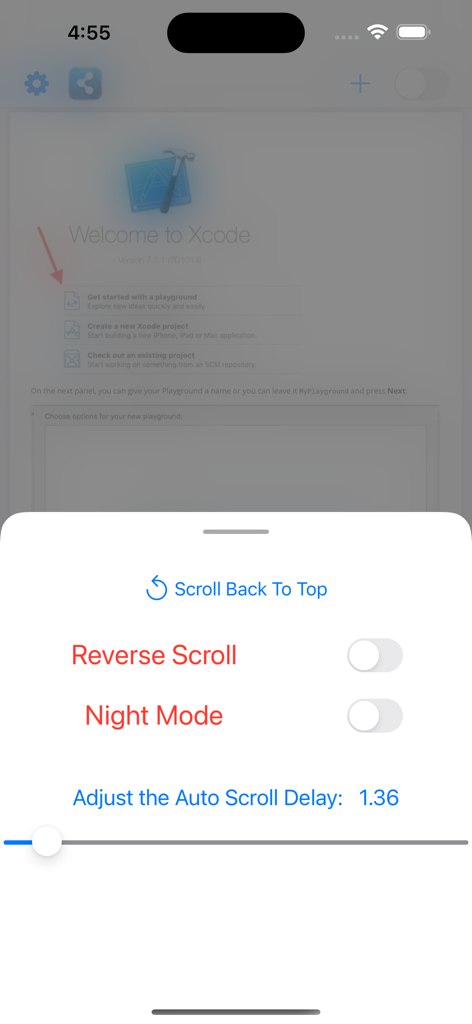
PDF 리더 자동 스크롤 앱의 설정 메뉴로, 역방향 스크롤, 야간 모드, 자동 스크롤 지연 속도 조절 기능이 표시됩니다.
PDF 리더 자동 스크롤 앱의 설정 메뉴로, 역방향 스크롤, 야간 모드, 자동 스크롤 지연 속도 조절 기능이 표시됩니다.

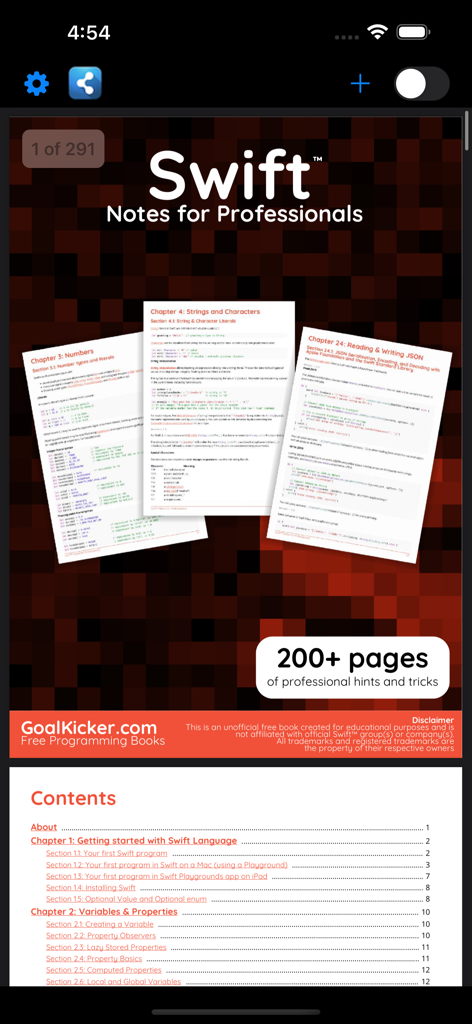
PDF 리더 자동 스크롤 앱 인터페이스 스크린샷으로, Swift 프로그래밍 서적과 목차가 표시됩니다.
PDF 리더 자동 스크롤 앱 인터페이스 스크린샷으로, Swift 프로그래밍 서적과 목차가 표시됩니다.

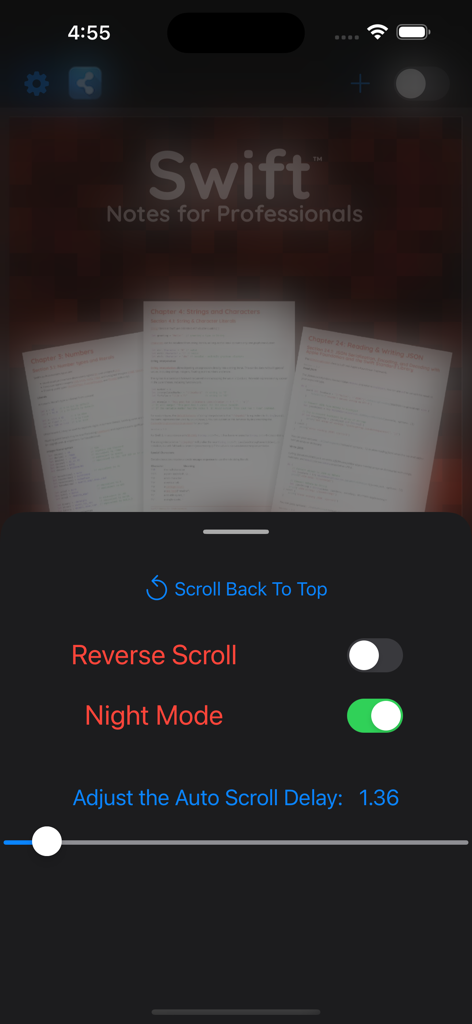
PDF 리더 앱 인터페이스로, 자동 스크롤 설정과 야간 모드가 활성화되어 기술 문서를 읽는 모습이 표시됩니다.
PDF 리더 앱 인터페이스로, 자동 스크롤 설정과 야간 모드가 활성화되어 기술 문서를 읽는 모습이 표시됩니다.

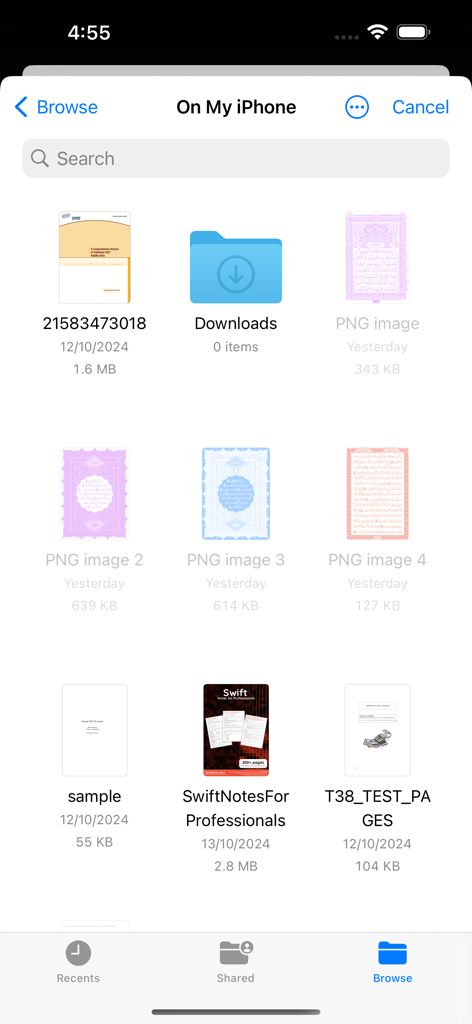
iOS 파일 관리자 인터페이스로, 읽을 수 있는 PDF 문서 및 폴더 목록이 표시됩니다.

iOS 파일 관리자 인터페이스로, 읽을 수 있는 PDF 문서 및 폴더 목록이 표시됩니다.

독서 워크플로우 마스터하기

이 앱을 돋보이게 하는 도구, 400 명의 사용자가 선택.

적응형 핸즈프리 스크롤링

조절 가능한 자동 스크롤 속도로 자신만의 속도로 읽으세요. 손가락 하나 까딱하지 않고 기술 논문, 악보, 레시피를 공부하는 데 완벽합니다.

🔒

정밀한 수평 잠금

성가신 좌우 슬라이딩을 멈추세요. 보기 영역을 수평으로 잠가 선명도를 위해 확대하고 완벽하게 정렬하여 세로로 스크롤할 수 있습니다.

🛡️

데이터 없는 개인 정보 보호 및 집중

계정 필요 없음, 광고 없음, 데이터 수집 제로. 개인 정보와 배터리를 존중하는 가볍고 미니멀한 인터페이스를 즐기세요.

앱 소개

에 대해 알아야 할 모든 것 PDF Reader Auto Scroll.

설명

A small size PDF reader to view and manage your PDF files and books. Have you ever wondered if there was a PDF app where pages can scroll automatically? This is that app. This PDF reader - Auto-Scroll app will help you read books easily. You can easily view charts and view PDF files easily. Features in this PDF autoscroll App * Helping you reading without touching your phone * Manage your PDF files and books in one place. * Night Mode for better reading. * A special feature where on a button click, pages will scroll automatically. * Change autoscroll direction (scroll either up or down) * Manually scroll to a location and start autoscroll from there * Reopen last opened document and restore autoscroll from where you left off. * Select the characters for web searching * Open links in your pdfs externally in safari etc * Change auto scroll speed according to your preference. * Recent pdf on top of the list for easy access. * Scan your device for PDF files. * Search feature to search for PDF files easily. * Minimalist design approach. No fancy stuff. App just does what it says. * Simple and light pdf reader * It makes reading more efficient for you. By reading hands free with adjustable auto-scroll and reduced eye strain with dark mode. * Automatically bookmark the book or document, you are reading. * Show page numbers count as you scroll * You can restart auto scroll when end of pdf document is reached * Vertical auto-scrolling with adjustable speed, whose speed number/label you can see and gauge, so you can figure out your optimal speed for unique PDFs and quickly change to it instead of guessing what that speed is on a blind slider per PDF * Without any account login * None of your data is collected by using this app. * Horizontal lock: so if you must zoom in to hide margins, but then have to pan around from time to time during the auto-scrolling process, your document isn't gonna fly around horizontally as well and would only move vertically * Be able to scroll around with one finger while it's auto-scrolling, after which it resumes auto-scrolling * No conversion is made to your PDF, just pure scrolling! * Keep the screen awake without touching * No Ads in this app or annoying pop-ups. How to use: 1. Open the app 2. Click the + button on top-right corner to go to your device files folder. Select any pdf that's on your device 3. Click the switch on top-right to enjoy the auto scrolling of that pdf and more! 4. To pause the autoscroll, turn off the switch on top-right. 5. To resume autoscroll, re-enable the switch. 6. To change pdf, click the + button again and select a different one. Please tell your friends about this app! Send feedback and feature request to kareemtkb@gmail.com Disclaimer: By using this app, you agree to view only PDFs you're authorized or have the right to view.

최신 버전

1.2

크기

0.8 MB

출시일

2024년 10월 14일

오늘부터 핸즈프리로 읽기 시작하세요

조절 가능한 자동 스크롤, 야간 모드, 완벽한 개인 정보 보호 기능으로 깊은 집중을 경험하세요. 광고, 계정 없이 오직 당신과 당신의 문서만 존재합니다.

다운로드: App Store

App information, icons, screenshots, and descriptions displayed on this page are sourced from the Apple App Store and are the property of their respective developers. Download estimates and rankings are based on MWM's proprietary models and may not reflect actual figures. This page is provided for informational and analytical purposes only.

Believe this page infringes your intellectual property? File a dispute