PDF Scanner- App for Documents
다운로드: App Store

이 페이지는 앱이나 개발자의 공식 페이지가 아니며, 정보 제공 및 논평을 목적으로 작성된 독립 편집 간행물입니다. 명시적으로 달리 언급되지 않는 한, 해당 앱이나 개발자는 MWM, Apple, Google Play, 앱 퍼블리셔 또는 앱 개발자와 제휴, 보증, 후원, 승인 또는 공식적으로 연결되어 있지 않으며, 이 페이지의 어떤 내용도 해당 앱이 MWM의 서비스를 사용하여 개발되었음을 의미하지 않습니다. 모든 상표, 로고, 스크린샷 및 기타 콘텐츠는 해당 소유자의 자산입니다.

로고: PDF Scanner- App for Documents
다운로드: App Store

PDF Scanner- App for Documents

데스크톱 수준의 편집, 즉각적인 디지털 서명, 강력한 검색으로 워크플로우를 강화하세요. iPhone 또는 iPad에서 안전하게 문서에 주석을 달고, 변환하고, 관리하세요.

주요 수치

다운로드

100

사용자 평점

1.0/5

총 평가 수

0

개발사

Muhammad Ammar Aslam

카테고리

Utilities

지원 언어

1

최신 버전

1.0.1

크기

137.0 MB

출시일

2023년 2월 10일
기능

종합 모바일 오피스

iPhone 및 iPad를 전문가급 파워하우스로 바꾸세요. 작업하는 곳 어디든 데스크톱 수준의 정확도로 문서를 스캔, 편집, 서명하세요.

몇 초 만에 스캔 및 서명

현대 미국의 프리랜서 및 원격 전문가에게 맞춰진 전문적인 스캔 및 안전한 손글로스 서명 기능으로 거래를 더 빠르게 성사시키세요.

스마트 주석 및 검색

전체 라이브러리에 대한 전체 텍스트 검색으로 리서치를 마스터하세요. 더 풍부하고 체계적인 학습 경험을 위해 파일에 음성 메모 또는 사진 주석을 추가하세요.

다음 스크린샷과 설명은 앱의 공식 스토어 목록에서 직접 가져온 것이며 앱 개발자의 자산입니다.

앱 스토어

스크린샷
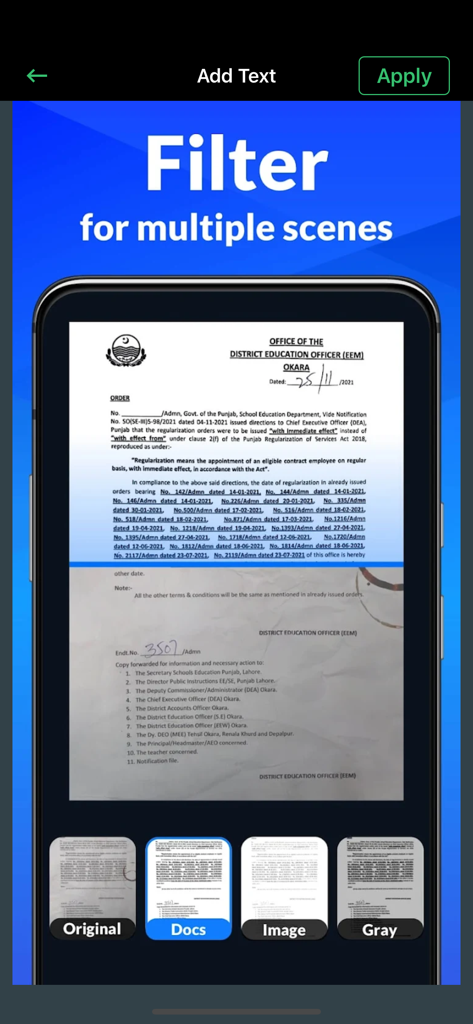
PDF Scanner- App for Documents - 문서 스캔 앱의 인터페이스로, Docs, Image, Gray 모드를 포함한 문서 필터링 옵션이 표시됩니다.
문서 스캔 앱의 인터페이스로, Docs, Image, Gray 모드를 포함한 문서 필터링 옵션이 표시됩니다.

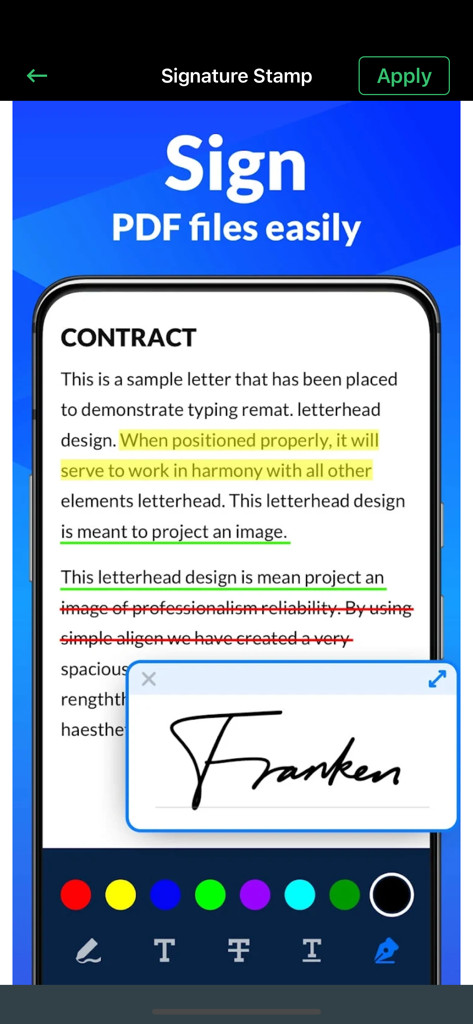
PDF Scanner- App for Documents - PDF 스캐너 앱의 인터페이스로, 계약서 문서에 주석 도구가 있는 디지털 서명이 표시됩니다.
PDF 스캐너 앱의 인터페이스로, 계약서 문서에 주석 도구가 있는 디지털 서명이 표시됩니다.

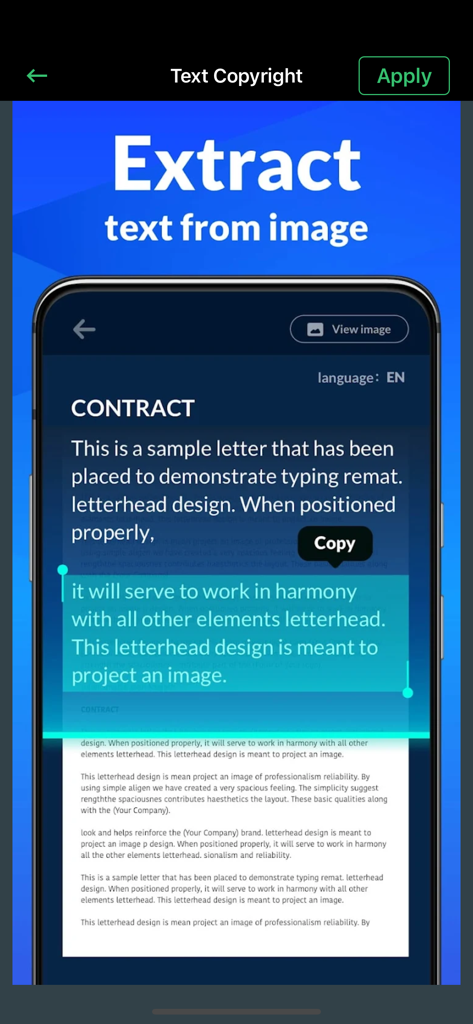
PDF Scanner- App for Documents - PDF Pro 앱의 인터페이스로, 스캔된 문서에서 텍스트 추출을 시연합니다.
PDF Pro 앱의 인터페이스로, 스캔된 문서에서 텍스트 추출을 시연합니다.

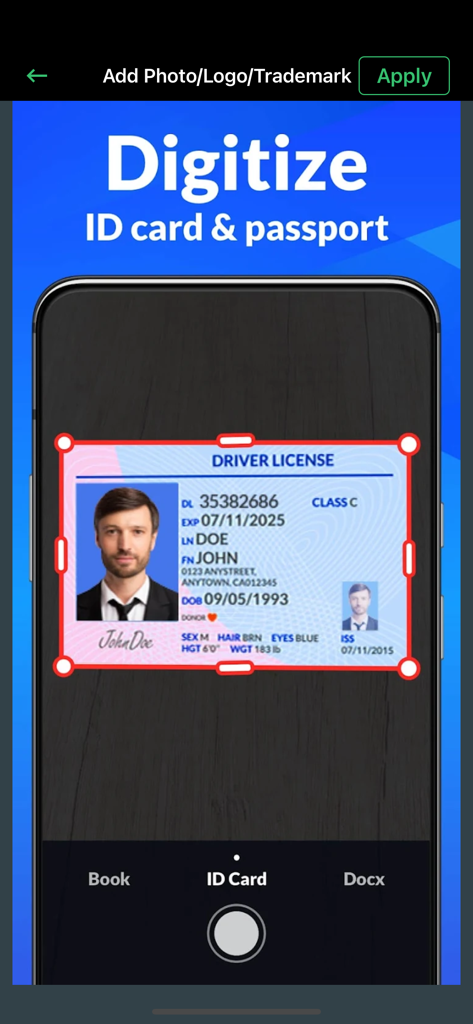
PDF Scanner- App for Documents - 신분증 및 여권을 디지털화하는 스캔 프로세스를 표시하는 모바일 앱 인터페이스
신분증 및 여권을 디지털화하는 스캔 프로세스를 표시하는 모바일 앱 인터페이스

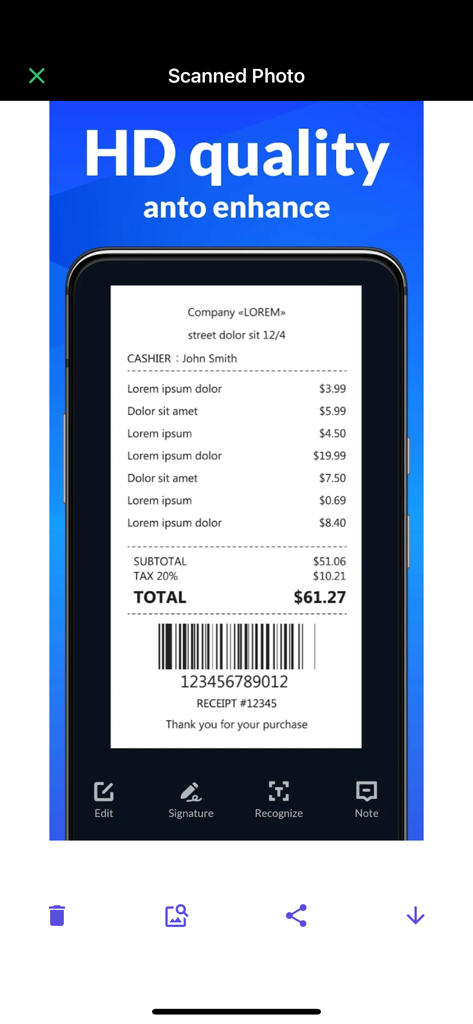
PDF Scanner- App for Documents - 편집 및 서명 옵션이 있는 고품질 스캔 영수증을 표시하는 모바일 앱 인터페이스
편집 및 서명 옵션이 있는 고품질 스캔 영수증을 표시하는 모바일 앱 인터페이스

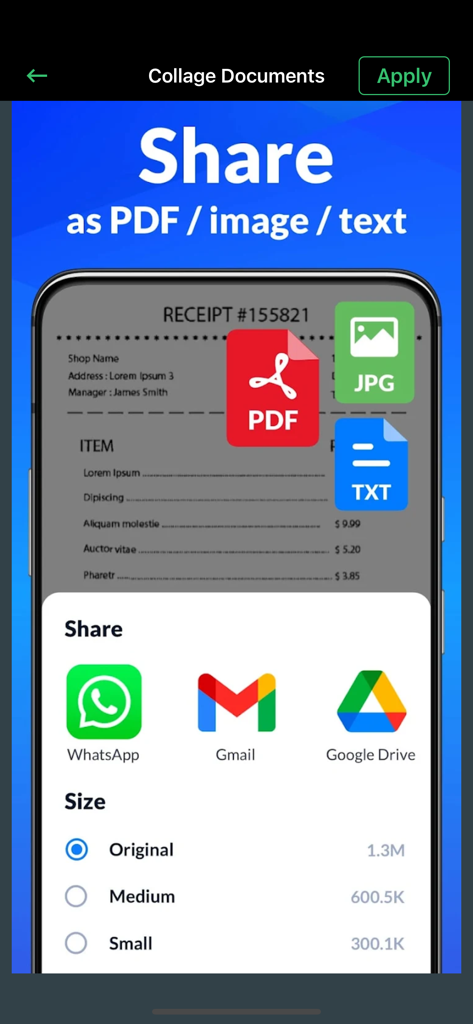
PDF Scanner- App for Documents - 이메일 및 클라우드 서비스를 통해 PDF, 이미지 또는 텍스트 형식으로 문서를 공유하는 인터페이스

이메일 및 클라우드 서비스를 통해 PDF, 이미지 또는 텍스트 형식으로 문서를 공유하는 인터페이스

설명

Asi PDF Pro lets you read, edit and annotate your PDF documents directly on your iPhone and iPad. Highlight text, take notes, embed shapes or draw with your finger. You can even embed voice recordings or photo annotations. Full-text-search your entire PDF library with just a single tap. Above all PDF Pro comes with full-featured PDF form and signature support. Asi PDF Pro Key-Features At A Glance: • POWERFUL SEARCH: ∙ Full-text-search your entire PDF library. ∙ Search inside specific documents with easy navigation through the search results. ∙ Look-up selected text directly on Wikipedia or in the included dictionaries. • CLEAR VIEW: ∙ Easily browse through all your annotations. ∙ Full PDF outline support. You can even search the outline. ∙ Get an overview of all your bookmarked or annotated pages just with a single tap. • SHARE and PRINT: ∙ Easily share your annotated documents with your friends or co-workers. ∙ Print your annotated and edited PDFs. ∙ You can even share or print single pages of a document. • HIGH SPEED and STABILITY: ∙ Rapid viewing of PDF documents. ∙ Smooth display of very large PDF files. • ANNOTATIONS and NOTES: ∙ Highlight text, take notes or draw with your finger. ∙ Powerful shape editor for arrows, rectangles, circles, lines and much more. ∙ Embed audio and photo annotations into your PDFs. ∙ Use predefined stamps or create your own. • DOCUMENT EDITOR: ∙ Create new pages. ∙ Export pages or merge them into existing documents. ∙ Reorder, rotate and delete pages. • MULTITASKING: ∙ Work with multiple PDFs at a time. ∙ Copy and paste annotations, shapes, images or text from one PDF document into another. • FORM SUPPORT: ∙ Just fill out your PDF form, sign it with your handwritten signature and you are ready to send it via E-Mail or print it via AirPrint®. • AND MUCH MORE... That’s not all: Don’t waste your time on retyping, just reuse existing reports, notes, invoices and other documents with the help of PDF to Word Converter. Conversion is performed on our powerful servers, and once it is completed the file is being downloaded to your device and deleted from our servers, therefore your privacy is guaranteed. Because the conversion is not being performed on your device, the app will not burden your device’s resources or drain its battery.

Download

다운로드: App Store

이 페이지는 앱이나 개발자의 공식 페이지가 아니며, 정보 제공 및 논평을 목적으로 작성된 독립 편집 간행물입니다. 명시적으로 달리 언급되지 않는 한, 해당 앱이나 개발자는 MWM, Apple, Google Play, 앱 퍼블리셔 또는 앱 개발자와 제휴, 보증, 후원, 승인 또는 공식적으로 연결되어 있지 않으며, 이 페이지의 어떤 내용도 해당 앱이 MWM의 서비스를 사용하여 개발되었음을 의미하지 않습니다. 모든 상표, 로고, 스크린샷 및 기타 콘텐츠는 해당 소유자의 자산입니다.








