PDF Translator: Translate

PDF Translator: Translate

다운로드: App Store
로고: PDF Translator: Translate

PDF 번역기: 번역: 전문 문서 번역 및 편집을 초고속으로

수동 복사-붙여넣기로 시간을 낭비하지 마세요. 136개 언어로 원본 레이아웃을 100% 보존하면서 PDF, Office 문서, 이미지를 즉시 번역하고 편집하세요.

개발사

Alex Gameli Heyman

카테고리

Productivity

다운로드

77K+

사용자 평점

3.9/5

총 평가 수

2K+

지원 언어

33

정밀한 작동

이 인터페이스를 사용하는 77K+ 명의 사용자.

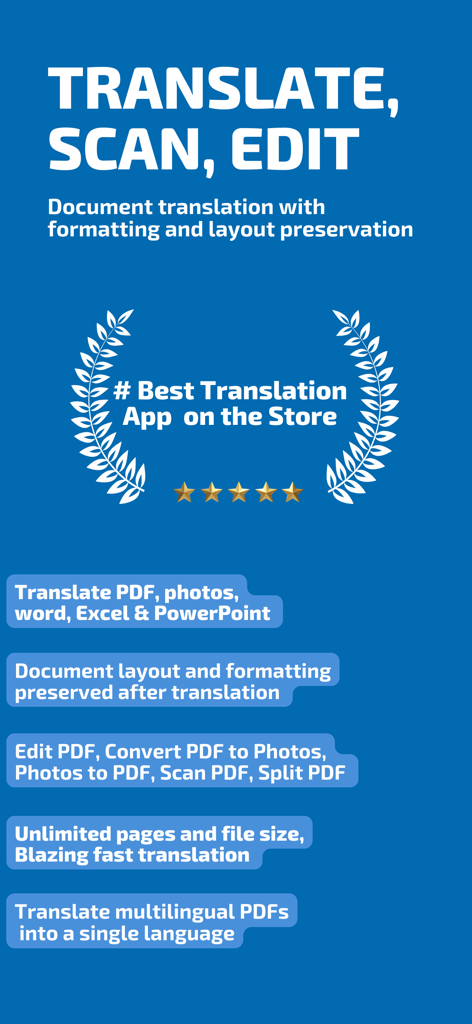
PDF 번역기 앱의 주요 기능으로 문서 번역, 스캔 및 레이아웃 보존 기능 포함
PDF 번역기 앱의 주요 기능으로 문서 번역, 스캔 및 레이아웃 보존 기능 포함

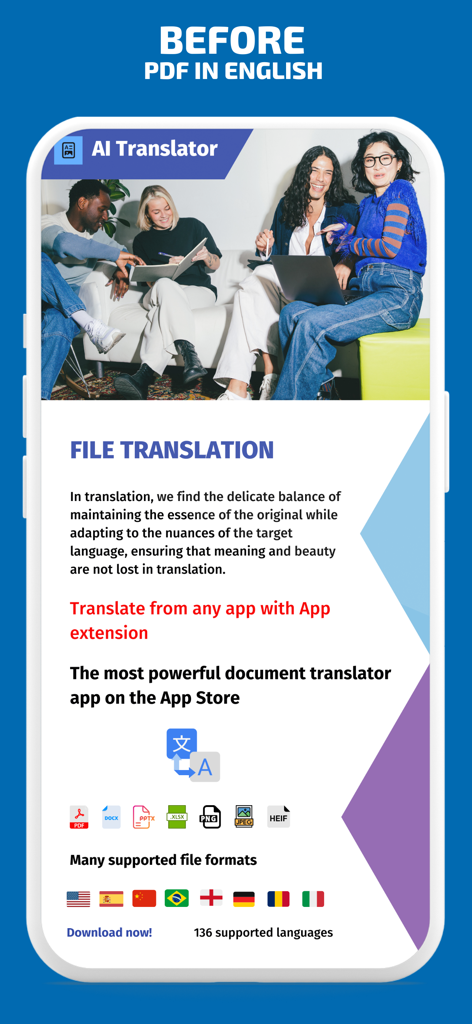
AI PDF 번역기 앱 인터페이스로 136개 언어로 PDF, Word, Excel 파일 번역 옵션을 보여줍니다.
AI PDF 번역기 앱 인터페이스로 136개 언어로 PDF, Word, Excel 파일 번역 옵션을 보여줍니다.

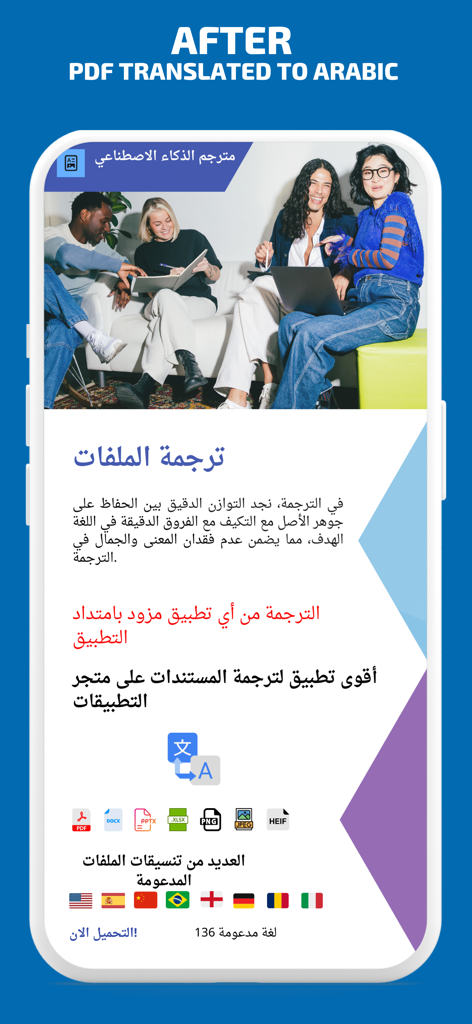
모바일 장치에서 PDF 번역기 앱을 사용하여 아랍어로 번역된 문서를 보여주는 스크린샷입니다.
모바일 장치에서 PDF 번역기 앱을 사용하여 아랍어로 번역된 문서를 보여주는 스크린샷입니다.

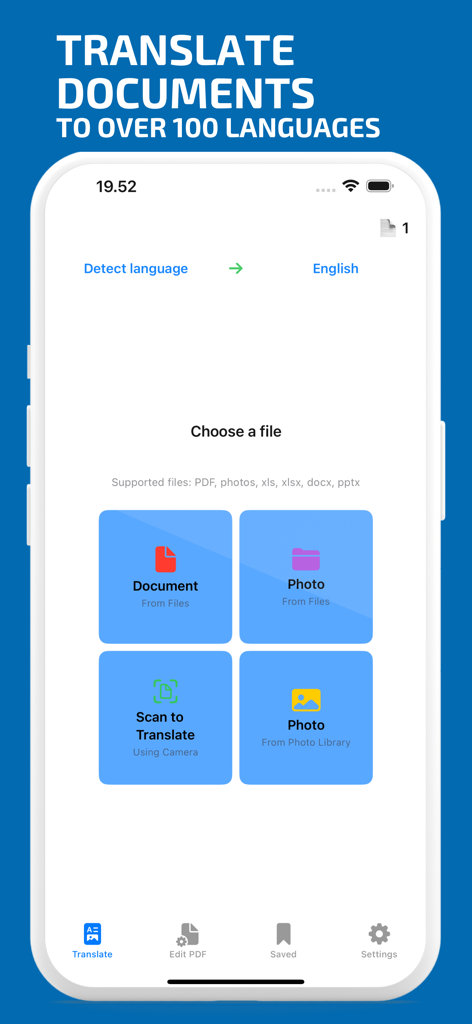
PDF 번역기 앱 인터페이스로 여러 언어로 번역할 문서, 사진 또는 스캔을 선택하는 옵션을 보여줍니다.
PDF 번역기 앱 인터페이스로 여러 언어로 번역할 문서, 사진 또는 스캔을 선택하는 옵션을 보여줍니다.

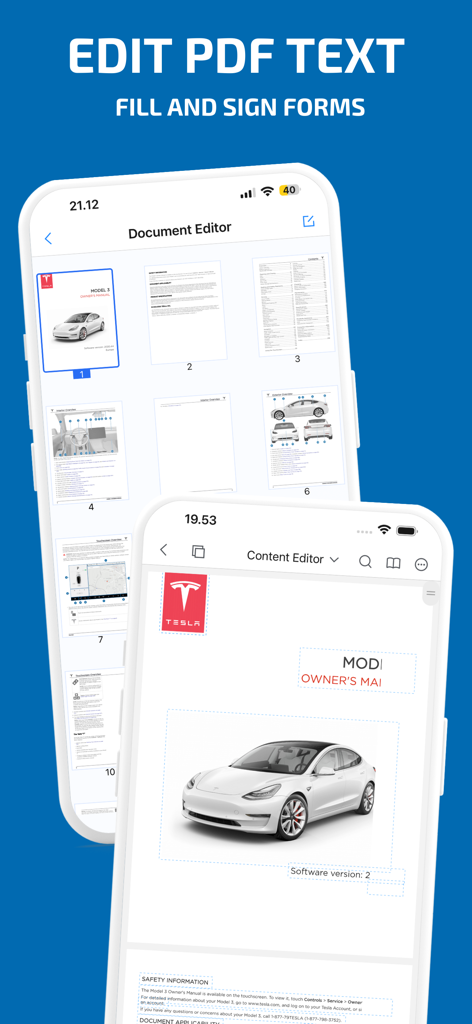
스마트폰 화면에 PDF 텍스트 편집 및 문서 관리 기능이 표시됩니다.
스마트폰 화면에 PDF 텍스트 편집 및 문서 관리 기능이 표시됩니다.

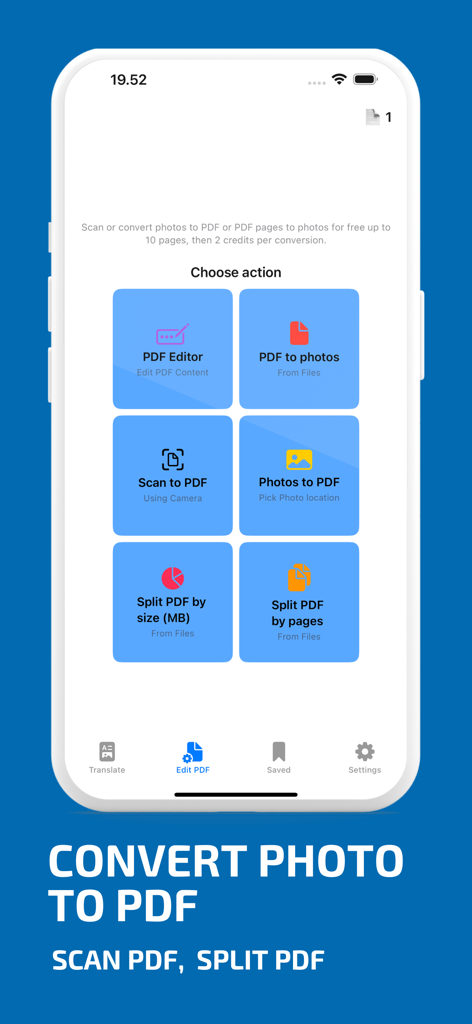
PDF 번역기 앱 인터페이스에 PDF 편집기, PDF로 스캔, PDF 분할 기능 등 다양한 문서 도구가 표시됩니다.

PDF 번역기 앱 인터페이스에 PDF 편집기, PDF로 스캔, PDF 분할 기능 등 다양한 문서 도구가 표시됩니다.

136개 언어로 제공되는 전문 문서 관리

이 앱을 돋보이게 하는 도구, 77K+ 명의 사용자가 선택.

🖼️

원본 레이아웃 보존

문서를 전문적으로 보이게 유지하세요. 당사의 엔진은 텍스트를 번역하면서 이미지, 표, 서명의 정확한 위치를 유지합니다.

✍️

통합 PDF 편집기

번역된 파일 내에서 텍스트와 이미지를 직접 편집하세요. 별도의 소프트웨어 없이 문서를 다듬고 수정하세요.

🚀

모든 파일, 모든 규모

Excel 시트부터 PowerPoint 프레젠테이션까지, 번개처럼 빠른 처리와 자동 언어 감지로 무제한 페이지와 대용량 파일을 처리하세요.

리뷰 분석

사용자 리뷰 인사이트.

감정 점수

18%
부정적

요약

The mobile app receives overwhelmingly negative feedback, primarily concerning significant billing and payment issues where users are charged but receive no translation or credits. Many reviews describe the app as a "scam" or "fraud," citing instances of payment deduction without service delivery, app crashes during file upload, and server errors that prevent translations. While a few users praised the app for its excellent translation capabilities and faithful document formatting, the majority experienced poor translation quality, often resulting in unreadable or misformatted output. Customer support also appears inconsistent, with some users reporting unresponsiveness, although one positive resolution to a billing issue was noted.

주요 테마

Billing & Payment Issues(25)
App Functionality & Reliability(5)
Overall Positive Experience(5)
Translation Quality(4)
Document Formatting(4)
Pricing Structure(4)
Customer Support(1)

앱 소개

에 대해 알아야 할 모든 것 PDF Translator: Translate.

설명

BEST QUALITY PDF TRANSLATOR & EDITOR Introducing the ultimate PDF Translator & Editor: Instantly translate and edit PDFs and more in a few taps! Easily translate PDFs and various file formats across 136 languages while preserving formatting and layout. Seamlessly access translations from any app with our powerful app extension. Key Features: - Translate PDFs, images, Word, Excel, and PowerPoint. - Edit PDF text and images using the PDF Editor. - Translate multilingual PDFs into a single language. - Choose your preferred translation engine (Google or Microsoft). - Unlimited page and MB translation in seconds. - Language Detection for effortless translation. - Scan, convert, and translate photos, pptx, excel, Word and PDFs. - Document renaming, sharing, and Dark Mode support. - Bonus document viewer for various file formats. Say goodbye to tedious copy-pasting into Google Translate. Transform the way you handle document translations on your iPhone and iPad, download now! Terms of service: https://www.apple.com/legal/internet-services/itunes/dev/stdeula/ Privacy policy: https://www.pdftranslator.dk/privacy-policy

최신 버전

6.2.0

크기

79.2 MB

출시일

2021년 8월 8일

완벽한 레이아웃으로 문서를 번역할 준비가 되셨나요?

차트나 이미지를 하나도 놓치지 않고 136개 언어로 PDF를 번역하고 편집하는 77,000명 이상의 전문가 및 학생들과 함께하세요. 지금 바로 iPhone, iPad, Mac을 위한 최고의 생산성 도구를 받으세요.

다운로드: App Store

App information, icons, screenshots, and descriptions displayed on this page are sourced from the Apple App Store and are the property of their respective developers. Download estimates and rankings are based on MWM's proprietary models and may not reflect actual figures. This page is provided for informational and analytical purposes only.

Believe this page infringes your intellectual property? File a dispute