PDFOptim

PDFOptim

다운로드: App Store
로고: PDFOptim

PDFOptim: 모바일 워크플로우를 위한 전문가급 PDF 압축

품질 저하 없이 이메일 및 포털용 대용량 문서를 압축하세요. 데스크톱급 최적화와 100% 개인 정보가 보호되는 로컬 처리를 iPhone 및 iPad에서 경험하세요.

다운로드: App Store

개발사

RootRise Technologies Private Limited

카테고리

Productivity

다운로드

140K+

사용자 평점

5.0/5

총 평가 수

0

지원 언어

1

한눈에 보는 효율성

이 인터페이스를 사용하는 140K+ 명의 사용자.

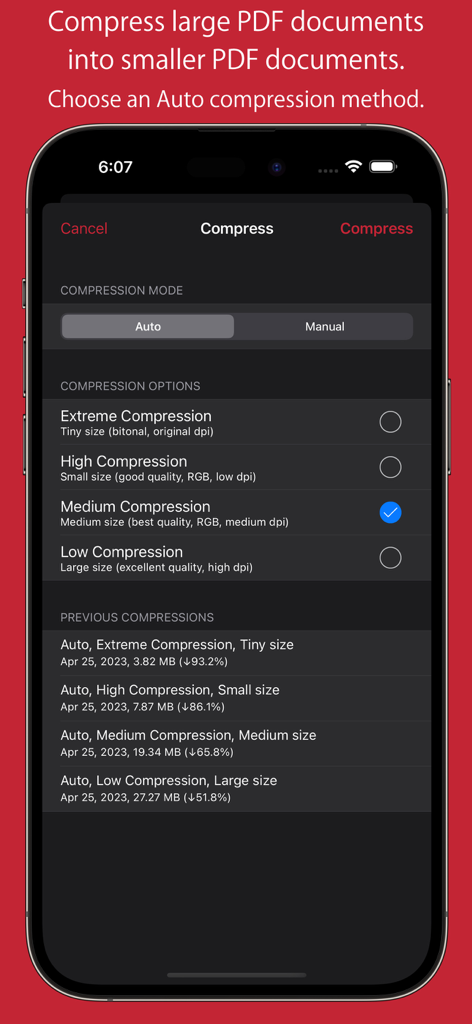
PDFOptim 앱 인터페이스에 iPhone에서 자동 압축 옵션 및 이전 압축 결과가 표시됩니다.

PDFOptim 앱 인터페이스에 iPhone에서 자동 압축 옵션 및 이전 압축 결과가 표시됩니다.

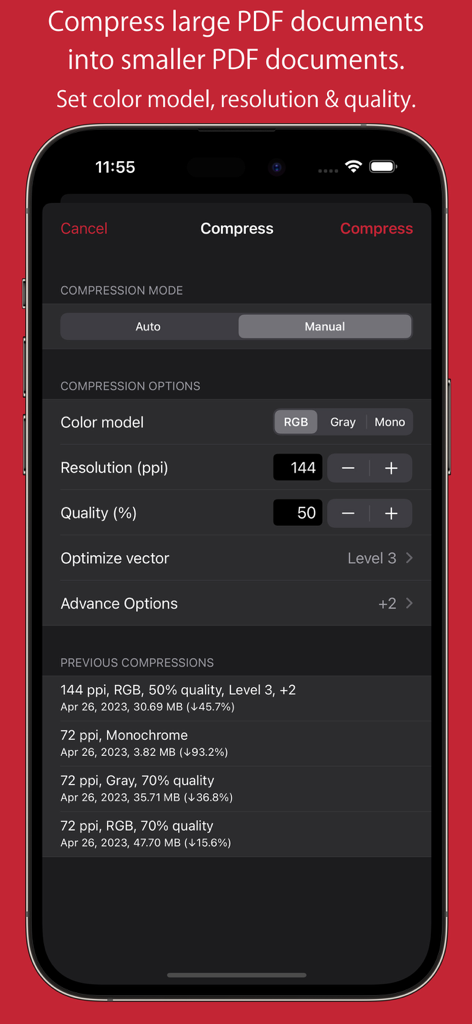
PDFOptim의 수동 압축 설정으로 iPhone 화면에서 해상도, 품질 및 색상 모델에 대한 컨트롤이 표시됩니다.

PDFOptim의 수동 압축 설정으로 iPhone 화면에서 해상도, 품질 및 색상 모델에 대한 컨트롤이 표시됩니다.

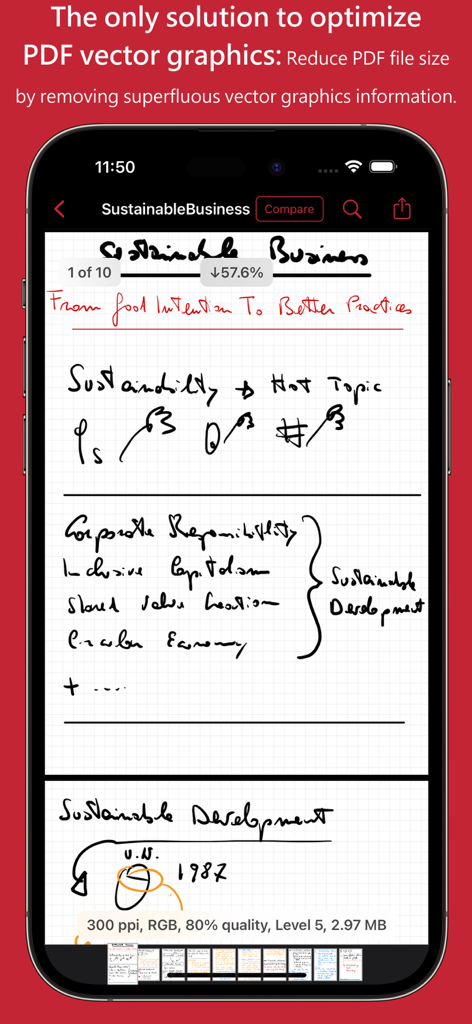
PDFOptim 앱 인터페이스에 벡터 그래픽 최적화를 통해 PDF 파일 크기 감소를 보여줍니다.

PDFOptim 앱 인터페이스에 벡터 그래픽 최적화를 통해 PDF 파일 크기 감소를 보여줍니다.

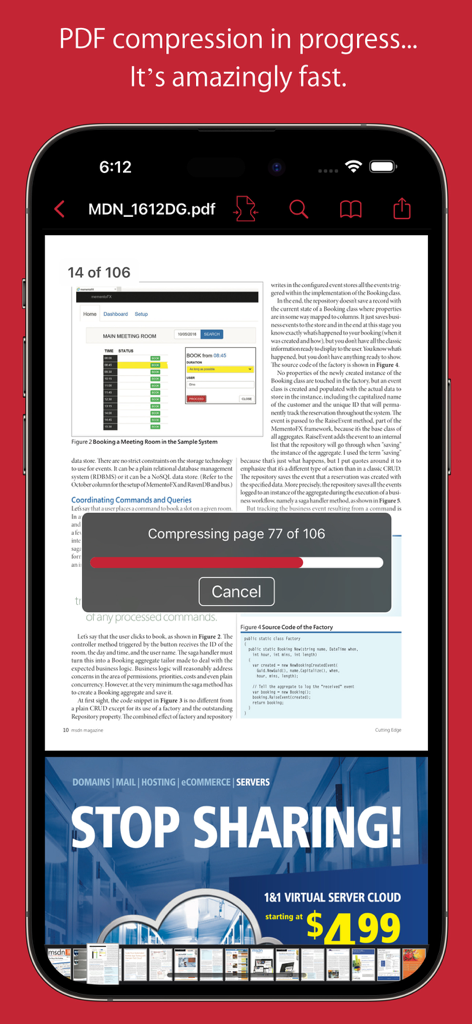
PDFOptim 앱에 iPhone에서 다중 페이지 문서의 실시간 압축 진행률 표시줄이 표시됩니다.

PDFOptim 앱에 iPhone에서 다중 페이지 문서의 실시간 압축 진행률 표시줄이 표시됩니다.

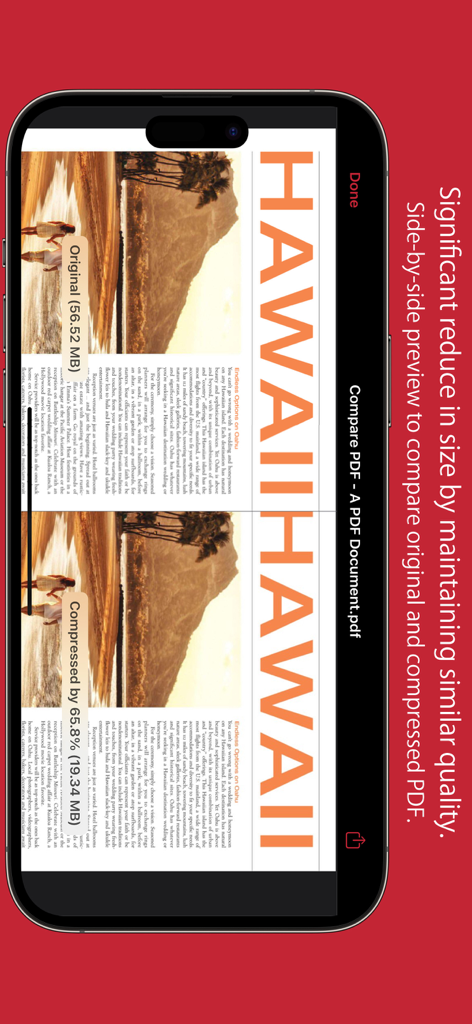
원본 및 압축된 PDF 문서의 품질과 크기를 비교하는 측면 미리 보기

원본 및 압축된 PDF 문서의 품질과 크기를 비교하는 측면 미리 보기

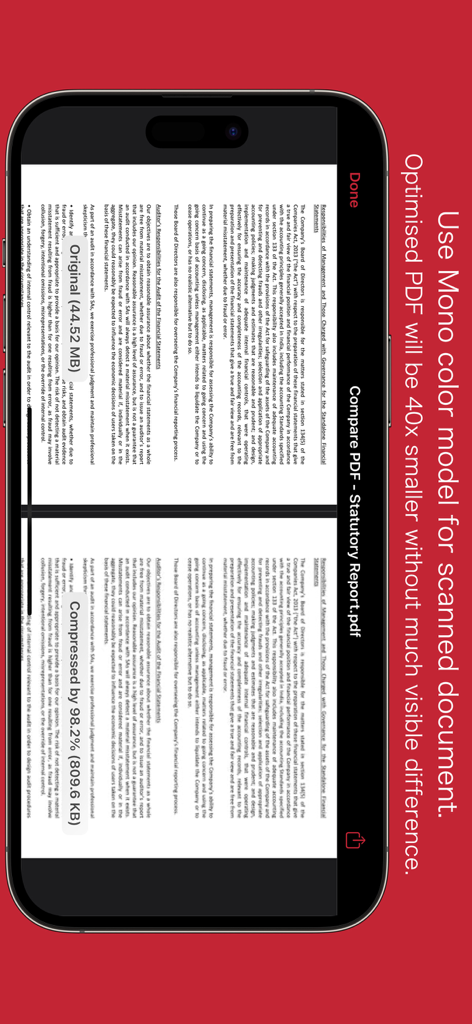
모노 색상 모델을 사용하여 압축 전후의 PDF 문서 측면 비교

모노 색상 모델을 사용하여 압축 전후의 PDF 문서 측면 비교

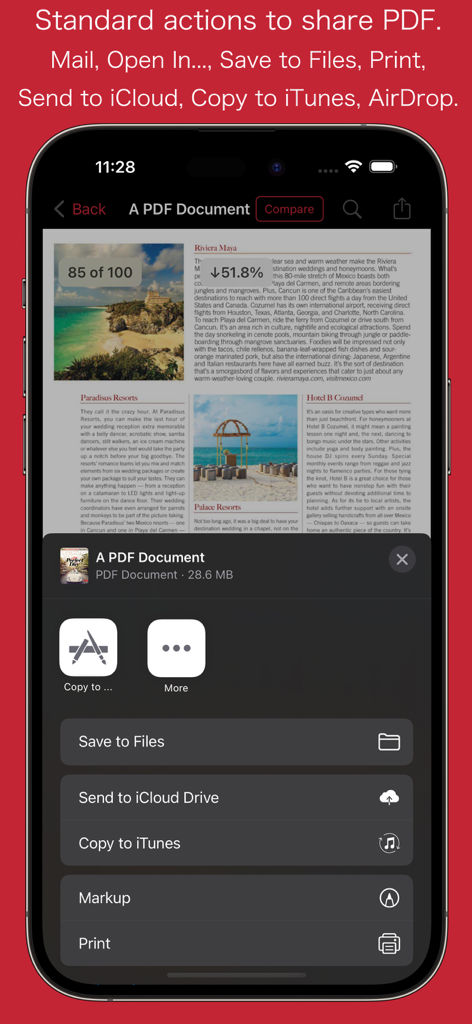
문서 저장 및 인쇄 옵션이 있는 PDFOptim 모바일 앱 공유 메뉴

문서 저장 및 인쇄 옵션이 있는 PDFOptim 모바일 앱 공유 메뉴

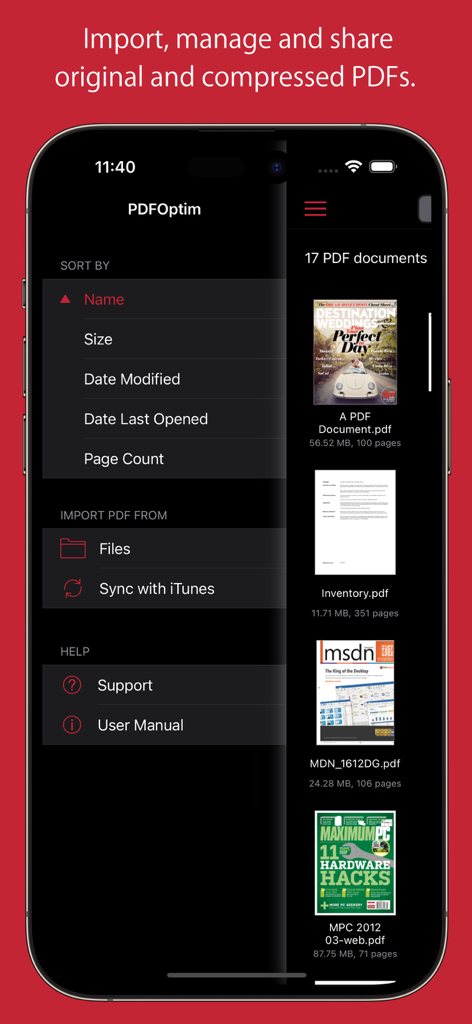
PDFOptim 앱의 문서 관리 화면으로 PDF 파일 목록과 정렬 옵션이 표시됩니다.

PDFOptim 앱의 문서 관리 화면으로 PDF 파일 목록과 정렬 옵션이 표시됩니다.

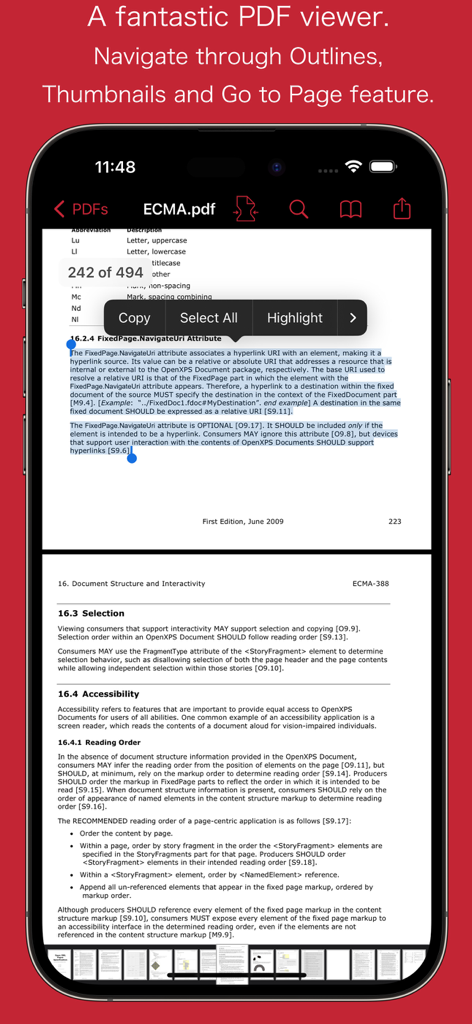
PDFOptim 앱에 iPhone에서 복사 및 강조 표시와 같은 텍스트 선택 옵션이 있는 PDF 문서가 표시됩니다.

PDFOptim 앱에 iPhone에서 복사 및 강조 표시와 같은 텍스트 선택 옵션이 있는 PDF 문서가 표시됩니다.

모바일 워크플로우 마스터하기

이 앱을 돋보이게 하는 도구, 140K+ 명의 사용자가 선택.

🔍

측면 비교

전송 버튼을 누르기 전에 완벽한 가독성과 전문적인 표준을 보장하기 위해 원본 및 압축된 버전을 실시간으로 비교하세요.

📐

정밀 수동 모드

이미지 해상도, 색상 모델 및 벡터 그래픽을 세밀하게 조정하여 필기한 iPad 메모를 보존하면서 엄격한 포털 업로드 제한을 충족하세요.

🛡️

100% 개인 정보 보호 및 보안

클라우드 업로드 없이 iPhone 또는 iPad에서 민감한 계약 및 학술 연구를 로컬로 처리하여 완벽한 데이터 개인 정보를 보장하세요.

앱 소개

에 대해 알아야 할 모든 것 PDFOptim.

설명

PDFOptim is a simple and intuitive way to compress, optimize and reduce PDF documents on iPhones and iPads. PDFOptim provides easy and effective ways to compress large image and graphics heavy PDF files. Inbuilt side-by-side preview to compare original and compressed PDF. * * * PDFOptim for Mac is also available on the Mac App Store. * * * Compressed PDF documents requires less disk space for storage and faster uploads and downloads saves transmission time and cost. PDFOptim rewrites the entire PDF documents using selected compression options as efficiently as possible without compromising the document's integrity. If your PDF documents are in another app (For Example Mail, DropBox or SkyDrive etc.) that uses the Open In… button, tap the button to open the PDF document in PDFOptim. You can also transfer PDF documents from your desktop computer via iTunes into PDFOptim application on your iPhone or iPad. KEY FEATURES: AUTO COMPRESSION MODE - PDFOptim analyze document’s contents and apply algorithm to generate a smallest possible PDF by maintaining the document’s visual quality. Choose one of the four predefined Auto compression methods and let the app do the hard work for you. No further user interaction required to provide technical compression options. MANUAL COMPRESSION MODE - Change compression options manually to generate optimum sized PDF of your need. You can choose compression options to set from Image Color Model, Image Resolution, JPEG Image Quality, Optimise vector graphics level and Advance option. - Image color model to choose from RGB, Gray and Mono. Selecting Monochrome color model option converts raster PDF contents into black and white which helps reduces PDF file size to greater extent. It is very helpful when compressing scanned books mainly containing text. - Image resolution ppi (pixels/inch) control to resize raster image contents. Downsampling at lower resolution decrease the file size dramatically. - Quality control. Set quality from lossless to least for resampling all raster images into PDF. It allows you to control compressed PDF size and viewing quality. -Advance options to remove PDF content properties like alternate images, page thumbnails, documents structure hierarchy and output intent. - Optimize vector graphics option removes superfluous information to reduce vector graphics heavy PDF. Increase in optimize vector from 'Level 1' to 'Level 5' reduces output PDF file size less to more respectively. This option is very useful when PDF content mainly consist of high precision vector graphics, Usually PDF drawing, note-taking and PDF markup apps creates large vector graphics heavy PDF files which can be compressed by this option efficiently. - Password protected PDF documents supported for compression using correct password. - Single or multiple compressed PDFs can be shared as single ZIP (*.zip) file. - Allows Compressed PDFs to Open In… another application, Mail, Message, Print, share PDFs to nearby iOS devices via AirDrop. - Use Copy to iTunes to save and share compressed PDFs on your desktop computer. PDF VIEWER: - Inbuilt PDF viewer with fully selectable and searchable text contents. Select and copy text to clipboard for further use. - Pinch out and Pinch in to ZoomIn and ZoomOut view and search feature to find a character, word and sentence. - Scroll through your document by thumbnail view or Go to page feature. Note: PDFOptim is standalone application running natively to compress PDF documents securely on your iOS device. You can refer User Manual for any assistance Or Contact Support. *The free version has limitation to export one compressed PDF per week. Get Premium to remove all restrictions and start exporting an unlimited number of compressed PDFs. Privacy Policy: http://rootrisetech.com/pdfoptim-privacy-policy Terms of Use(EULA): https://www.apple.com/legal/internet-services/itunes/dev/stdeula/

최신 버전

6.0

크기

7.7 MB

출시일

2014년 8월 18일

기준은 낮추지 말고 PDF를 압축하세요

보안 및 고품질 문서 압축을 위해 PDFOptim을 신뢰하는 140,000명 이상의 모바일 전문가들과 함께하세요. 파일 크기 제한과의 싸움을 멈추고 자신감을 가지고 공유하세요.

다운로드: App Store

App information, icons, screenshots, and descriptions displayed on this page are sourced from the Apple App Store and are the property of their respective developers. Download estimates and rankings are based on MWM's proprietary models and may not reflect actual figures. This page is provided for informational and analytical purposes only.

Believe this page infringes your intellectual property? File a dispute