이 페이지는 앱이나 개발자의 공식 페이지가 아니며, 정보 제공 및 논평을 목적으로 작성된 독립 편집 간행물입니다. 명시적으로 달리 언급되지 않는 한, 해당 앱이나 개발자는 MWM, Apple, Google Play, 앱 퍼블리셔 또는 앱 개발자와 제휴, 보증, 후원, 승인 또는 공식적으로 연결되어 있지 않으며, 이 페이지의 어떤 내용도 해당 앱이 MWM의 서비스를 사용하여 개발되었음을 의미하지 않습니다. 모든 상표, 로고, 스크린샷 및 기타 콘텐츠는 해당 소유자의 자산입니다.
Peak: Health & Fitness Widgets
Apple Health 데이터를 멋지고 개인화된 대시보드로 바꾸세요. iPhone, Watch, Vision Pro 전용으로 설계된 100% 개인 정보 보호 및 유연한 목표로 지속 가능한 습관을 만드세요.
주요 수치
다운로드
8K+
사용자 평점
4.6/5
총 평가 수
100
개발사
Harshil Shah
카테고리
Health & Fitness
지원 언어
3
최신 버전
5.0.4
크기
281.3 MB
출시일
2023년 7월 6일
기능
당신의 측정치를 마스터하세요
Apple Health 데이터를 당신의 라이프스타일에 맞는 개인화된 대시보드로 바꾸세요. 유연한 목표부터 멋진 홈 화면 위젯까지, Peak는 번아웃 없이 피트니스를 최고 수준으로 유지하도록 도와줍니다.
지속 가능한 목표 설정
완벽한 연속 기록의 압박감에서 벗어나세요. 장기적으로 꾸준히 나아갈 수 있도록 휴식일을 허용하는 유연한 '참석' 목표를 설정하세요.
디자인 우선 대시보드
80개 이상의 테마로 당신의 스타일을 표현하세요. 아름답고 기능적인 위젯으로 iPhone, Apple Watch, Vision Pro를 맞춤 설정하세요.
다음 스크린샷과 설명은 앱의 공식 스토어 목록에서 직접 가져온 것이며 앱 개발자의 자산입니다.
앱 스토어
스크린샷
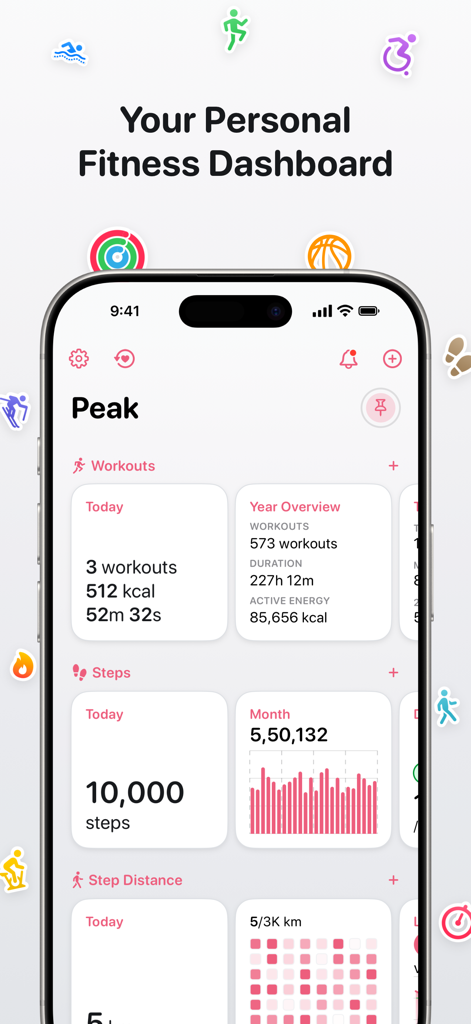
깨끗한 데이터 시각화로 일일 운동, 걸음 수, 연간 개요를 보여주는 iPhone의 개인 피트니스 대시보드.
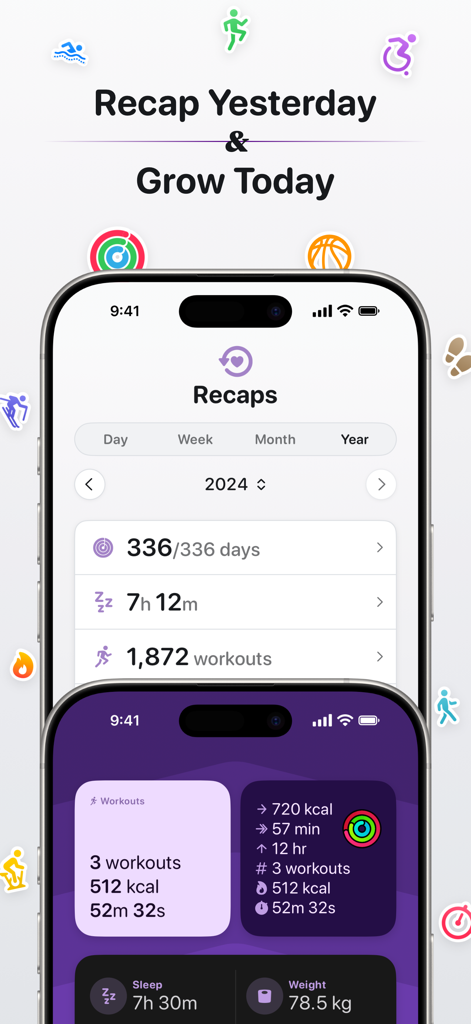
Peak 피트니스 앱의 연간 건강 요약 및 사용자 정의 가능한 활동 대시보드 위젯
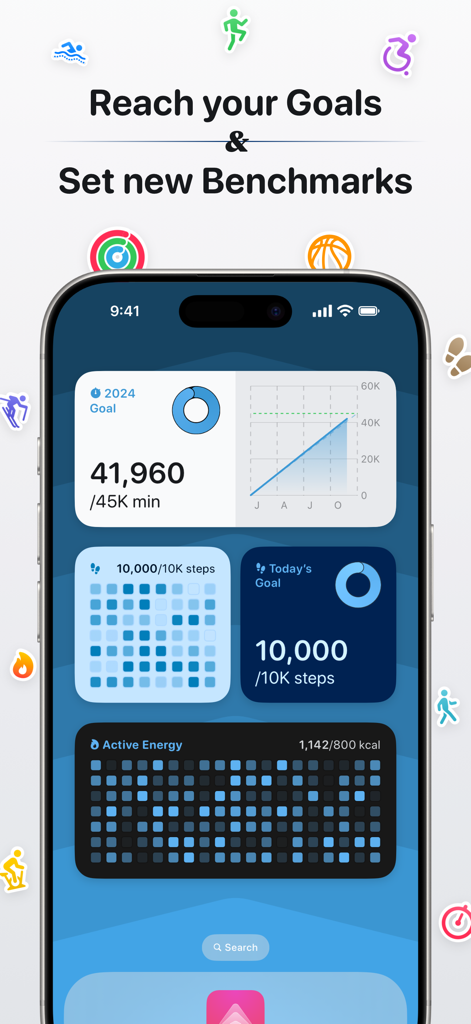
목표 및 벤치마크 위젯이 있는 Peak 건강 및 피트니스 대시보드를 보여주는 iPhone
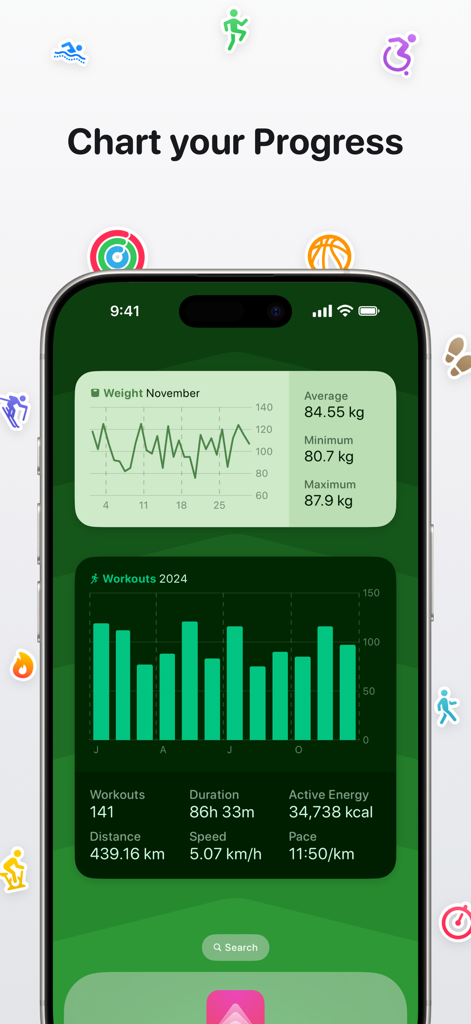
맞춤형 건강 위젯과 함께 상세한 체중 및 운동 진행 상황 차트를 보여주는 iPhone의 Peak 앱 대시보드
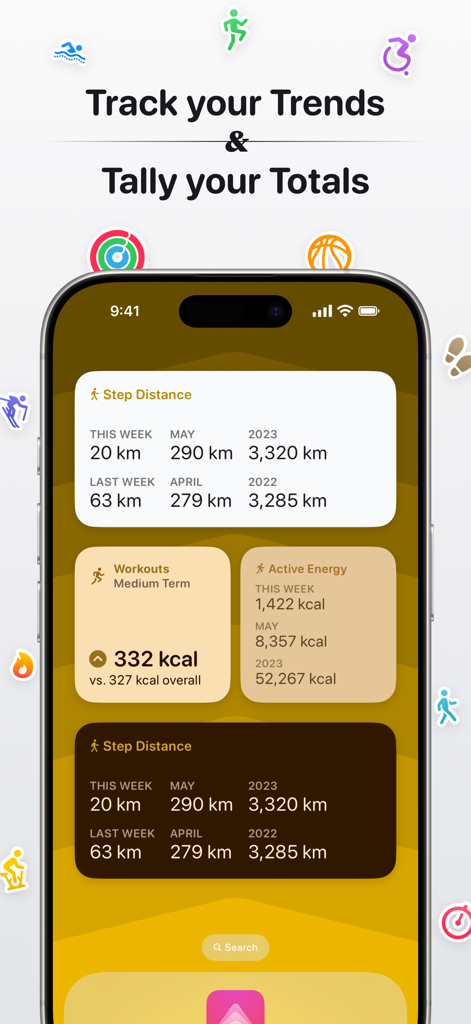
주간 및 월간 피트니스 추세 및 합계를 추적하기 위한 Peak 건강 위젯을 표시하는 iPhone
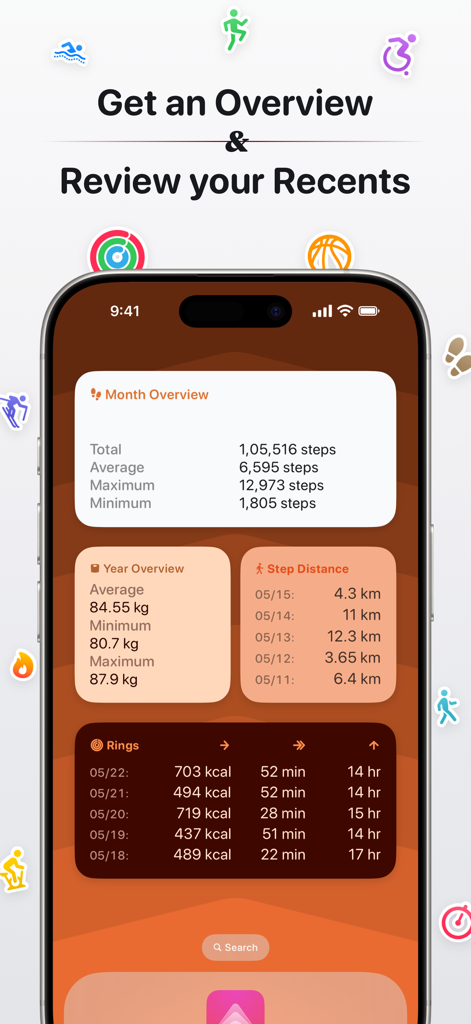
단계, 체중 및 활동 링 데이터 위젯이 있는 Peak 앱 피트니스 대시보드를 보여주는 iPhone 디스플레이
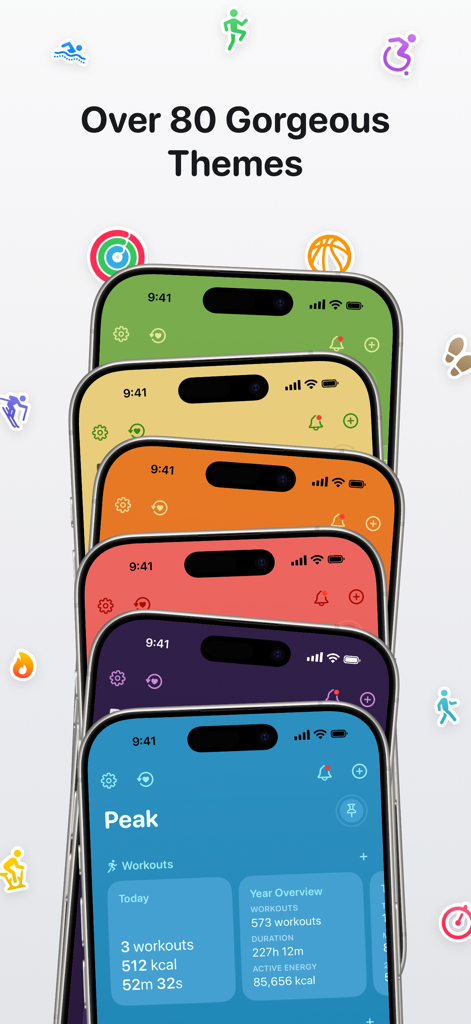
다양한 피트니스 아이콘이 떠다니는 Peak 앱의 다양한 다채로운 건강 대시보드 테마를 보여주는 iPhone 스택
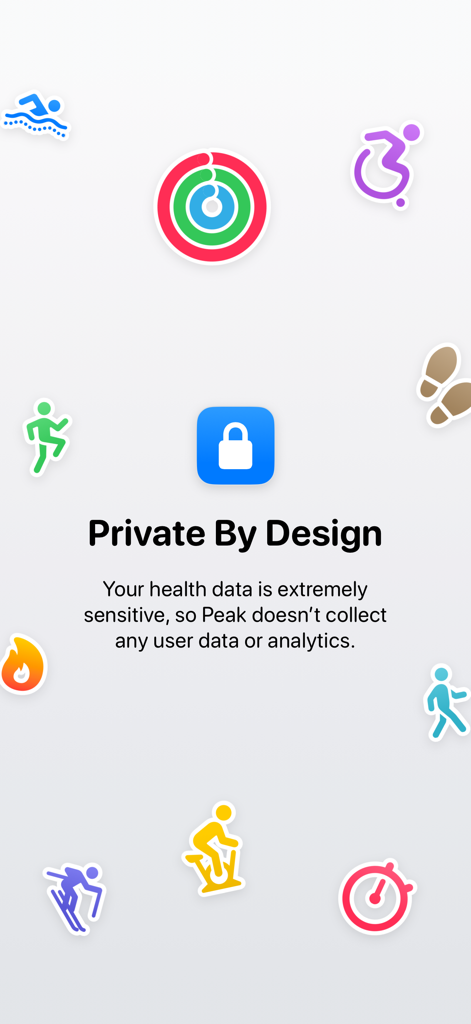
'개인 정보 보호를 우선으로 설계'라는 제목의 Peak 앱 화면으로, 사용자 데이터나 분석이 수집되지 않음을 설명하며, 다채로운 피트니스 활동 아이콘과 중앙 자물쇠 기호로 둘러싸여 있습니다.
설명
Peak lets you make your own fitness dashboard, and always stay on top of it with a range of widgets.
→ Your Personal Fitness Dashboard
Build a custom dashboard tailored to your needs by picking and choosing the exact metrics you want, such as steps, workouts, activity rings, sleep, and more.
→ Blocks
Peak includes a wide range of blocks for all the different metrics, including:
- Charts: Simple charts which show your progress over the day, week, month, or year charts, along with some stats
- Benchmarks: Heat map-style charts which show how close you get to a benchmark you’ve set
- Totals: Aggregated stats for the week, month, and year, both the ongoing one and previous ones
- Trends: See how your progress this week, month, or quarter compares to the previous 4 of each period
- Overview: All your stats for the current week, month, or year, and quickly filter them down to view the stats for a single workout type
- Recents: Your stats for the last week
- And of course, goals
→ Goals:
Goals are supercharged in Peak. You can make any number of goals you want, and for all the metrics you have. Peak includes two styles of goals:
- Show up goals, where you set daily goals and how often you’d like to accomplish them, be it daily, or at least a certain of days every week or month. These are great for building new habits in a sustainable manner by setting a target of say 5 days a week rather than daily.
- Build goals, where you set an overall, long term goal for a whole week, month or year. These are recommended for anyone who doesn’t need to build a new habit but is looking to maintain one. Their less strict definition helps you create more flexible targets that you can distribute as you see fit.
→ Workout-Specific Stats
You can limit blocks to any workout types you want. This means that you can set a goal to go for a swim twice a week, track trends in your runs, see charts of your strength training, and much more!
→ Widgets & Complications
Peak includes a wide variety of beautifully designed widgets and complications to help you keep track of your progress at a glance. These let you keep track of your stats for today, your progress towards your goals, and more. Each widget can also be customized with its own themes, for both light and dark mode.
→ Recaps
Get a summary of your progress over the past day, week, month, and year! You can also quickly share your recaps on social media with beautifully designed images
→ An Assortment of Themes
Peak includes over 80 beautifully designed themes, so you can find the exact appearance for your tastes. You can even set different custom themes for light and dark mode.
→ Private By Design
Privacy is one of the Peak’s core values. Health data is some of the most sensitive data people have, so there is no tracking or data collection.
→ A Delight to Use
Peak feels right at home on your iPhone, iPad, Apple Watch, and Apple Vision Pro, and includes familiar patterns and a lot of small touches to make using the app a breeze. You can customize the whole app to fit your style including the app icon, themes, units, and more.
Terms of Use: https://www.apple.com/legal/internet-services/itunes/dev/stdeula/
이 페이지는 앱이나 개발자의 공식 페이지가 아니며, 정보 제공 및 논평을 목적으로 작성된 독립 편집 간행물입니다. 명시적으로 달리 언급되지 않는 한, 해당 앱이나 개발자는 MWM, Apple, Google Play, 앱 퍼블리셔 또는 앱 개발자와 제휴, 보증, 후원, 승인 또는 공식적으로 연결되어 있지 않으며, 이 페이지의 어떤 내용도 해당 앱이 MWM의 서비스를 사용하여 개발되었음을 의미하지 않습니다. 모든 상표, 로고, 스크린샷 및 기타 콘텐츠는 해당 소유자의 자산입니다.