Peakbagger
Peakbagger
다운로드: App Store

이 페이지는 앱이나 개발자의 공식 페이지가 아니며, 정보 제공 및 논평을 목적으로 작성된 독립 편집 간행물입니다. 명시적으로 달리 언급되지 않는 한, 해당 앱이나 개발자는 MWM, Apple, Google Play, 앱 퍼블리셔 또는 앱 개발자와 제휴, 보증, 후원, 승인 또는 공식적으로 연결되어 있지 않으며, 이 페이지의 어떤 내용도 해당 앱이 MWM의 서비스를 사용하여 개발되었음을 의미하지 않습니다. 모든 상표, 로고, 스크린샷 및 기타 콘텐츠는 해당 소유자의 자산입니다.

로고: Peakbagger
다운로드: App Store

Peakbagger

Peakbagger.com 및 ListsOfJohn.com와 등반 기록을 동기화하고, 오프라인 지형 지도를 사용하여 길을 찾고, 데이터 기반의 정확성으로 공식 봉우리 목록 진행 상황을 추적하세요.

주요 수치

다운로드

400

사용자 평점

4.8/5

총 평가 수

0

개발사

Andrew Kirmse

카테고리

Health & Fitness

지원 언어

11

최신 버전

1.63.2

크기

140.6 MB

출시일

2015년 10월 17일
기능

목록 정복 및 산악 마스터

실시간 GPS 추적부터 글로벌 봉우리 데이터베이스까지, 진지한 등반가 및 목록 완성자를 위해 제작된 전문가급 도구에 액세스하세요.

통합 봉우리 데이터베이스

Peakbagger.com 및 ListsOfJohn와 즉시 동기화하여 공식 봉우리 목록 진행 상황을 관리하고 모든 성공적인 등반을 추적하세요.

안정적인 오프라인 내비게이션

다운로드 가능한 지형 지도를 사용하여 자신감을 가지고 더 깊이 탐험하고, 고도 프로필 및 오프라인 GPS 추적은 외딴 백컨트리를 위해 설계되었습니다.

다음 스크린샷과 설명은 앱의 공식 스토어 목록에서 직접 가져온 것이며 앱 개발자의 자산입니다.

앱 스토어

스크린샷
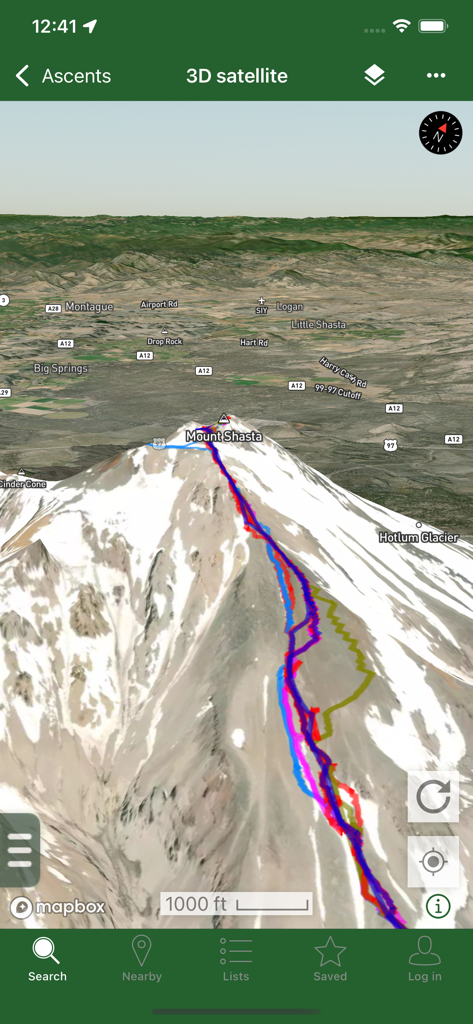
Peakbagger - Peakbagger 앱의 샤스타 산 3D 위성 지도 보기, 여러 색상의 GPS 트랙을 산악 등반용으로 표시.
Peakbagger 앱의 샤스타 산 3D 위성 지도 보기, 여러 색상의 GPS 트랙을 산악 등반용으로 표시.

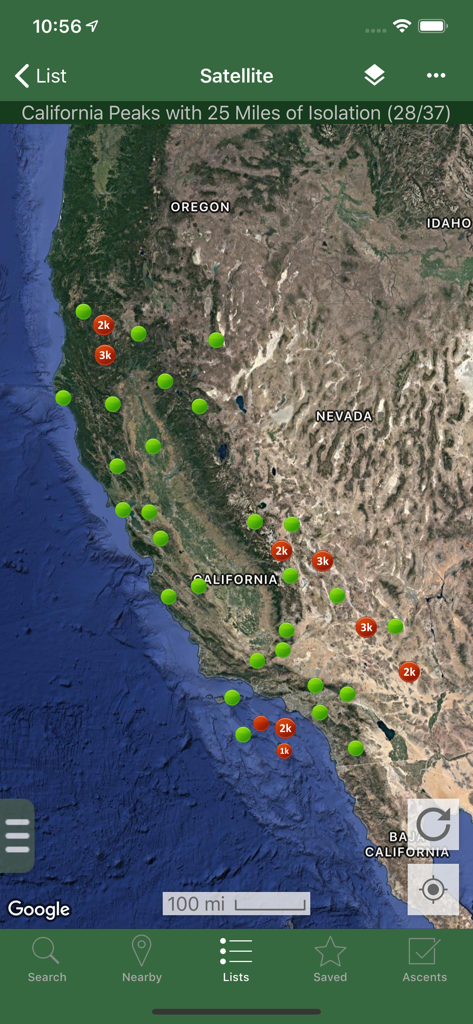
Peakbagger - Peakbagger 앱의 고립 마커가 있는 캘리포니아 봉우리 위성 지도
Peakbagger 앱의 고립 마커가 있는 캘리포니아 봉우리 위성 지도

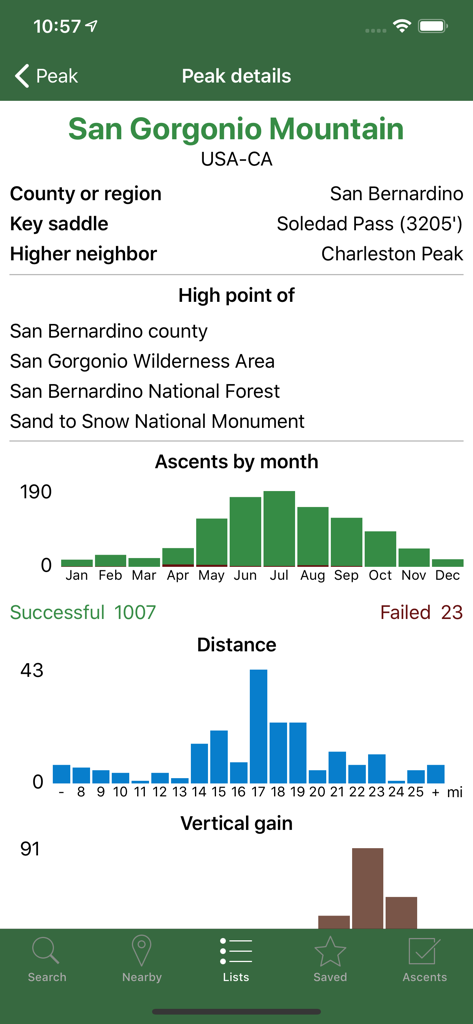
Peakbagger - Peakbagger 앱의 샌 고르 고니오 산 기술 데이터 및 등반 통계
Peakbagger 앱의 샌 고르 고니오 산 기술 데이터 및 등반 통계

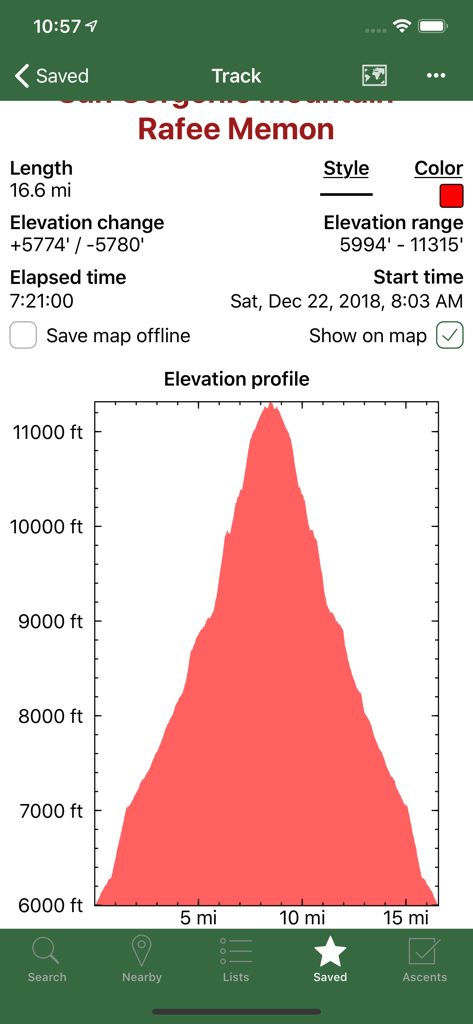
Peakbagger - Peakbagger 앱 스크린샷, 상세한 고도 프로필 그래프와 녹화된 산악 트랙 하이킹 통계 표시
Peakbagger 앱 스크린샷, 상세한 고도 프로필 그래프와 녹화된 산악 트랙 하이킹 통계 표시

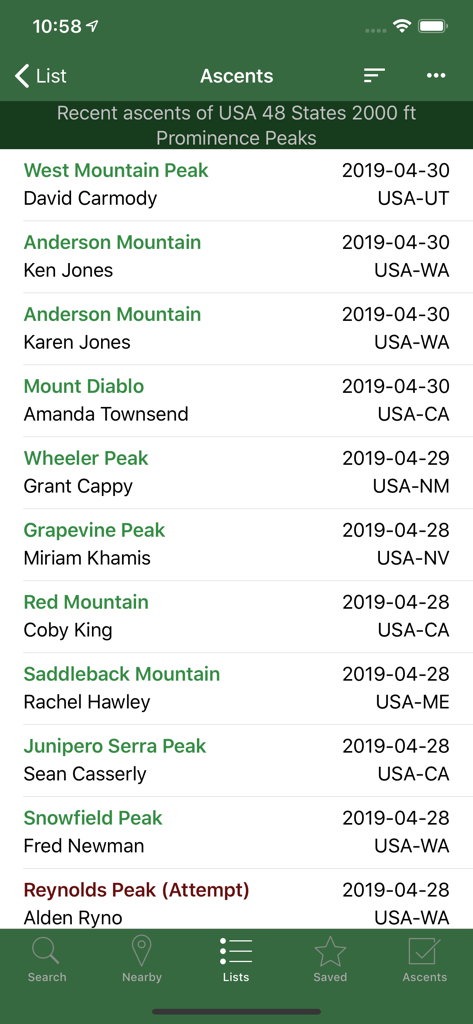
Peakbagger - Peakbagger 앱 스크린샷, 등반가 이름과 위치가 포함된 최근 봉우리 등반 연대기 목록 표시
Peakbagger 앱 스크린샷, 등반가 이름과 위치가 포함된 최근 봉우리 등반 연대기 목록 표시

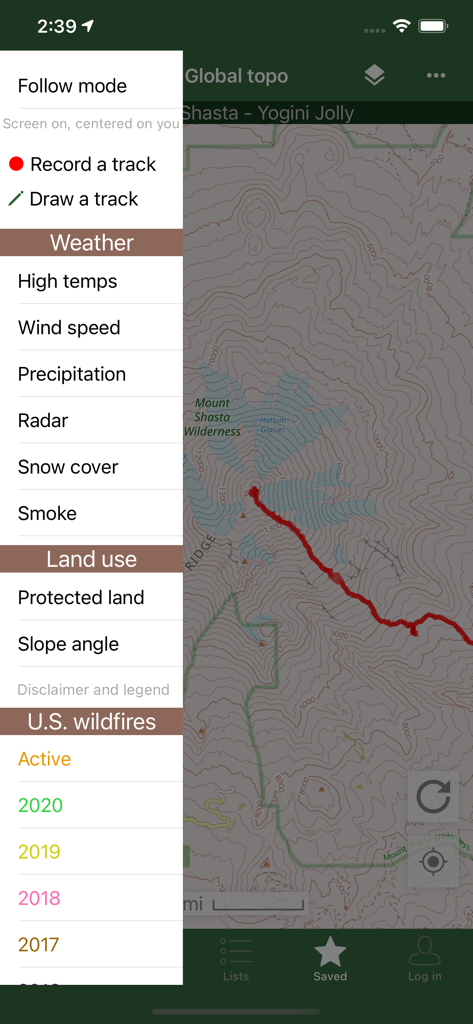
Peakbagger - Peakbagger 앱 인터페이스, 지형도와 날씨 및 산불 데이터 오버레이용 사이드바 메뉴 표시
Peakbagger 앱 인터페이스, 지형도와 날씨 및 산불 데이터 오버레이용 사이드바 메뉴 표시

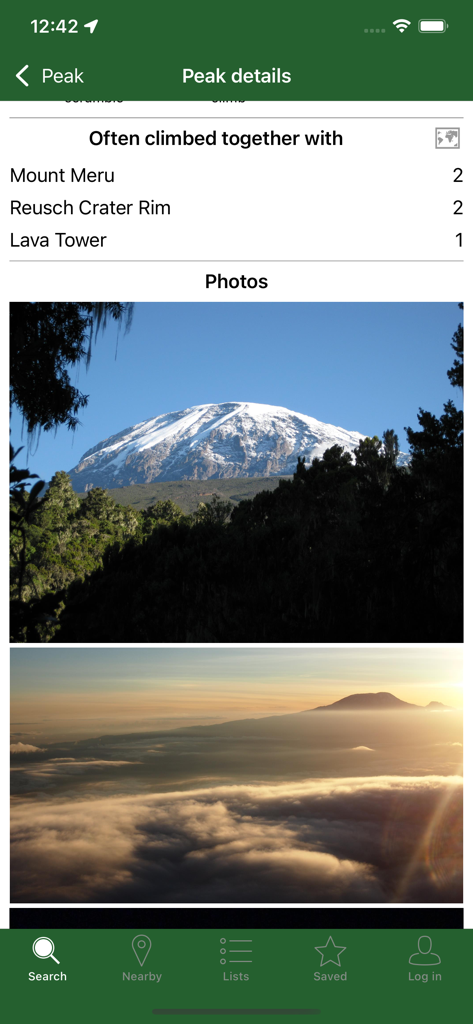
Peakbagger - Peakbagger 앱, 봉우리 세부 정보 사진 및 함께 자주 등반하는 봉우리 목록 표시

Peakbagger 앱, 봉우리 세부 정보 사진 및 함께 자주 등반하는 봉우리 목록 표시

설명

Bring the mountains with you wherever you go! * Search the huge database of mountains and trip reports from Peakbagger.com and ListsOfJohn.com * Keep track of your climbs, even when offline * Measure your progress against hundreds of peak lists * Get route information and directions from SummitPost and ListsofJohn.com * Find peaks near your current location, or near other peaks * Filter peaks by prominence, or climbed vs. unclimbed, or inclusion on a peak list * See what other peaks are often climbed together with your target peak * Create custom peak lists and order them by your personal priorities * See weather forecasts for all U.S. peaks from the National Weather Service, and for 11,000+ major peaks worldwide from mountain-forecast.com * See topographic maps for anywhere in the world (+/- 60 degrees latitude) * See protected land area coverage in North America, Europe, Japan, and Australia and New Zealand * US Forest Service maps * Save a peak to your device for offline use, including topographic maps * Download topographic maps along a route for offline use * Import and display GPS tracks and waypoints instantly * On-screen compass keeps you oriented along your track * Long click on the map to get Street View, elevation, and driving directions * Record your starting elevation, distance, and information about the gear and route you used * Leaderboards show the top climbers for each peak list * See peaks your Peakbagger buddies have climbed recently * Update your buddy list from right in the app * Automatically upload your ascents to ListsOfJohn (U.S. peaks) * Show daily satellite imagery for any location on any day since 2011 * Display elevation profile for a GPS track, and show your current location along the profile * See sunrise and sunset times at a peak, even when offline * Daily forest fire coverage, and historical coverage for the last 20 years (U.S.) * Constantly updated weather radar and smoke layers on the map * Record GPS tracks, including timestamps, and add them to your ascents * Record waypoints along your route * Organize your tracks in folders * Create and edit tracks right in the app * Automatically find survey benchmarks near peaks (U.S.) * Hunt benchmarks and get your finds recorded in the official government benchmark data sheets HOW TO IMPORT GPS TRACKS - 2 OPTIONS 1) Click on the "Load GPS track" link on the ascent details page for an ascent that has a GPS track. 2) Click on a GPX, KML, KMZ or FIT file on your phone, for example, in an email attachment or on Google Drive

Download

다운로드: App Store

이 페이지는 앱이나 개발자의 공식 페이지가 아니며, 정보 제공 및 논평을 목적으로 작성된 독립 편집 간행물입니다. 명시적으로 달리 언급되지 않는 한, 해당 앱이나 개발자는 MWM, Apple, Google Play, 앱 퍼블리셔 또는 앱 개발자와 제휴, 보증, 후원, 승인 또는 공식적으로 연결되어 있지 않으며, 이 페이지의 어떤 내용도 해당 앱이 MWM의 서비스를 사용하여 개발되었음을 의미하지 않습니다. 모든 상표, 로고, 스크린샷 및 기타 콘텐츠는 해당 소유자의 자산입니다.