Pencil 2d - Draw & Animations
다운로드: App Store

이 페이지는 앱이나 개발자의 공식 페이지가 아니며, 정보 제공 및 논평을 목적으로 작성된 독립 편집 간행물입니다. 명시적으로 달리 언급되지 않는 한, 해당 앱이나 개발자는 MWM, Apple, Google Play, 앱 퍼블리셔 또는 앱 개발자와 제휴, 보증, 후원, 승인 또는 공식적으로 연결되어 있지 않으며, 이 페이지의 어떤 내용도 해당 앱이 MWM의 서비스를 사용하여 개발되었음을 의미하지 않습니다. 모든 상표, 로고, 스크린샷 및 기타 콘텐츠는 해당 소유자의 자산입니다.


로고: Pencil 2d - Draw & Animations
다운로드: App Store

Pencil 2d - Draw & Animations

크리에이터를 위한 직관적인 2D 애니메이션 스튜디오. 양파 껍질 벗기기 및 레이어와 같은 프로 도구로 수작업 아트를 마스터하고 바이럴 만화를 즉시 공유하세요.

주요 수치

다운로드

52K+

사용자 평점

4.4/5

총 평가 수

200

개발사

MadhavKumar Bhayani

카테고리

Graphics & Design

지원 언어

1

최신 버전

1.1.3

크기

32.9 MB

출시일

2024년 7월 28일
기능

스케치부터 화면까지 몇 분 안에

iPhone 및 iPad용으로 설계된 프로급 도구로 내면의 애니메이터를 발휘하세요. 수작업 걸작을 손쉽게 만들고, 다듬고, 공유하세요.

부드러운 프레임 전환

전문적인 양파 껍질 벗기기를 사용하여 이전 프레임을 시각화하고 유체, 프레임별 움직임의 예술을 마스터하세요.

레이어별 정밀 드로잉

애니메이션 및 디지털 캐릭터 디자인에 맞는 다중 레이어 편집 및 사용자 지정 브러시로 복잡한 장면을 구성하세요.

다음 스크린샷과 설명은 앱의 공식 스토어 목록에서 직접 가져온 것이며 앱 개발자의 자산입니다.

앱 스토어

스크린샷
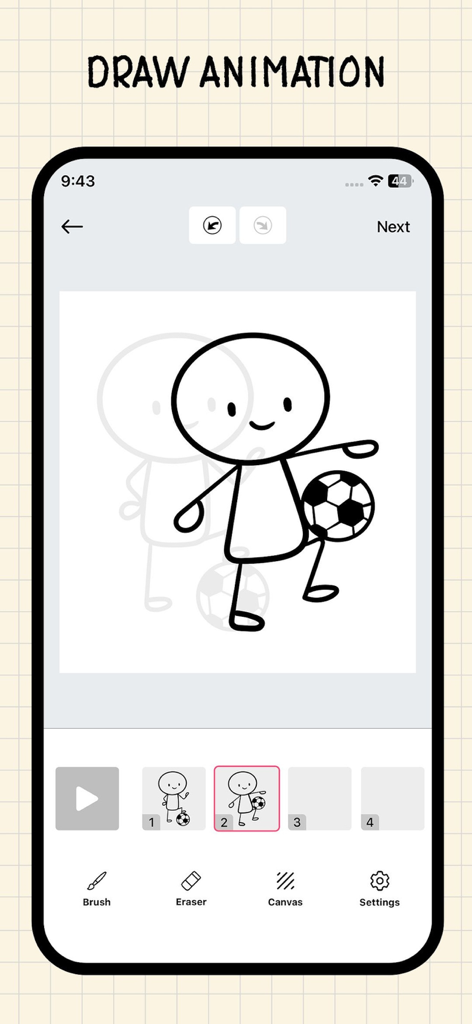
Pencil 2d - Draw & Animations - 양파 껍질 벗기기 및 프레임 타임라인이 있는 스틱맨 애니메이션을 보여주는 Pencil 2D 모바일 앱 인터페이스
양파 껍질 벗기기 및 프레임 타임라인이 있는 스틱맨 애니메이션을 보여주는 Pencil 2D 모바일 앱 인터페이스

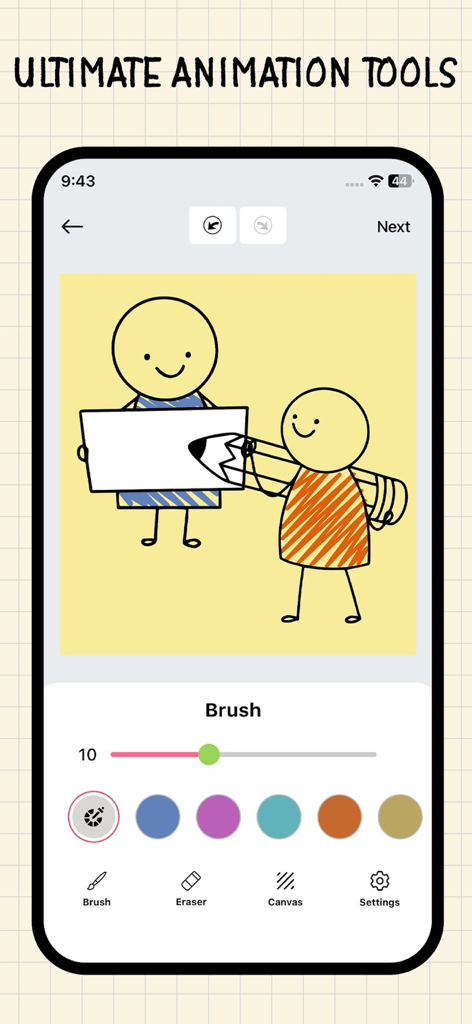
Pencil 2d - Draw & Animations - 그림 도구와 노란색 캔버스에 간단한 캐릭터 애니메이션을 보여주는 Pencil 2D 모바일 앱 인터페이스
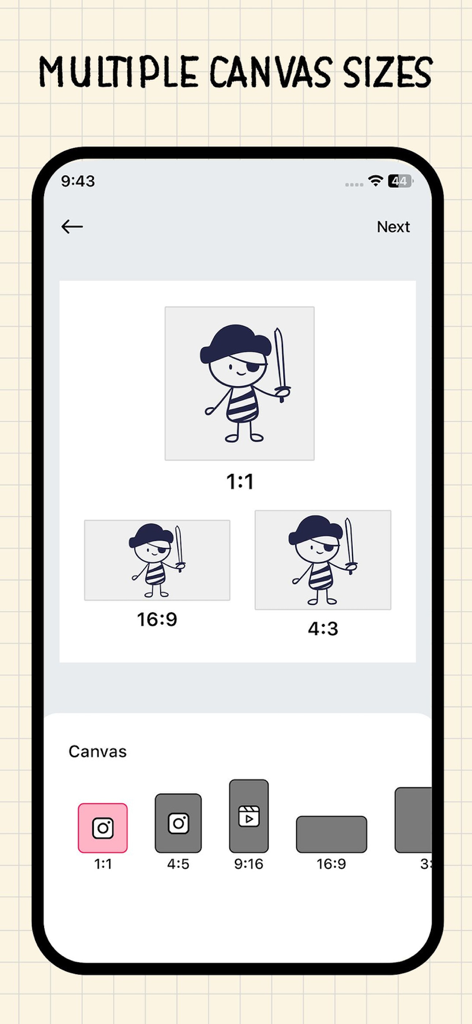
그림 도구와 노란색 캔버스에 간단한 캐릭터 애니메이션을 보여주는 Pencil 2D 모바일 앱 인터페이스

Pencil 2d - Draw & Animations - 다양한 캔버스 크기 옵션 및 소셜 미디어 종횡비를 보여주는 Pencil 2D 앱 인터페이스
다양한 캔버스 크기 옵션 및 소셜 미디어 종횡비를 보여주는 Pencil 2D 앱 인터페이스

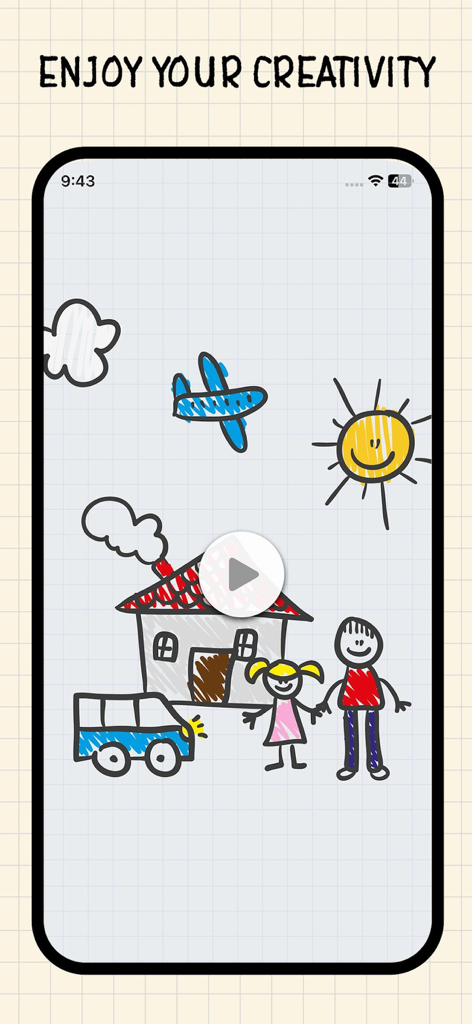
Pencil 2d - Draw & Animations - 격자 배경에 집, 자동차, 가족이 있는 손으로 그린 2D 애니메이션
격자 배경에 집, 자동차, 가족이 있는 손으로 그린 2D 애니메이션

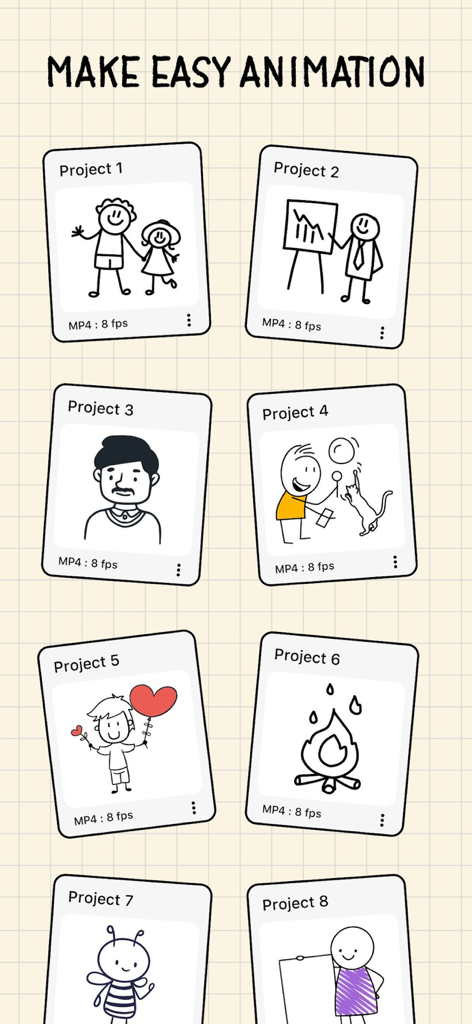
Pencil 2d - Draw & Animations - Pencil 2D 앱 인터페이스의 수작업 애니메이션 프로젝트 갤러리

Pencil 2D 앱 인터페이스의 수작업 애니메이션 프로젝트 갤러리

설명

Bring your creativity to life with Pencil 2D - Animation Maker! This powerful and intuitive app allows you to create stunning animations right from your iPhone or iPad. Whether you're a professional animator or a hobbyist, Pencil 2D offers all the tools you need to craft beautiful, hand-drawn animations with ease. Features: 1. Intuitive Drawing Interface: - Draw effortlessly with a user-friendly interface designed for both beginners and experts. - Use a variety of brushes, pencils, and pens to create your unique art style. 2. Layer-Based Editing: - Work with multiple layers to manage complex animations. - Easily add, remove, and rearrange layers for precise control over your animations. 3. Onion Skinning: - Use onion skinning to see previous and next frames, making it easier to create smooth transitions. - Adjust the opacity of onion skin layers for better visibility and control. 4. Customizable Frame Rate: - Set the frame rate for your animations to control the speed and fluidity of your creations. - Export your animations at different frame rates to suit your project needs. 5. Wide Range of Export Options: - Export your animations as GIFs, video files, or image sequences. - Share your creations directly to social media platforms or save them to your device. 6. Advanced Animation Tools: - Utilize tools like timeline editing, frame management, and keyframe adjustments for precise animation control. - Access a library of pre-made assets and templates to jumpstart your projects. 7. Regular Updates and Support: - Receive regular updates with new features, improvements, and bug fixes. - Access comprehensive tutorials and customer support to help you master the app. Why Choose Pencil 2D - Animation Maker? Pencil 2D - Animation Maker is designed to empower artists of all skill levels to create beautiful, hand-drawn animations. With its intuitive interface, powerful tools, and extensive features, it’s the perfect app for anyone looking to bring their animations to life. Whether you're interested in Draw Animation, anime draw, flip book animation, or creating animated videos, this app has you covered. It's the ultimate animation creator, 2D animation tool, cartoon maker, and cartoon creator. Download Pencil 2D today and start animating your dreams! Pencil 2D - Premium Subscription: - Unlock all features and enjoy an ad-free experience with the Pencil 2D Premium Subscription. - The subscription is available on a weekly or annual basis, based on the selected plan. - Payment will be charged to your iTunes account upon confirmation of purchase. - Your subscription will automatically renew unless you disable auto-renewal at least 24 hours before the current period ends. - Your account will be charged for renewal within 24 hours prior to the end of the current period, with the renewal cost clearly identified. - You can manage your subscription and turn off auto-renewal in your Account Settings after purchase. - Any unused portion of a free trial, if available, will be forfeited when you purchase a subscription. Terms of Use :- https://chief-cheque-627.notion.site/Terms-of-Use-2396adfdb37480919e5ed8ec45bcab16 Privacy Policy :- https://chief-cheque-627.notion.site/Privacy-Policy-2376adfdb37480b38f8edecfc5ee8672

Download

다운로드: App Store

이 페이지는 앱이나 개발자의 공식 페이지가 아니며, 정보 제공 및 논평을 목적으로 작성된 독립 편집 간행물입니다. 명시적으로 달리 언급되지 않는 한, 해당 앱이나 개발자는 MWM, Apple, Google Play, 앱 퍼블리셔 또는 앱 개발자와 제휴, 보증, 후원, 승인 또는 공식적으로 연결되어 있지 않으며, 이 페이지의 어떤 내용도 해당 앱이 MWM의 서비스를 사용하여 개발되었음을 의미하지 않습니다. 모든 상표, 로고, 스크린샷 및 기타 콘텐츠는 해당 소유자의 자산입니다.







