Phocus: Portrait Mode Editor

Phocus: Portrait Mode Editor

다운로드: App Store
로고: Phocus: Portrait Mode Editor

Phocus: AI 기반 전문가 DSLR 스타일 인물 사진

실제 렌즈 시뮬레이션으로 깊이와 보케를 마스터하세요. 소셜 미디어 크리에이터와 미학적 완벽주의자를 위해 설계된 정밀 도구로 시네마틱 인물 사진 및 비디오를 만드세요.

개발사

RAY INFORMATICS YAZILIM TEKNOLOJI MEDYA DANISMANLIK VE EGITIM TICARET LIMITED SIRKETI

카테고리

Photo & Video

다운로드

734K+

사용자 평점

4.4/5

총 평가 수

1K+

지원 언어

15

시네마틱 깊이 공개

이 인터페이스를 사용하는 734K+ 명의 사용자.

인물 사진에 DSLR 흐림 효과와 실제 보케 효과를 보여주는 Phocus 앱 인터페이스
인물 사진에 DSLR 흐림 효과와 실제 보케 효과를 보여주는 Phocus 앱 인터페이스

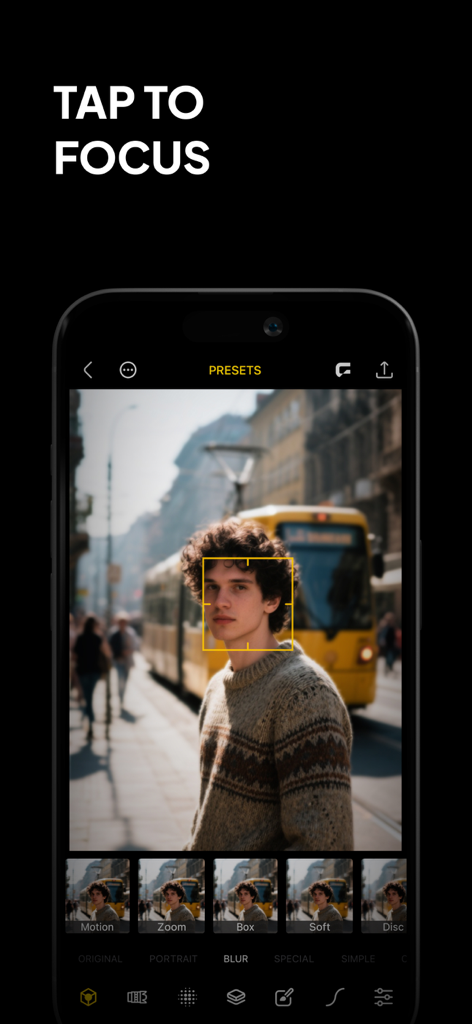
인물 사진에 탭하여 초점 맞추기 기능을 시연하는 Phocus 앱 인터페이스
인물 사진에 탭하여 초점 맞추기 기능을 시연하는 Phocus 앱 인터페이스

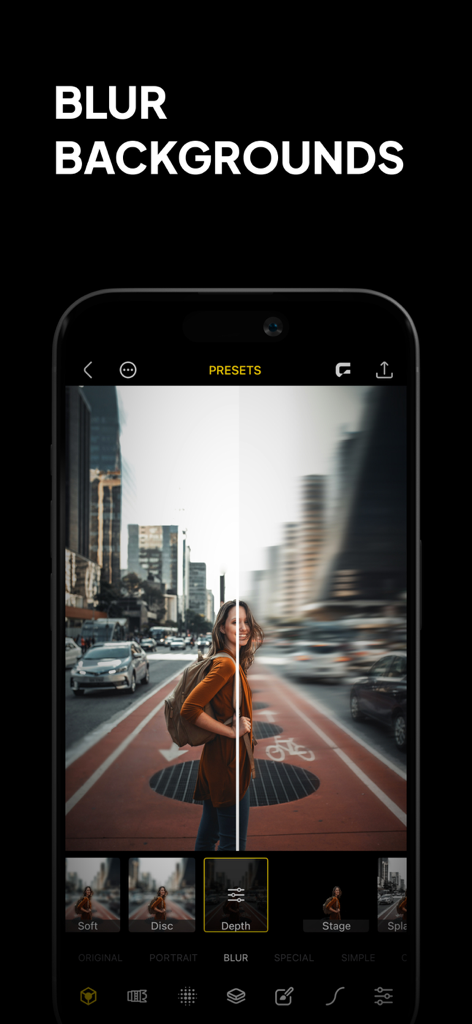
도시 인물 사진의 이전 및 이후 비교와 함께 Phocus 앱의 배경 흐림 효과 기능을 보여주는 스마트폰 화면.
도시 인물 사진의 이전 및 이후 비교와 함께 Phocus 앱의 배경 흐림 효과 기능을 보여주는 스마트폰 화면.

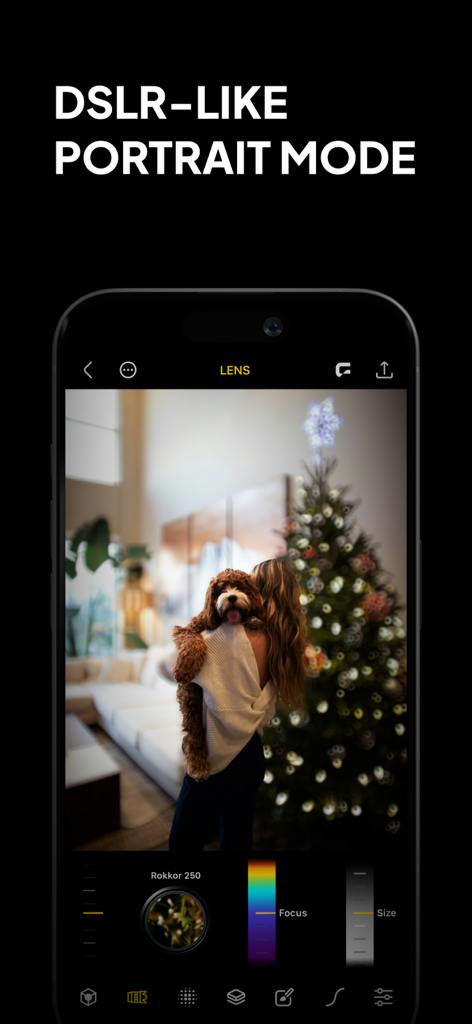
개와 함께 있는 사람 사진에 보케 흐림 효과와 수동 렌즈 제어가 있는 DSLR 스타일 인물 사진 모드를 보여주는 Phocus 앱 인터페이스
개와 함께 있는 사람 사진에 보케 흐림 효과와 수동 렌즈 제어가 있는 DSLR 스타일 인물 사진 모드를 보여주는 Phocus 앱 인터페이스

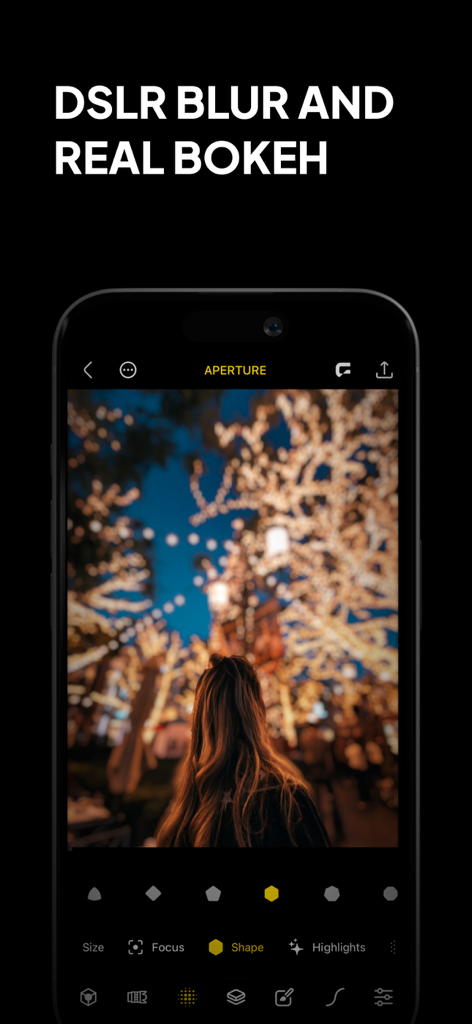
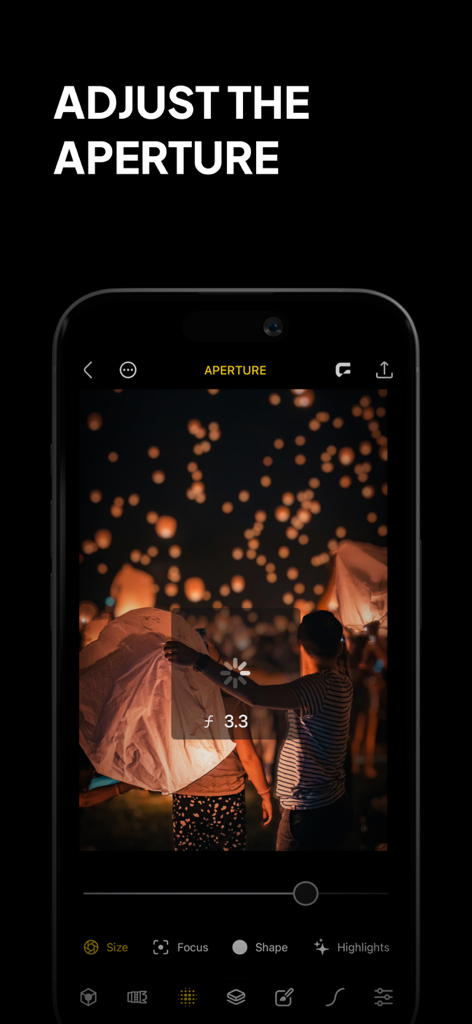
야간 조명 등불 사진에 조리개 조정 기능을 사용하는 Phocus 앱 인터페이스를 표시하는 전화기
야간 조명 등불 사진에 조리개 조정 기능을 사용하는 Phocus 앱 인터페이스를 표시하는 전화기

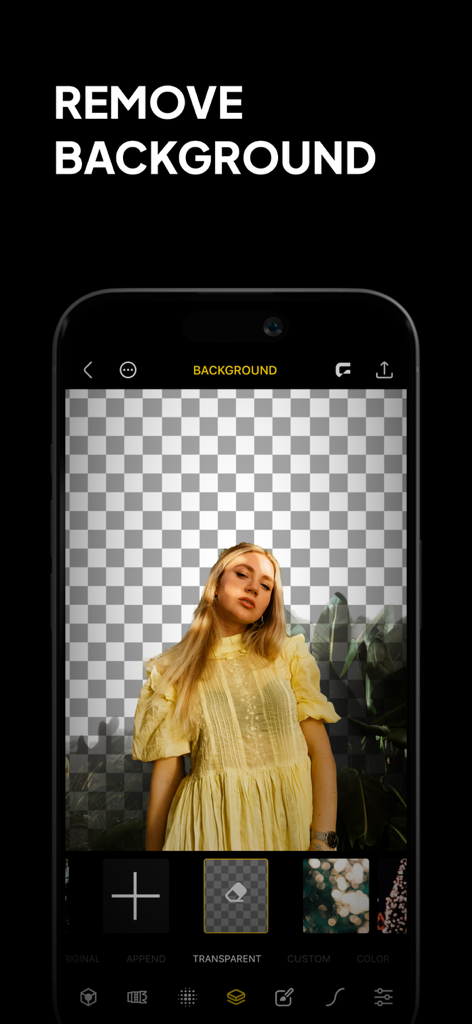
투명 격자 배경에 여성 인물 사진과 배경 제거 기능을 보여주는 Phocus 앱 인터페이스 스크린샷
투명 격자 배경에 여성 인물 사진과 배경 제거 기능을 보여주는 Phocus 앱 인터페이스 스크린샷

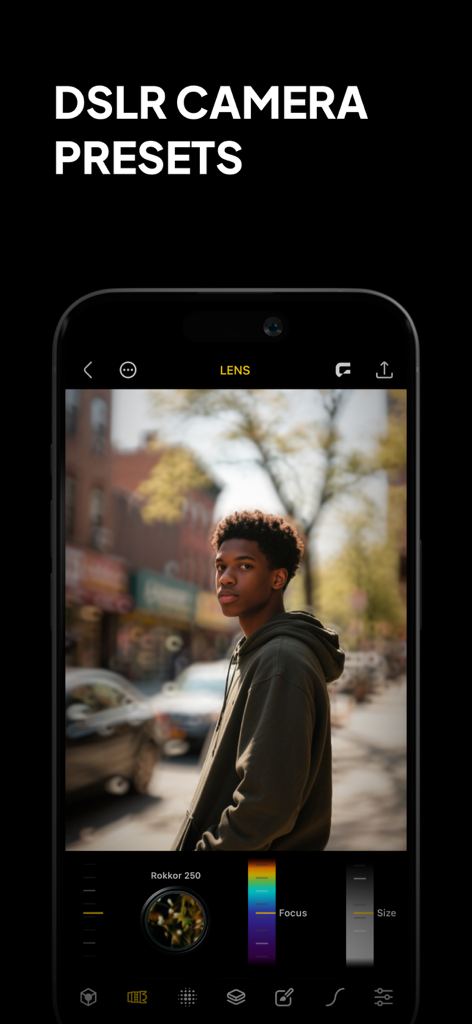
DSLR 카메라 사전 설정과 전문적인 배경 흐림 효과가 있는 남성 인물 사진을 보여주는 Phocus 앱 인터페이스.
DSLR 카메라 사전 설정과 전문적인 배경 흐림 효과가 있는 남성 인물 사진을 보여주는 Phocus 앱 인터페이스.

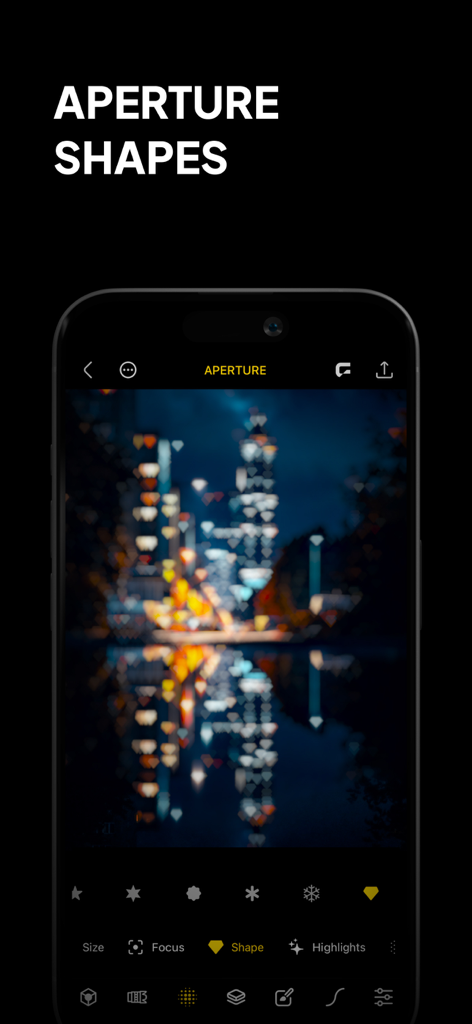
야간 도시 풍경에 하트 모양 보케 효과가 있는 Phocus 앱 인터페이스를 보여주는 스마트폰.
야간 도시 풍경에 하트 모양 보케 효과가 있는 Phocus 앱 인터페이스를 보여주는 스마트폰.

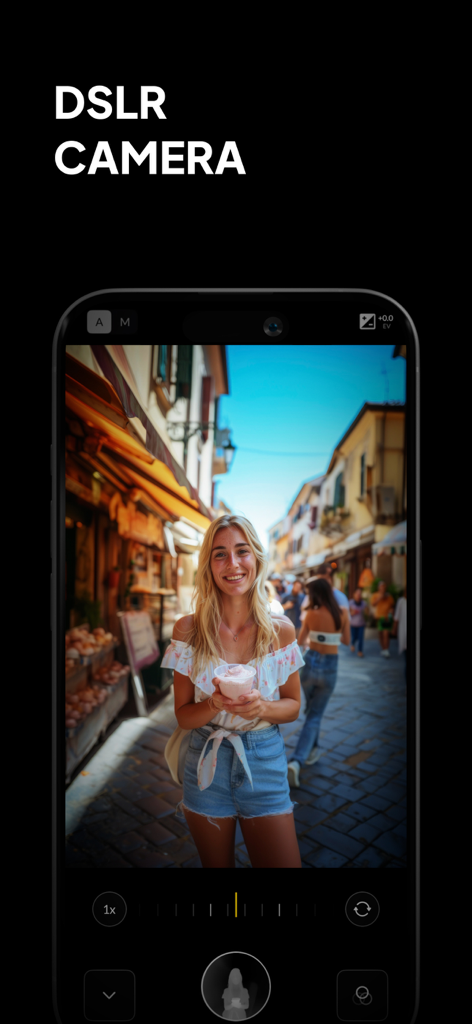
DSLR 카메라 수동 제어와 전문적인 인물 사진 보케 효과를 보여주는 Phocus 앱 인터페이스
DSLR 카메라 수동 제어와 전문적인 인물 사진 보케 효과를 보여주는 Phocus 앱 인터페이스

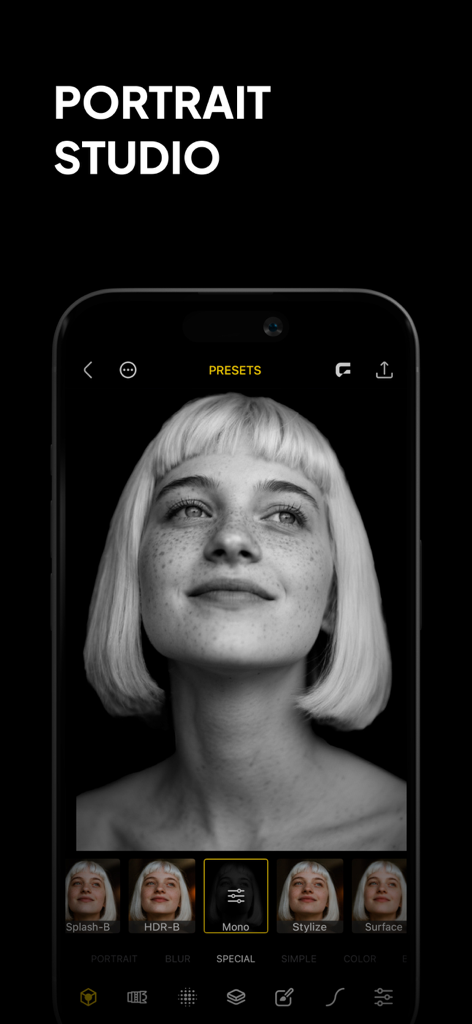
흑백 인물 사진과 편집 사전 설정이 있는 Phocus 앱을 표시하는 스마트폰 화면.

흑백 인물 사진과 편집 사전 설정이 있는 Phocus 앱을 표시하는 스마트폰 화면.

재해석된 전문가급 사진 촬영

이 앱을 돋보이게 하는 도구, 734K+ 명의 사용자가 선택.

🤖

AI 인물 사진 마스터

지능형 깊이 감지 기술을 사용하여 피사체와 배경을 즉시 외과적 정밀도로 분리하여 완벽한 사진을 만드세요.

🔍

실제 DSLR 보케

사용자 정의 가능한 조리개 설정, 흐림 강도 및 빈티지 광학 스타일로 값비싼 렌즈의 물리적 특성을 에뮬레이션하세요.

🎥

시네마틱 비디오 콘텐츠

TikTok 및 Reels에서 전문적인 수준의 배경 흐림 효과로 돋보이며 모든 비디오 클립에 즉각적인 제작 가치를 더하세요.

앱 소개

에 대해 알아야 할 모든 것 Phocus: Portrait Mode Editor.

설명

Phocus is a portrait editor and DSLR-style camera powered by AI, giving you full control over depth, background blur, aperture, bokeh, and focal length. Whether you're capturing cinematic portraits or editing precise lens details, Phocus delivers pro-level photography tools in a fast, intuitive interface built for creators. Inspired by real optical systems, Phocus lets you emulate DSLR lens behavior—without external gear. Control blur shape and depth radius with real aperture modeling. Adjust lens type, depth dynamics, and recreate unique bokeh styles from vintage and high-end lenses. Apply subtle distortions and optical characteristics for expressive storytelling. Phocus doesn’t just blur the background—it understands the physics of photography. "Looking for an app that not only adds the Portrait mode effect to your photos but does a bit more? Then Phocus is the one you're looking for." — iMore "An Outstanding AI Portrait and Macro Camera for the iPhone. It has clearly established itself as the front runner in this iOS camera apps." — John DeNicola "The app is a fine example of technical and artistic craftsmanship." — iGeeksBlog "Phocus is an excellent photo and video editing app for your iPhone that lets you edit both portrait photos and videos with great attention to detail." — The Useful Tech Phocus enhances your creativity with smart tools: • AI-powered subject detection and background blur/removal • Precision brush and eraser tools for edge refinement • Dual-layer tone editing for foreground and background • One-tap portrait effects: HDR, mono, studio, stage, color splash, grain, stylize, cartoon • Portrait matte and depth map export for external workflows • Depth Visualizer to preview and adjust depth-of-field using real-time depth data • Tap-to-Focus with enhanced precision using intelligent depth mapping Whether you’re recreating film looks or developing your own style, Phocus is flexible enough for professionals and intuitive enough for anyone. Features: • Portrait Video Blur: Add realistic depth-of-field to videos • AI Subject Detection: Separate subject and background automatically • Real Bokeh Simulation: Customizable aperture shapes and light falloff • Manual Camera Controls: Adjust ISO, shutter speed, white balance, and exposure • RAW and ProRAW Support: Shoot in full resolution and maximum quality • DSLR Lens Simulation: Control focal depth, lens behavior, and bokeh intensity • Aperture & Blur Adjustment: Fine-tune background softness and focus • One-Tap Background Removal: Instantly blur or replace backgrounds • Portrait Effects Library: Apply curated filters and artistic looks • Dual-Layer Editing: Adjust lighting and tone separately for subject and background • Edge Refinement Tools: Fine control over mask boundaries • Depth Map & Portrait Matte Export: For external editing workflows • Depth Visualizer: Interactively adjust depth using combined image and depth data • Tap-to-Focus: Tap to apply precise depth-based focus on any area • Built-In Tutorials: Learn Phocus step-by-step • Optimized for iPhone and iPad: Full-resolution support across devices Phocus AI Subscription Unlock full creative control with a Phocus AI subscription, available monthly or annually. Terms of use: rayinformatics.com/terms Privacy policy: rayinformatics.com/privacy Contact: rayinformatics.com/contact

최신 버전

3.0.8

크기

239.7 MB

출시일

2017년 8월 17일

주머니 속 전문가 DSLR 품질

70만 명 이상의 크리에이터와 함께 AI 기반 깊이 및 보케 제어로 모바일 사진을 멋진 스튜디오 인물 사진으로 변환하세요.

다운로드: App Store

App information, icons, screenshots, and descriptions displayed on this page are sourced from the Apple App Store and are the property of their respective developers. Download estimates and rankings are based on MWM's proprietary models and may not reflect actual figures. This page is provided for informational and analytical purposes only.

Believe this page infringes your intellectual property? File a dispute