Photo Collage Maker:Pic Grid

Photo Collage Maker:Pic Grid

다운로드: App Store
로고: Photo Collage Maker:Pic Grid

사진 콜라주 메이커: 사진 그리드: 몇 초 만에 완벽한 감각을 디자인하세요

500개 이상의 전문적인 레이아웃, 트렌디한 스티커, 워터마크 없이 완벽하게 소셜 피드를 향상시키세요. 손쉬운 스토리텔링과 멋진 사진 그리드를 위한 올인원 창작 도구입니다.

다운로드: App Store

개발사

Nanjing Diant Network Technology Co., LTD

카테고리

Photo & Video

다운로드

11K+

사용자 평점

4.5/5

총 평가 수

0

지원 언어

12

여러분의 창의적인 캔버스

이 인터페이스를 사용하는 11K+ 명의 사용자.

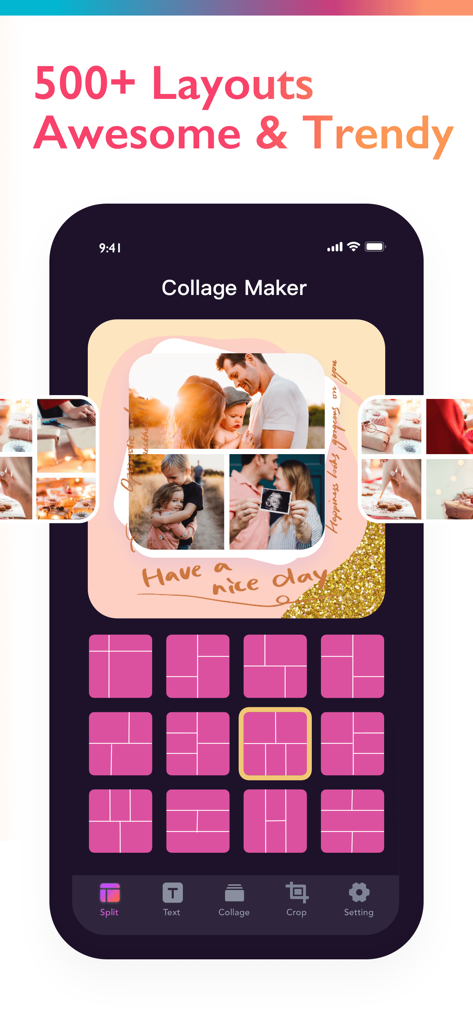
다양한 핑크색 그리드 레이아웃과 맞춤 가족 사진 콜라주를 보여주는 Photo Collage Maker의 모바일 앱 인터페이스
다양한 핑크색 그리드 레이아웃과 맞춤 가족 사진 콜라주를 보여주는 Photo Collage Maker의 모바일 앱 인터페이스

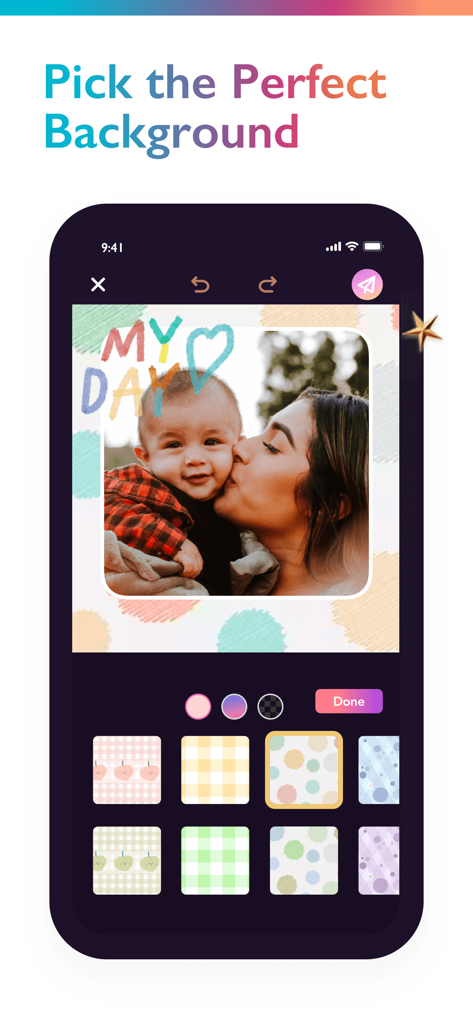
다양한 패턴의 배경 옵션을 보여주는 Pic Grid 앱의 사용자 인터페이스와 여성 및 아기 사진.
다양한 패턴의 배경 옵션을 보여주는 Pic Grid 앱의 사용자 인터페이스와 여성 및 아기 사진.

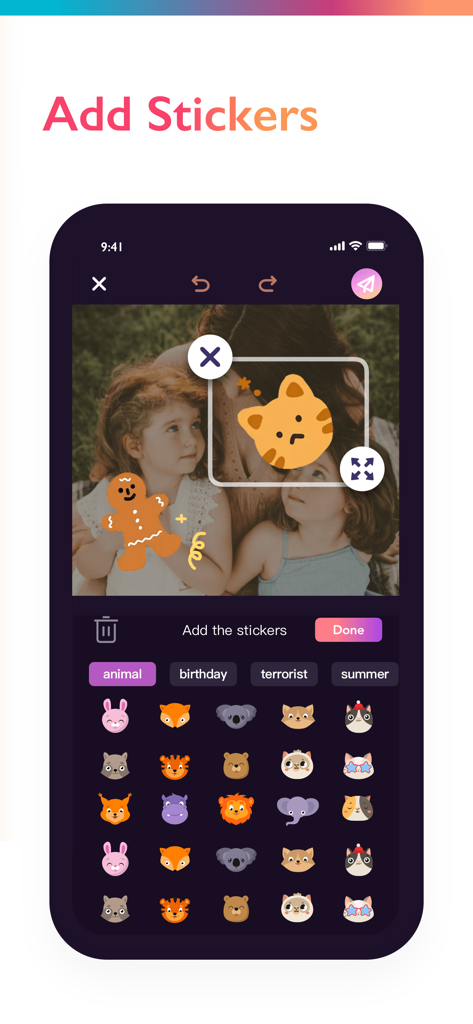
귀여운 동물 스티커를 사진에 추가하는 방법을 보여주는 Photo Collage Maker 앱의 인터페이스
귀여운 동물 스티커를 사진에 추가하는 방법을 보여주는 Photo Collage Maker 앱의 인터페이스

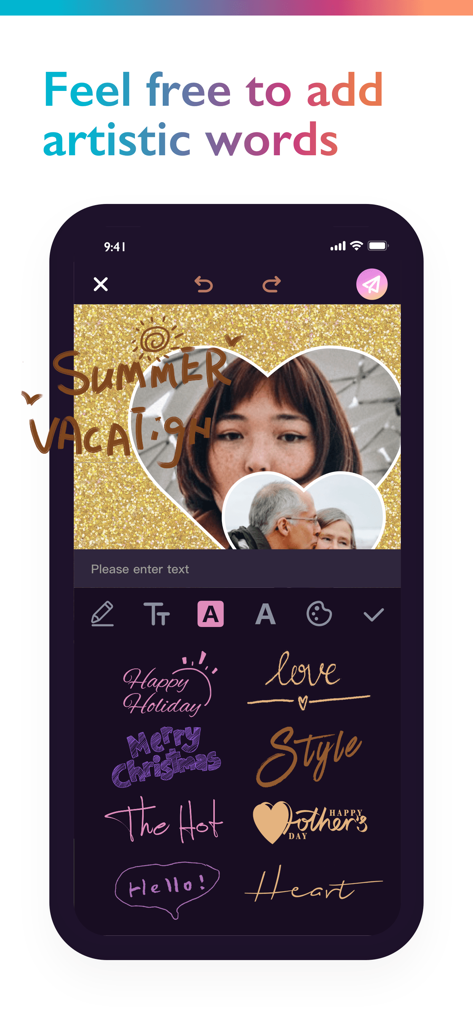
예술적인 텍스트 스타일과 여름 휴가 텍스트가 있는 하트 모양 사진 레이아웃을 보여주는 Photo Collage Maker 앱의 인터페이스
예술적인 텍스트 스타일과 여름 휴가 텍스트가 있는 하트 모양 사진 레이아웃을 보여주는 Photo Collage Maker 앱의 인터페이스

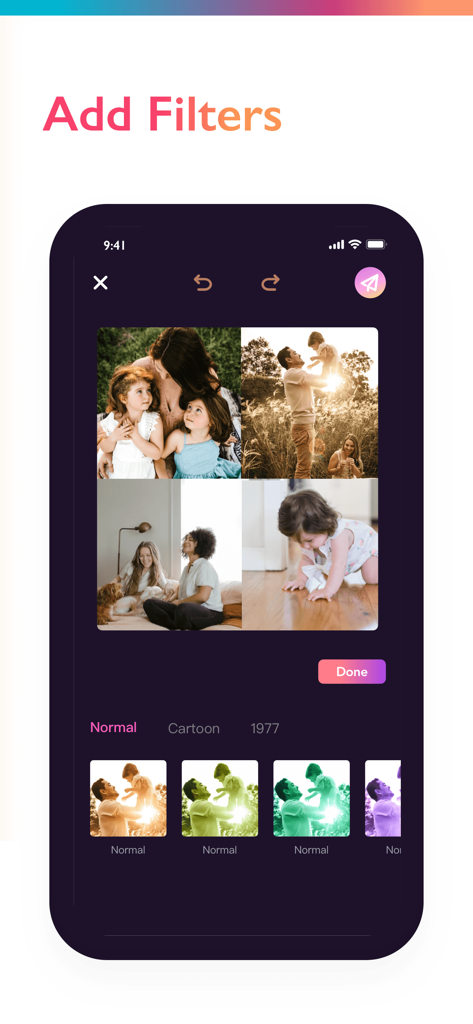
사진 그리드에 대한 필터 옵션을 보여주는 Photo Collage Maker Pic Grid 인터페이스
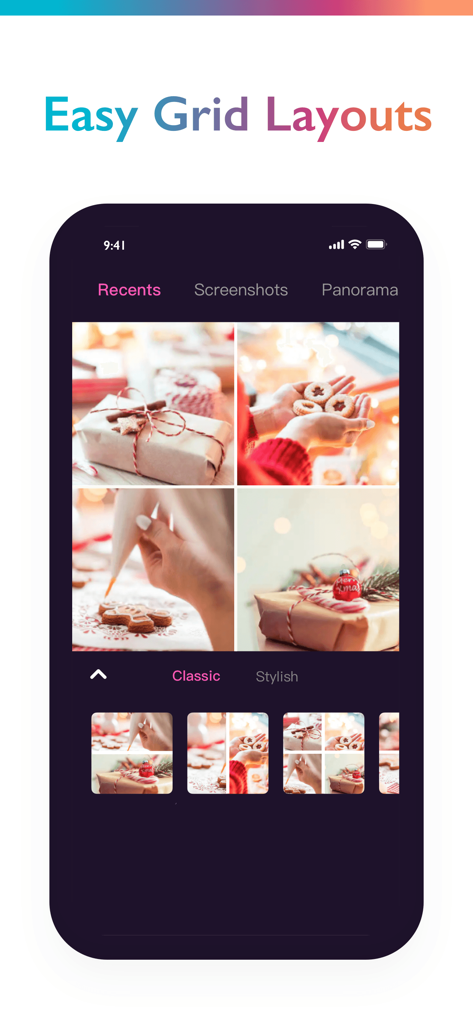
사진 그리드에 대한 필터 옵션을 보여주는 Photo Collage Maker Pic Grid 인터페이스

4장의 크리스마스 베이킹 사진 콜라주가 있는 쉬운 그리드 레이아웃 옵션을 보여주는 Photo Collage Maker 앱의 아이폰 스크린샷

4장의 크리스마스 베이킹 사진 콜라주가 있는 쉬운 그리드 레이아웃 옵션을 보여주는 Photo Collage Maker 앱의 아이폰 스크린샷

모든 순간을 걸작으로 만드세요

이 앱을 돋보이게 하는 도구, 11K+ 명의 사용자가 선택.

🖼️

500개 이상의 디자이너 레이아웃

기본 그리드를 넘어서세요. 최대 18장의 사진을 지원하는 수백 가지의 전문 템플릿 중에서 선택하여 피드를 즉시 큐레이션되고 세련되게 보이게 하세요.

🚫

순수한 감각, 워터마크 없음

여러분의 창의성은 명확하게 보여질 자격이 있습니다. 침입적인 워터마크나 광고 없이 고품질 콜라주를 내보내어 소셜 스토리가 깔끔하고 전문적으로 유지되도록 하세요.

창의적인 스토리텔링 도구

컷아웃 도구, 예술적인 필터, 트렌디한 스티커로 돋보이세요. 여러분만의 고유한 분위기를 포착하는 디지털 기념품을 만들기 위해 모든 세부 사항을 개인화하세요.

앱 소개

에 대해 알아야 할 모든 것 Photo Collage Maker:Pic Grid.

설명

Amazing Photo Collage Maker And Collage editor, with free layouts, grids, story maker, sticker maker and wallpapers all-in-one Photo editing made be easy and fun! Photo Collage brings out the best in your photos with a creative, relaxing experience that gives you the tools to share something great! Share stories, make cards for any occasion, cut-out photos, layer backgrounds, add stickers and text - get creative! Photo Editor – No ads, no watermarks: • Effortless picture apps to crop, flip, & edit photos • Adjust brightness, contrast, saturation, tint, blur, etc. • Auto Focus for background blur & sharpen photo subject • Apply your style with aesthetic filters & effects (Retro, Pixelate, Liquify, etc.) • Fun photo grid & photo collage maker Grids: • Make Instant layouts from your photos • 500+ grid templates, that support up to 18 images. Stories: • Templates and grids to help you get sharing quickly. Stickers: • Decorate your images and collages by adding trendy and occasion-specific stickers. Artistic filters: • More than a dozen are available. These special effects can be applied both globally and individually on your photos. Cut-Out: • Snip your photos by tracing shapes with your finger. Backgrounds: • 50+ varieties of backgrounds. Awesome Features : Stunning Templates designed by professionals are added regularly ( different categories for every moment of your life) Creative collage maker to create picture collages and photo grid. - Thousands of customizable Collages, Grids and unique Layouts. - Photo filters to choose from and apply instantly. - Stickers, backgrounds and fonts for every moment of your life. - Ability to Crop your photos with hundreds different presets. - Ability to resize, rotate and move photos. - Move photos between grids by drag and drop. - Drag and drop photos from any other app to your chosen collage or template on iPad. - Instant sharing to your favorite social network! The subscription is $ 29.99 per year and $ 2.99 per week - You'll be able to use unlimited features for the duration of your subscription - Payment will be charged to your iTunes Account at confirmation of purchase - The subscription renews automatically unless auto-renewal is turned off for at least 24-hours before the end of the current period - The account will be charged for renewal within 24-hours prior to the end of the current period at the cost of the chosen package - Subscriptions may be managed by the user and auto-renewal may be turned off by going to the user's Account Settings after purchase - Any unused portion of a free trial period, if offered, will be forfeited when the user purchases a subscription Terms of use: https://sites.google.com/view/photocreator-trems-of-use Privacy policy: https://sites.google.com/view/photocreator-privacy-policy

최신 버전

1.2.6

크기

156.4 MB

출시일

2022년 9월 25일

감각을 한 단계 업그레이드할 준비가 되셨나요?

수천 명의 크리에이터가 사진을 전문적인 스토리로 바꾸고 있습니다. 지금 다운로드하여 500개 이상의 디자이너 레이아웃에 액세스하고 광고나 워터마크 없이 여러분의 세상을 공유하세요.

다운로드: App Store

App information, icons, screenshots, and descriptions displayed on this page are sourced from the Apple App Store and are the property of their respective developers. Download estimates and rankings are based on MWM's proprietary models and may not reflect actual figures. This page is provided for informational and analytical purposes only.

Believe this page infringes your intellectual property? File a dispute