Photo Holder
Photo Holder
다운로드: App Store

이 페이지는 앱이나 개발자의 공식 페이지가 아니며, 정보 제공 및 논평을 목적으로 작성된 독립 편집 간행물입니다. 명시적으로 달리 언급되지 않는 한, 해당 앱이나 개발자는 MWM, Apple, Google Play, 앱 퍼블리셔 또는 앱 개발자와 제휴, 보증, 후원, 승인 또는 공식적으로 연결되어 있지 않으며, 이 페이지의 어떤 내용도 해당 앱이 MWM의 서비스를 사용하여 개발되었음을 의미하지 않습니다. 모든 상표, 로고, 스크린샷 및 기타 콘텐츠는 해당 소유자의 자산입니다.


로고: Photo Holder
다운로드: App Store

Photo Holder

디스플레이를 활성 상태로 유지하고 터치 방지 기능을 사용하세요. 스케치, 레시피 따르기 또는 실수로 스와이프되는 것에 대한 걱정 없이 단일 사진을 공유하는 최고의 도구입니다.

주요 수치

다운로드

4K+

사용자 평점

3.7/5

총 평가 수

0

개발사

Ryusuke Uchida

카테고리

Utilities

지원 언어

2

최신 버전

1.2.2

크기

10.0 MB

출시일

2024년 10월 5일
기능

사진 하나, 방해 요소 제로

기기를 안정적인 참조 보드로 변환하세요. 실수로 스와이프하거나 화면이 꺼지는 일 없이 필요한 사진에 화면을 고정하세요.

스와이프 방지 개인 정보 보호

개인 갤러리의 다른 사진을 실수로 보게 될까 봐 걱정하지 않고 휴대폰을 친구나 동료에게 건네주세요. 잠금 모드는 누구나 좌우로 스와이프하여 개인 갤러리에 액세스하는 것을 방지합니다.

최고의 참조 도구

예술가, 요리사, DIY 애호가에게 적합합니다. 작업 중에 실수로 화면을 만지더라도 참조 이미지를 고정하고 중앙에 유지하세요.

다음 스크린샷과 설명은 앱의 공식 스토어 목록에서 직접 가져온 것이며 앱 개발자의 자산입니다.

앱 스토어

스크린샷
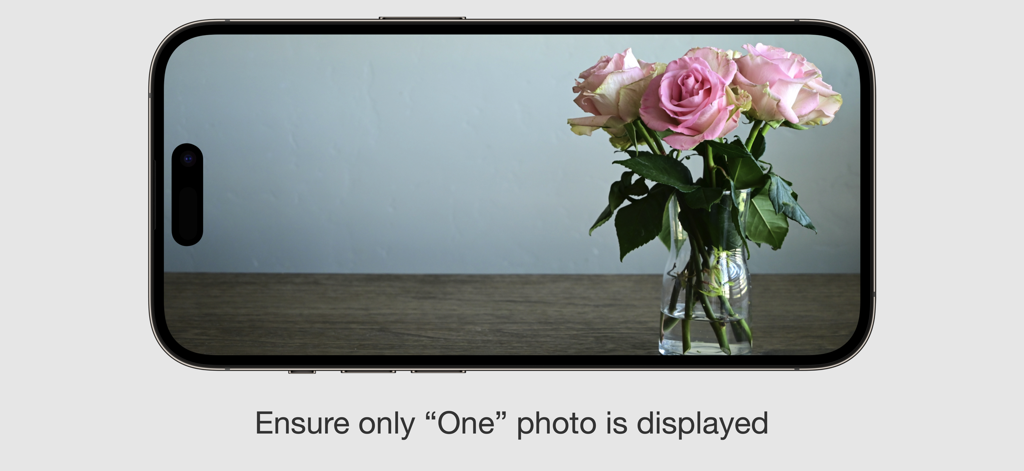
Photo Holder - 풍경 모드에서 핑크 장미 사진이 잠긴 스마트폰 화면, 캡션: 사진 하나만 표시되도록 하세요
풍경 모드에서 핑크 장미 사진이 잠긴 스마트폰 화면, 캡션: 사진 하나만 표시되도록 하세요

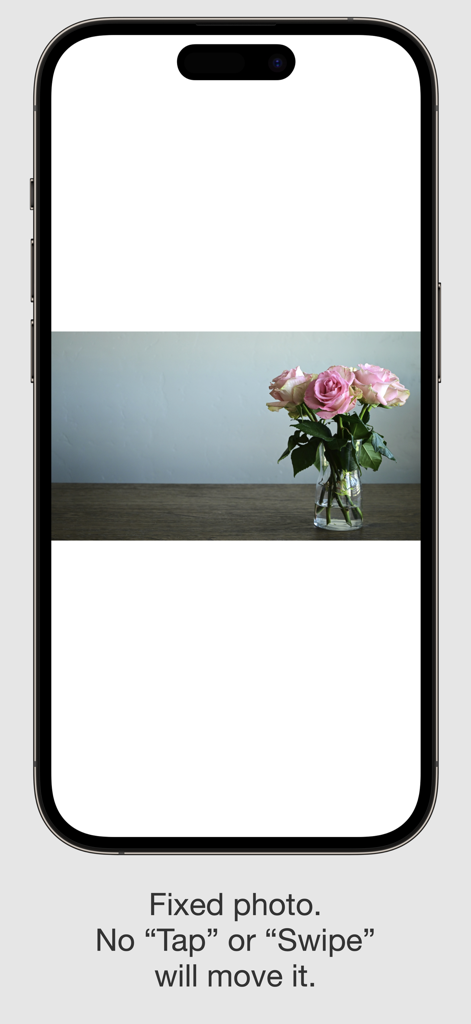
Photo Holder - 핑크 장미 사진이 고정된 Photo Holder 앱 스크린샷, 화면 잠금 기능 설명 텍스트 포함
핑크 장미 사진이 고정된 Photo Holder 앱 스크린샷, 화면 잠금 기능 설명 텍스트 포함

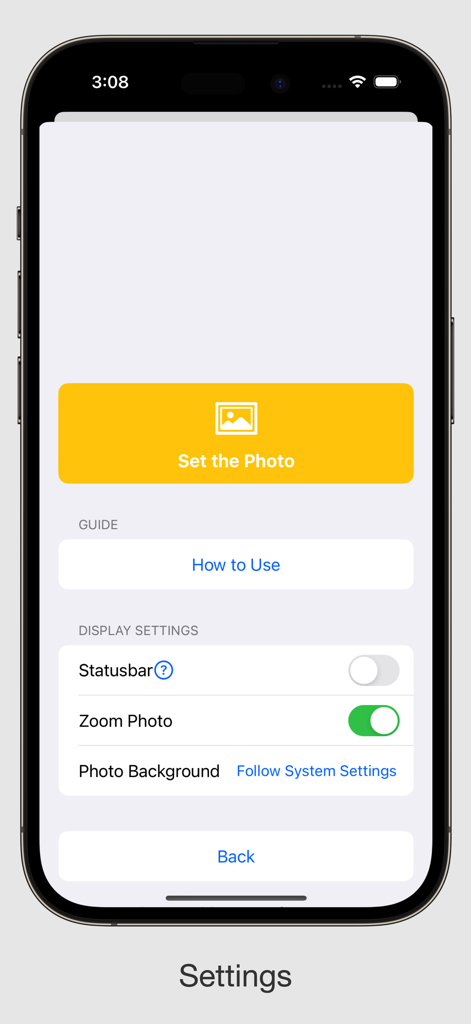
Photo Holder - Photo Holder 앱의 설정 화면, 사진 설정 및 상태 표시줄 및 확대/축소와 같은 디스플레이 설정 조정 옵션 표시

Photo Holder 앱의 설정 화면, 사진 설정 및 상태 표시줄 및 확대/축소와 같은 디스플레이 설정 조정 옵션 표시

설명

This app fixes only “One” photo, This app is useful when you want to display only “One” photo. When displaying a photo in Photos app, Tapping or Swiping the screen will cause the photo to go to another photo. It is surprisingly difficult to fix a photo so that nothing happens when you tap on it. Photos displayed with this app do not easily move to other screens even if you Tapping or Swiping the screen with your finger. So, for example, if you put a photo in your pocket or bag with the photo displayed, it will keep that screen all the time. +++ This may be useful in the following situations +++ * When you want to display the map image on the map while you are traveling. * When you are working with a photo for the time being. * When you want to work on various tasks while displaying the image of a memo all the time. * When you want to display photos as a photo frame at all times. * For drawing and sketching. +++ Advantages +++ * You can see the same picture every time when you start up the app. * Nothing happens even if you touch the screen. * Screen does not turn off by itself. +++ Detailed settings +++ * Zoom on / off * Statusbar display on / off * Change background color White / Black / Gray / Blur +++ How to use +++ Press and hold anywhere on the screen for 2 seconds to bring up the settings screen. From the settings screen, you can set the photo to be fixed and change the display settings, The following system-related items will be displayed even while the app is running. - Control Center - Swipe from the bottom to return to the home screen - Volume button - Side button - Home bar when the screen is touched - Notification and call dialogs - Notification when the battery is low etc.... There are many uses, aren't there? We hope you will make use of it!

Download

다운로드: App Store

이 페이지는 앱이나 개발자의 공식 페이지가 아니며, 정보 제공 및 논평을 목적으로 작성된 독립 편집 간행물입니다. 명시적으로 달리 언급되지 않는 한, 해당 앱이나 개발자는 MWM, Apple, Google Play, 앱 퍼블리셔 또는 앱 개발자와 제휴, 보증, 후원, 승인 또는 공식적으로 연결되어 있지 않으며, 이 페이지의 어떤 내용도 해당 앱이 MWM의 서비스를 사용하여 개발되었음을 의미하지 않습니다. 모든 상표, 로고, 스크린샷 및 기타 콘텐츠는 해당 소유자의 자산입니다.








