이 페이지는 앱이나 개발자의 공식 페이지가 아니며, 정보 제공 및 논평을 목적으로 작성된 독립 편집 간행물입니다. 명시적으로 달리 언급되지 않는 한, 해당 앱이나 개발자는 MWM, Apple, Google Play, 앱 퍼블리셔 또는 앱 개발자와 제휴, 보증, 후원, 승인 또는 공식적으로 연결되어 있지 않으며, 이 페이지의 어떤 내용도 해당 앱이 MWM의 서비스를 사용하여 개발되었음을 의미하지 않습니다. 모든 상표, 로고, 스크린샷 및 기타 콘텐츠는 해당 소유자의 자산입니다.
Photo Layers: Editor de fotos
소셜 미디어 크리에이터와 모바일 디자이너를 위한 궁극의 창의적인 툴킷. 데스크탑 수준의 정확도로 이미지를 블렌딩하고, 배경을 바꾸고, 색상 보정을 마스터하세요. 배우기 어려울 필요가 없습니다.
주요 수치
다운로드
654K+
사용자 평점
4.6/5
총 평가 수
6K+
개발사
Andor Communications Private Limited
카테고리
Photo & Video
지원 언어
14
최신 버전
1.1.3
크기
171.3 MB
출시일
2018년 9월 2일
기능
주머니 속 전문가급 기능
PhotoLeaf는 모바일 장치에 고급 레이어 기반 편집 기능을 제공하여 몇 초 만에 멋진 소셜 콘텐츠와 독특한 디자인을 만드는 데 필요한 전문 도구를 제공합니다.
고급 레이어 블렌딩
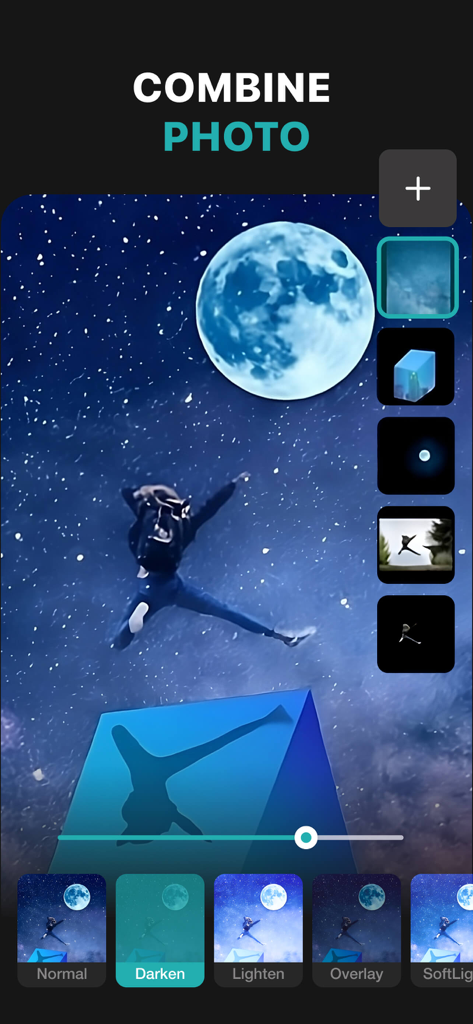
전문가 수준의 블렌딩 모드와 마스크를 사용하여 여러 이미지를 결합하여 숨 막힐 듯한 이중 노출 및 예술적인 구성을 만듭니다.
매끄러운 누끼 및 배경 제거
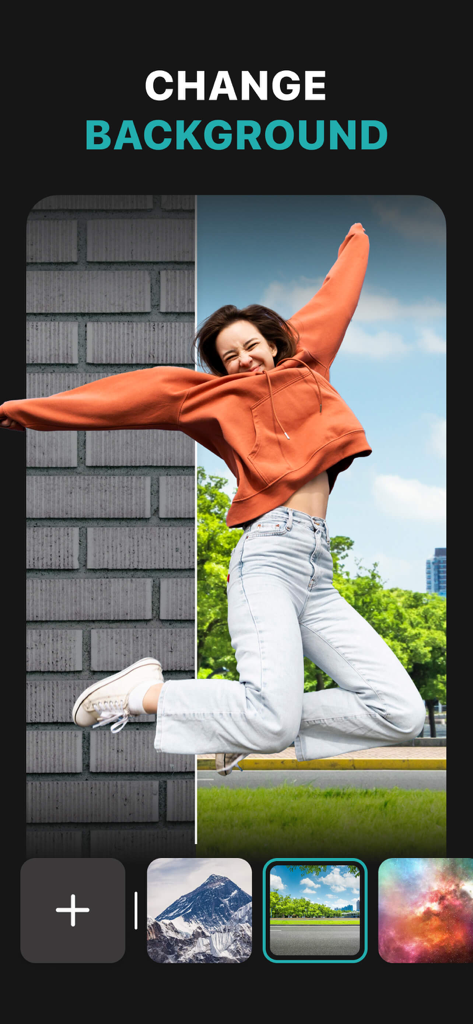
스마트 올가미 도구를 사용하여 배경을 즉시 제거하세요. 전문적인 제품 사진, 맞춤 스티커 및 바이럴 그래픽에 완벽합니다.
다음 스크린샷과 설명은 앱의 공식 스토어 목록에서 직접 가져온 것이며 앱 개발자의 자산입니다.
앱 스토어
스크린샷
PhotoLeaf 모바일 앱이 별이 빛나는 밤 이미지에 레이어 기반 사진 편집 및 블렌딩 모드를 보여주고 있습니다
여성이 다른 풍경 위를 점프하는 배경 변경 기능을 보여주는 PhotoLeaf 앱의 스크린샷
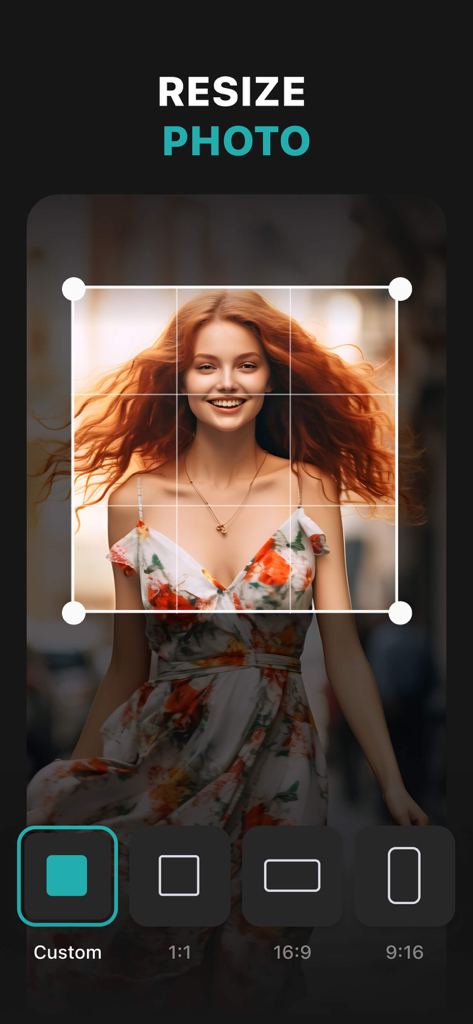
다양한 종횡비 옵션으로 사진 크기 조절을 위한 PhotoLeaf 앱 인터페이스
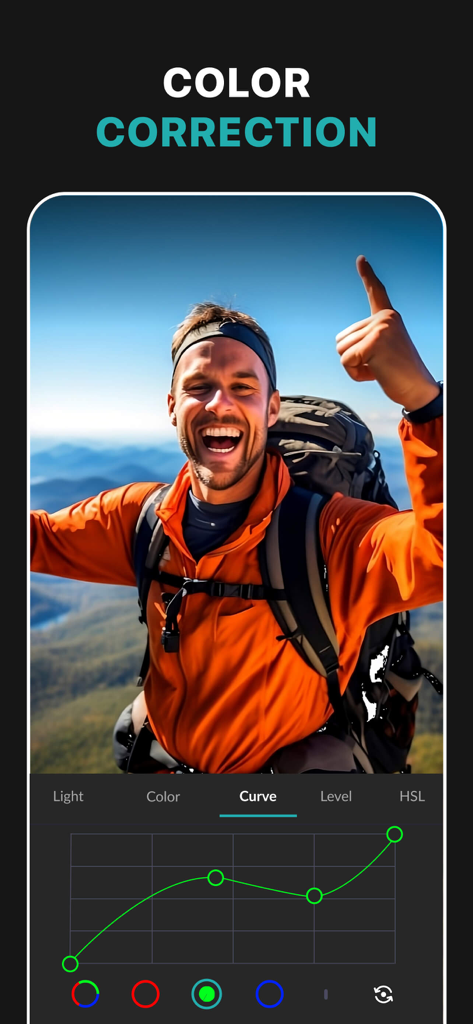
하이킹 사진에 대한 전문적인 색상 보정을 위한 RGB 곡선 도구를 보여주는 PhotoLeaf 앱의 스크린샷
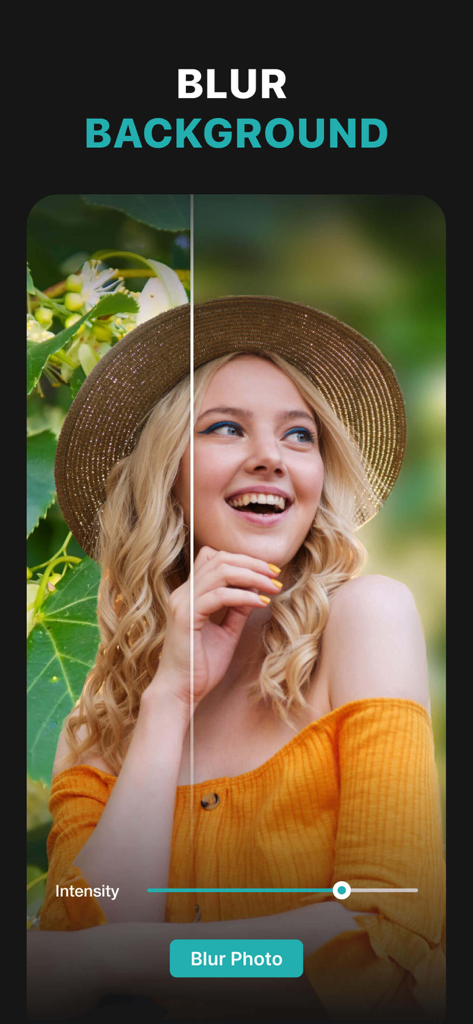
PhotoLeaf 블러 배경 도구로 편집 중인 여성 초상화, 전후 비교를 보여줍니다
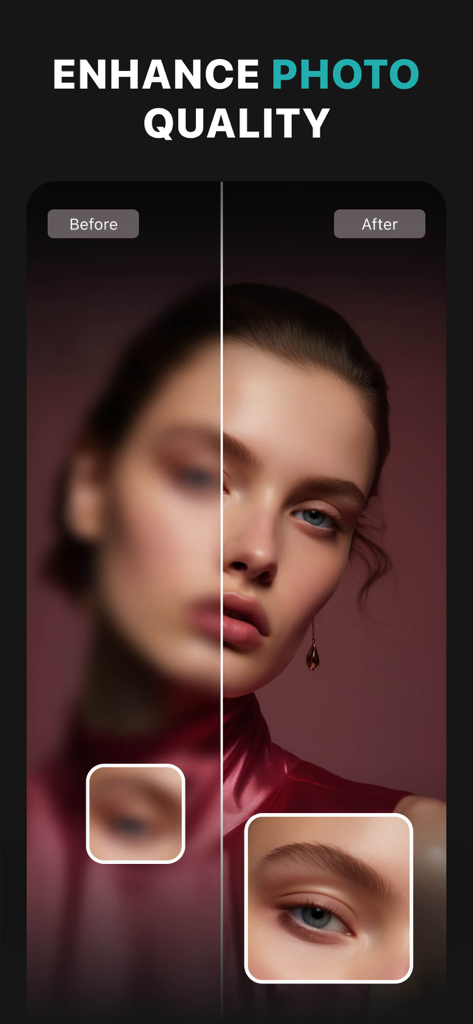
PhotoLeaf 앱의 사진 품질 향상 및 선명도 개선 전후 비교 초상화
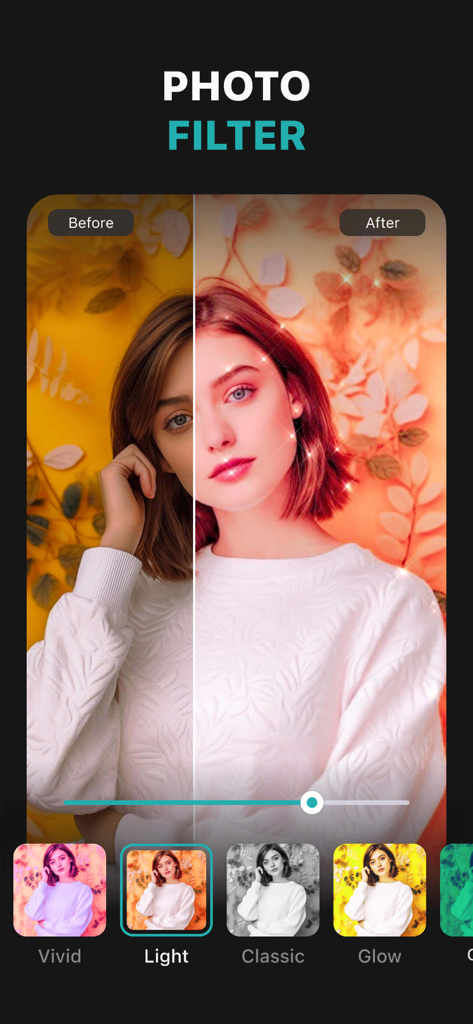
전후 사진 필터 비교를 보여주는 PhotoLeaf 앱 화면
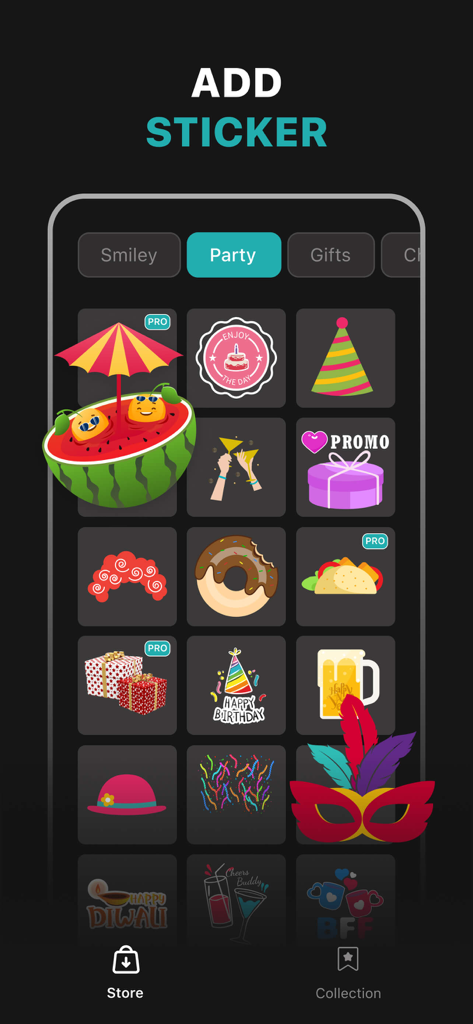
케이크, 파티 모자, 선물 상자와 같은 파티 테마 그래픽을 보여주는 PhotoLeaf 앱 스티커 스토어의 스크린샷
설명
PhotoLeaf : Explore creativity by sleight of hand PhotoLeaf is a powerful, full-featured, layer-based photo editing app at your fingertips. PhotoLeaf and a little imagination can make beautiful photo even more beautiful. PhotoLeaf is a photo editing app for everyone : whether you are novice, a pro user or mobile graphic designer. PhotoLeaf app will easily create amazing multi-layered creative with touch of your fingers. Enjoy All rendering, adjustments, brushes and filters are fully hardware accelerated. Overview: • Blend your photos, combine multiple images using layers • Superimpose photos using complex blending modes. • Remove unwanted objects from your image easily. • Custom overlay supported for more flexibility. • Add text layers, shapes and images to create stylish design creative. • Blur, sharpen, lighten, or darken portion/area of an image • Multiple mask modes can be applied on an area. Brush Mask, Color Mask, radial mask, Luminance mask Color correction Like A Pro: • Adjust the brightness and saturation of a color using Hue, Saturation, Lightness • Single-tap color correction presets with color balance, Temperature, Tint, Vibrance, Saturation. • Control the intensity of the respective color channels in the image with Curves: RGB, blue, red, green channels • Color correction with Levels • Tonal color correction with : Highlight and shadow tone, Tone balancing Light Adjustments: • Light: Exposure, Brightness, Contrast, Highlights, Shadows, Whites, Blacks, • Vignette: Amount, Highlights, Roundness General tools & features: 1. Cutout and Photo Background Changer • Use Lasso tool to recognise similar regions and change photo background • You can superimpose your cutout on any photo background and create new content 2. Color Splash Photo Effects • Selectively apply different color, light and gray photo effects on different regions of photos • Smart lasso tool to automatically select similar color splash regions • Powerful brush to selectively edit images 3. Merge photos • Mix photo to create impressive photo effects • Merge photos using different blend modes like darken blend, lighten blend to create double exposure, multiple exposure photo effects 4. Doodle and drawings • Use different doodle brush options to draw on your images • Change color, thickness and size of your doodle brush 5. Text on photo • Add different text on your images and create text memes as well • Option to change thickness, color, font, opacity of the added text 6. Blur Photo Editor • Apply different blur effects like lens blur, bokeh blur and use mask to blur background. • Apply vignette effect on inner and outer regions. 7. Unlimited social fun • Create your own stickers and cartoonize them • Superimpose stickers on different background images to wow your friends • Instantly share on Facebook,Twitter, WhatsApp, WeChat,Instagram and other social networks 8. Standard Editing • Apply global adjustments to your image by changing lighting, tonality and color of your image PHOTOLEAF PREMIUM SUBSCRIPTION : - You can subscribe PhotoLeaf premium subscription for unlimited access to all features within PhotoLeaf app. - Subscriptions are billed monthly, annually at the rate selected depending on the subscription plan. - Subscriptions auto-renew at the cost of the chosen package, unless cancelled 24-hours in advance prior to the end of the current period. - The subscription fee is charged to your iTunes account at confirmation of purchase. - You may manage your subscription and turn off auto-renewal by going to your Account Settings after purchase. - Per Apple policy, no cancellation of the current subscription is allowed during active subscription period. - Once purchased, refunds will not be provided for any unused portion of the term. - Terms of use: https://www.photoleaf.app/terms.html - Privacy policy: https://www.photoleaf.app/privacy.html
이 페이지는 앱이나 개발자의 공식 페이지가 아니며, 정보 제공 및 논평을 목적으로 작성된 독립 편집 간행물입니다. 명시적으로 달리 언급되지 않는 한, 해당 앱이나 개발자는 MWM, Apple, Google Play, 앱 퍼블리셔 또는 앱 개발자와 제휴, 보증, 후원, 승인 또는 공식적으로 연결되어 있지 않으며, 이 페이지의 어떤 내용도 해당 앱이 MWM의 서비스를 사용하여 개발되었음을 의미하지 않습니다. 모든 상표, 로고, 스크린샷 및 기타 콘텐츠는 해당 소유자의 자산입니다.