
이 페이지는 앱이나 개발자의 공식 페이지가 아니며, 정보 제공 및 논평을 목적으로 작성된 독립 편집 간행물입니다. 명시적으로 달리 언급되지 않는 한, 해당 앱이나 개발자는 MWM, Apple, Google Play, 앱 퍼블리셔 또는 앱 개발자와 제휴, 보증, 후원, 승인 또는 공식적으로 연결되어 있지 않으며, 이 페이지의 어떤 내용도 해당 앱이 MWM의 서비스를 사용하여 개발되었음을 의미하지 않습니다. 모든 상표, 로고, 스크린샷 및 기타 콘텐츠는 해당 소유자의 자산입니다.


Photo Scanner .
오프라인 앨범을 고품질 디지털 기록으로 전환하여 가족의 유산을 보존하세요. 아이폰 카메라만 사용하여 빈티지 사진을 즉시 스캔, 정리 및 공유하세요.
다운로드
53K+사용자 평점
총 평가 수
4K+개발사
카테고리
Utilities지원 언어
1최신 버전
9.6크기
127.9 MB출시일
2019년 4월 6일가족의 유산을 몇 초 만에 보존하세요
먼지 쌓인 상자를 생기 넘치는 디지털 라이브러리로 바꾸세요. Photo Scanner는 복잡한 기술 없이도 디지털화, 향상 및 정리하는 데 필요한 모든 도구를 제공합니다.
원샷 디지털 스캔
부피가 큰 장비는 건너뛰세요. 아이폰 카메라를 사용하여 한 번의 탭으로 물리적 인쇄물을 고품질 디지털 기록으로 변환하세요.
각 사진에 특별한 메모와 날짜를 추가하여 다음 세대가 얼굴 뒤의 이름과 추억을 잊지 않도록 하세요.
자주 묻는 질문
에 대해 알아야 할 모든 것 Photo Scanner .
Photo Scanner란 무엇인가요?
Photo Scanner는 아이폰 카메라를 사용하여 인쇄된 사진을 디지털화하는 앱입니다. 디지털 스캔을 생성하여 사용자가 편집하고, 필터를 적용하고, 메모를 추가하고, 앨범으로 구성하여 쉽게 공유할 수 있습니다.
Photo Scanner는 사진을 어떻게 디지털화하나요?
Photo Scanner는 아이폰 카메라를 활용하여 인쇄된 사진 한 장을 단 한 번의 촬영으로 디지털 스캔합니다. 그런 다음 앱에서 편집하고 휴대폰 갤러리에 자동으로 저장할 수 있습니다.
Photo Scanner 사용자는 이미지에 필터를 적용할 수 있나요?
예, Photo Scanner 사용자는 이미지에 다양한 필터를 적용할 수 있습니다. 이 앱은 필터, 화이트 밸런스, 색조, 대비, 채도, 비네트 및 자르기 도구를 포함한 다양한 편집 기능을 제공합니다.
Photo Scanner는 사진 구성을 지원하나요?
Photo Scanner Premium에서 사용할 수 있는 구독 요금제는 무엇인가요?
Photo Scanner Premium은 3가지 구독 요금제를 제공합니다: 1년 $49.99, 1개월 $3.99, 1주 $1.99. 각 요금제에는 결제 시작 전 무료 평가판 기간이 포함됩니다.
Photo Scanner는 무료 평가판을 제공하나요?
예, Photo Scanner는 무료 평가판을 제공합니다. 1년 및 1개월 프리미엄 요금제에는 3일 무료 평가판이 포함되며, 1주 요금제는 구독 시작 전에 2일 무료 평가판을 제공합니다.
Photo Scanner 구독을 어떻게 관리하거나 취소하나요?
사용자는 구매 후 계정 설정에 액세스하여 Photo Scanner 구독을 관리합니다. 자동 갱신을 취소하려면 현재 기간이 종료되기 최소 24시간 전에 자동 갱신을 해제해야 합니다. iTunes를 통해서도 가능합니다.
Photo Scanner 앱의 개인정보처리방침은 어디에 있나요?
Photo Scanner 앱의 개인정보처리방침은 https://bestcoolappsllc.wordpress.com/privacy-policy/에서 온라인으로 확인할 수 있습니다. 이 문서는 애플리케이션이 사용자 정보와 데이터를 어떻게 처리하는지에 대해 자세히 설명합니다.
스캔한 사진은 Photo Scanner에 자동으로 저장되나요?
예, Photo Scanner는 오래된 인쇄 사진에서 만든 디지털 사진을 자동으로 저장합니다. 이 디지털화된 이미지는 편리한 액세스와 공유를 위해 휴대폰 갤러리에 직접 저장됩니다.
Photo Scanner에서 디지털화된 사진을 공유할 수 있나요?
예, 사용자는 Photo Scanner에서 디지털화된 사진을 쉽게 공유할 수 있습니다. 이 애플리케이션은 스캔한 사진을 휴대폰 갤러리에 자동으로 저장하여 가족 및 친구와 쉽게 공유할 수 있도록 합니다.
다음 스크린샷과 설명은 앱의 공식 스토어 목록에서 직접 가져온 것이며 앱 개발자의 자산입니다.
앱 스토어
스크린샷
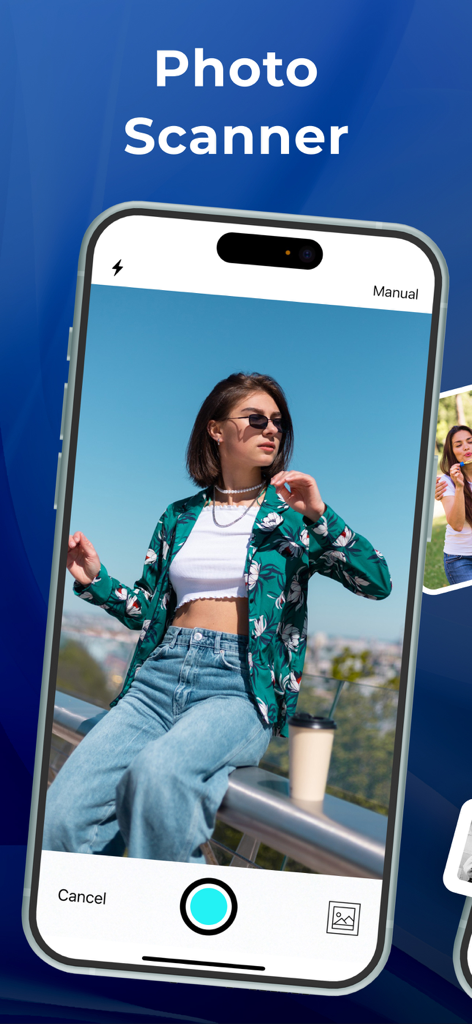
아이폰에서 사진 스캐너 앱의 인터페이스로, 사진이 디지털화되는 것을 보여줍니다.
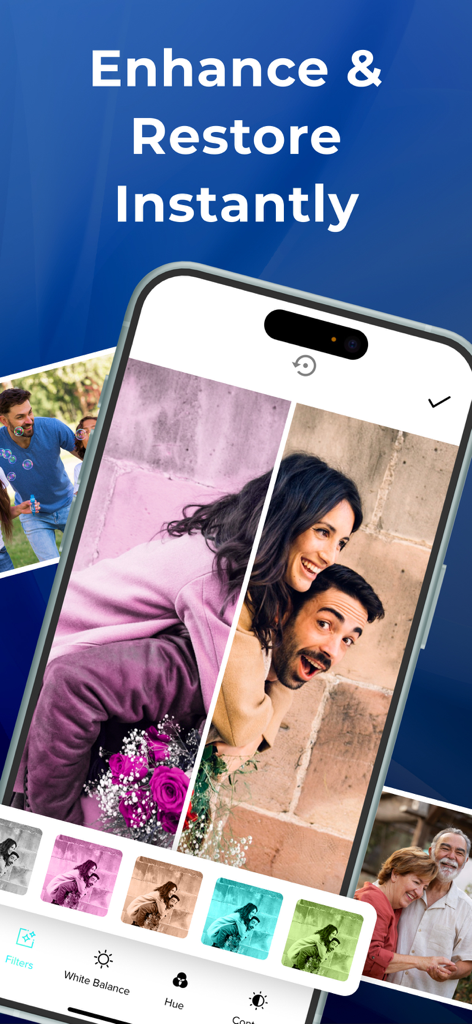
스마트폰에 사진 스캔 앱 인터페이스가 표시되며, 오래된 사진의 복원 전후 비교를 보여줍니다.
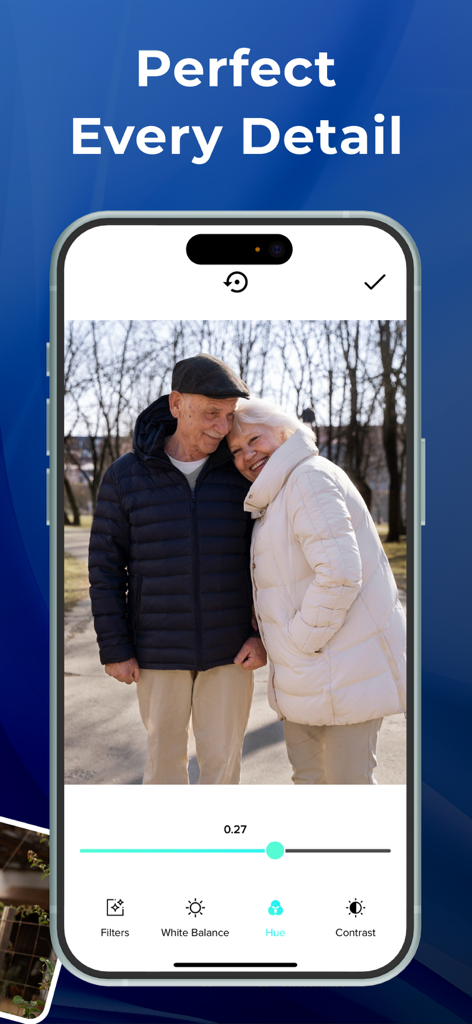
Photo Scanner 앱의 인터페이스로, 노부부의 스캔된 사진의 색조 조정을 보여줍니다.
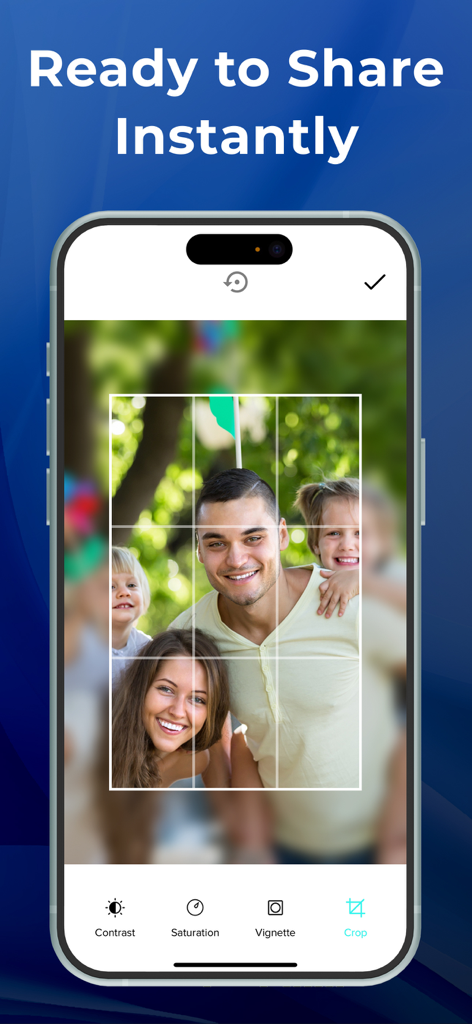
Photo Scanner 앱의 인터페이스로, 대비 및 채도와 같은 편집 도구를 사용하여 가족 사진을 자르는 것을 보여줍니다.
설명
Download
비슷한 앱
유사한 기능과 사용자 경험을 가진 앱

instax UP! -Scan instax photos
FUJIFILM Corporation

エコー写真
ROLLCAKE Inc.

Photo Scanner Pro: Scan Albums
Maple Media Apps, LLC

Photo Scanner: Scan old Albums
Maple Media Apps, LLC

SlideScan - Slide Scanner App
Photomyne LTD

FilmBox by Photomyne
Photomyne LTD
Pic Scanner Gold: Scan photos
App Initio Limited
이 페이지는 앱이나 개발자의 공식 페이지가 아니며, 정보 제공 및 논평을 목적으로 작성된 독립 편집 간행물입니다. 명시적으로 달리 언급되지 않는 한, 해당 앱이나 개발자는 MWM, Apple, Google Play, 앱 퍼블리셔 또는 앱 개발자와 제휴, 보증, 후원, 승인 또는 공식적으로 연결되어 있지 않으며, 이 페이지의 어떤 내용도 해당 앱이 MWM의 서비스를 사용하여 개발되었음을 의미하지 않습니다. 모든 상표, 로고, 스크린샷 및 기타 콘텐츠는 해당 소유자의 자산입니다.