Photos PDF - Pdf Converter
다운로드: App Store

이 페이지는 앱이나 개발자의 공식 페이지가 아니며, 정보 제공 및 논평을 목적으로 작성된 독립 편집 간행물입니다. 명시적으로 달리 언급되지 않는 한, 해당 앱이나 개발자는 MWM, Apple, Google Play, 앱 퍼블리셔 또는 앱 개발자와 제휴, 보증, 후원, 승인 또는 공식적으로 연결되어 있지 않으며, 이 페이지의 어떤 내용도 해당 앱이 MWM의 서비스를 사용하여 개발되었음을 의미하지 않습니다. 모든 상표, 로고, 스크린샷 및 기타 콘텐츠는 해당 소유자의 자산입니다.

로고: Photos PDF - Pdf Converter
다운로드: App Store

Photos PDF - Pdf Converter

고품질 PDF로 이미지를 손쉽게 변환하고, 계약서에 서명하고, 전문적인 수준의 암호화로 민감한 파일을 보호하세요. 스캐너 없이도 워크플로우를 간소화하고 어디서든 문서를 관리하세요.

주요 수치

다운로드

1K+

사용자 평점

4.9/5

총 평가 수

0

개발사

Jayotsanaben Hadiya

카테고리

Business

지원 언어

14

최신 버전

1.22

크기

29.3 MB

출시일

2023년 6월 15일
기능

완벽한 모바일 PDF 명령 센터

데스크톱을 버리고 전문 문서를 쉽게 관리하세요. 언제 어디서든 파일을 변환, 서명 및 보호하세요.

즉석 스캔 및 변환

사진, 웹 페이지 및 문서를 전문적인 수준의 PDF로 변환하세요. 영수증과 스케치를 즉시 디지털화하는 데 완벽합니다.

간소화된 전자 서명

iPhone 또는 iPad에서 직접 계약서 및 합의서에 서명하세요. 프린터와 스캐너를 건너뛰고 이동 중에 거래를 성사시키세요.

다음 스크린샷과 설명은 앱의 공식 스토어 목록에서 직접 가져온 것이며 앱 개발자의 자산입니다.

앱 스토어

스크린샷
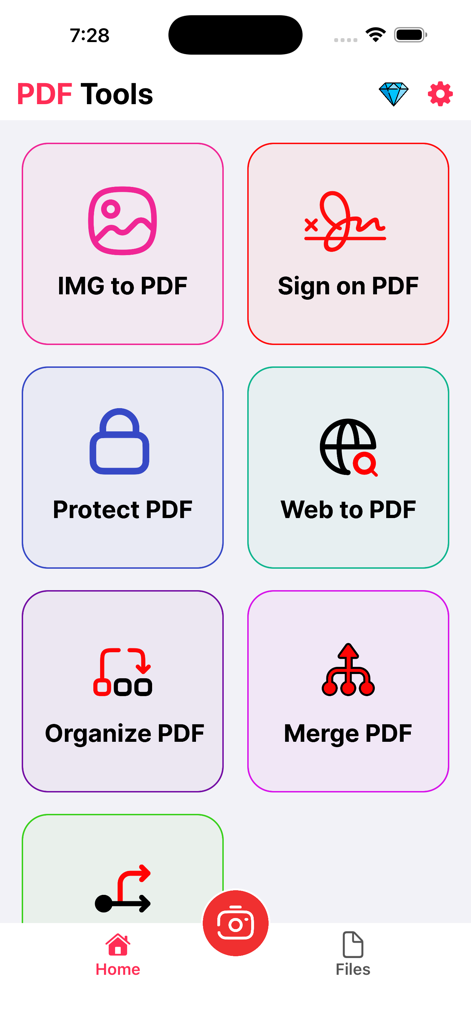
Photos PDF - Pdf Converter - 이미지-PDF 변환, 전자 서명 및 문서 보호 도구가 포함된 Photos PDF 앱의 메인 메뉴
이미지-PDF 변환, 전자 서명 및 문서 보호 도구가 포함된 Photos PDF 앱의 메인 메뉴

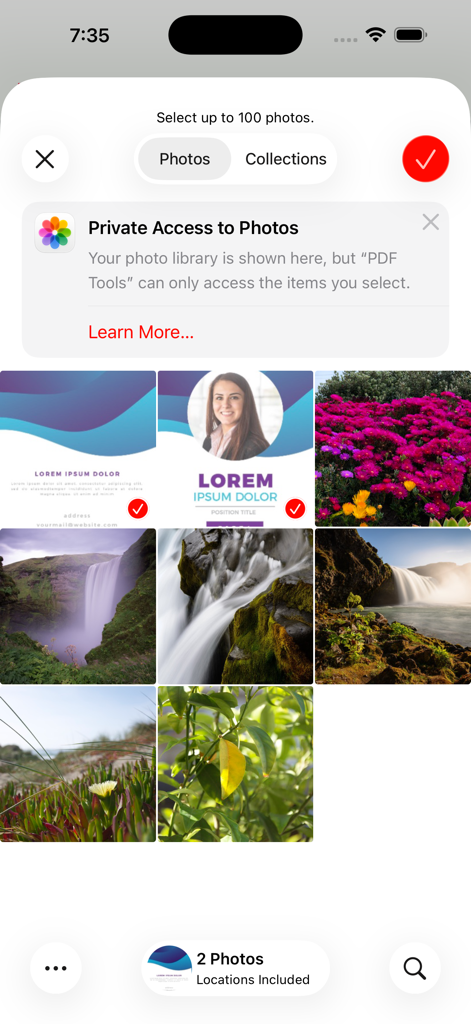
Photos PDF - Pdf Converter - 사진 선택 그리드를 보여주는 Photos PDF 앱 인터페이스, 개인 정보 접근 알림 포함
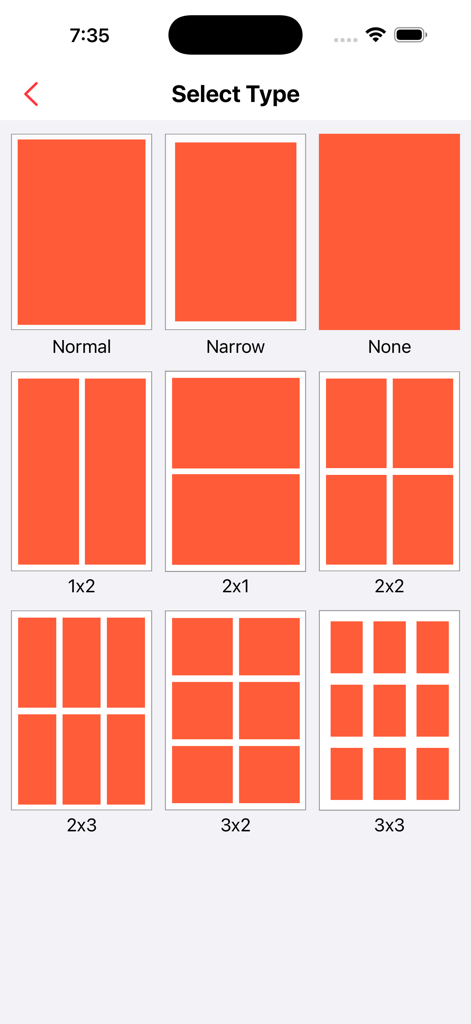
사진 선택 그리드를 보여주는 Photos PDF 앱 인터페이스, 개인 정보 접근 알림 포함

Photos PDF - Pdf Converter - PDF 문서 생성을 위한 2x2 및 3x3과 같은 사진 그리드 레이아웃 선택 인터페이스
PDF 문서 생성을 위한 2x2 및 3x3과 같은 사진 그리드 레이아웃 선택 인터페이스

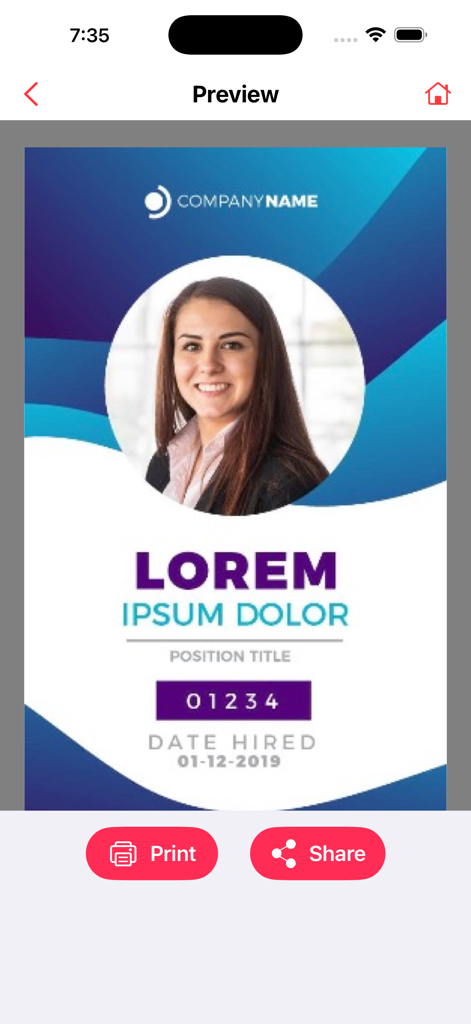
Photos PDF - Pdf Converter - 인쇄 및 공유 버튼이 있는 PDF 변환기 앱의 전문 문서 미리보기 화면.

인쇄 및 공유 버튼이 있는 PDF 변환기 앱의 전문 문서 미리보기 화면.

설명

PDF Toolkit: Convert, Edit & Secure PDFs is the ultimate iOS app for efficient PDF document management. With powerful features that allow you to convert images and web pages to high-quality PDFs, securely sign and protect your PDFs, and organize or edit documents seamlessly, this app simplifies your workflow and puts complete control over your PDFs in the palm of your hand. Effortless PDF Conversion: Convert images, documents, and web pages to high-quality PDFs with just a few taps. Maintain the original layout, formatting, and quality, while creating compact and shareable PDFs for easy distribution. Streamlined E-Signatures: Sign your PDFs securely and conveniently with our built-in e-signature functionality. Say goodbye to printing, signing, and scanning. Add, manage, and request signatures wherever you are, at any time. Protect Your PDFs: Keep your PDF files safe with built-in password protection. Secure sensitive documents with a PIN or password to ensure your files remain confidential and protected from unauthorized access. Powerful Editing and Annotation Tools: Enhance your PDFs with a comprehensive set of editing tools. Merge or split documents, rearrange pages, add text, insert images, and annotate with highlights, notes, and drawings. Tailor your PDFs to fit your needs. Efficient Document Management: Stay organized by creating folders, categorizing documents, and quickly searching for specific files. Keep all your PDFs neatly organized and easily accessible, ensuring a smooth and efficient document management experience. Intuitive and User-Friendly: With an easy-to-use interface, PDF Toolkit ensures a seamless experience for everyone, from beginners to professionals. Its robust features and simple navigation make it the perfect tool for anyone working with PDF documents. Download PDF Toolkit: Convert, Edit & Secure PDFs now to unlock the full potential of your PDFs. Simplify document conversion, enhance collaboration with e-signatures, and keep your PDFs safe and organized. Experience the power of PDF management today. Contact Us: universeassistant083@gmail.com If you choose to subscribe to any of the “Image to PDF Pro” Subscriptions, the payment will be charged to your iTunes account at confirmation of purchase. any unused portion of the free trial period, if offered, will be forfeited when you purchase a subscription to that publication. From that moment and further, the subscription automatically renews until auto-renew is turned off at least 24 hours before the end of the current period. You may manage your subscription and turn off auto-renewal by going to your account settings after purchase. No cancellation of the current subscription is allowed during the active period. If you have any questions while using this app, please contact us via email at universeassistant083@gmail.com. Terms of Use - https://sites.google.com/view/javascript-terms-of-usecript/home

Download

다운로드: App Store

이 페이지는 앱이나 개발자의 공식 페이지가 아니며, 정보 제공 및 논평을 목적으로 작성된 독립 편집 간행물입니다. 명시적으로 달리 언급되지 않는 한, 해당 앱이나 개발자는 MWM, Apple, Google Play, 앱 퍼블리셔 또는 앱 개발자와 제휴, 보증, 후원, 승인 또는 공식적으로 연결되어 있지 않으며, 이 페이지의 어떤 내용도 해당 앱이 MWM의 서비스를 사용하여 개발되었음을 의미하지 않습니다. 모든 상표, 로고, 스크린샷 및 기타 콘텐츠는 해당 소유자의 자산입니다.








