PhotoSweeper Mobile
PhotoSweeper Mobile
다운로드: App Store

이 페이지는 앱이나 개발자의 공식 페이지가 아니며, 정보 제공 및 논평을 목적으로 작성된 독립 편집 간행물입니다. 명시적으로 달리 언급되지 않는 한, 해당 앱이나 개발자는 MWM, Apple, Google Play, 앱 퍼블리셔 또는 앱 개발자와 제휴, 보증, 후원, 승인 또는 공식적으로 연결되어 있지 않으며, 이 페이지의 어떤 내용도 해당 앱이 MWM의 서비스를 사용하여 개발되었음을 의미하지 않습니다. 모든 상표, 로고, 스크린샷 및 기타 콘텐츠는 해당 소유자의 자산입니다.


로고: PhotoSweeper Mobile
다운로드: App Store

PhotoSweeper Mobile

저장 공간을 되찾고 최고의 추억만 간직하세요. macOS의 전설적인 도구가 iPhone 및 iPad용으로 재탄생하여 중복, 스크린샷, 불필요한 파일을 손쉽게 정리합니다.

주요 수치

다운로드

300

사용자 평점

4.3/5

총 평가 수

0

개발사

Maksym Cherniaiev

카테고리

Photo & Video

지원 언어

7

최신 버전

1.3.1

크기

24.4 MB

출시일

2024년 8월 9일
기능

저장 공간과 추억을 되찾으세요

추가 iCloud 요금 납부를 중단하세요. AI 기반 도구를 사용하여 디지털 불필요한 파일을 제거하고, 최고의 사진을 찾고, 몇 분 안에 라이브러리를 정리하세요.

AI 기반 품질 찾기

결정의 피로를 줄여줍니다. AI가 유사한 사진 세트에서 자동으로 최고 품질의 사진을 식별하므로 최고의 사진만 간직할 수 있습니다.

스와이프하여 정리하기

지루한 작업을 빠른 습관으로 바꾸세요. 직관적인 스와이프 제스처를 사용하여 짧은 휴식 시간에 수백 장의 사진과 동영상을 정리하세요.

다음 스크린샷과 설명은 앱의 공식 스토어 목록에서 직접 가져온 것이며 앱 개발자의 자산입니다.

앱 스토어

스크린샷

PhotoSweeper Mobile - PhotoSweeper Mobile 앱 홍보 화면, 디스크 공간 절약에 중점을 둔 사진 관리
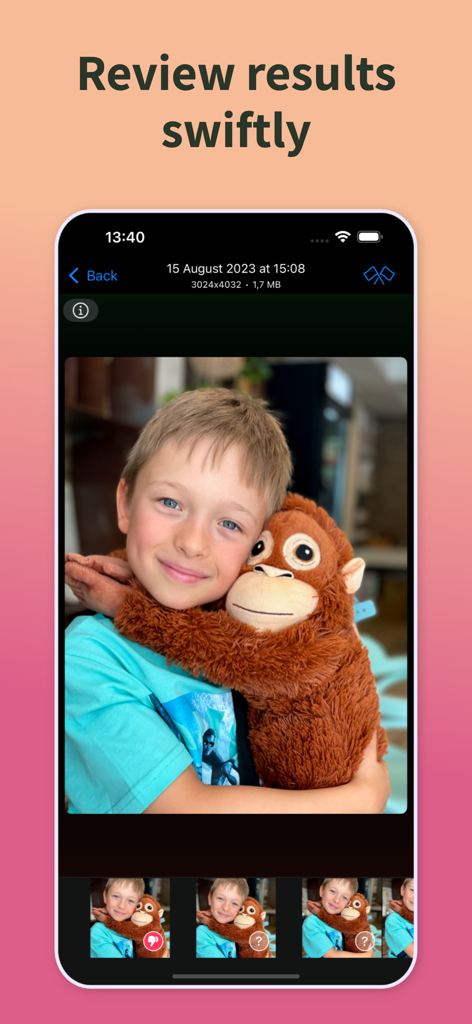
PhotoSweeper Mobile 앱 홍보 화면, 디스크 공간 절약에 중점을 둔 사진 관리

PhotoSweeper Mobile - PhotoSweeper Mobile 인터페이스, 어린이의 유사 사진 검토 및 삭제 방법 표시
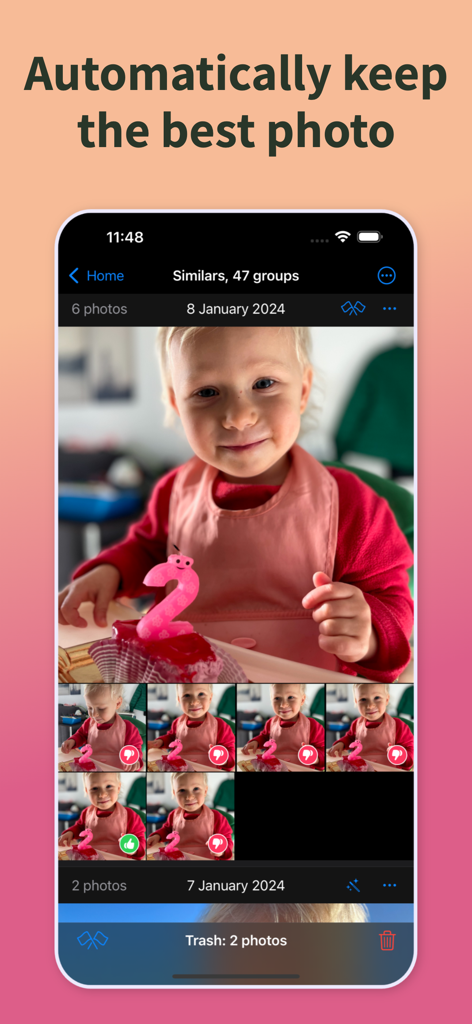
PhotoSweeper Mobile 인터페이스, 어린이의 유사 사진 검토 및 삭제 방법 표시

PhotoSweeper Mobile - PhotoSweeper Mobile 앱 인터페이스, AI가 유아 사진 그룹에서 최고의 사진을 자동으로 선택하는 모습
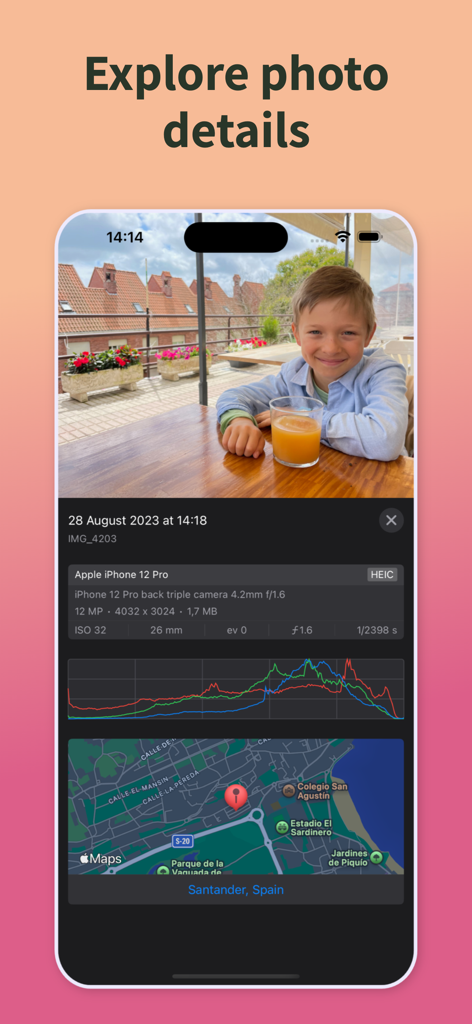
PhotoSweeper Mobile 앱 인터페이스, AI가 유아 사진 그룹에서 최고의 사진을 자동으로 선택하는 모습

PhotoSweeper Mobile - PhotoSweeper Mobile의 상세 사진 메타데이터 및 위치 지도
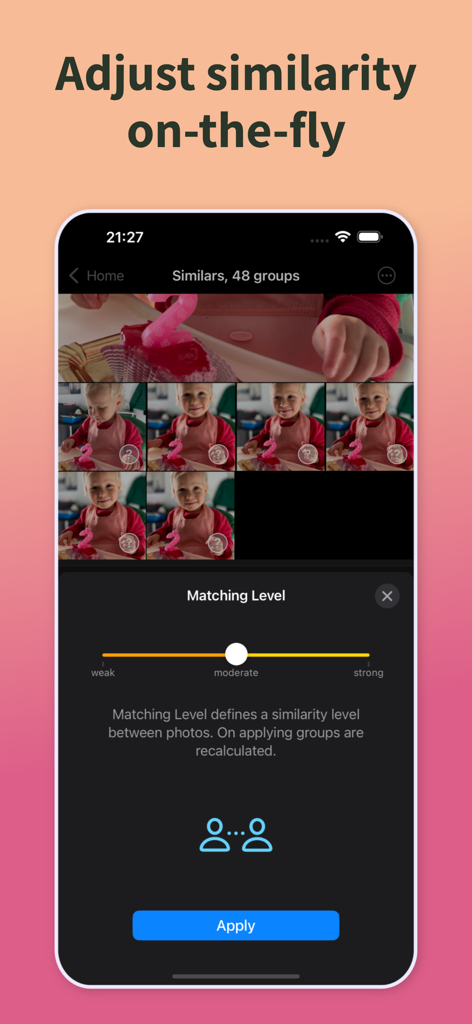
PhotoSweeper Mobile의 상세 사진 메타데이터 및 위치 지도

PhotoSweeper Mobile - PhotoSweeper Mobile 앱 인터페이스, 유사 사진 간의 유사성 조정을 위한 일치 수준 슬라이더 표시
PhotoSweeper Mobile 앱 인터페이스, 유사 사진 간의 유사성 조정을 위한 일치 수준 슬라이더 표시

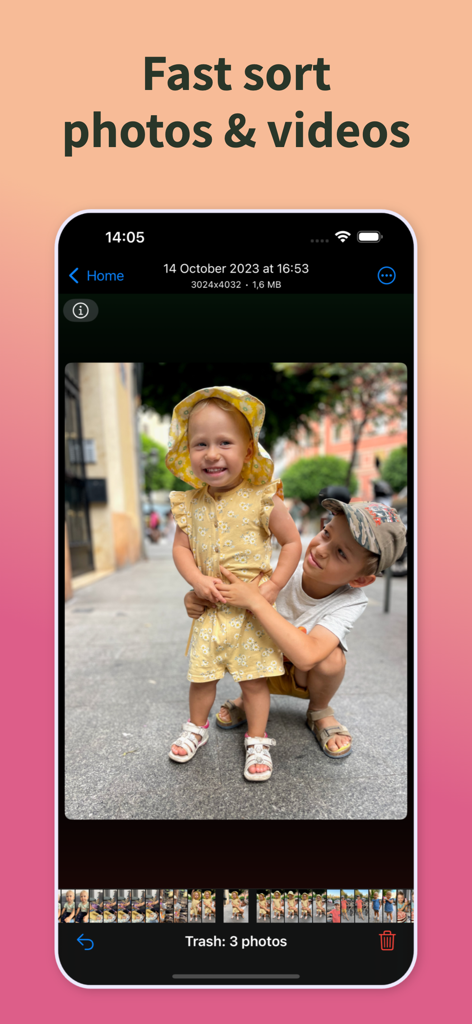
PhotoSweeper Mobile - PhotoSweeper Mobile 앱 인터페이스, 사진 및 동영상 빠른 정리 기능 표시
PhotoSweeper Mobile 앱 인터페이스, 사진 및 동영상 빠른 정리 기능 표시

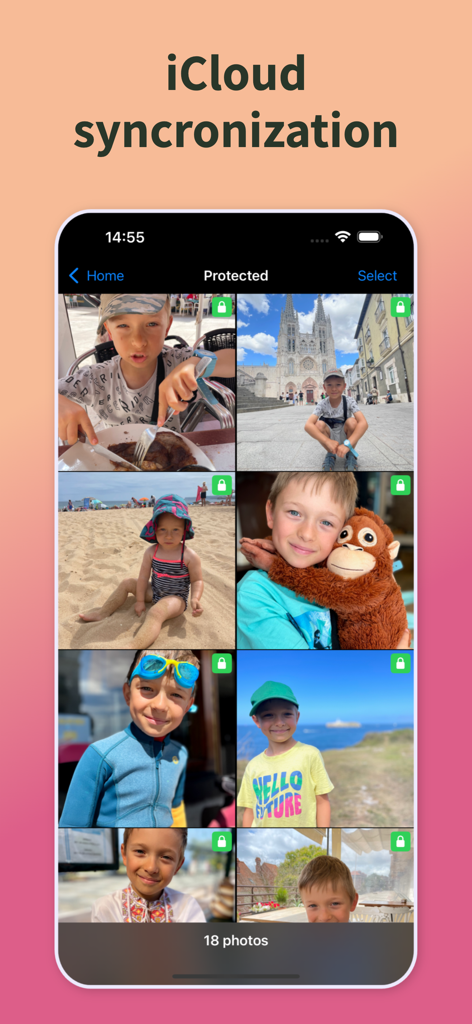
PhotoSweeper Mobile - PhotoSweeper Mobile 인터페이스, iCloud 동기화 기능으로 보호된 가족 사진 표시

PhotoSweeper Mobile 인터페이스, iCloud 동기화 기능으로 보호된 가족 사진 표시

설명

Meet the LEGEND! The premier photo cleaning tool for macOS is now available on iOS. Completely fresh application, PhotoSweeper delivers top-tier performance in its category, carefully crafted user experience, and an interface that echoes the familiar "Photos" layout. The primary aim of the app is to assist you in sorting through your photos and videos to preserve cherished memories while eliminating unnecessary duplicates and clutter to free up valuable disk space and iCloud storage. Maintaining your Photos library organized can be quite challenging, but PhotoSweeper makes it much simpler. Designed for occasional or daily use, the app streamlines the process. INSTRUMENTS + Exact Copies. Finds exact duplicates and enables you to remove them effortlessly with just a few clicks. + Similar Photos. Identifies alike photos, assists you in examining each group, and determines whether to protect or discard a photo. Once you finish reviewing a group, the next group is displayed automatically. You can adjust the similarity between photos using the Matching Level, which can be changed instantly. + Sorter. Shows all photos & videos, allowing you to swipe up to protect your favorite images, swipe down to delete them. For bulk actions, the "All in One" submode provides this capability. Sorter is accessible for all Media Types. + Large Files. Quickly identifies files that exceed your specified size threshold. + Utility Photos. Helps you detect images that may not have memorable or exciting content — receipts, screenshots, and other technical shots. KEY FEATURES + Search powered by Artificial Intelligence to find the top-quality photo within every set of similar images. + Instantly reading photos/videos from your device, without the need for re-scanning or any additional steps. + iCloud sync across all your Apple devices: kick off your work on your iPad, seamlessly transit to your iPhone, and vice versa. + Fast photo scanning. + Efficient review of similar photos. + Matching Level regulates the similarity between photos, adaptable in real-time. + Showing image details, metadata or location on the map. + Sorting photos by Media Type, such as batch removal of screenshots or large videos. + Optimized specifically for iPad. + Instant restoration upon app launch if the app was terminated in the background. + Effortless undoing any accidental actions with ease. This is just the beginning, more features are coming in the future. PAYMENT Full functionality is accessible right from the start, the only restriction is that you cannot delete photos from your gallery. Available options: One Month Service Access - $1.99 per month (US) One Year Service Access - $9.99 per year (US) Privacy Policy: https://overmacs.com/?p=privacymobile Terms of Use (EULA): https://www.apple.com/legal/internet-services/itunes/dev/stdeula/ SUPPORT For suggestions, or in case of general or technical issues, please contact us directly. We will respond within 12 hours, including holidays. support@overmacs.com

Download

다운로드: App Store

이 페이지는 앱이나 개발자의 공식 페이지가 아니며, 정보 제공 및 논평을 목적으로 작성된 독립 편집 간행물입니다. 명시적으로 달리 언급되지 않는 한, 해당 앱이나 개발자는 MWM, Apple, Google Play, 앱 퍼블리셔 또는 앱 개발자와 제휴, 보증, 후원, 승인 또는 공식적으로 연결되어 있지 않으며, 이 페이지의 어떤 내용도 해당 앱이 MWM의 서비스를 사용하여 개발되었음을 의미하지 않습니다. 모든 상표, 로고, 스크린샷 및 기타 콘텐츠는 해당 소유자의 자산입니다.








