PhotoSync – transfer photos
다운로드: App Store

이 페이지는 앱이나 개발자의 공식 페이지가 아니며, 정보 제공 및 논평을 목적으로 작성된 독립 편집 간행물입니다. 명시적으로 달리 언급되지 않는 한, 해당 앱이나 개발자는 MWM, Apple, Google Play, 앱 퍼블리셔 또는 앱 개발자와 제휴, 보증, 후원, 승인 또는 공식적으로 연결되어 있지 않으며, 이 페이지의 어떤 내용도 해당 앱이 MWM의 서비스를 사용하여 개발되었음을 의미하지 않습니다. 모든 상표, 로고, 스크린샷 및 기타 콘텐츠는 해당 소유자의 자산입니다.

로고: PhotoSync – transfer photos
다운로드: App Store

PhotoSync – transfer photos

iOS, Windows, Mac 및 NAS 간에 고해상도 사진 및 동영상을 원활하게 백업하세요. 자동 전송, RAW 지원 및 무손실 품질로 완벽한 디지털 주권을 경험하세요.

주요 수치

다운로드

1M+

사용자 평점

4.7/5

총 평가 수

19K+

개발사

touchbyte GmbH

카테고리

Photo & Video

지원 언어

8

최신 버전

4.9.7

크기

97.5 MB

출시일

2011년 2월 18일
기능

추가 조건 없이 전문가 수준의 미디어 제어

디지털 추억의 소유권을 되찾으세요. PhotoSync는 모바일 장치, 전문가용 하드웨어 및 로컬 저장소 간의 격차를 해소하는 고속, 안전 및 자동화된 전송을 제공합니다.

무제한 플랫폼 간 자유

'폐쇄형 생태계'에서 벗어나세요. 클라우드 구독이나 iTunes 없이 iOS, Mac, Windows, Linux 및 NAS 간에 무제한 고해상도 사진 및 동영상을 이동하세요.

전문가 수준의 무결성

압축 없음. RAW 및 HEIC 형식에 대한 완벽한 지원으로 파일이 원본 그대로 유지되며, 모든 EXIF, GPS 및 IPTC 메타데이터는 캡처된 그대로 보존됩니다.

FAQ

자주 묻는 질문

에 대해 알아야 할 모든 것 PhotoSync – transfer photos

PhotoSync는 무엇이며 어떤 기능을 하나요?

PhotoSync는 사진과 동영상을 무선으로 전송, 복사, 백업 및 공유하기 위한 크로스 플랫폼 솔루션입니다. iTunes나 인터넷 없이도 모바일 장치, 컴퓨터, NAS 및 다양한 클라우드 서비스를 연결하여 직접 전송할 수 있습니다.

PhotoSync는 전송을 위해 인터넷이나 클라우드 서비스가 필요한가요?

아니요, PhotoSync는 로컬 Wi-Fi, Bluetooth 또는 개인 핫스팟을 통해 장치 간 직접 전송을 가능하게 합니다. 이러한 직접 전송 방법에는 인터넷이나 클라우드 서비스가 필요하지 않습니다.

PhotoSync는 어떤 장치와 운영 체제를 지원하나요?

PhotoSync는 모바일 장치, Windows 및 Mac용 네이티브 앱을 제공합니다. Linux에서도 작동하여 사진 및 동영상 전송을 위한 광범위한 크로스 플랫폼 호환성을 제공합니다.

다음 스크린샷과 설명은 앱의 공식 스토어 목록에서 직접 가져온 것이며 앱 개발자의 자산입니다.

앱 스토어

스크린샷
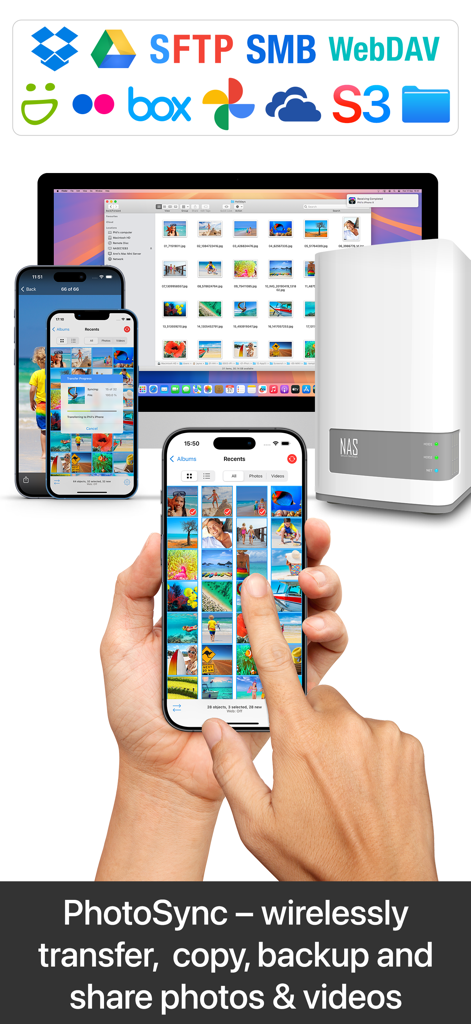
PhotoSync – transfer photos - iPhone, Mac 및 NAS 서버 간의 무선 사진 전송 및 백업
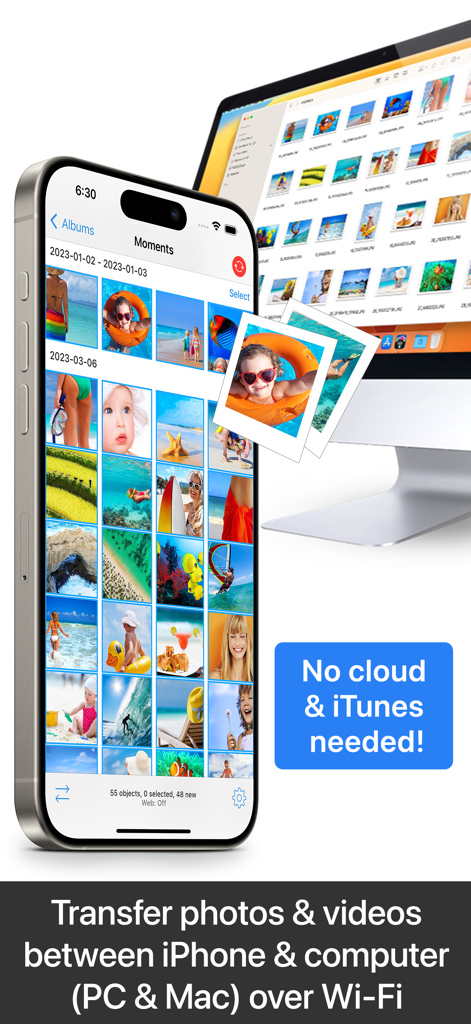
iPhone, Mac 및 NAS 서버 간의 무선 사진 전송 및 백업

PhotoSync – transfer photos - 클라우드 또는 iTunes를 사용하지 않고 Wi-Fi를 통해 iPhone과 컴퓨터 간의 사진 및 동영상 무선 전송
클라우드 또는 iTunes를 사용하지 않고 Wi-Fi를 통해 iPhone과 컴퓨터 간의 사진 및 동영상 무선 전송

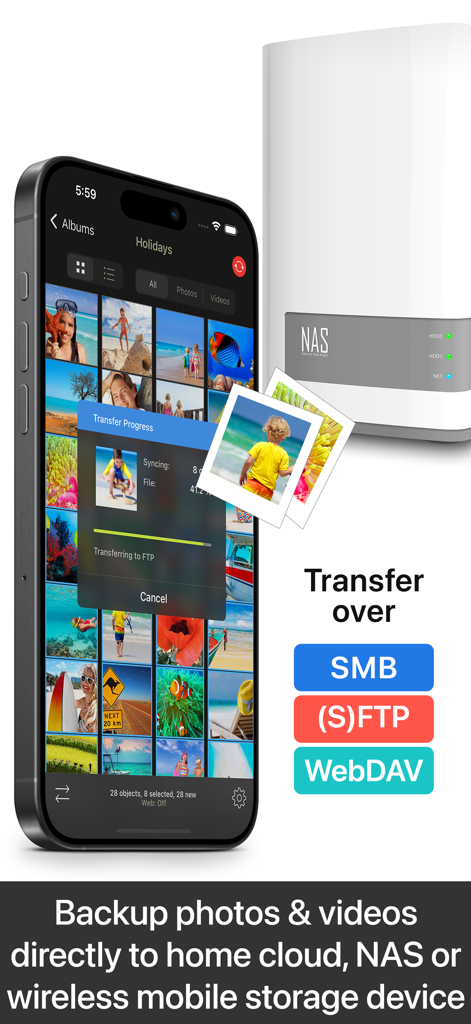
PhotoSync – transfer photos - PhotoSync 앱이 iPhone에서 NAS 저장 장치로 사진을 전송하는 중
PhotoSync 앱이 iPhone에서 NAS 저장 장치로 사진을 전송하는 중

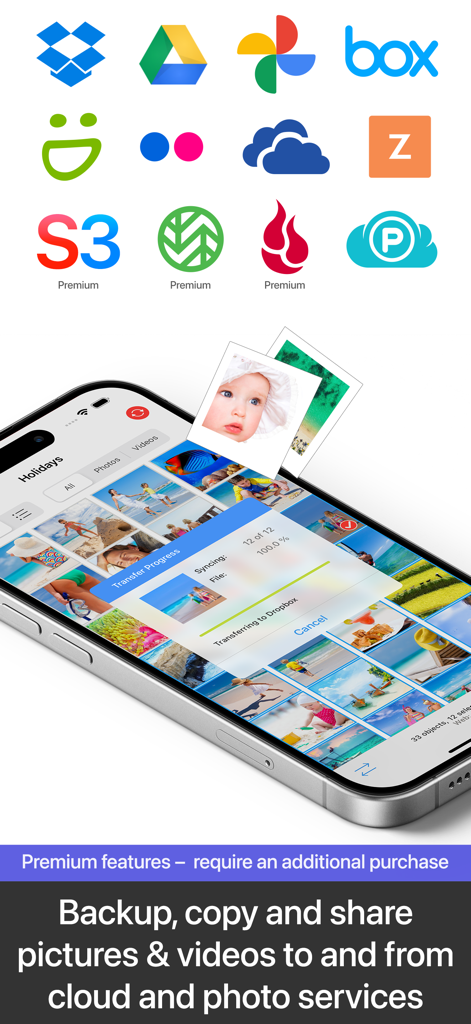
PhotoSync – transfer photos - Google Drive 및 OneDrive와 같은 다양한 클라우드 서비스 로고가 있는 Dropbox로 사진을 전송하는 PhotoSync 앱을 보여주는 스마트폰 화면
Google Drive 및 OneDrive와 같은 다양한 클라우드 서비스 로고가 있는 Dropbox로 사진을 전송하는 PhotoSync 앱을 보여주는 스마트폰 화면

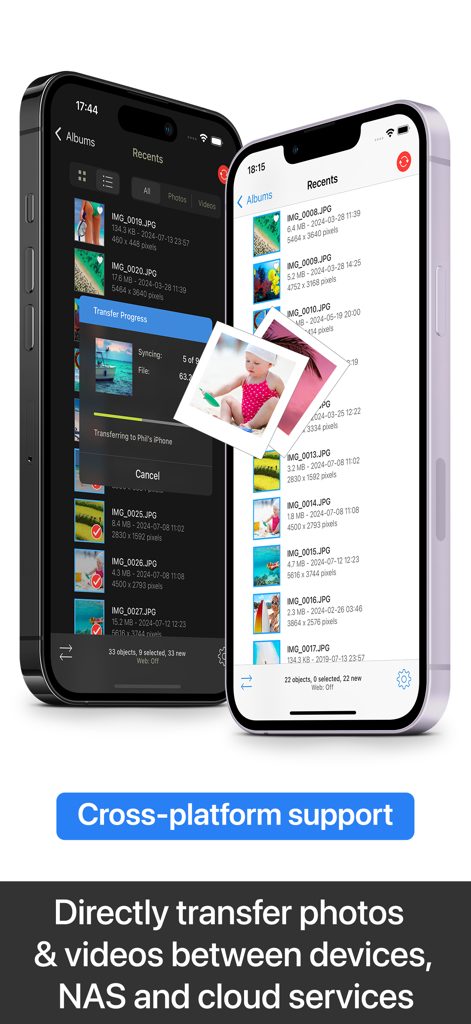
PhotoSync – transfer photos - 플랫폼 간 사진 및 동영상 전송 기능을 보여주는 두 개의 iPhone에 표시되는 PhotoSync 앱 인터페이스
플랫폼 간 사진 및 동영상 전송 기능을 보여주는 두 개의 iPhone에 표시되는 PhotoSync 앱 인터페이스

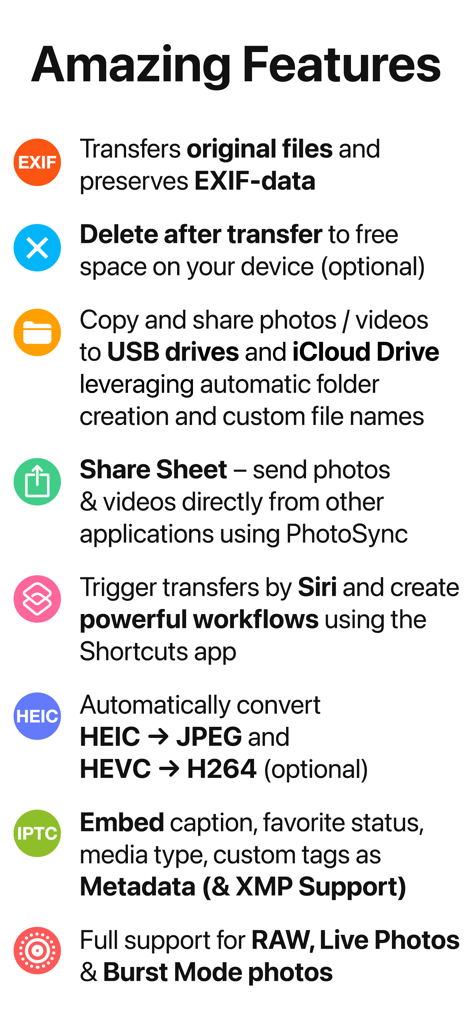
PhotoSync – transfer photos - EXIF 데이터 보존, Siri 바로 가기 및 RAW 파일 지원을 포함한 PhotoSync 앱 기능 요약
EXIF 데이터 보존, Siri 바로 가기 및 RAW 파일 지원을 포함한 PhotoSync 앱 기능 요약

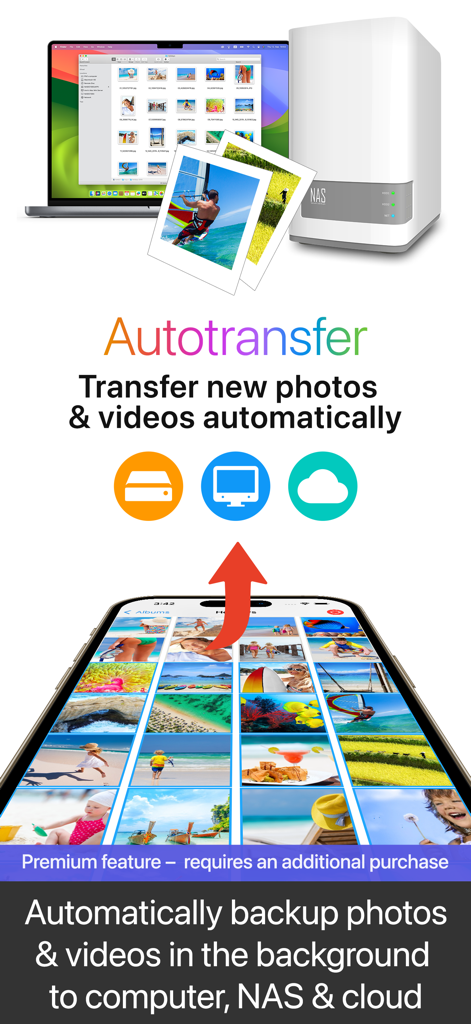
PhotoSync – transfer photos - 스마트폰에서 컴퓨터, NAS 및 클라우드로의 자동 백그라운드 사진 및 동영상 백업
스마트폰에서 컴퓨터, NAS 및 클라우드로의 자동 백그라운드 사진 및 동영상 백업

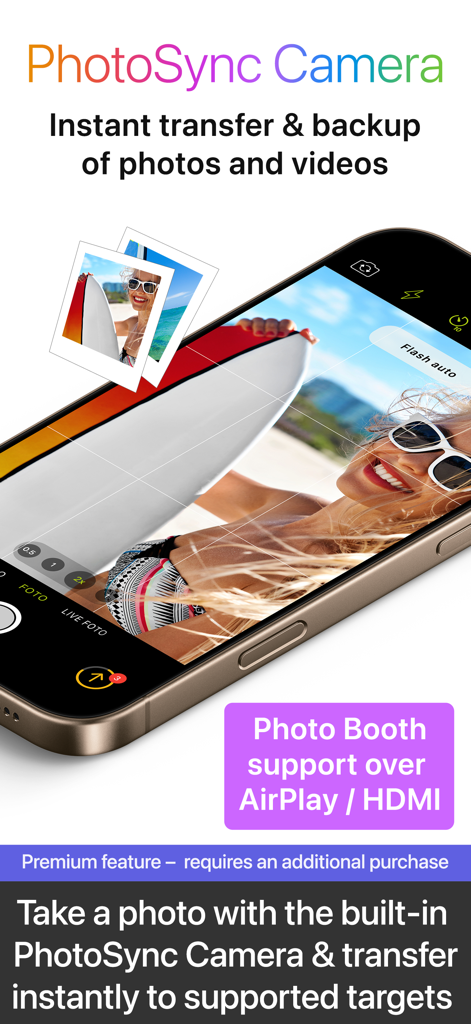
PhotoSync – transfer photos - AirPlay 지원을 포함한 즉각적인 사진 전송 및 백업을 위한 PhotoSync 카메라 기능 인터페이스
AirPlay 지원을 포함한 즉각적인 사진 전송 및 백업을 위한 PhotoSync 카메라 기능 인터페이스

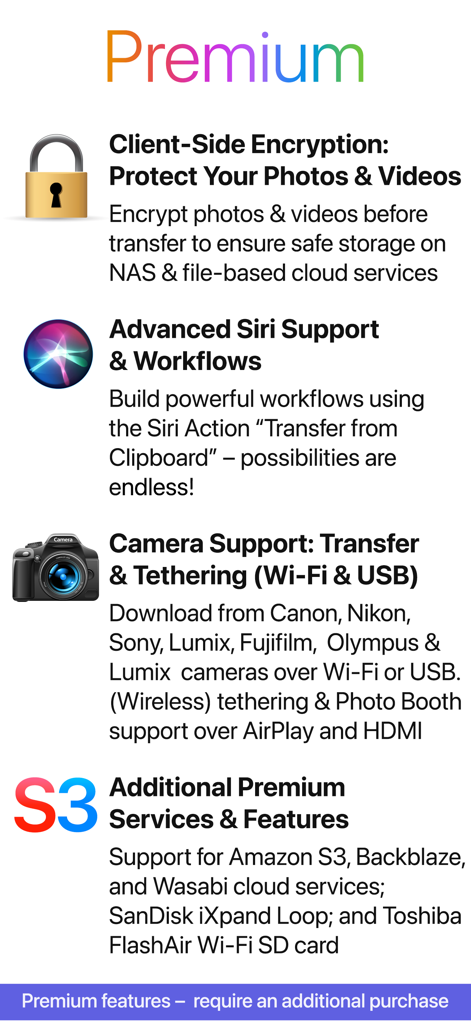
PhotoSync – transfer photos - 클라이언트 측 암호화, Siri 지원 및 카메라 테더링을 포함한 PhotoSync 프리미엄 기능 목록
클라이언트 측 암호화, Siri 지원 및 카메라 테더링을 포함한 PhotoSync 프리미엄 기능 목록

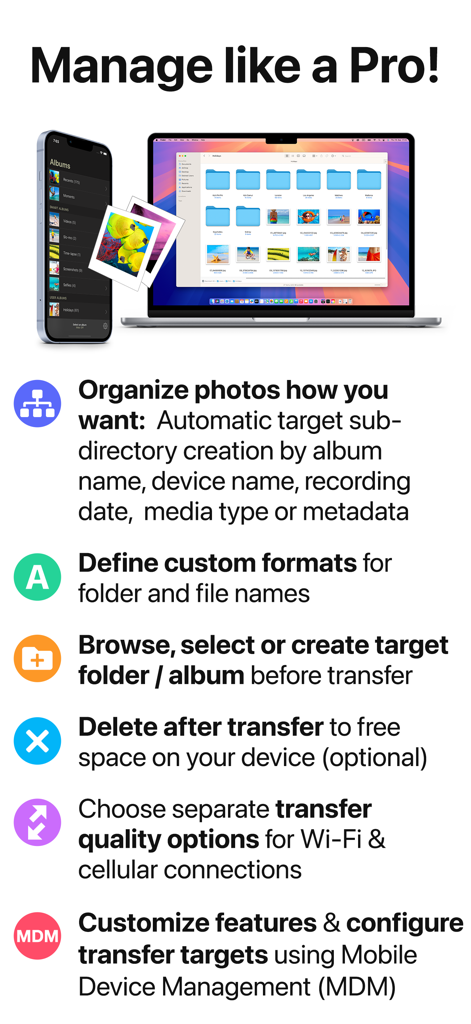
PhotoSync – transfer photos - 전문적인 사진 구성 및 전송을 위한 PhotoSync 앱 기능이 표시되는 iPhone 및 MacBook

전문적인 사진 구성 및 전송을 위한 PhotoSync 앱 기능이 표시되는 iPhone 및 MacBook

설명

** Cross-platform solution with native apps for mobile devices, Windows & Mac. Also works on Linux ** Reliable and secure software – operating 14 years in the market and continuously updated ** No limitations – transfer and backup an unlimited number of photos & videos. Full-resolution transfer with HEIC and RAW support; all metadata (EXIF, GPS) is preserved ** Flexible: Automatically organise files into folders by recording date, media type, album name and metadata on target device. Customisable file names ** Be totally independent of the cloud and iTunes ** Managed App Configuration over MDM or using a settings file (config.photosync-app.com) —— MAIN FEATURES —— Transfer to / from computer • Directly transfer / backup photos & videos from iPhone / iPad to Windows PC or Mac. Photos & videos are transferred directly over the local Wi-Fi network. No Internet or cloud are required. • Send photos & videos from Windows PC or Mac over Wi-Fi to iPhone / iPad. Received photos & videos are imported directly into the Camera Roll or an album you defined. Transfer between phones and tablets • Directly transfer photos & videos between devices over Wi-Fi, Bluetooth or Personal Hotspot. No computer, Internet or cloud are required. Transfer to / from NAS, cloud and photo services • Backup photos & videos to NAS devices, home cloud and wireless portable hard drives over FTP, SMB, WebDAV and SFTP. PhotoSync works flawlessly with: Synology, QNAP, Buffalo NAS, ownCloud, NextCloud, WD MyCloud, TrueNAS, OpenMediaVault… • Backup photos & videos to / from USB drives, iCloud Drive and local storage via the Files app (iOS13). • Upload photos & videos to popular cloud and photo services like Dropbox, Google Drive, Google Photos, Flickr, OneDrive, PhotoPrism, SmugMug, Box, pCloud, Zenfolio… • Transfer photos & videos directly between devices, services and NAS (e.g. OneDrive to SMB). Visit photosync-app.com for a complete feature list. LIMITATIONS The free version of PhotoSync lets you fully test its transfer functionality. Photos & videos are, however, transferred in low quality. RAW and HEIC photos are converted to JPEG. You can remove these limitations by upgrading to PhotoSync Pro, a one-time purchase, inside the app. —— PREMIUM FEATURES —— Exclusive features for Premium users: Autotransfer Automatically transfer new photos & videos in the background to computer, NAS or supported cloud services, whenever you arrive at pre-selected locations or charge your device. PhotoSync Camera Take a photo with the built-in PhotoSync Camera and instantly transfer it to supported targets. Supports Photo Booth over AirPlay & HDMI. Advanced Siri Support & Workflows Build powerful workflows using the Siri Actions “Transfer from Clipboard” & “Transfer new photos/videos” – possibilities are endless! Client-Side Encryption – Protect Your Photos & Videos Encrypt photos & videos before transfer to ensure safe storage on NAS and file-based cloud services. Camera Support (Wi-Fi & USB) Download from Canon, Nikon, Sony, Fujifilm, Olympus & Lumix cameras and cameras connected over WiFi or USB. (Wireless) tethering & photo booth support over Airplay & HDMI. Additional Premium Services & Features Support for Amazon S3, Backblaze & Wasabi cloud services, SanDisk iXpand Loop, and Toshiba FlashAir Wi-Fi SD cards. Visit premium.photosync-app.com for a complete feature list. Premium features require an additional purchase (one-time purchase or subscription with free trial). LEGAL Duration and price of each subscription is displayed in the PhotoSync app at time of purchase. Payment is charged to the iTunes account at confirmation of purchase. Subscription automatically renews unless automatic renewal is turned off at least 24-hours before the end of the current period. Subscription and auto-renewal can be managed or turned off in the iTunes account settings. Terms & Conditions: https://bit.ly/33KFb1G Privacy Policy: https://bit.ly/30gkaKd

Download

다운로드: App Store

이 페이지는 앱이나 개발자의 공식 페이지가 아니며, 정보 제공 및 논평을 목적으로 작성된 독립 편집 간행물입니다. 명시적으로 달리 언급되지 않는 한, 해당 앱이나 개발자는 MWM, Apple, Google Play, 앱 퍼블리셔 또는 앱 개발자와 제휴, 보증, 후원, 승인 또는 공식적으로 연결되어 있지 않으며, 이 페이지의 어떤 내용도 해당 앱이 MWM의 서비스를 사용하여 개발되었음을 의미하지 않습니다. 모든 상표, 로고, 스크린샷 및 기타 콘텐츠는 해당 소유자의 자산입니다.