Phraser - Paste Keyboard

Phraser - Paste Keyboard

다운로드: App Store
로고: Phraser - Paste Keyboard

Phraser - 붙여넣기 키보드: 즉각적인 타이핑을 위한 궁극의 생활 핵

동일한 이메일, TikTok 캡션 및 답장을 계속 입력하는 데 지치셨나요? 가장 많이 사용하는 텍스트를 저장하고 이모티콘처럼 한 번의 탭으로 붙여넣으세요. 빠르고, 개인 정보 보호되며, 항상 손끝에서 사용할 수 있습니다.

개발사

Casper Riboe

카테고리

Utilities

다운로드

386K+

사용자 평점

4.8/5

총 평가 수

7K+

지원 언어

4

타이핑 속도를 높이세요

이 인터페이스를 사용하는 386K+ 명의 사용자.

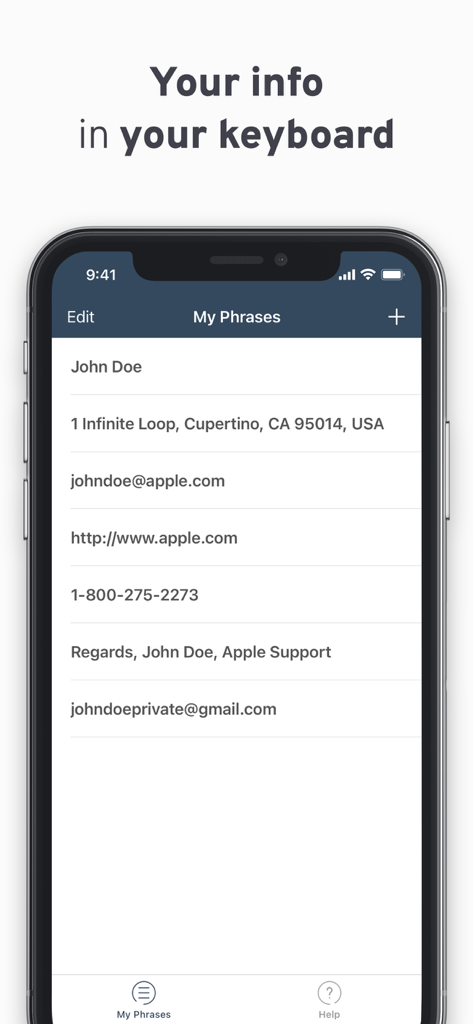
Phraser 앱에서 저장된 문구 목록과 연락처 정보를 보여주는 스마트폰 화면
Phraser 앱에서 저장된 문구 목록과 연락처 정보를 보여주는 스마트폰 화면

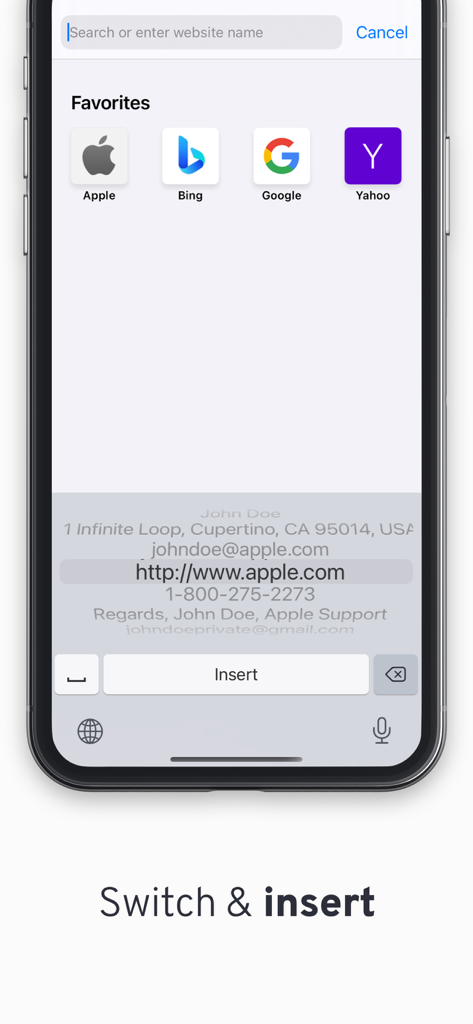
iPhone의 Phraser 사용자 지정 키보드 인터페이스에서 이메일 및 주소와 같은 저장된 텍스트 스니펫이 빠르게 삽입될 준비가 된 것을 표시
iPhone의 Phraser 사용자 지정 키보드 인터페이스에서 이메일 및 주소와 같은 저장된 텍스트 스니펫이 빠르게 삽입될 준비가 된 것을 표시

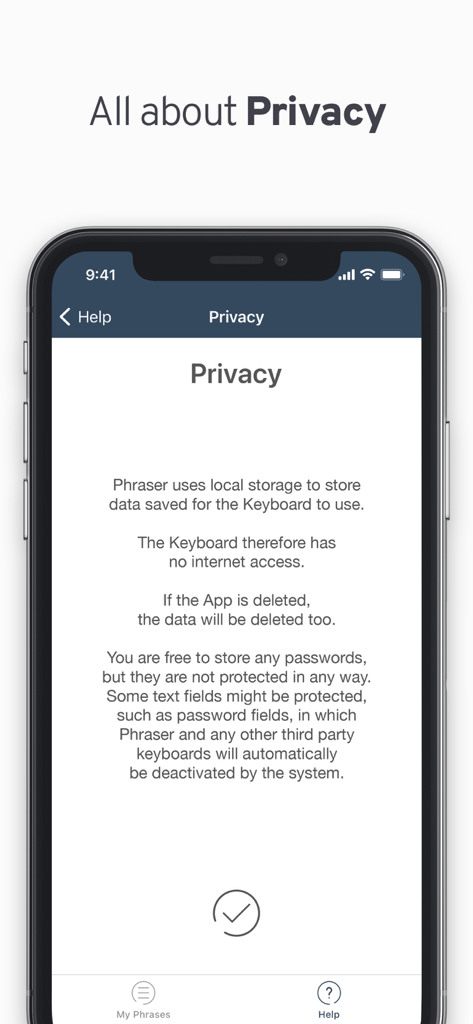
Phraser 앱 화면에서 로컬 데이터 저장 및 인터넷 액세스 없음과 같은 개인 정보 보호 기능 설명

Phraser 앱 화면에서 로컬 데이터 저장 및 인터넷 액세스 없음과 같은 개인 정보 보호 기능 설명

더 빠르게 타이핑하고, 더 잘 소통하세요

이 앱을 돋보이게 하는 도구, 386K+ 명의 사용자가 선택.

⚡️

한 번의 탭으로 소셜 캡션

서명 해시태그, TikTok 캡션 또는 '프로필 링크' 프롬프트를 즉시 붙여넣으세요. 복사-붙여넣기를 위해 앱 간 전환은 이제 그만.

⌨️

이모티콘처럼 통합됨

이모티콘 키보드와 똑같이 문구에 액세스하세요. 최대 속도와 근육 기억 효율성을 위해 설계된 네이티브 iOS 경험입니다.

🔒

설계상 개인 정보 보호 및 보안

데이터는 절대 휴대폰을 벗어나지 않습니다. 인터넷 액세스가 전혀 필요 없으므로 저장된 스니펫과 개인 정보는 100% 비공개로 유지됩니다.

앱 소개

에 대해 알아야 할 모든 것 Phraser - Paste Keyboard.

설명

Have your often-used information right at your fingertips! Hate entering your 48 character long e-mail address all the time? Or the "Goodbye, hope you are doing well. Talk soon."? Or maybe you just forget a lot of information, like your passwords? Then Phraser is the Keyboard you need! Quickly enter the information you want to save for later. Easily switch to the keyboard just like you switch to your Emojis. Insert! Perfect for places like TikTok, Snapchat and Jodel where its great to have that perfect caption right at your fingertips and ready to be pasted. There is no limit to what you can paste or how many things you can store. The keyboard is installed by going to Settings -> General -> Keyboard -> Keyboards -> Add New Keyboard. Privacy: Phraser uses local storage to store data saved for the keyboard to use. The keyboard therefore has no internet access. If the App is deleted, the data will be deleted too. You are free to store any passwords, but they are not protected in any way. Some text fields might be protected, such as password fields, in which Phraser and any other third party keyboards will automatically be deactivated by the system.

최신 버전

1.4.4

크기

1.1 MB

출시일

2016년 5월 4일

타이핑은 멈추고, 탭하기 시작하세요

시간을 되찾은 386,000명 이상의 효율성 추구자들이 선택했습니다. 지금 Phraser를 다운로드하여 즉각적인 캡션, 빠른 답장 및 100% 개인 정보 보호 로컬 저장을 경험하세요.

다운로드: App Store

App information, icons, screenshots, and descriptions displayed on this page are sourced from the Apple App Store and are the property of their respective developers. Download estimates and rankings are based on MWM's proprietary models and may not reflect actual figures. This page is provided for informational and analytical purposes only.

Believe this page infringes your intellectual property? File a dispute