TemplateClip: Categorized

TemplateClip: Categorized

다운로드: App Store
로고: TemplateClip: Categorized

TemplateClip: 텍스트 문구를 위한 시각적 명령 센터

답장, 링크, 문구를 스마트 카테고리로 정리하여 워크플로를 간소화하세요. 속도와 정확성을 중시하는 디지털 전문가를 위해 설계되었습니다.

다운로드: App Store

개발사

Kartika Salsab

카테고리

Utilities

다운로드

7K+

사용자 평점

4.3/5

총 평가 수

100

지원 언어

1

효율성에 집중

이 인터페이스를 사용하는 7K+ 명의 사용자.

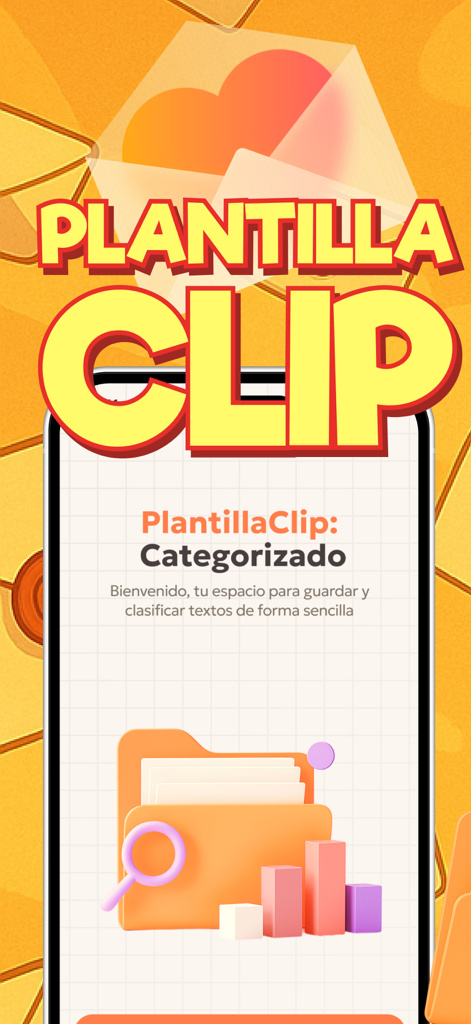
주황색 배경에 3D 폴더와 돋보기 아이콘이 있는 TemplateClip Categorized 앱의 환영 화면
주황색 배경에 3D 폴더와 돋보기 아이콘이 있는 TemplateClip Categorized 앱의 환영 화면

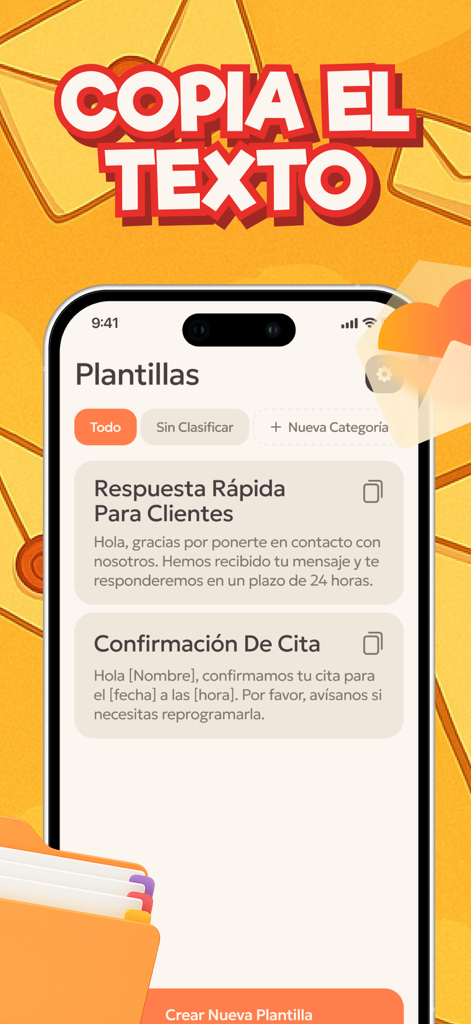
TemplateClip 앱에서 고객 응답 및 약속 확인을 위한 정리된 텍스트 템플릿을 보여줍니다.
TemplateClip 앱에서 고객 응답 및 약속 확인을 위한 정리된 텍스트 템플릿을 보여줍니다.

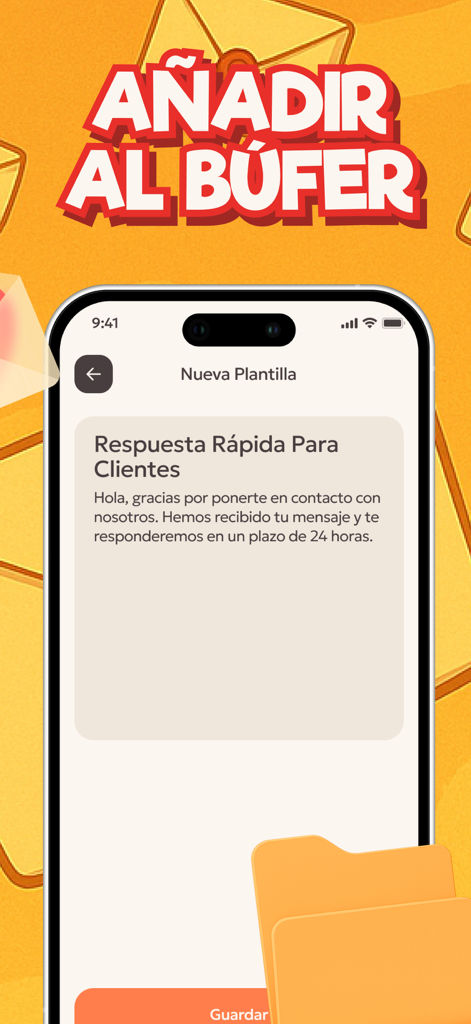
TemplateClip 앱에서 스마트폰 화면에 고객 서비스용 빠른 응답 템플릿을 보여줍니다.
TemplateClip 앱에서 스마트폰 화면에 고객 서비스용 빠른 응답 템플릿을 보여줍니다.

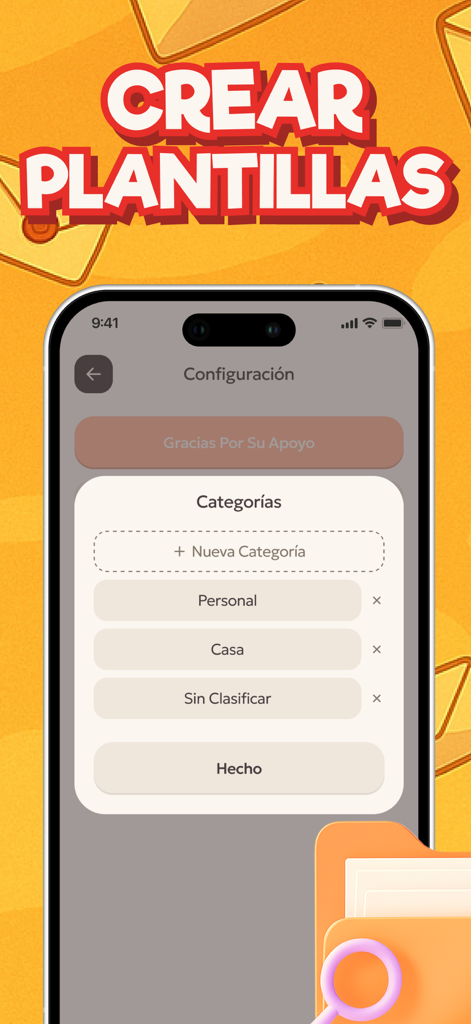
TemplateClip 모바일 앱 인터페이스에서 사용자가 템플릿 폴더를 만들고 정리할 수 있는 카테고리 관리 화면을 보여줍니다.
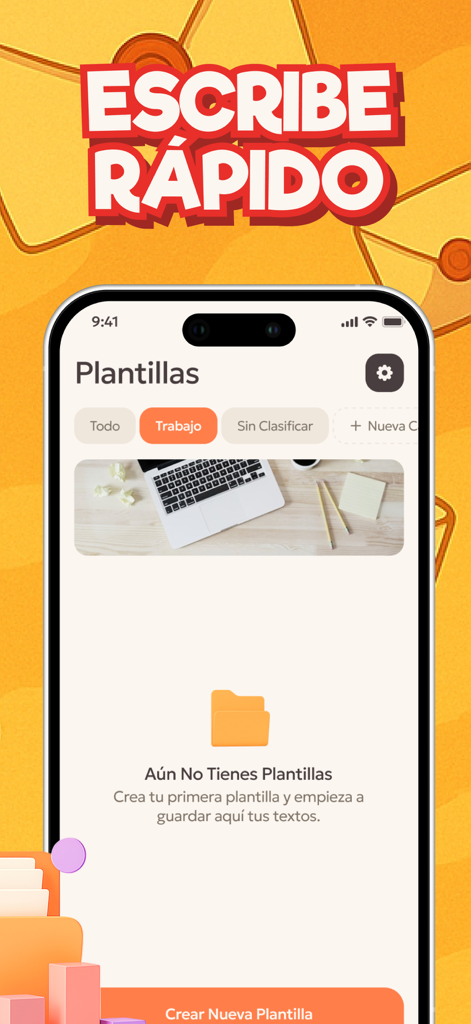
TemplateClip 모바일 앱 인터페이스에서 사용자가 템플릿 폴더를 만들고 정리할 수 있는 카테고리 관리 화면을 보여줍니다.

정리된 텍스트 템플릿용 폴더를 보여주는 TemplateClip 앱의 인터페이스.

정리된 텍스트 템플릿용 폴더를 보여주는 TemplateClip 앱의 인터페이스.

검색은 그만, 전송을 시작하세요

이 앱을 돋보이게 하는 도구, 7K+ 명의 사용자가 선택.

📂

스마트 카테고리화

프로젝트, 고객 또는 주제별로 문구를 그룹화하여 개인 및 업무 생활을 완벽하게 분리하고 쉽게 탐색할 수 있습니다.

시각적 워크플로 관리

직관적인 드래그 앤 드롭 인터페이스를 사용하여 최대 효율성을 위해 시각적 작업 보드처럼 템플릿을 정렬하고 우선 순위를 지정하세요.

✏️

마찰 없는 인라인 편집

추가 창이나 메뉴 없이 직접 편집하여 템플릿을 실시간으로 업데이트하므로 창의적인 흐름을 깨지 않습니다.

앱 소개

에 대해 알아야 할 모든 것 TemplateClip: Categorized.

설명

Organize all your texts, templates and phrases in one convenient place. It is a smart clipboard created for those who work with a large number of duplicate messages, notes or replies. With it, you can not only store copied texts, but also structure them into categories to find what you need in seconds. The Home screen displays a list of all copied entries and a block of categories created by the user. Each copied message is automatically saved, eliminating the risk of losing important text. For easy navigation, recordings can be sorted, edited and moved between categories with a simple gesture. The interface resembles a Visual task table: texts can be dragged to the desired column, left in the Unsorted section or distributed according to their own topics, such as "Work", "Marketing", "Personal", "Links", etc. Editing is done directly in the interface - there is no need to open a separate window. Simply click on the desired text, make changes and save. And if the template is no longer needed, it can be quickly removed with a long tap. This makes the interaction as natural as possible and does not distract from workflows. Each category is completely customizable: add new ones, rename existing ones, change the display order. This approach turns a conventional clipboard into a flexible tool for organizing ideas, quick notes, marketing responses, or text for publications. Everything is stored in one place, structured and always available. The functionality is suitable for both everyday use and professional work: content managers, designers, copywriters, marketers or simply users who often work with repetitive texts. Support Us is a voluntary way to support the development of the project. Even a small contribution helps us update the design, add new features and improve the interface Privacy Policy: https://doc-hosting.flycricket.io/plantillaclip-categorizado-politica-de-privacidad/27c61d84-3fc8-4f3d-90d8-191e579e897b/privacy Term of Use: https://doc-hosting.flycricket.io/plantillaclip-categorizado-terminos-de-uso/7b9a9ec8-b6ee-4a46-9fde-228318e908fd/terms

최신 버전

1.0.3

크기

37.8 MB

출시일

2025년 10월 20일

메시징 효율성을 10배 높일 준비가 되셨나요?

오래된 메모와 Slack 스레드를 뒤지는 것을 멈추세요. TemplateClip을 사용하여 반복적인 문구를 고속 시각적 워크플로로 전환하는 현명한 전문가들과 함께하세요. 지금 다운로드하고 시간을 되찾으세요.

다운로드: App Store

App information, icons, screenshots, and descriptions displayed on this page are sourced from the Apple App Store and are the property of their respective developers. Download estimates and rankings are based on MWM's proprietary models and may not reflect actual figures. This page is provided for informational and analytical purposes only.

Believe this page infringes your intellectual property? File a dispute