Picasso App Screenshot Studio
다운로드: App Store

이 페이지는 앱이나 개발자의 공식 페이지가 아니며, 정보 제공 및 논평을 목적으로 작성된 독립 편집 간행물입니다. 명시적으로 달리 언급되지 않는 한, 해당 앱이나 개발자는 MWM, Apple, Google Play, 앱 퍼블리셔 또는 앱 개발자와 제휴, 보증, 후원, 승인 또는 공식적으로 연결되어 있지 않으며, 이 페이지의 어떤 내용도 해당 앱이 MWM의 서비스를 사용하여 개발되었음을 의미하지 않습니다. 모든 상표, 로고, 스크린샷 및 기타 콘텐츠는 해당 소유자의 자산입니다.


로고: Picasso App Screenshot Studio
다운로드: App Store

Picasso App Screenshot Studio

수동 크기 조절의 고통을 끝내세요. 기기 프레임 자동화, .xcstrings로 현지화, Apple 생태계를 위해 제작된 네이티브 편집기로 앱스토어 커넥트에 직접 업로드하세요.

주요 수치

다운로드

23K+

사용자 평점

4.4/5

총 평가 수

100

개발사

ASO Ventures LLC

카테고리

Developer Tools

지원 언어

1

최신 버전

3.4

크기

160.3 MB

출시일

2023년 12월 24일
기능

더 나은 스크린샷을 더 빠르게

디자인 도구와의 씨름을 끝내세요. Picasso는 앱스토어 마케팅을 자동화하여 몇 시간의 수동 크기 조절을 몇 분의 고전환율 결과물로 변환합니다.

앱스토어 직접 동기화

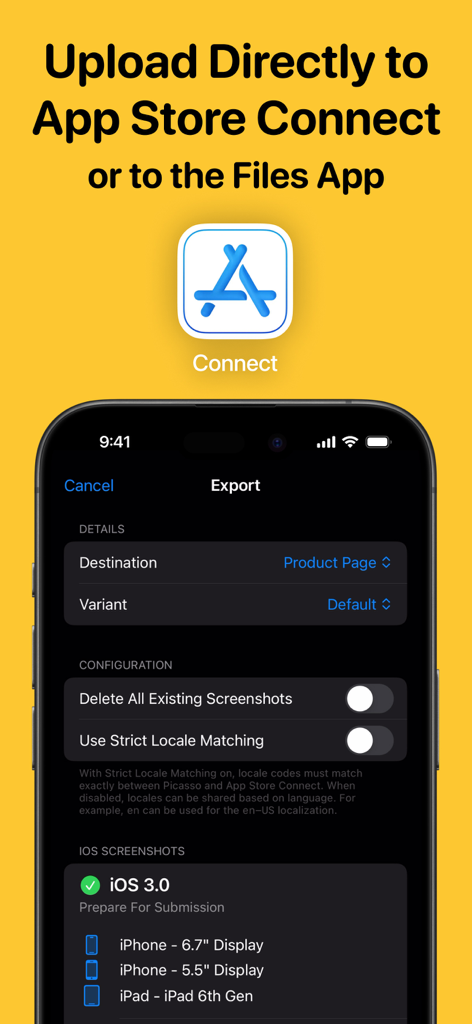
수동 내보내기를 건너뛰세요. API 키를 연결하여 앱을 벗어나지 않고 완성된 애셋을 앱스토어 커넥트에 직접 업로드하세요.

즉각적인 글로벌 현지화

수고 없이 도달 범위를 확장하세요. .xcstrings 파일을 가져와 지원하는 모든 언어에 대한 현지화된 스크린샷을 자동으로 생성하세요.

다음 스크린샷과 설명은 앱의 공식 스토어 목록에서 직접 가져온 것이며 앱 개발자의 자산입니다.

앱 스토어

스크린샷
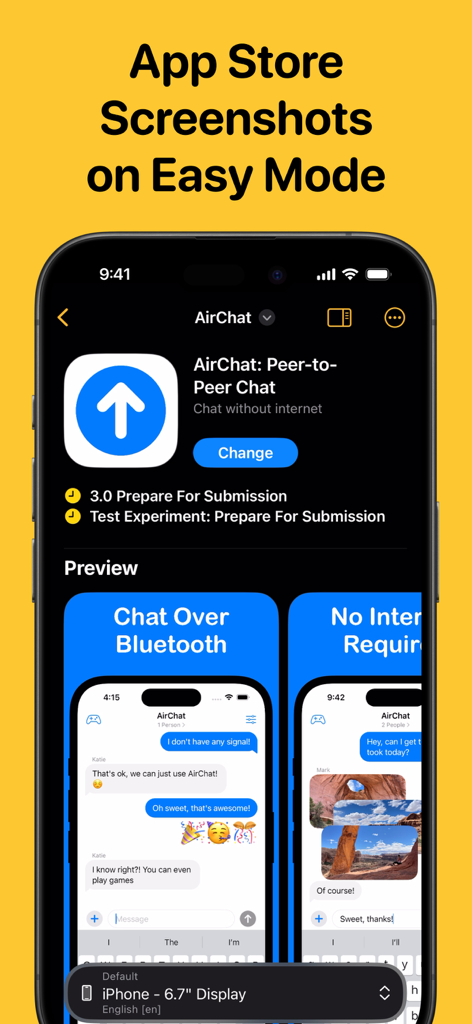
Picasso App Screenshot Studio - Picasso 앱 스크린샷 스튜디오 인터페이스에 표시된 iPhone 앱용 앱스토어 스크린샷 사용자 정의
Picasso 앱 스크린샷 스튜디오 인터페이스에 표시된 iPhone 앱용 앱스토어 스크린샷 사용자 정의

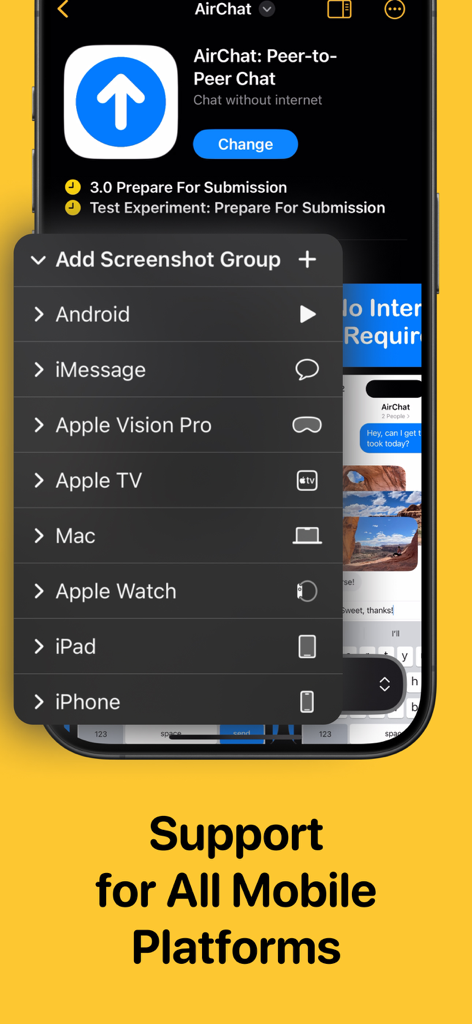
Picasso App Screenshot Studio - Picasso 앱 스크린샷 스튜디오 메뉴에 표시된 iPhone iPad Mac 및 Apple Vision Pro용 스크린샷 생성 지원
Picasso 앱 스크린샷 스튜디오 메뉴에 표시된 iPhone iPad Mac 및 Apple Vision Pro용 스크린샷 생성 지원

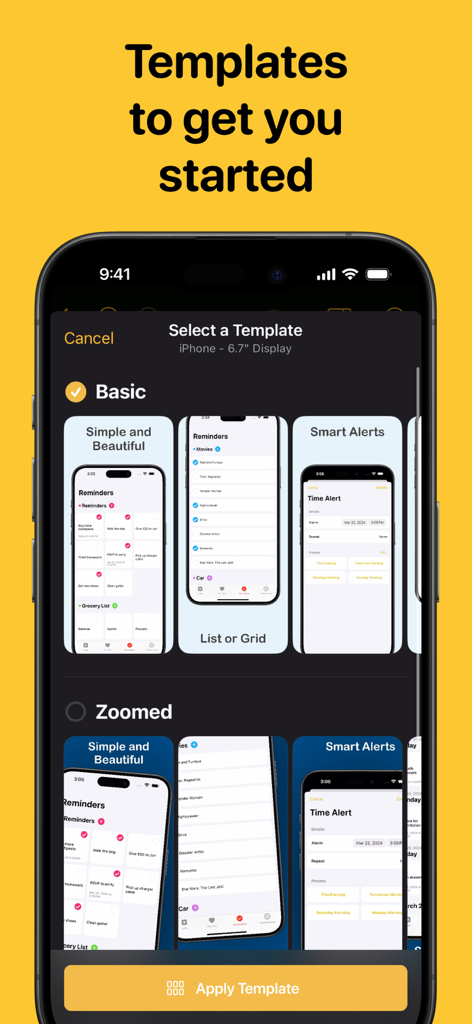
Picasso App Screenshot Studio - iPhone 디스플레이용 Picasso 앱의 스크린샷 템플릿 선택

iPhone 디스플레이용 Picasso 앱의 스크린샷 템플릿 선택

Picasso App Screenshot Studio - Picasso 앱 스크린샷 스튜디오 내보내기 인터페이스에 표시된 앱스토어 커넥트 직접 업로드 옵션
Picasso 앱 스크린샷 스튜디오 내보내기 인터페이스에 표시된 앱스토어 커넥트 직접 업로드 옵션

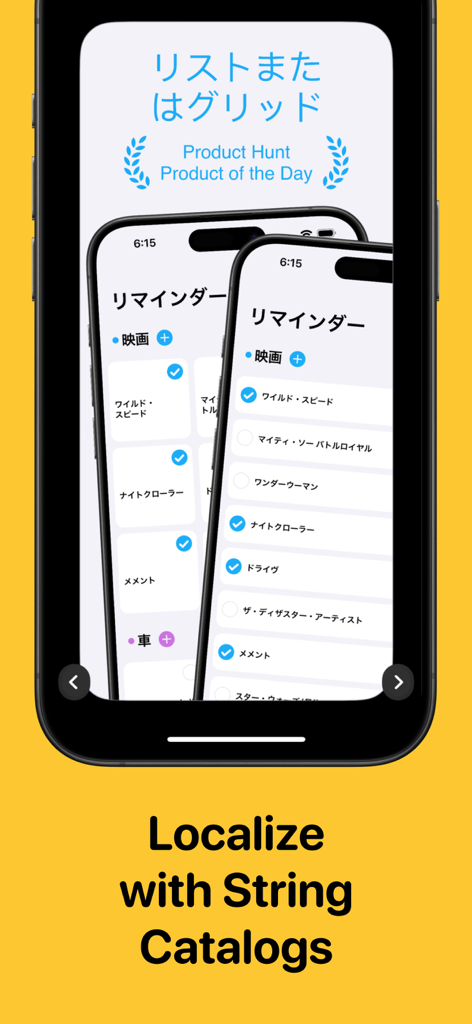
Picasso App Screenshot Studio - Picasso 앱에서 일본어 현지화 및 문자열 카탈로그 지원 기능을 보여주는 iPhone 스크린샷
Picasso 앱에서 일본어 현지화 및 문자열 카탈로그 지원 기능을 보여주는 iPhone 스크린샷

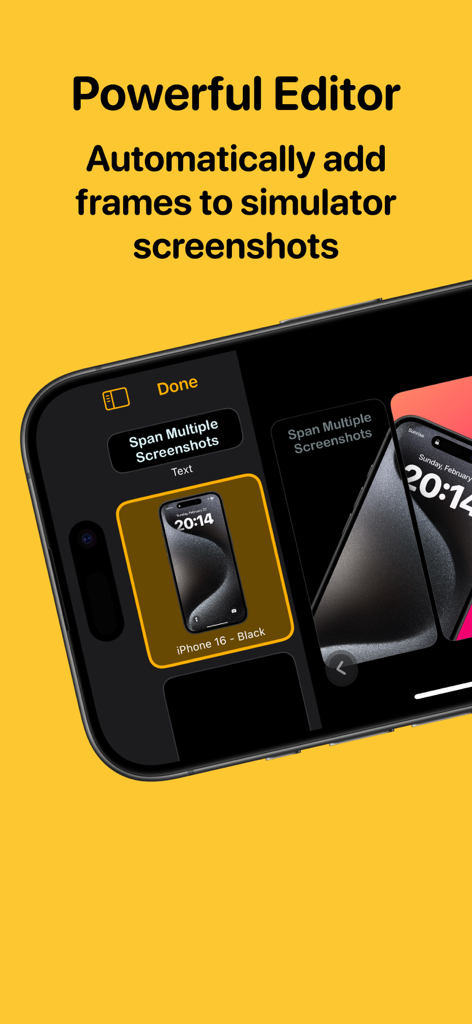
Picasso App Screenshot Studio - Picasso 앱 편집기 인터페이스에 표시된 iPhone 시뮬레이터 스크린샷용 자동 기기 프레임
Picasso 앱 편집기 인터페이스에 표시된 iPhone 시뮬레이터 스크린샷용 자동 기기 프레임

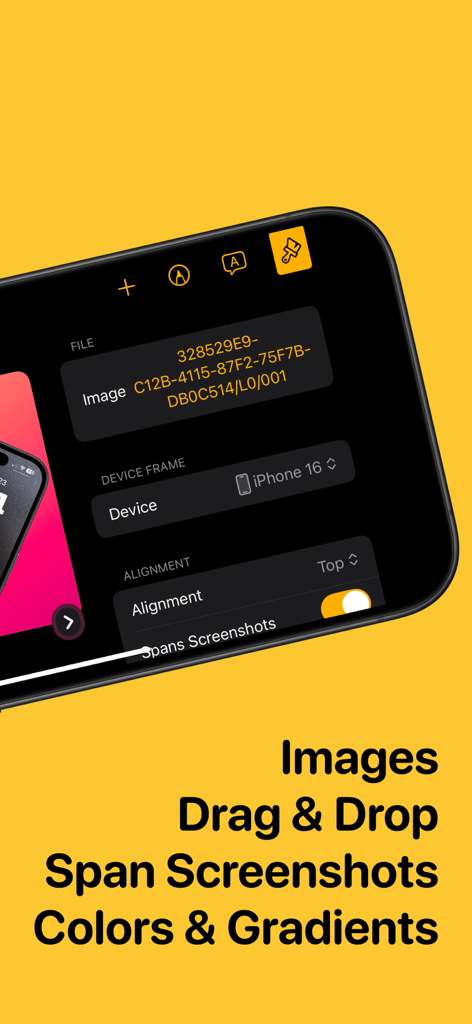
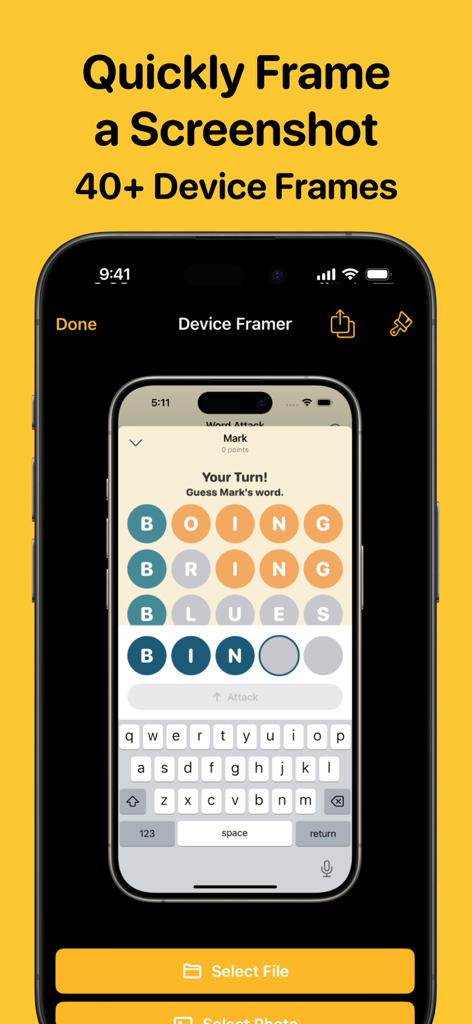
Picasso App Screenshot Studio - Picasso 앱 스크린샷 스튜디오의 인터페이스에 이미지 편집 및 기기 프레임 도구가 표시됨
Picasso 앱 스크린샷 스튜디오의 인터페이스에 이미지 편집 및 기기 프레임 도구가 표시됨

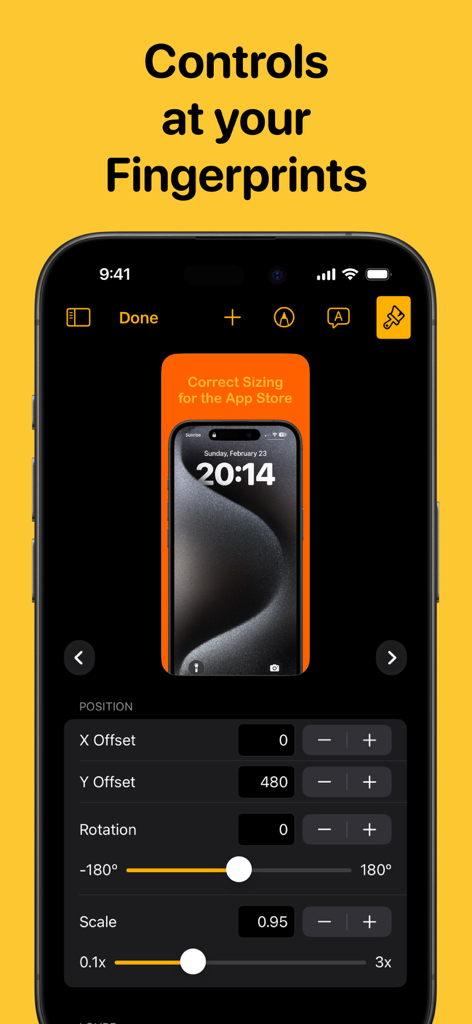
Picasso App Screenshot Studio - Picasso 앱 스크린샷 스튜디오의 인터페이스에 스크린샷 위치 회전 및 크기 조절에 대한 정밀 제어 기능이 표시됨
Picasso 앱 스크린샷 스튜디오의 인터페이스에 스크린샷 위치 회전 및 크기 조절에 대한 정밀 제어 기능이 표시됨

Picasso App Screenshot Studio - Picasso 앱 스크린샷 스튜디오의 인터페이스에 전문 기기 프레임으로 자동 래핑되는 iPhone 스크린샷이 표시됨.

Picasso 앱 스크린샷 스튜디오의 인터페이스에 전문 기기 프레임으로 자동 래핑되는 iPhone 스크린샷이 표시됨.

설명

Take the headache out of generating app screenshots! 60% of users decide whether to download your app based on the screenshots. With Picasso, you can showcase your app to its fullest and increase your conversion rate. Available for iPhone, iPad, and Mac, Picasso offers everything you need to make your app stand out! ** Simple Interface ** Picasso has been optimized for Apple's platforms, taking advantage of everything your device has to offer. And with iCloud, you can edit a document on one device, and seamlessly pick it up on another. ** Device Framing ** Support for over framing 40 devices, including iPhones, iPads, Macs, and Apple Watches. Screenshots are automatically wrapped in the appropriate device frame down to the last pixel. You won't find a better app to frame your screenshots. ** Drag-and-Drop Editor ** Full drag and drop support helps streamline the editing process. ** Templates ** Choose from several templates to hit the ground running! No design skills needed. ** Easy Export ** Picasso makes exporting easy by giving you a preview of your screenshots, as well as automatic naming and ordering, making it a cinch to upload to the App Store. ** Accurate Previews ** See exactly how your screenshots will appear in the App Store, cutting out unnecessary iteration and toil. ** Power Features ** Keyboard shortcuts make navigating the app fast. -- Picasso Pro Features (In-App Purchase required) -- ** Upload Directly to App Store Connect ** Once an app is linked with an App Store Connect API Key, you can upload your screenshots directly to App Store Connect. ** Localization Support ** Simply drag an .xcstrings file into Picasso to localize your screenshots for any language! ** Add Images to Screenshots ** The ability to add any image to a screenshot. ** Gradients and Blurs ** Use captivating gradients and blurs to style your screenshots. ** Span Items across Screenshots ** Span items across multiple screenshots, and Picasso will make sure the spacing is correct. Terms of Service: https://getpicasso.com/terms Privacy Policy: https://getpicasso.com/privacy

Download

다운로드: App Store

이 페이지는 앱이나 개발자의 공식 페이지가 아니며, 정보 제공 및 논평을 목적으로 작성된 독립 편집 간행물입니다. 명시적으로 달리 언급되지 않는 한, 해당 앱이나 개발자는 MWM, Apple, Google Play, 앱 퍼블리셔 또는 앱 개발자와 제휴, 보증, 후원, 승인 또는 공식적으로 연결되어 있지 않으며, 이 페이지의 어떤 내용도 해당 앱이 MWM의 서비스를 사용하여 개발되었음을 의미하지 않습니다. 모든 상표, 로고, 스크린샷 및 기타 콘텐츠는 해당 소유자의 자산입니다.