
이 페이지는 앱이나 개발자의 공식 페이지가 아니며, 정보 제공 및 논평을 목적으로 작성된 독립 편집 간행물입니다. 명시적으로 달리 언급되지 않는 한, 해당 앱이나 개발자는 MWM, Apple, Google Play, 앱 퍼블리셔 또는 앱 개발자와 제휴, 보증, 후원, 승인 또는 공식적으로 연결되어 있지 않으며, 이 페이지의 어떤 내용도 해당 앱이 MWM의 서비스를 사용하여 개발되었음을 의미하지 않습니다. 모든 상표, 로고, 스크린샷 및 기타 콘텐츠는 해당 소유자의 자산입니다.

PicCollage: Magic Photo Editor
산만한 디지털 조각들을 단숨에 의미 있는 형태로 재구성하는 힘. PicCollage는 이 초능력을 제공한다.
다운로드
50M+사용자 평점
총 평가 수
5.2M개발사
카테고리
Photo & Video지원 언어
11최신 버전
8.60.1크기
208.8 MB출시일
2011년 7월 13일PicCollage: Magic Photo Editor 주요 기능 분석
소셜 미디어 시대의 창의적 표현을 위한 핵심 도구
다목적 콜라주 및 카드 제작
이 앱은 사용자가 사진과 비디오를 결합하여 기억에 남는 콜라주, 비디오 콜라주, 슬라이드쇼 및 카드를 쉽게 만들 수 있도록 지원합니다.
인스타그램 스토리 템플릿
이 앱은 인스타그램 스토리 및 릴을 위한 템플릿을 제공하여 사용자가 인상적인 게시물을 쉽게 만들고 팔로워와 직접 공유할 수 있도록 합니다.
AI 기반 배경 제거 및 오려내기
이 도구는 AI 기반 오려내기 기능으로 사진의 배경을 쉽게 제거하고, 인물이나 반려동물을 분리하거나 다양한 모양으로 사진을 자를 수 있도록 돕습니다.
다양한 템플릿 및 자유형 모드
사용자는 미리 디자인된 레이아웃, 그리드, 애니메이션 템플릿을 활용하거나 자유형 모드로 자신만의 독창적인 콜라주를 제작할 수 있습니다.
배경 및 스티커 추가
이 앱은 전 세계 예술가들과의 협력을 통해 수천 가지의 독점적인 배경과 트렌디한 스티커를 제공하여 사용자의 창작물을 꾸밀 수 있게 합니다.
사진 및 비디오 편집 도구
이 앱은 자르기, 필터링, 보정 등의 기능을 통해 사용자가 사진과 비디오를 쉽게 편집하고 개인화할 수 있도록 지원합니다.
풍부한 글꼴 및 텍스트 편집
사용자는 다양한 글꼴을 선택하고, 곡선 텍스트 편집기 및 AI 기반 글꼴 페어링 기능을 통해 콜라주에 개성 있는 텍스트를 추가할 수 있습니다.
손글씨 및 낙서 기능
사용자는 자신만의 그림이나 낙서를 추가하여 콜라주, 카드 또는 슬라이드쇼에 개인적인 감성을 더하고 마무리할 수 있습니다.
자주 묻는 질문
에 대해 알아야 할 모든 것 PicCollage: Magic Photo Editor
What is PicCollage: AI Photo Editor?
PicCollage: AI Photo Editor is an app that allows users to create collages, cards, and slideshows from photos and videos. It offers tools for editing, personalizing, and enhancing visual content.
Is PicCollage: AI Photo Editor free to use?
Yes, PicCollage: AI Photo Editor is free to use, offering a starter pack with stickers to edit photos, create collages, and design cards. Additional advanced features are available via a VIP subscription.
What features does PicCollage VIP offer?
PicCollage VIP is a subscription that provides advanced features, removes watermarks and ads, and grants access to thousands of exclusive stickers, backgrounds, fonts, and layouts. It includes a 7-day free trial.
Can I remove photo backgrounds with PicCollage: AI Photo Editor?
Yes, PicCollage: AI Photo Editor features an AI-powered cutout tool that removes backgrounds from photos to isolate subjects like people or pets. It also offers shape-based cutouts.
Does PicCollage: AI Photo Editor have an object eraser tool?
Yes, PicCollage: AI Photo Editor includes an erase tool designed to remove unwanted objects from photos, as demonstrated by removing a trash can in the app's interface.
Can I add videos to collages in PicCollage: AI Photo Editor?
Yes, PicCollage: AI Photo Editor allows users to add videos to their collages, enabling the creation of video collages and slideshows. Users can also add pages and save them as videos.
Does PicCollage: AI Photo Editor offer templates for collages and cards?
Yes, PicCollage: AI Photo Editor provides ready-to-use layouts, grids, and animated templates for creating collages and cards. Users can also design in a freestyle mode.
What kind of fonts are available in PicCollage: AI Photo Editor?
PicCollage: AI Photo Editor offers a variety of fonts, including handwritten and formal styles. It also includes a curved text editor and AI-powered font pairing for designs.
Can I add stickers and backgrounds in PicCollage: AI Photo Editor?
Yes, PicCollage: AI Photo Editor provides thousands of exclusive stickers and backgrounds from collaborations with artists. Users can add these to photos and collages to personalize their creations.
Can PicCollage: AI Photo Editor help create Instagram Stories?
Yes, PicCollage: AI Photo Editor offers templates specifically for creating impressive Instagram posts, stories, or reels, which users can then share directly with their followers.
다음 스크린샷과 설명은 앱의 공식 스토어 목록에서 직접 가져온 것이며 앱 개발자의 자산입니다.
앱 스토어
스크린샷
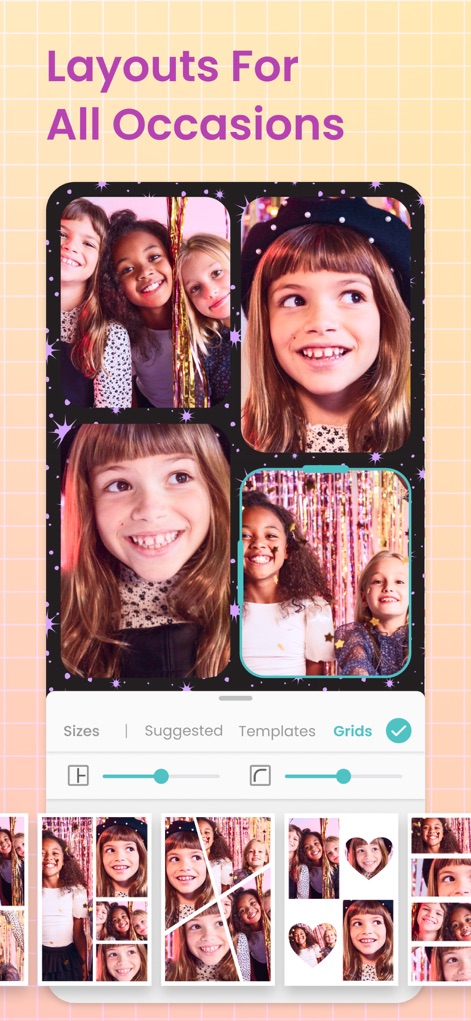
다양한 레이아웃 선택
이 앱은 여러 사진을 담을 수 있는 '격자 레이아웃'과 특별한 '하트 모양' 콜라주를 제공하여, 사용자가 시각적으로 매력적인 구성을 만들 수 있도록 돕습니다.
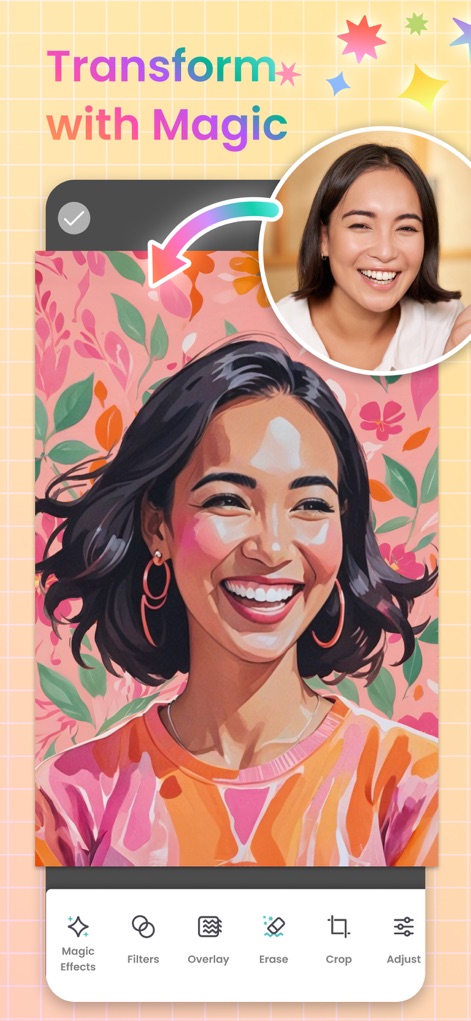
마법 같은 변환
사용자는 '마법 효과' 기능을 통해 일반 사진을 예술적인 일러스트 스타일로 변환할 수 있으며, 하단의 '필터' 옵션으로 이미지의 분위기를 섬세하게 조절할 수 있습니다.
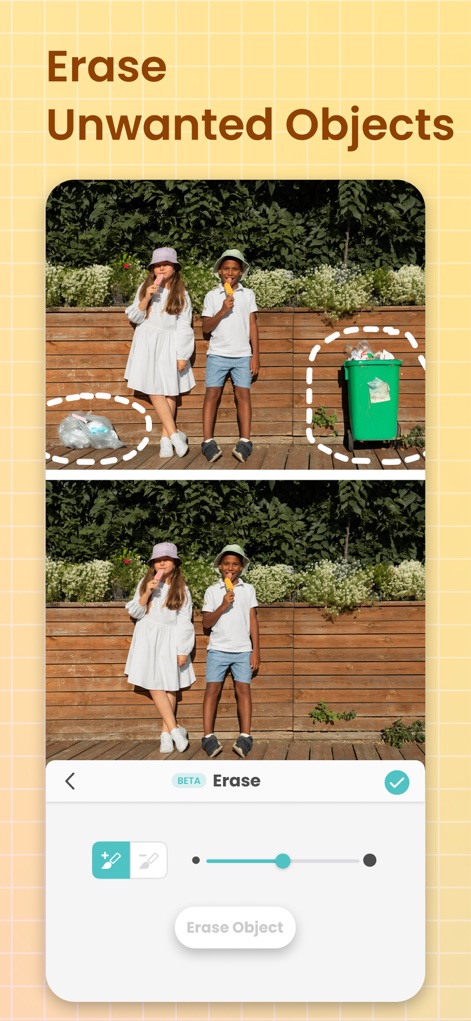
불필요한 요소 제거
이 도구는 사진에서 불필요한 '개체'를 손쉽게 지울 수 있게 하며, '지우개' 기능을 활용하여 깔끔하고 완벽한 이미지를 완성할 수 있습니다.
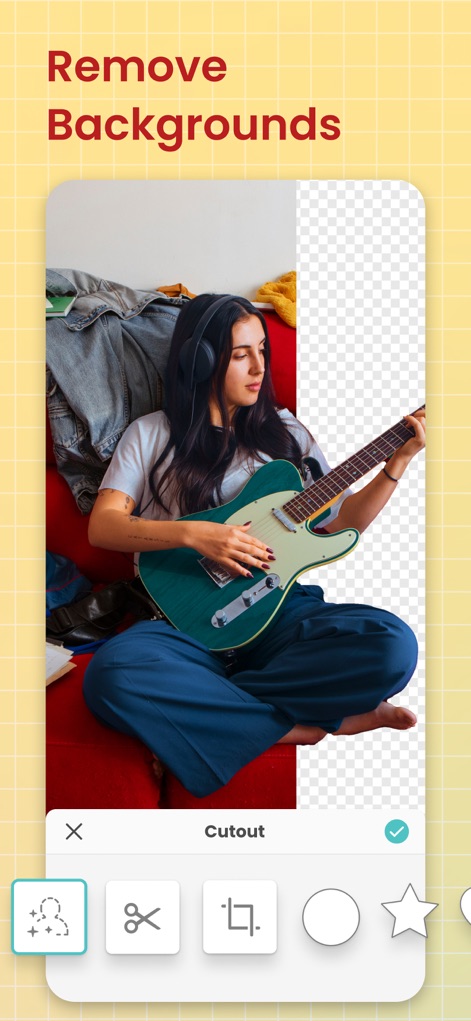
배경 자동 제거
사용자는 '오려내기' 도구로 이미지의 배경을 자동으로 제거할 수 있으며, '별'이나 '원'과 같은 다양한 모양으로 사진을 잘라내어 독특한 시각적 효과를 연출할 수 있습니다.
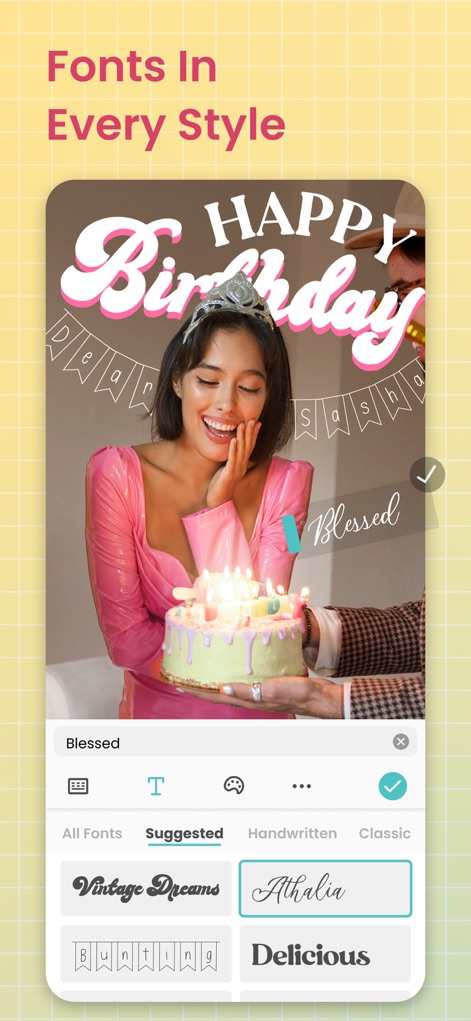
다채로운 글꼴 선택
이 앱은 '손글씨체'와 같은 개성 있는 스타일의 글꼴을 제공하여 사용자 메시지에 생동감을 더할 수 있으며, '곡선 텍스트' 편집기로 글자를 독창적으로 배치할 수 있습니다.
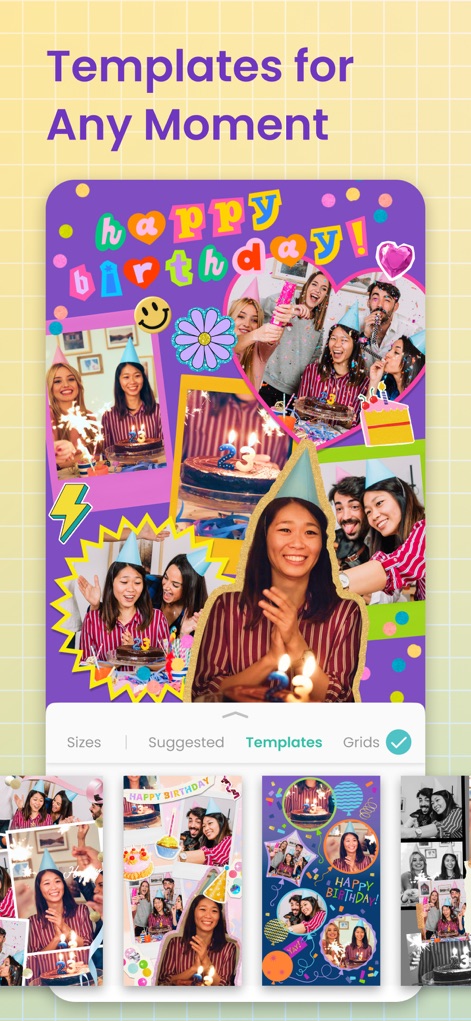
특별한 순간 템플릿
이 앱은 생일 파티와 같은 특별한 순간을 위한 '테마 템플릿'을 다양하게 제공하며, 여러 장의 사진을 활용한 감각적인 '콜라주'를 손쉽게 제작할 수 있습니다.

감성 필터 적용
사용자는 '필터' 기능을 통해 사진에 따뜻하고 부드러운 빛 효과를 추가하여 감성적인 분위기를 연출할 수 있으며, '조정' 도구로 이미지의 색감과 밝기를 세밀하게 편집할 수 있습니다.
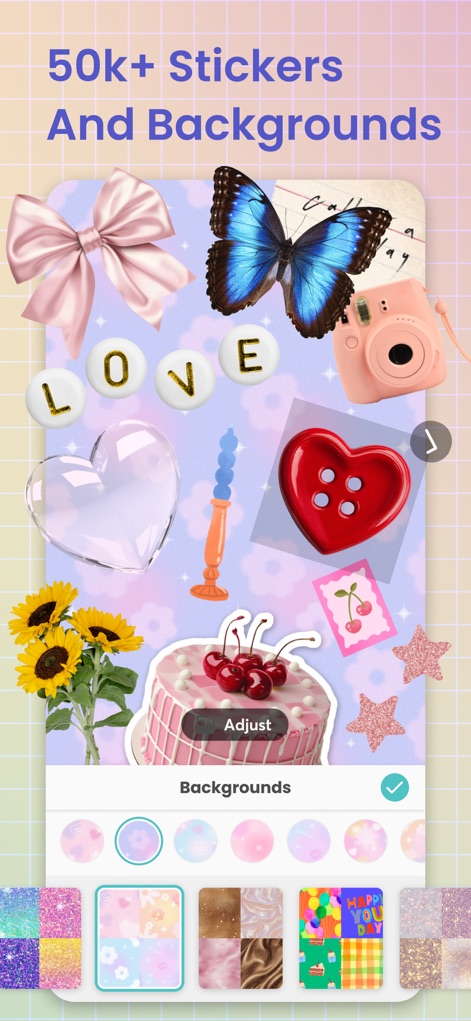
풍부한 스티커 배경
이 앱은 '스티커'와 다채로운 '배경'을 50,000개 이상 제공하여, 사용자가 개인의 취향에 맞춰 콜라주를 풍성하게 꾸밀 수 있습니다.
설명
Download
비슷한 앱
유사한 기능과 사용자 경험을 가진 앱

SCRL: Photo Collage Maker
Appostrophe AB

PhotoGrid: Video Collage Maker
JUPITER PALACE PTE. LTD.

Layout for Instagram: Collage
Shamble, Inc.

Photo Collage Maker: InCollage
SHANTANU PTE. LTD.

TicPic
Zhuhai Kuxiong Network Technology Co., Ltd.

Collage Maker: CollagePlus
Shamble, Inc.

Photo Collage Montage Maker
Honk Honk Punch Pty Ltd

Photo Collage Maker & Creator
Honk Honk Punch Pty Ltd

Photo Collage Montage & Layout
Honk Honk Punch Pty Ltd
이 페이지는 앱이나 개발자의 공식 페이지가 아니며, 정보 제공 및 논평을 목적으로 작성된 독립 편집 간행물입니다. 명시적으로 달리 언급되지 않는 한, 해당 앱이나 개발자는 MWM, Apple, Google Play, 앱 퍼블리셔 또는 앱 개발자와 제휴, 보증, 후원, 승인 또는 공식적으로 연결되어 있지 않으며, 이 페이지의 어떤 내용도 해당 앱이 MWM의 서비스를 사용하여 개발되었음을 의미하지 않습니다. 모든 상표, 로고, 스크린샷 및 기타 콘텐츠는 해당 소유자의 자산입니다.