
이 페이지는 앱이나 개발자의 공식 페이지가 아니며, 정보 제공 및 논평을 목적으로 작성된 독립 편집 간행물입니다. 명시적으로 달리 언급되지 않는 한, 해당 앱이나 개발자는 MWM, Apple, Google Play, 앱 퍼블리셔 또는 앱 개발자와 제휴, 보증, 후원, 승인 또는 공식적으로 연결되어 있지 않으며, 이 페이지의 어떤 내용도 해당 앱이 MWM의 서비스를 사용하여 개발되었음을 의미하지 않습니다. 모든 상표, 로고, 스크린샷 및 기타 콘텐츠는 해당 소유자의 자산입니다.

Picsart AI Photo Editor, Video
생각이 곧 작품이 되는 잔인한 속도.
다운로드
250M+사용자 평점
총 평가 수
5.7M개발사
카테고리
Photo & Video지원 언어
28최신 버전
29.6.4크기
244.9 MB출시일
2013년 1월 2일Picsart AI Photo Editor, Video 주요 기능 분석
AI 기반 올인원 편집 스튜디오의 핵심 역량
AI 기반 창작 어시스턴트
이 앱은 사용자의 아이디어를 시각적 결과물로 신속하게 전환하며, 대화를 통해 이미지 생성, 편집 및 개선을 지원하는 AI 기반의 창작 파트너를 제공합니다.
AI 이미지 생성 및 확장
이 도구는 텍스트 프롬프트로부터 고품질의 이미지를 자동으로 생성하고, 기존 사진의 경계를 지능적으로 확장하여 새로운 시각적 구도를 만들어냅니다.
AI 기반 배경 제거 및 교체
고급 AI 기술을 활용하여 사진의 배경을 정밀하게 분리하고, 원활하게 다른 배경으로 교체함으로써 전문적인 제품 이미지나 독창적인 합성 사진을 쉽게 제작할 수 있게 합니다.
AI 기반 이미지 품질 향상 및 객체 제거
이 앱은 AI 기능을 통해 저품질 이미지를 선명하게 개선하고, 사진에서 불필요한 객체나 요소를 빠르게 제거하여 이미지의 완성도를 극대화합니다.
전문가급 동영상 편집 기능
사용자는 음악, 트렌디한 필터, 리터치 효과를 사용하여 다양한 소셜 미디어 플랫폼에 최적화된 고품질 동영상을 전문가처럼 편집하고 제작할 수 있습니다.
다양한 맞춤형 그래픽 디자인 템플릿
이 도구는 전문 디자이너가 제작한 광범위한 템플릿 라이브러리를 제공하여, 로고, 소셜 미디어 스토리, 명함 등 다양한 디자인 프로젝트를 효율적으로 시작하고 쉽게 개인화할 수 있도록 돕습니다.
창의적인 스티커 및 텍스트 편집 도구
이 앱은 6천만 개 이상의 스티커와 자체 스티커 제작 기능을 제공하며, 수백 가지의 글꼴과 강력한 사용자 정의 옵션을 통해 이미지에 독창적인 텍스트를 추가하여 개성 있는 디자인을 완성할 수 있게 합니다.
트렌디한 사진 콜라주 및 그리드 레이아웃
사용자는 좋아하는 사진들을 조합하여 트렌디한 콜라주, 무드 보드, 그리고 소셜 미디어 스토리 및 게시물을 위한 다양한 사진 그리드 레이아웃을 손쉽게 디자인할 수 있습니다.
자주 묻는 질문
에 대해 알아야 할 모든 것 Picsart AI Photo Editor, Video
What is Picsart AI Photo Editor, Video?
Picsart is an all-in-one, AI-powered design studio for photo and video editing. It provides features like background removal, filters, collages, and graphic design tools, perfect for creative projects and business needs.
How can I remove backgrounds from photos using Picsart?
Picsart features an AI-powered Background Remover tool for precise background removal. It also includes Smart Background, which seamlessly merges suitable backgrounds, ideal for creating professional product shots for online sellers.
What AI features does Picsart AI Photo Editor, Video include?
Picsart offers AI Enhance, Remove Object, AI filters, AI Replace for transformations like hair color changes, AI Writer for text, AI Image Generator for text-to-art, AI Expand, and AI avatar portraits.
Can I edit videos with Picsart?
Yes, Picsart includes a video editor for creating and editing clips with music. Users can enhance IG Stories, TikToks, and Reels, apply retouch effects and filters, and compile video collages.
Does Picsart offer customizable design templates?
Yes, Picsart provides customizable graphic design templates created by professional editors. These templates accelerate design processes for creating brand logos, social stories, business cards, and more with just a few taps.
How does Picsart handle object removal in photos?
Picsart features a specific "Remove Object" tool. This tool quickly cleans up pictures by allowing users to effortlessly remove any unwanted objects from their image frames.
What are the premium subscription options for Picsart?
Picsart offers Picsart Plus and Picsart Pro. Plus includes premium content, templates, and retouch features. Pro adds more AI tools, extra team seats for small businesses, and increased storage space.
Can Picsart change my hair color in a photo?
Yes, Picsart's AI Replace tool enables instant image transformations, including hair color changes. This feature allows users to experiment with new styles without any permanent commitment.
Does Picsart include a text editor with fonts?
Yes, the Picsart Text Editor provides hundreds of classic and trending fonts. Users can customize text styles with powerful options to elevate their graphic design projects and create memorable designs.
What kind of stickers are available in Picsart?
Picsart offers a sticker maker library with over 60 million options. Users can add these eye-catching stickers to pictures to enhance graphic designs or create custom stickers for special business promotions.
다음 스크린샷과 설명은 앱의 공식 스토어 목록에서 직접 가져온 것이며 앱 개발자의 자산입니다.
앱 스토어
스크린샷

AI 헤어 스타일링
이 도구는 사용자가 슬라이더를 조작하여 헤어 색상과 채도를 미세하게 조정하며 새로운 스타일을 시도할 수 있도록 지원합니다.
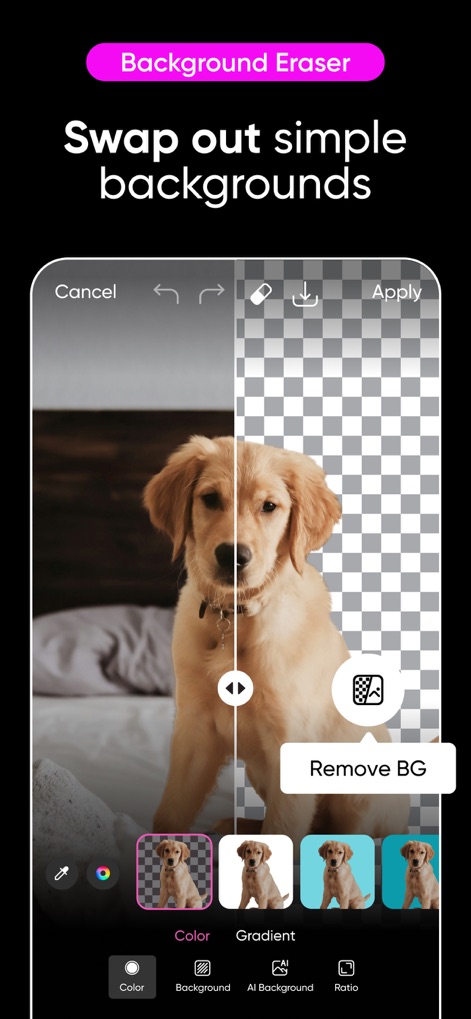
스마트 배경 제거
사용자는 배경을 손쉽게 제거하여 투명하게 만들 수 있으며, 다양한 색상 배경이나 AI 기반의 새로운 배경으로 교체할 수 있습니다.

감각적인 필터 효과
이 앱은 '시네마틱' 및 '필름'과 같은 다양한 필터 옵션을 제공하여 사용자가 사진에 독특한 분위기와 스타일을 더할 수 있습니다.
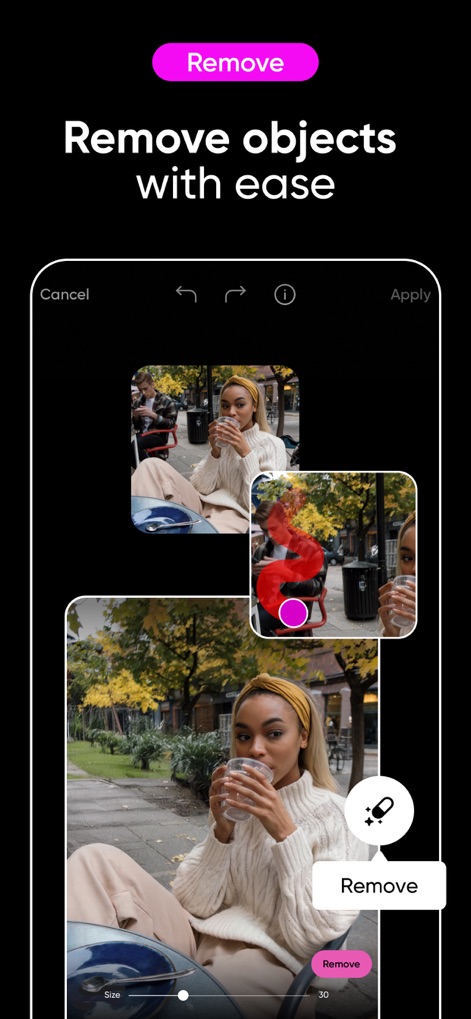
불필요한 객체 삭제
사진에서 원치 않는 객체를 간편하게 지울 수 있으며, 브러시 도구를 사용하여 정밀하게 영역을 선택하고 즉시 결과를 확인할 수 있습니다.
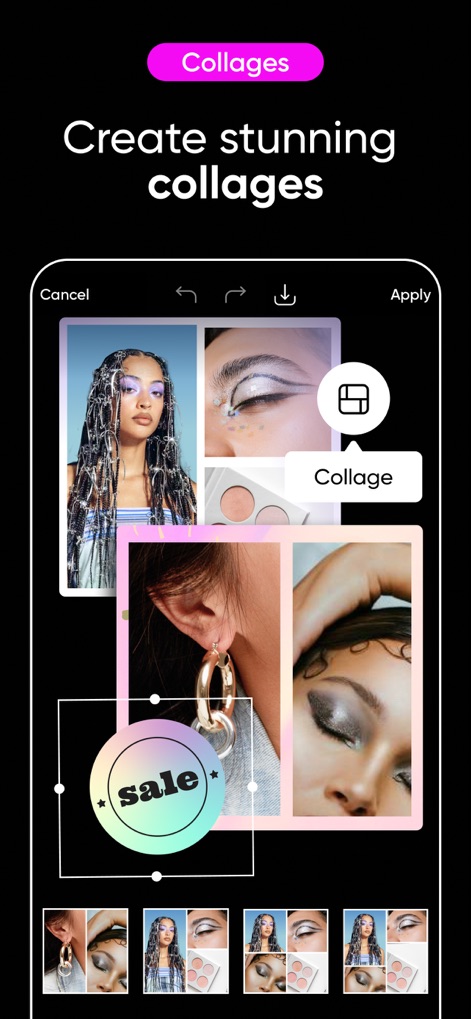
창의적인 콜라주 제작
여러 장의 이미지를 활용하여 멋진 콜라주를 만들 수 있으며, 다양한 레이아웃과 '세일' 문구와 같은 그래픽 요소를 추가할 수 있습니다.
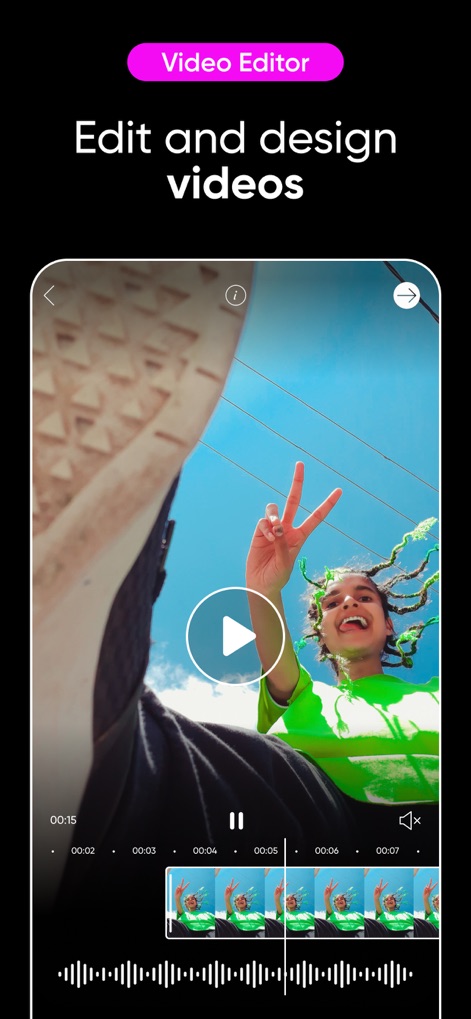
전문가 비디오 편집
사용자는 동영상을 타임라인에서 정밀하게 자르고 편집할 수 있으며, 재생 버튼과 미리보기 기능을 통해 실시간으로 변경 사항을 확인할 수 있습니다.
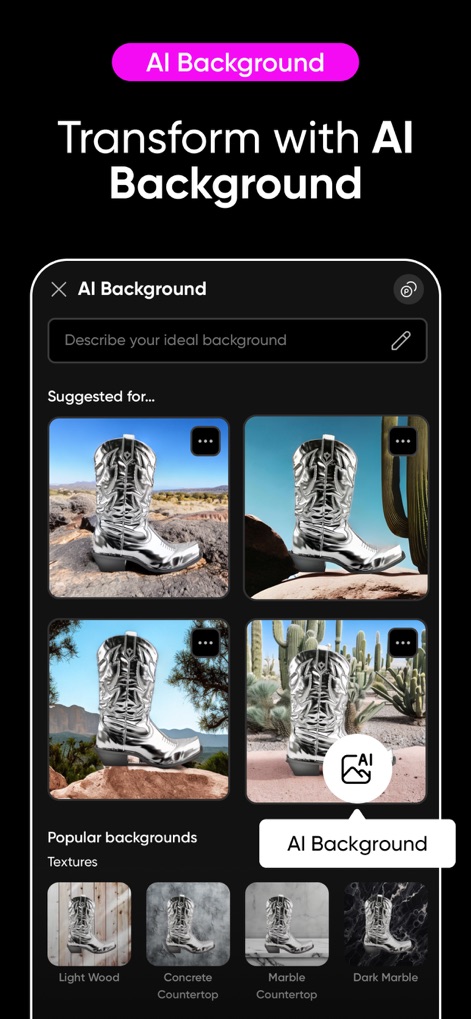
AI 배경 변환
텍스트 설명을 입력하여 AI가 생성하는 새로운 배경을 적용할 수 있으며, 'Light Wood' 및 'Concrete Countertop'과 같은 다양한 질감을 선택할 수 있습니다.
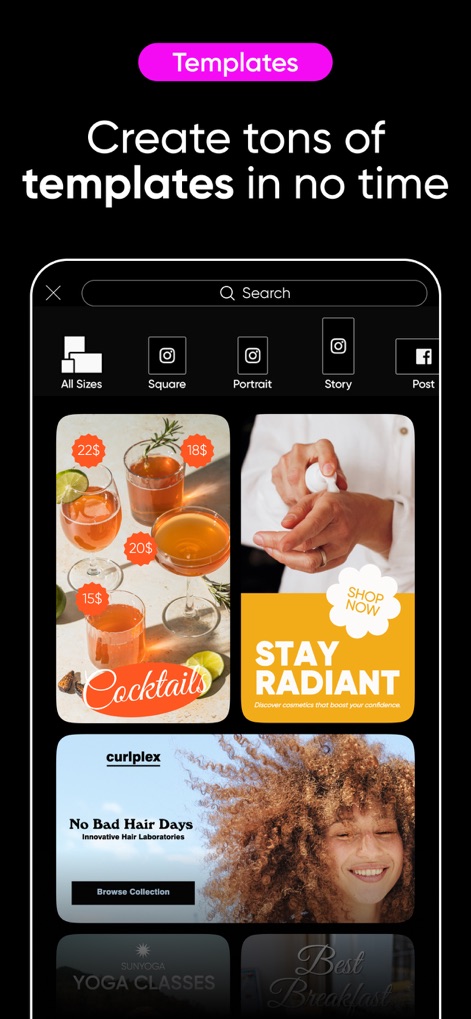
편리한 디자인 템플릿
이 앱은 '칵테일' 및 '스킨케어'와 같은 다양한 주제의 맞춤형 템플릿을 제공하여 사용자가 빠르고 쉽게 전문적인 디자인을 제작할 수 있습니다.

개성 있는 폰트 활용
수천 가지의 프리미엄 폰트를 탐색하여 이미지에 텍스트를 추가할 수 있으며, 'Festive' 또는 'Script'와 같은 다양한 스타일로 디자인을 돋보이게 합니다.
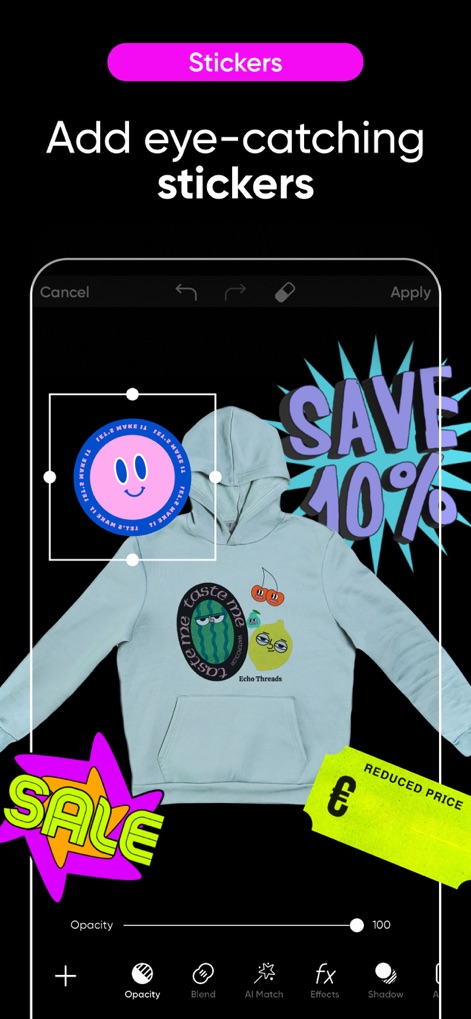
시선을 끄는 스티커
이 도구는 방대한 스티커 라이브러리를 제공하여 사용자가 이미지에 개성을 더할 수 있으며, 'SAVE 40%'와 같은 홍보성 문구 스티커도 활용할 수 있습니다.
설명
Download
비슷한 앱
유사한 기능과 사용자 경험을 가진 앱

Canva: AI Photo & Video Editor
Canva Pty Ltd

Adobe Express: Create Anything
Adobe Inc.

Bazaart AI Photo Editor Design
Bazaart Ltd.

稿定设计-AI图片海报壁纸,一键p图拼图修图抠图照片美化
Gaoding (Xiamen) Technology Co., Ltd.

Poster Maker - Crea
Salix Dijital Pazarlama Anonim Sirketi

Logo Maker AI Creator — Boon
PIXO Incorporation

MiriCanvas: Poster, PPT design
MIRI D.I.H

Logo Maker: Art Design Creator
LOGOFLY LLC

创客贴设计-AI海报图片设计,一键p图拼图修图抠图照片美化
Beijing yiyuanku science and Technology Co., Ltd.
이 페이지는 앱이나 개발자의 공식 페이지가 아니며, 정보 제공 및 논평을 목적으로 작성된 독립 편집 간행물입니다. 명시적으로 달리 언급되지 않는 한, 해당 앱이나 개발자는 MWM, Apple, Google Play, 앱 퍼블리셔 또는 앱 개발자와 제휴, 보증, 후원, 승인 또는 공식적으로 연결되어 있지 않으며, 이 페이지의 어떤 내용도 해당 앱이 MWM의 서비스를 사용하여 개발되었음을 의미하지 않습니다. 모든 상표, 로고, 스크린샷 및 기타 콘텐츠는 해당 소유자의 자산입니다.