PID Calculator
PID Calculator
다운로드: App Store

이 페이지는 앱이나 개발자의 공식 페이지가 아니며, 정보 제공 및 논평을 목적으로 작성된 독립 편집 간행물입니다. 명시적으로 달리 언급되지 않는 한, 해당 앱이나 개발자는 MWM, Apple, Google Play, 앱 퍼블리셔 또는 앱 개발자와 제휴, 보증, 후원, 승인 또는 공식적으로 연결되어 있지 않으며, 이 페이지의 어떤 내용도 해당 앱이 MWM의 서비스를 사용하여 개발되었음을 의미하지 않습니다. 모든 상표, 로고, 스크린샷 및 기타 콘텐츠는 해당 소유자의 자산입니다.

로고: PID Calculator
다운로드: App Store

PID Calculator

엔지니어와 기술자가 PID 값을 즉시 계산할 수 있는 현장용 도구입니다. 핸즈프리 볼륨 버튼 타이머로 진동 주기를 캡처하고 제어 루프 최적화를 위한 완벽한 시작점을 얻으세요.

주요 수치

다운로드

400

사용자 평점

1.0/5

총 평가 수

0

개발사

Matthew Bradshaw

카테고리

Education

지원 언어

1

최신 버전

1.4.0

크기

9.0 MB

출시일

2015년 11월 17일
기능

정밀하게 PID 루프 최적화

막연한 추측과 수동 계산은 이제 그만하세요. 클래식 지글러-니콜스 방법을 사용하여 수초 만에 신뢰할 수 있는 P, PI 및 PID 시작 값을 생성합니다.

핸즈프리 주기 타이밍

계기판이나 기계에 시선을 고정한 채로 물리 볼륨 버튼을 스톱워치로 사용하여 진동 주기를 표시하세요.

즉각적인 Z-N 계산

업계 표준 지글러-니콜스 공식을 사용하여 임계 이득과 진동 주기를 실행 가능한 제어 값으로 자동으로 변환합니다.

다음 스크린샷과 설명은 앱의 공식 스토어 목록에서 직접 가져온 것이며 앱 개발자의 자산입니다.

앱 스토어

스크린샷
PID Calculator - 지글러-니콜스 방법을 특징으로 하는 PID 계산기 앱 화면

지글러-니콜스 방법을 특징으로 하는 PID 계산기 앱 화면

PID Calculator - 임계 이득 및 타이머 제어와 함께 지글러-니콜스 방법을 보여주는 PID 계산기 앱 인터페이스
임계 이득 및 타이머 제어와 함께 지글러-니콜스 방법을 보여주는 PID 계산기 앱 인터페이스

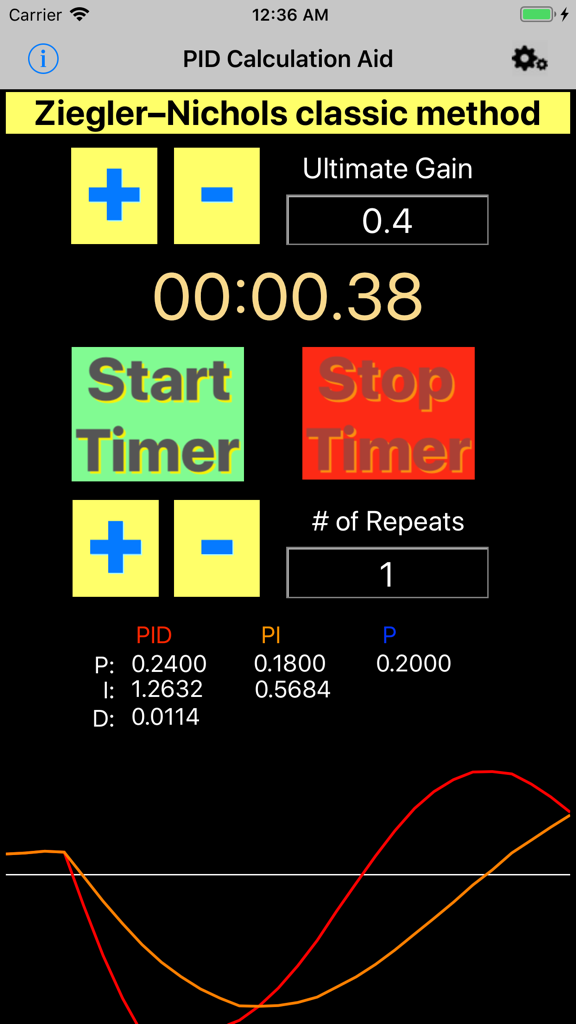
PID Calculator - 임계 이득 입력, 타이머 및 계산된 PID 값과 함께 지글러-니콜스 방법을 보여주는 PID 계산기 앱의 사용자 인터페이스
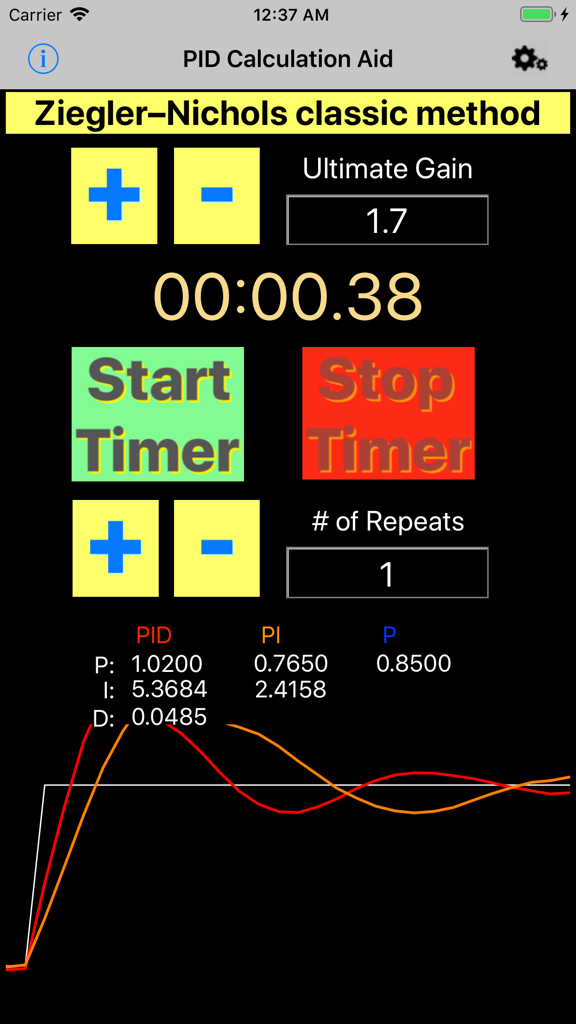
임계 이득 입력, 타이머 및 계산된 PID 값과 함께 지글러-니콜스 방법을 보여주는 PID 계산기 앱의 사용자 인터페이스

PID Calculator - 지글러-니콜스 튜닝 결과 및 진동 타이머를 표시하는 PID 계산기 앱 인터페이스
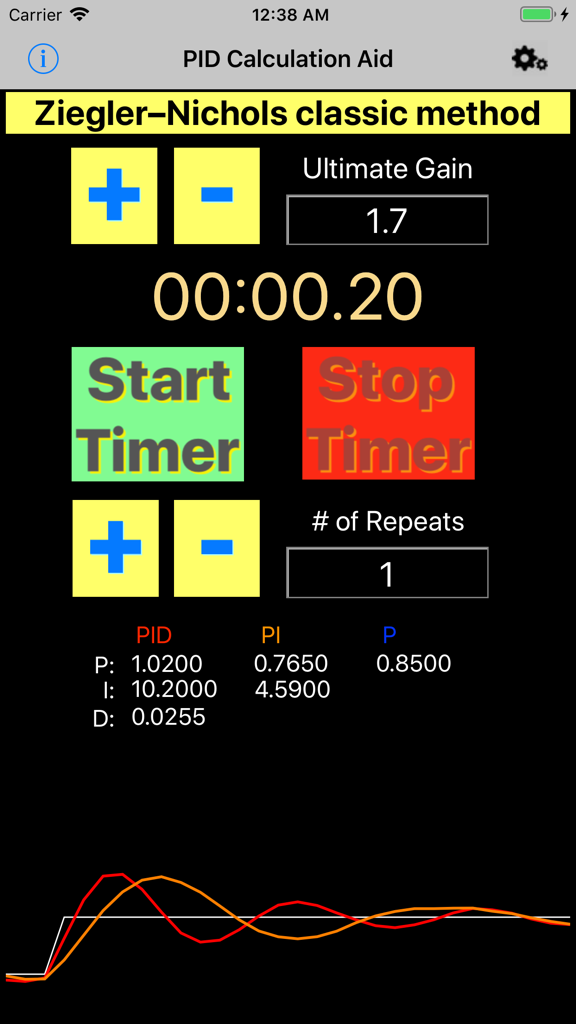
지글러-니콜스 튜닝 결과 및 진동 타이머를 표시하는 PID 계산기 앱 인터페이스

PID Calculator - 결과 및 진동 그래프가 포함된 지글러-니콜스 튜닝용 PID 계산기 앱 인터페이스
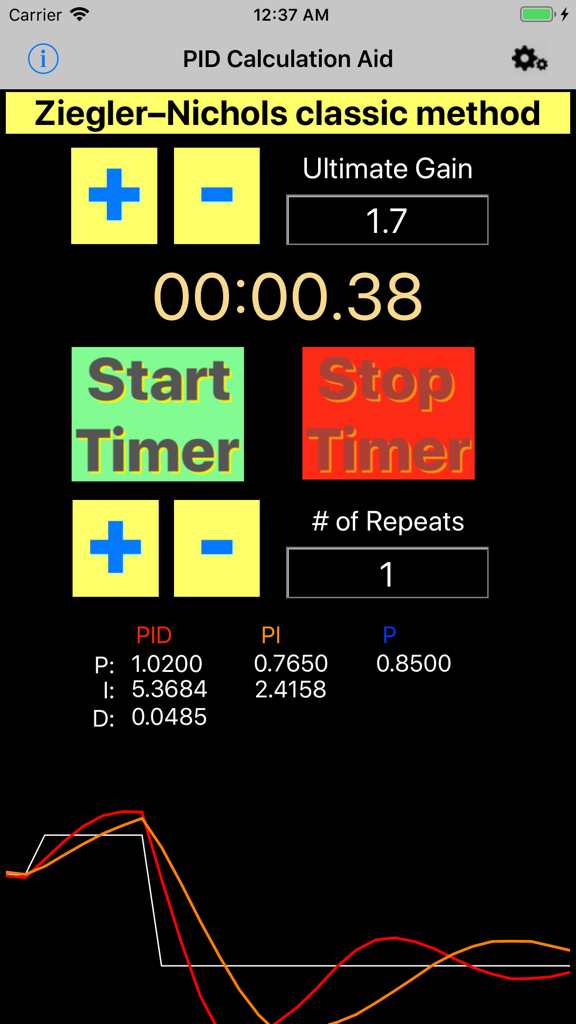
결과 및 진동 그래프가 포함된 지글러-니콜스 튜닝용 PID 계산기 앱 인터페이스

PID Calculator - 제어 시스템 튜닝을 위해 지글러-니콜스 방법을 사용하는 PID 계산기 앱의 인터페이스

제어 시스템 튜닝을 위해 지글러-니콜스 방법을 사용하는 PID 계산기 앱의 인터페이스

설명

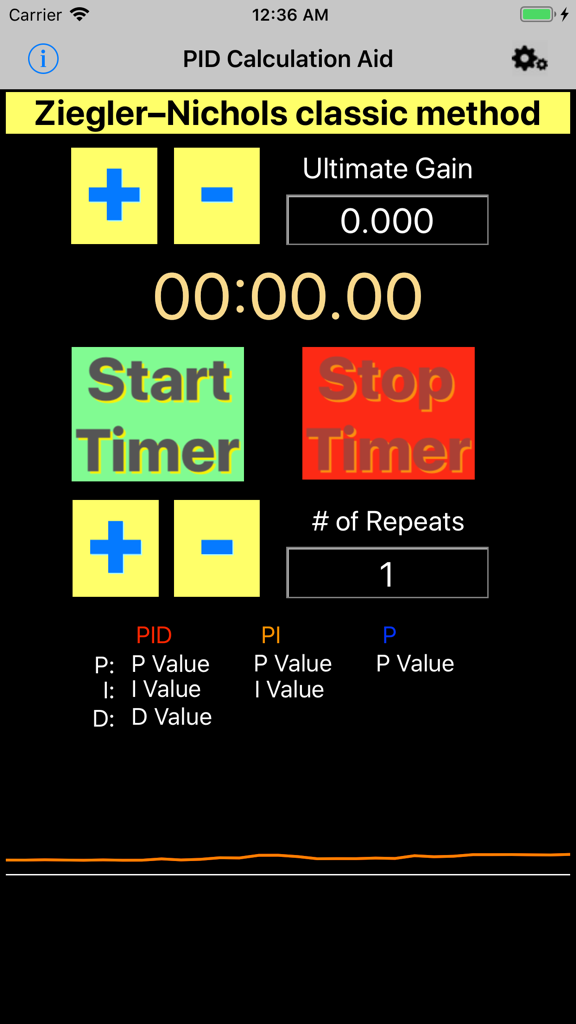
This program is based on Ziegler-Nichols classic method for approximating PID control values. Operation: 1) Clicking the Ultimate Gain "+" or "-" will increase or decrease the Ultimate Gain value by 0.1 or you may tap the value and enter a value manually. 

2) Clicking the # of Repeats "+" or "-" will increase or decrease the # of Repeats value by 1 or you may tap the value and enter a value manually. 
 3) The Start Timer and Stop Timer controls are used to find the oscillation period. 
This can be done using the buttons on the screen or by clicking the volume button(s). Click the time display to manually enter the time. 4) Clicking on the Time will offer the user a new window to adjust manually the time used in the calculation. 5) The resulting PID values should be used as a good starting point as most systems still require a small amount of manual tuning or a different method of calculation. Notes: Use this software by first setting the intended target's control Integral and Derivative values to 0 on the process to be tuned. Next, starting from 0, raise the Proportional value in small increments until the system oscillates at a steady rate around the set-point. Record this value as the Ultimate Gain and enter it into this software's Ultimate Gain text-box. Next enter the amount of repeats to be used in the calculation into the # of Repeats text-box. Wait to start the timer until the next oscillation cycle begins and stop the timer when the systems number of cycles matches the specified repeat amount. choose the P , PI, or PID column and test the result by changing the intended targets proportional to the P, I, and D values chosen . Next, slowly increase the Integral value from 0 until equal to the I value chosen or a desired result is achieved. Slowly increase the derivative from 0 until equal to the D value chosen or a desired result is achieved. More Information on PID Tuning may be found online @ https://en.wikipedia.org/wiki/PID_controller

Download

다운로드: App Store

이 페이지는 앱이나 개발자의 공식 페이지가 아니며, 정보 제공 및 논평을 목적으로 작성된 독립 편집 간행물입니다. 명시적으로 달리 언급되지 않는 한, 해당 앱이나 개발자는 MWM, Apple, Google Play, 앱 퍼블리셔 또는 앱 개발자와 제휴, 보증, 후원, 승인 또는 공식적으로 연결되어 있지 않으며, 이 페이지의 어떤 내용도 해당 앱이 MWM의 서비스를 사용하여 개발되었음을 의미하지 않습니다. 모든 상표, 로고, 스크린샷 및 기타 콘텐츠는 해당 소유자의 자산입니다.