Pixel Studio PRO for pixel art
다운로드: App Store

이 페이지는 앱이나 개발자의 공식 페이지가 아니며, 정보 제공 및 논평을 목적으로 작성된 독립 편집 간행물입니다. 명시적으로 달리 언급되지 않는 한, 해당 앱이나 개발자는 MWM, Apple, Google Play, 앱 퍼블리셔 또는 앱 개발자와 제휴, 보증, 후원, 승인 또는 공식적으로 연결되어 있지 않으며, 이 페이지의 어떤 내용도 해당 앱이 MWM의 서비스를 사용하여 개발되었음을 의미하지 않습니다. 모든 상표, 로고, 스크린샷 및 기타 콘텐츠는 해당 소유자의 자산입니다.


로고: Pixel Studio PRO for pixel art
다운로드: App Store

Pixel Studio PRO for pixel art

전문적인 레이어, 프레임별 애니메이션, 원활한 크로스 플랫폼 동기화로 레트로 비전을 현실로 만드세요. 인디 게임 스프라이트 또는 소셜 미디어 걸작을 제작하든, 2백만 명 이상의 아티스트가 신뢰하는 도구로 언제 어디서든 제작할 수 있습니다.

주요 수치

다운로드

67K+

사용자 평점

4.6/5

총 평가 수

200

개발사

Farida Yarullina

카테고리

Graphics & Design

지원 언어

26

최신 버전

5.42

크기

125.0 MB

출시일

2019년 8월 19일
기능

어디서든 완벽한 픽셀을 만드세요

프레임별 애니메이션부터 고급 레이어 관리까지, 게임, 소셜 미디어 또는 다음 열정 프로젝트를 위한 에셋 제작에 필요한 전문가 수준의 도구를 얻으세요.

원활한 크로스 플랫폼 워크플로우

Apple Pencil로 iPad에서 시작하고 PC에서 마무리하세요. Google Drive를 통해 동기화하고 Aseprite 파일을 가져와 어디서든 창의적인 흐름을 유지하세요.

전문 애니메이션 및 게임 에셋

양파 껍질 애니메이션으로 프레임별 애니메이션을 마스터하세요. 스프라이트 시트, GIF 또는 MP4로 제작물을 내보내고 음악을 추가하여 게임 엔진이나 소셜 피드에 바로 사용할 수 있습니다.

다음 스크린샷과 설명은 앱의 공식 스토어 목록에서 직접 가져온 것이며 앱 개발자의 자산입니다.

앱 스토어

스크린샷
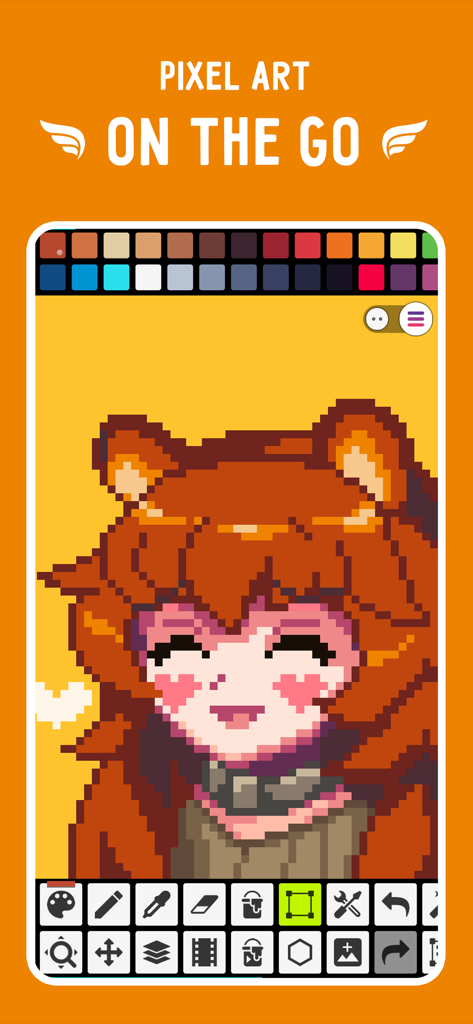
Pixel Studio PRO for pixel art - 픽셀 아트 캐릭터와 그리기 도구를 보여주는 Pixel Studio PRO 모바일 앱 인터페이스
픽셀 아트 캐릭터와 그리기 도구를 보여주는 Pixel Studio PRO 모바일 앱 인터페이스

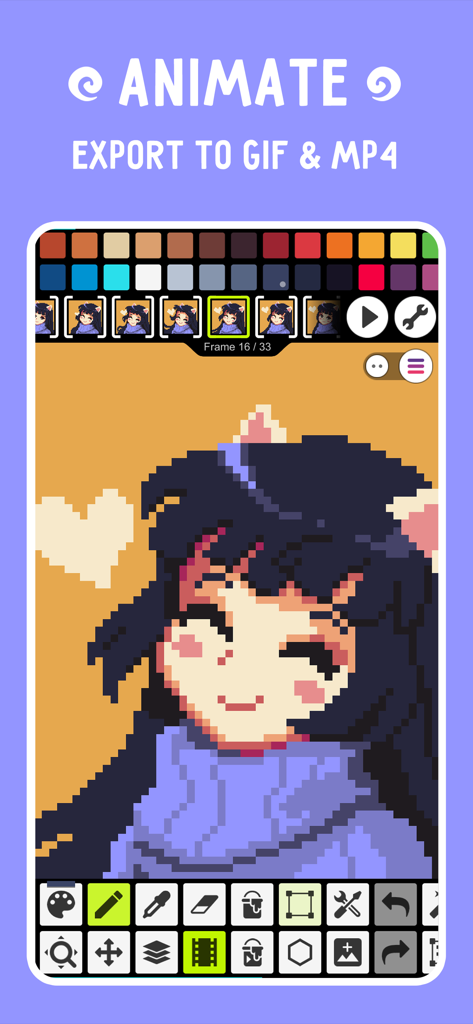
Pixel Studio PRO for pixel art - GIF 및 MP4로 내보내는 옵션과 함께 픽셀 아트 캐릭터의 프레임별 애니메이션을 보여주는 Pixel Studio PRO 모바일 인터페이스
GIF 및 MP4로 내보내는 옵션과 함께 픽셀 아트 캐릭터의 프레임별 애니메이션을 보여주는 Pixel Studio PRO 모바일 인터페이스

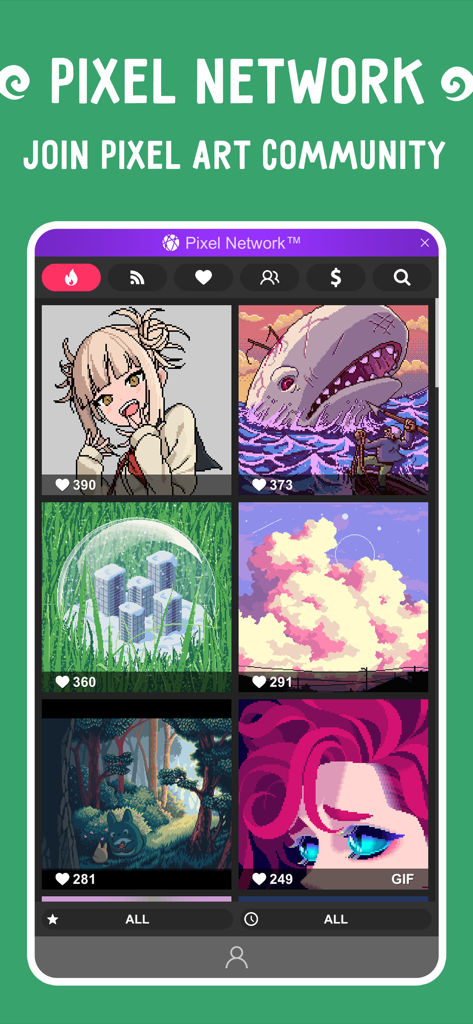
Pixel Studio PRO for pixel art - Pixel Studio PRO의 픽셀 아트 제작물을 보여주는 Pixel Network 커뮤니티 갤러리
Pixel Studio PRO의 픽셀 아트 제작물을 보여주는 Pixel Network 커뮤니티 갤러리

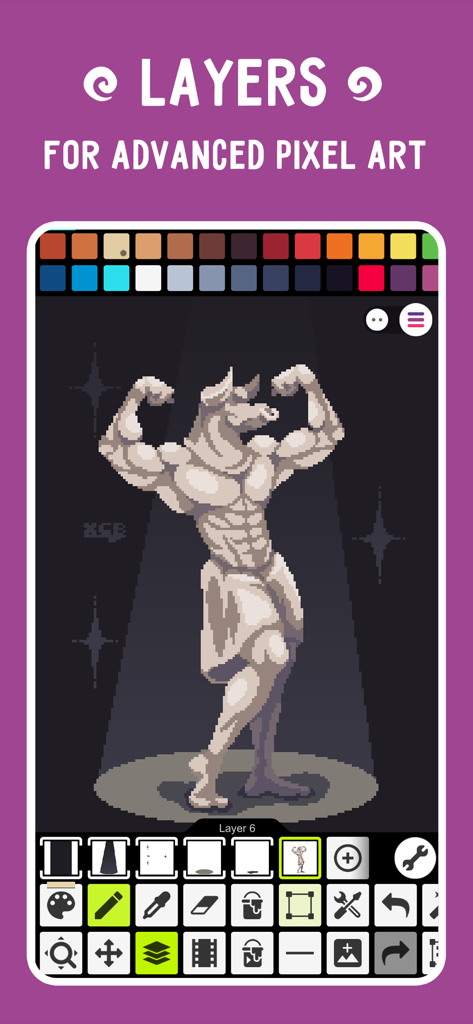
Pixel Studio PRO for pixel art - 조각상 일러스트와 함께 고급 픽셀 아트를 위한 레이어를 보여주는 Pixel Studio PRO 인터페이스
조각상 일러스트와 함께 고급 픽셀 아트를 위한 레이어를 보여주는 Pixel Studio PRO 인터페이스

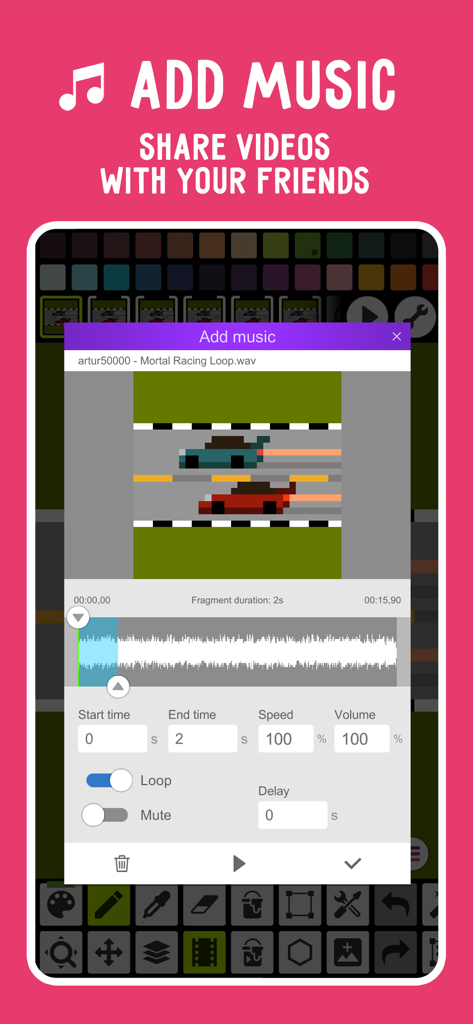
Pixel Studio PRO for pixel art - 픽셀 아트 자동차 경주 애니메이션에 음악을 추가하는 기능을 보여주는 Pixel Studio PRO 사용자 인터페이스
픽셀 아트 자동차 경주 애니메이션에 음악을 추가하는 기능을 보여주는 Pixel Studio PRO 사용자 인터페이스

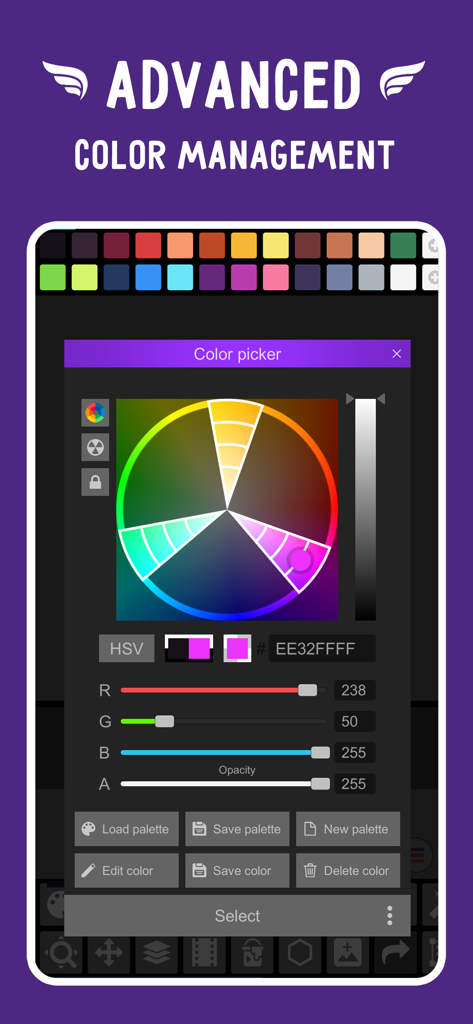
Pixel Studio PRO for pixel art - Pixel Studio PRO의 고급 색상 선택기 및 관리 도구

Pixel Studio PRO의 고급 색상 선택기 및 관리 도구

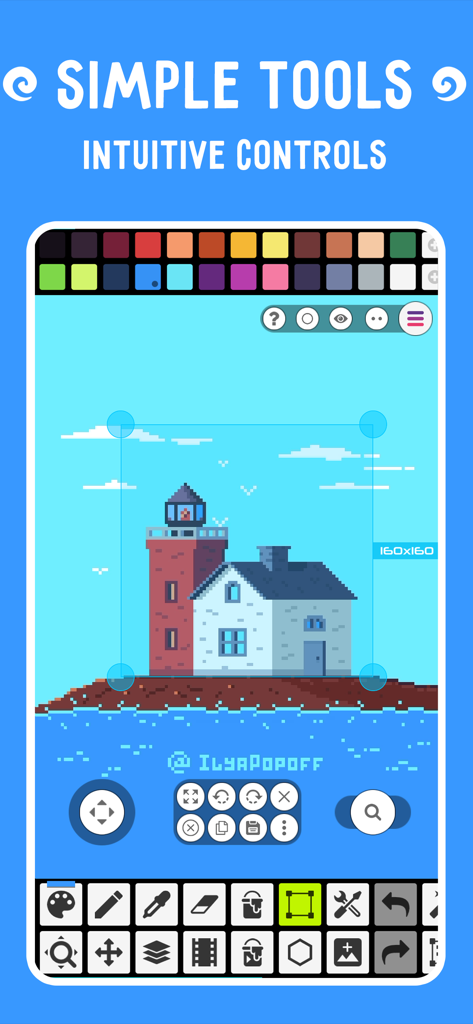
Pixel Studio PRO for pixel art - 등대 그림과 다양한 창의적 도구를 보여주는 픽셀 아트 편집기 인터페이스
등대 그림과 다양한 창의적 도구를 보여주는 픽셀 아트 편집기 인터페이스

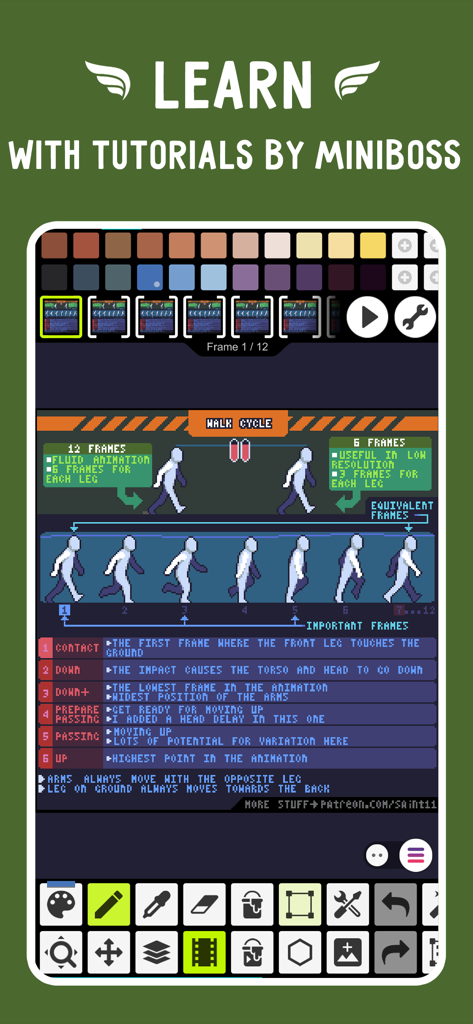
Pixel Studio PRO for pixel art - 픽셀 아트 걷기 사이클 애니메이션 튜토리얼을 특징으로 하는 Pixel Studio PRO 인터페이스

픽셀 아트 걷기 사이클 애니메이션 튜토리얼을 특징으로 하는 Pixel Studio PRO 인터페이스

설명

Pixel Studio is a new pixel art editor for artists and game developers. Simple, fast and portable. No matter whether you are a beginner or a professional. Create amazing pixel art anywhere and anytime! We support layers and animations and have a ton of useful tools - all you need to create cool projects. Add music to your animations and export videos to MP4. Use Google Drive to sync your work between different devices and even platforms. Join Pixel Network™ - our new pixel art community! Don't doubt, just try it and make sure you've chosen the best pixel art tool ever! Over 2.000.000 downloads around the world, translated to 23 languages! Features: • It's super simple, intuitive and user friendly • It's cross-platform, use it on mobile and desktop with Google Drive sync • Use layers for advanced pixel art • Create frame-by-frame animations • Save animations to GIF or sprite sheets • Extend animations with music and export videos to MP4 • Share arts with friends and Pixel Network community • Create custom palettes, use built-in or download palettes from Lospec • Advanced color picker with RGBA and HSV modes • Simple zoom and move with gestures and joysticks • Use Portrait mode for mobile and Landscape for tablets and PC • Customizable toolbar and a lot of other settings • We support Apple Pencil! • We support all popular formats: PNG, JPG, GIF, BMP, PSP (Pixel Studio Project), ASE (Aseprite) • Autosave and backup - don't lose your work! • Discover a ton of other useful tools and features! More features: • Shape Tool for primitives • Gradient Tool • Built-in and custom brushes • Sprite Library for your image patterns • Tile Mode for brushes • Symmetry drawing (X, Y, X+Y) • Dot Pen for precise drawing with a cursor • Text Tool with different fonts • Dithering Pen for shadows and flares • Pixel art rotation with Fast RotSprite algorithm • Onion Skin for advanced animation • Apply palettes to images • Grab palettes from images • Mini-map and Pixel Perfect preview • Unlimited canvas size • Canvas resizing and rotation • Customizable background color • Customizable grid • Multithreaded image processing • JASC Palette (PAL) format support • Aseprite files support (import only) You can support us by purchasing PRO (it's one-time purchase): • No ads • Google Drive sync (cross-platform) • Dark Theme • 256-color palettes • Tile mode for making seamless textures • Extended max project size • Unlimited color adjustment (Hue, Saturation, Lightness) • Unlimited export to MP4 • Extended storage in Pixel Network System requirements: • 2GB+ of RAM for large projects and animations • Powerful CPU (AnTuTu score 100.000+) Sample images made by lorddkno, Redshrike, Calciumtrice, Buch, Tomoe Mami are used under CC BY 3.0 license. Privacy Policy: https://github.com/hippogamesunity/PixelStudioHub/wiki/Privacy-Policy Terms of Use: https://www.apple.com/legal/internet-services/itunes/dev/stdeula/

Download

다운로드: App Store

이 페이지는 앱이나 개발자의 공식 페이지가 아니며, 정보 제공 및 논평을 목적으로 작성된 독립 편집 간행물입니다. 명시적으로 달리 언급되지 않는 한, 해당 앱이나 개발자는 MWM, Apple, Google Play, 앱 퍼블리셔 또는 앱 개발자와 제휴, 보증, 후원, 승인 또는 공식적으로 연결되어 있지 않으며, 이 페이지의 어떤 내용도 해당 앱이 MWM의 서비스를 사용하여 개발되었음을 의미하지 않습니다. 모든 상표, 로고, 스크린샷 및 기타 콘텐츠는 해당 소유자의 자산입니다.