Playback
Playback
다운로드: App Store

이 페이지는 앱이나 개발자의 공식 페이지가 아니며, 정보 제공 및 논평을 목적으로 작성된 독립 편집 간행물입니다. 명시적으로 달리 언급되지 않는 한, 해당 앱이나 개발자는 MWM, Apple, Google Play, 앱 퍼블리셔 또는 앱 개발자와 제휴, 보증, 후원, 승인 또는 공식적으로 연결되어 있지 않으며, 이 페이지의 어떤 내용도 해당 앱이 MWM의 서비스를 사용하여 개발되었음을 의미하지 않습니다. 모든 상표, 로고, 스크린샷 및 기타 콘텐츠는 해당 소유자의 자산입니다.


로고: Playback
다운로드: App Store

Playback

오리지널 마스터 녹음본, 원활한 Planning Center 통합, 그리고 모든 교회 팀을 위해 설계된 전문적인 스테이지 자동화로 여러분의 주일 예배를 격상시키세요.

주요 수치

다운로드

465K+

사용자 평점

4.7/5

총 평가 수

4K+

개발사

MULTITRACKS.COM, LLC

카테고리

Music

지원 언어

6

최신 버전

8.5.1

크기

137.9 MB

출시일

2013년 11월 23일
기능

팀을 위한 간소화된 전문 프로덕션

Playback은 예배 인도자를 위해 특별히 설계된 세계에서 가장 강력한 멀티트랙 플레이어입니다. 오리지널 마스터 녹음본을 원활하게 통합하고, 스테이지를 자동화하며, 팀 전체를 동기화 상태로 유지하세요.

오리지널 마스터 녹음본

세계 최고의 예배 아티스트들이 참여한 24,000개 이상의 트랙을 통해 스튜디오 품질의 스템으로 라이브 사운드를 풍성하게 채우세요.

전체 에코시스템 통합

Planning Center 세트리스트를 가져오고 ProPresenter 가사 또는 조명을 자동화하여 방해 없는 주일 예배를 보장하세요.

다음 스크린샷과 설명은 앱의 공식 스토어 목록에서 직접 가져온 것이며 앱 개발자의 자산입니다.

앱 스토어

스크린샷
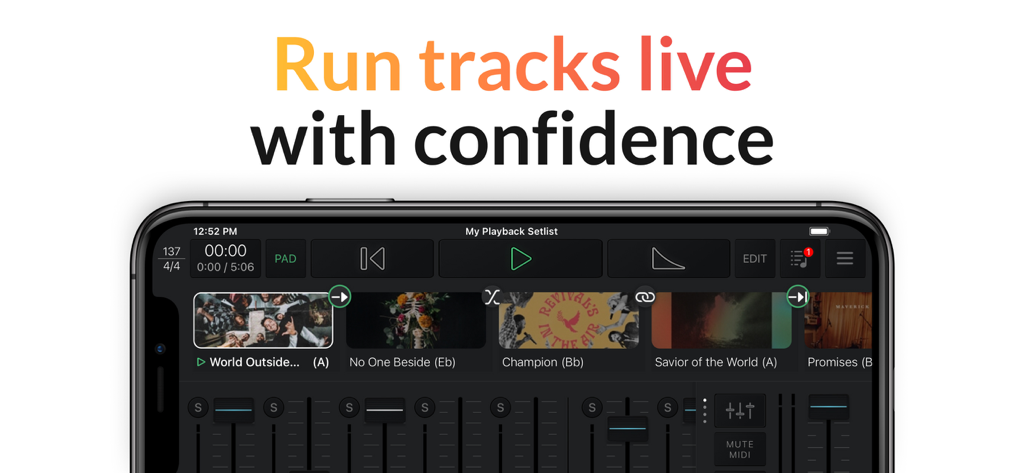
Playback - 스마트폰에서 라이브 음악 세트리스트와 오디오 믹서 컨트롤을 보여주는 Playback 앱 인터페이스
스마트폰에서 라이브 음악 세트리스트와 오디오 믹서 컨트롤을 보여주는 Playback 앱 인터페이스

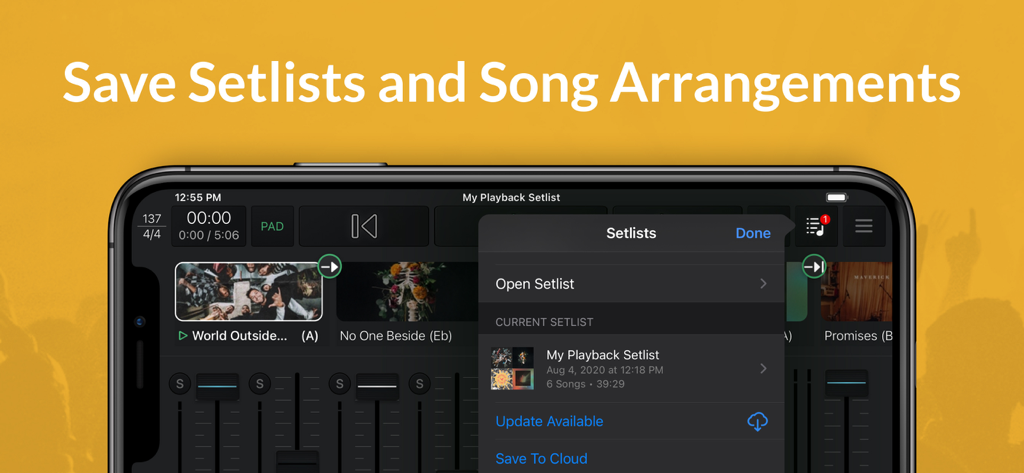
Playback - 모바일 기기에서 세트리스트 및 곡 편곡을 저장하는 방법을 보여주는 Playback 앱 스크린샷
모바일 기기에서 세트리스트 및 곡 편곡을 저장하는 방법을 보여주는 Playback 앱 스크린샷

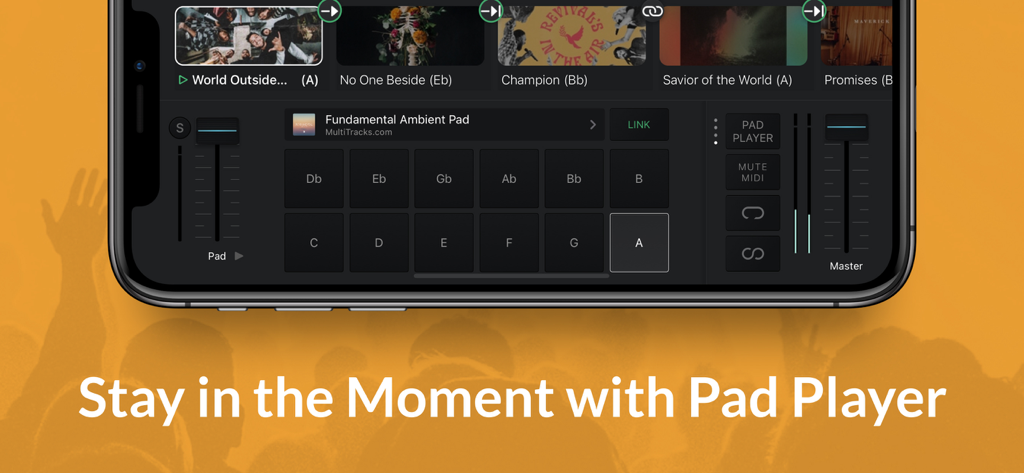
Playback - 예배 음악을 위한 앰비언트 패드 키와 볼륨 컨트롤을 보여주는 Playback 앱 Pad Player 인터페이스
예배 음악을 위한 앰비언트 패드 키와 볼륨 컨트롤을 보여주는 Playback 앱 Pad Player 인터페이스

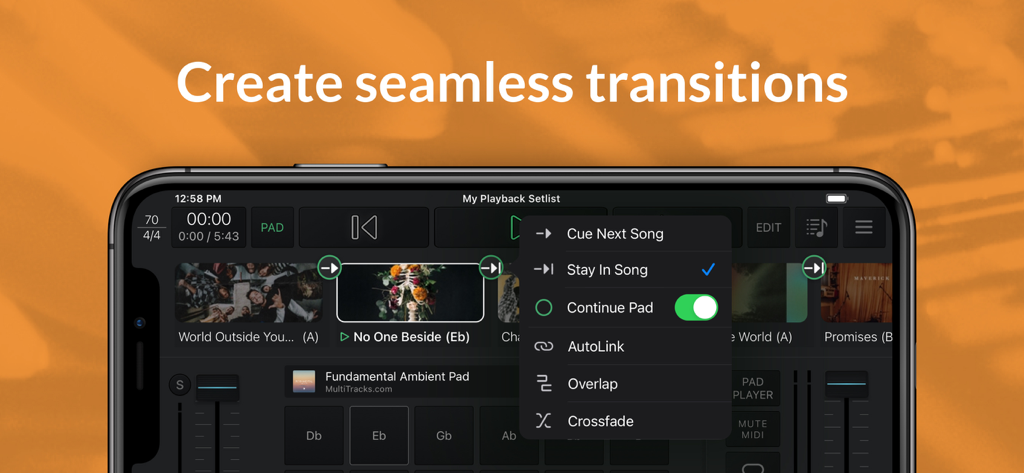
Playback - 앰비언트 패드 및 원활한 곡 전환 옵션을 보여주는 Playback 앱 인터페이스
앰비언트 패드 및 원활한 곡 전환 옵션을 보여주는 Playback 앱 인터페이스

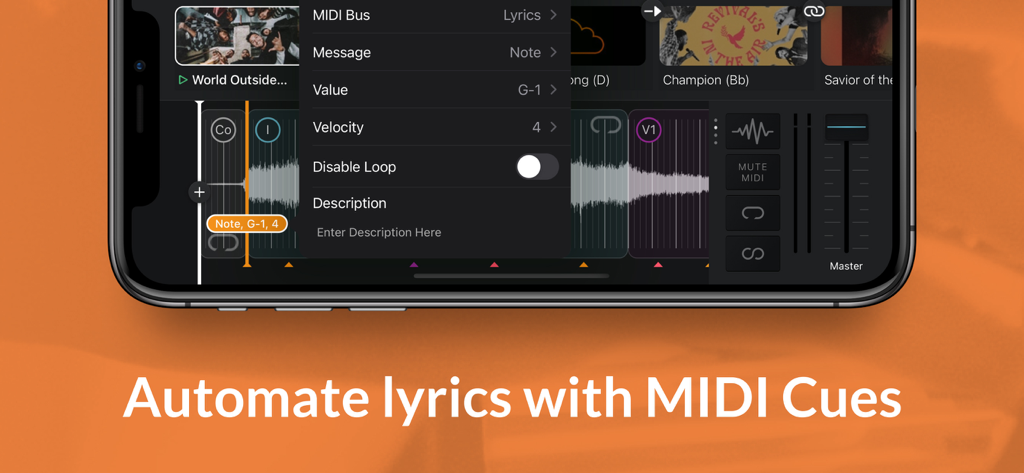
Playback - MIDI 큐로 가사를 자동화하는 메뉴를 보여주는 Playback 앱 인터페이스
MIDI 큐로 가사를 자동화하는 메뉴를 보여주는 Playback 앱 인터페이스

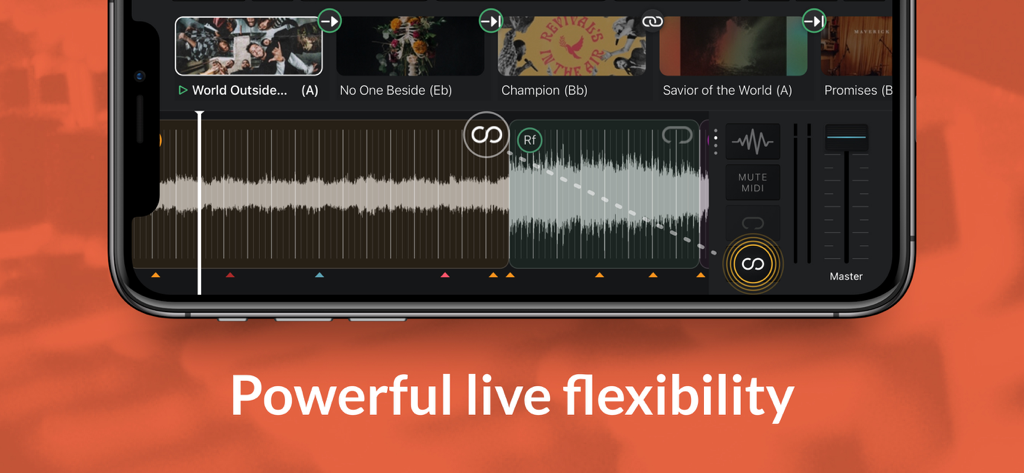
Playback - 트랙 파형과 예배 음악 세트리스트가 있는 Playback 앱 인터페이스를 표시하는 스마트폰
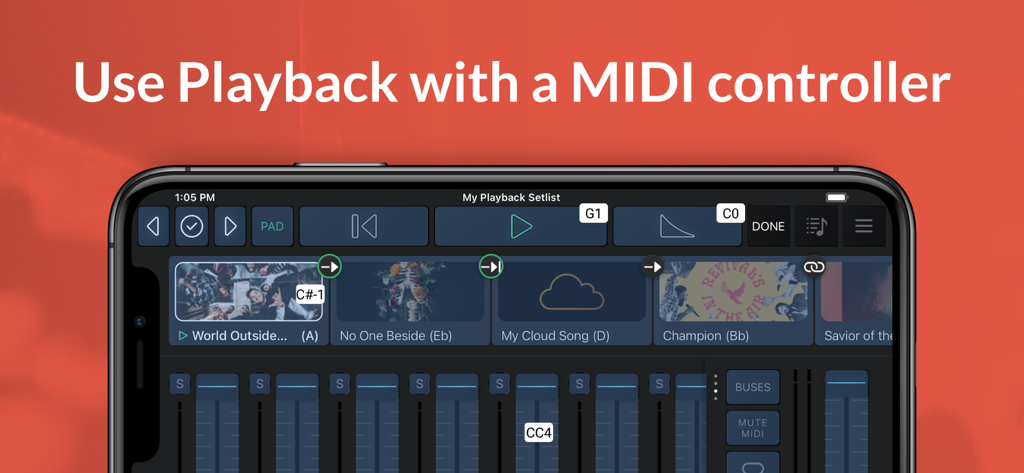
트랙 파형과 예배 음악 세트리스트가 있는 Playback 앱 인터페이스를 표시하는 스마트폰

Playback - 음악 세트리스트와 MIDI 컨트롤러 지원이 있는 오디오 믹서가 있는 스마트폰의 Playback 앱 인터페이스
음악 세트리스트와 MIDI 컨트롤러 지원이 있는 오디오 믹서가 있는 스마트폰의 Playback 앱 인터페이스

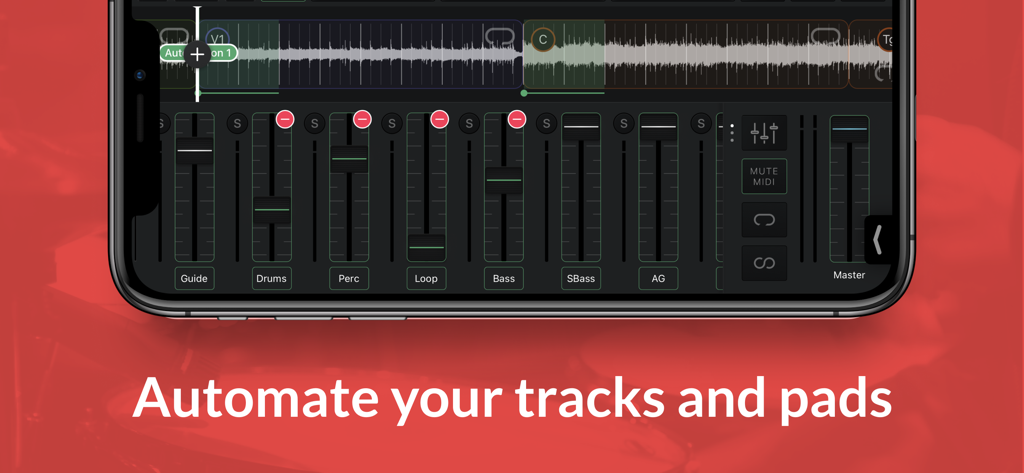
Playback - 스마트폰에서 멀티트랙 오디오 믹싱 및 자동화 컨트롤을 보여주는 Playback 앱 인터페이스
스마트폰에서 멀티트랙 오디오 믹싱 및 자동화 컨트롤을 보여주는 Playback 앱 인터페이스

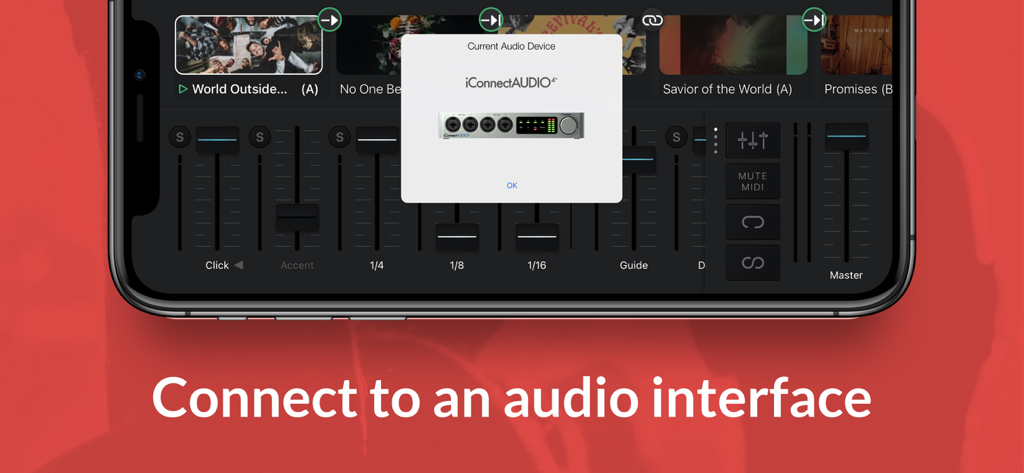
Playback - iConnectAUDIO4 오디오 인터페이스에 대한 연결을 표시하는 iPhone의 Playback 앱
iConnectAUDIO4 오디오 인터페이스에 대한 연결을 표시하는 iPhone의 Playback 앱

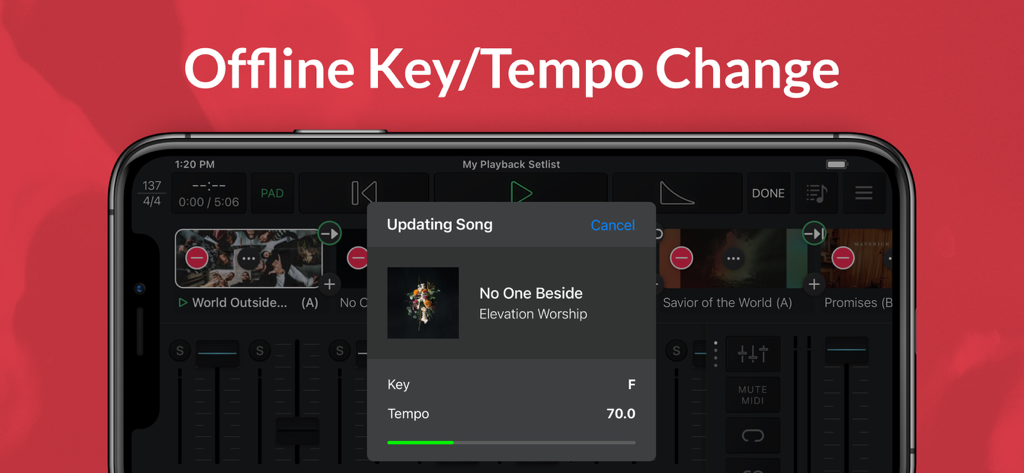
Playback - iPhone에서 오프라인 키 및 템포 조정을 위한 곡 업데이트를 보여주는 Playback 앱 인터페이스

iPhone에서 오프라인 키 및 템포 조정을 위한 곡 업데이트를 보여주는 Playback 앱 인터페이스

설명

Playback turns your Apple device into a simple, yet powerful MultiTrack player that works seamlessly with the rest of the MultiTracks.com ecosystem of products like ChartBuilder®, RehearsalMix®, and the Church Streaming License®. Link your Planning Center account and have setlists you create automatically appear in Playback. Pairing Playback with our ProPresenter Templates gives it access to pre-made MIDI Cues that perfectly sync lyrics to your tracks. Playback has been optimized to be the best tracks solution for a worship team. While it has powerful features like automation, custom song arrangements, MIDI in/out, and even support for SMPTE timecode, it’s easy and intuitive for new volunteers. A Playback Rentals subscription is an easy and affordable way to quickly access the MultiTracks from our ever expanding library of over 24,000 original master recordings. Any previous tracks purchases from MultiTracks.com are instantly available in your Playback library. Already have your own tracks? Upload them to your library with a Cloud Pro subscription so that they can be accessed in Playback. Playback Sync® automatically scrolls charts in the ChartBuilder app to always match where you are in a song. No extra cables needed since it’s all done over Wi-Fi. This ensures your team is literally all on the same page! Pad Player® lets you to stay in the moment with ambient pads underneath every song and transition in your setlist. INTRO (Free) - Build & save setlists - Solo, mute & adjust track volumes - Set custom start & end times - Tempo/key change to all 12 keys - Play ambient pads underneath songs - Access any song in the catalog with a Playback Rentals Subscription - Song transitions - AutoPan - Add click-and-pad-only songs to setlists - Adjust click track subdivisions - Live Crossfade between songs - Reference the original song mix PREMIUM (Starting at $9.99/mo | Visit MultiTracks.com/Pricing) - All “Intro” features - Add, remove, rearrange, rename, & TRIM song sections - MIDI Map controls to a MIDI Controller - Loop Song Sections - Infinite Loop Song Sections - Save Custom Song Arrangements w/Cloud Pro Intro or higher - Add an Infinite Click Track - Automation: Place cues anywhere in a song to trigger automations for track volumes, mute/unmute, Pad Player, & more! - Playback Remote - Send MIDI Cues to lyrics, lights & more with (Requires Live Bundle) - Live Re-Order: While audio is playing, jump to a particular Song Section - MIDI Map to a specific Song Section - Freely jump between Song Sections & Songs live using a MIDI Controller - Buses: Route your tracks out of 10 buses for better mix control - SmartRouting®: We’ve pre-assigned every track type to a bus. *Supported USB Audio Interfaces & Playback will automatically route your tracks to the available outputs - MultiOuts®: Route tracks & buses to multiple outputs with one of our *Supported USB Audio Interfaces. - Create & edit MIDI Cues directly in Playback. Save MIDI Cues to your Library with a Cloud Pro subscription - Advanced Pad Player Interface *Please Note* Because access is given to Original Artist Master MultiTracks through our free ”Demo Setlist” & "Play of the Week," account registration is required for you to verify your identity and ensure compliance with Terms of Use. Price may vary by location. Subscriptions will be charged to your credit card through your iCloud account. Subscription will automatically renew unless canceled at least 24 hours before the end of the current period. You won't be able to cancel the subscription once activated. Any unused portion of a free trial will be forfeited if you upgrade from a free subscription to a paid version. Manage your subscriptions in Account Settings after purchase. For more details on our Privacy Policy & Terms of Use for MultiTracks.com please visit: http://www.multitracks.com/privacy/ and http://www.multitracks.com/terms/

Download

다운로드: App Store

이 페이지는 앱이나 개발자의 공식 페이지가 아니며, 정보 제공 및 논평을 목적으로 작성된 독립 편집 간행물입니다. 명시적으로 달리 언급되지 않는 한, 해당 앱이나 개발자는 MWM, Apple, Google Play, 앱 퍼블리셔 또는 앱 개발자와 제휴, 보증, 후원, 승인 또는 공식적으로 연결되어 있지 않으며, 이 페이지의 어떤 내용도 해당 앱이 MWM의 서비스를 사용하여 개발되었음을 의미하지 않습니다. 모든 상표, 로고, 스크린샷 및 기타 콘텐츠는 해당 소유자의 자산입니다.