Playlisty for Apple Music
다운로드: App Store

이 페이지는 앱이나 개발자의 공식 페이지가 아니며, 정보 제공 및 논평을 목적으로 작성된 독립 편집 간행물입니다. 명시적으로 달리 언급되지 않는 한, 해당 앱이나 개발자는 MWM, Apple, Google Play, 앱 퍼블리셔 또는 앱 개발자와 제휴, 보증, 후원, 승인 또는 공식적으로 연결되어 있지 않으며, 이 페이지의 어떤 내용도 해당 앱이 MWM의 서비스를 사용하여 개발되었음을 의미하지 않습니다. 모든 상표, 로고, 스크린샷 및 기타 콘텐츠는 해당 소유자의 자산입니다.

로고: Playlisty for Apple Music
다운로드: App Store

Playlisty for Apple Music

월별 요금 없이 정확하게 Spotify 또는 YouTube에서 전환하세요. 음악 라이브러리 및 고품질 메타데이터에 대한 완전한 제어를 요구하는 290,000명 이상의 사용자와 함께하세요.

주요 수치

다운로드

290K+

사용자 평점

4.8/5

총 평가 수

1K+

개발사

Obdura Ltd

카테고리

Music

지원 언어

1

최신 버전

3.35

크기

26.8 MB

출시일

2019년 11월 28일
기능

음악 마이그레이션 마스터하기

누락된 트랙과 잘못된 일치에 만족하지 마세요. Playlisty는 구독 피로감 없이 완벽한 Apple Music 라이브러리를 구축하는 데 필요한 정확성과 자동화를 파워 유저에게 제공합니다.

비교할 수 없는 일치 정확도

저장하기 전에 일치 항목을 검토하고 수정하세요. 라이브러리의 모든 트랙이 항상 최고 품질의 오디오와 정확한 메타데이터를 갖도록 보장합니다.

월간 구독 없음

간단한 일회성 요금으로 전문가 수준의 도구를 경험하세요. 반복되는 비용을 추가하지 않고 무제한 전송 및 Pro 기능을 잠금 해제하세요.

다음 스크린샷과 설명은 앱의 공식 스토어 목록에서 직접 가져온 것이며 앱 개발자의 자산입니다.

앱 스토어

스크린샷
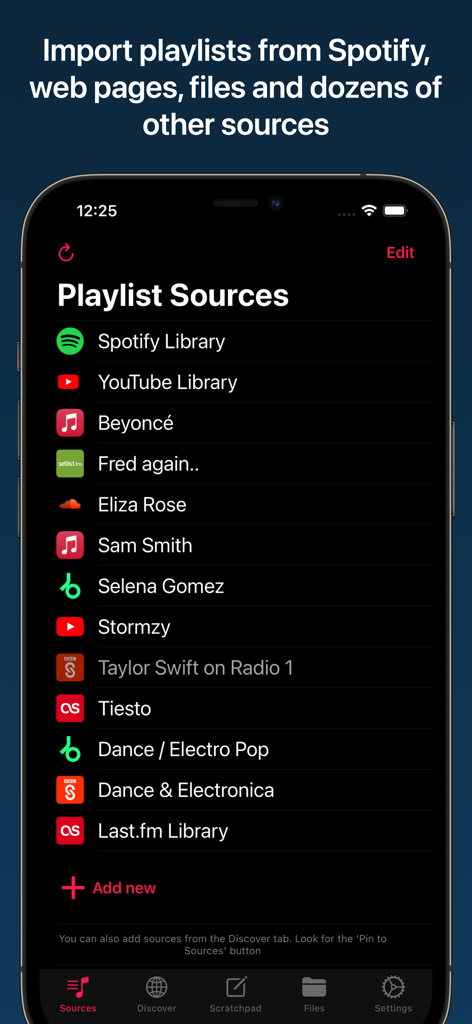
Playlisty for Apple Music - Apple Music으로 가져올 Spotify 및 YouTube를 포함한 재생 목록 소스 목록을 보여주는 Playlisty 앱 인터페이스.
Apple Music으로 가져올 Spotify 및 YouTube를 포함한 재생 목록 소스 목록을 보여주는 Playlisty 앱 인터페이스.

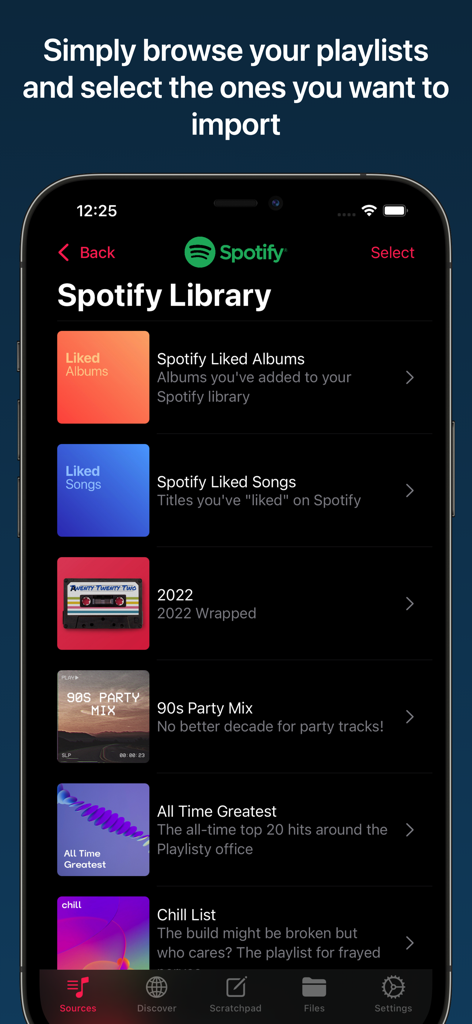
Playlisty for Apple Music - Apple Music으로 가져올 준비가 된 Spotify 재생 목록 목록을 보여주는 모바일 인터페이스.
Apple Music으로 가져올 준비가 된 Spotify 재생 목록 목록을 보여주는 모바일 인터페이스.

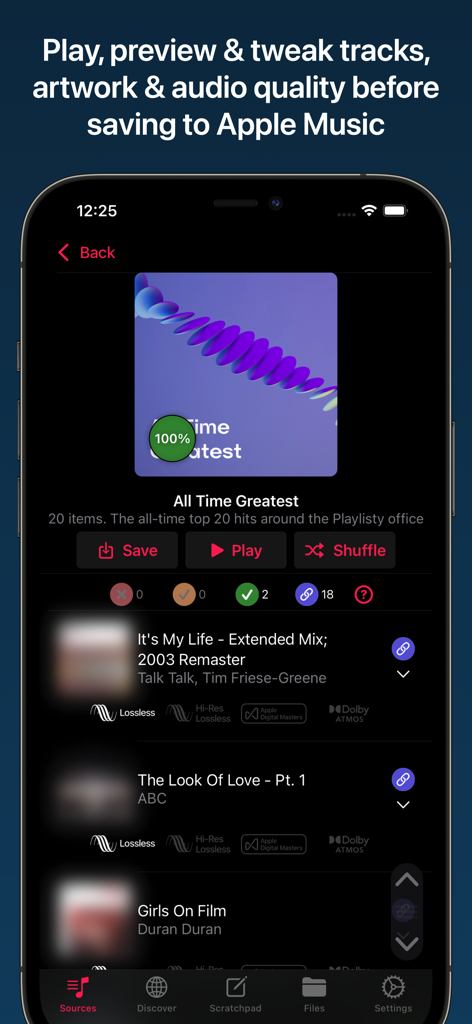
Playlisty for Apple Music - Apple Music용 Playlisty에서 트랙 및 오디오 품질 미리 보기.
Apple Music용 Playlisty에서 트랙 및 오디오 품질 미리 보기.

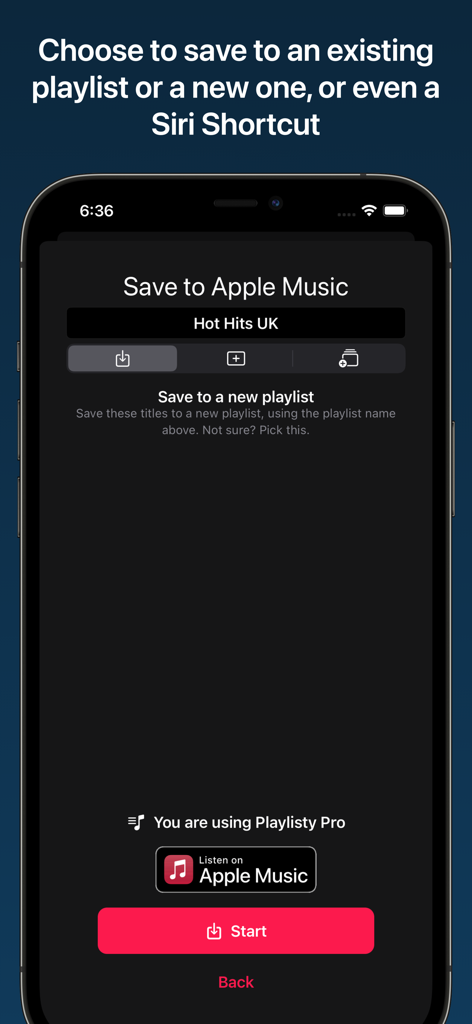
Playlisty for Apple Music - 재생 목록을 Apple Music 또는 Siri 단축키로 저장하기 위한 Playlisty 앱 인터페이스를 보여주는 스크린샷.
재생 목록을 Apple Music 또는 Siri 단축키로 저장하기 위한 Playlisty 앱 인터페이스를 보여주는 스크린샷.

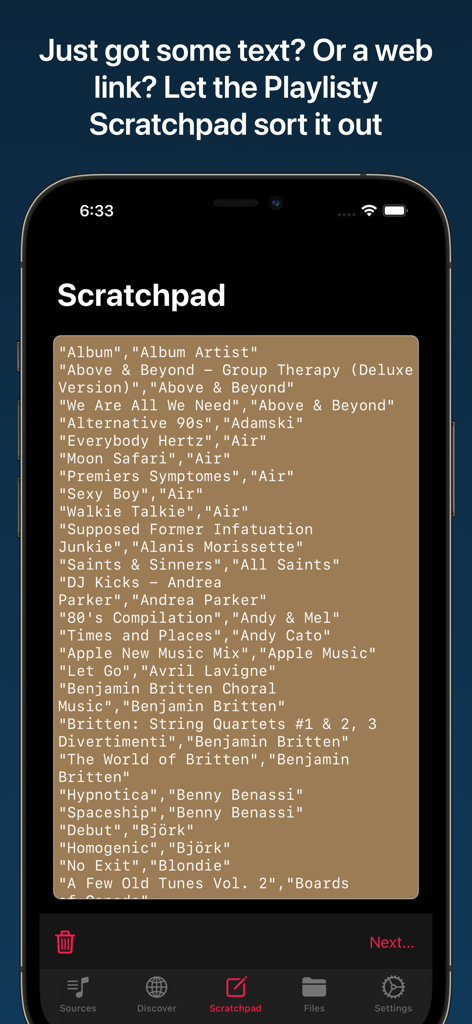
Playlisty for Apple Music - 텍스트 또는 웹 링크를 Apple Music 재생 목록으로 가져오는 데 사용되는 Playlisty Scratchpad 기능을 보여주는 스마트폰 화면.
텍스트 또는 웹 링크를 Apple Music 재생 목록으로 가져오는 데 사용되는 Playlisty Scratchpad 기능을 보여주는 스마트폰 화면.

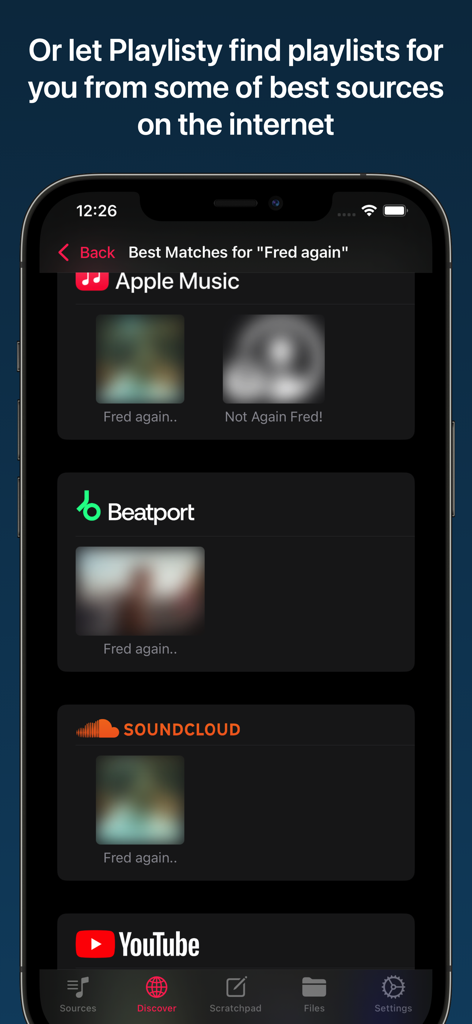
Playlisty for Apple Music - Fred again 아티스트의 SoundCloud, YouTube, Beatport와 같은 여러 소스의 재생 목록 검색 결과를 보여주는 Playlisty 앱.

Fred again 아티스트의 SoundCloud, YouTube, Beatport와 같은 여러 소스의 재생 목록 검색 결과를 보여주는 Playlisty 앱.

설명

Don't put up with bad matches and missing tracks - use the tool that gives you control over your playlist transfers. Important: You'll need a current Apple Music subscription to use "Playlisty for Apple Music". • Copy all of your Spotify playlists, liked songs, albums and artists to Apple Music in just a few taps • Fast & accurate, finds the Apple Music tracks with the best audio quality & artwork • NO SUBSCRIPTION – just a small one-off fee to unlock “Pro” features¹ • Lets you preview & amend matched playlists before saving results to Apple Music • Unique "direct play" feature - browse and play playlists without having to save them • Been sent a link to a Spotify playlist, track or album? Playlisty's unique "scratchpad" will convert it to Apple Music • Back-up your Apple Music playlists & songs to a file to keep them safe • Copy your library playlists, including your liked songs, from multiple other services such as YouTube • Use Siri Shortcuts to automatically sync playlists in the background • Discover new curators, artists & genres on some of the world's best music sites • Import or copy/paste playlists from hundreds of different file formats & web-pages Please note that Playlisty for Apple Music transfers playlists *into* Apple Music, not out. If you are looking to transfer playlists from Apple Music to Spotify please look at our other app: Playlisty for Spotify (https://apps.apple.com/us/app/playlisty-for-spotify/id6478105775) which goes the other way. ¹ The free version of Playlisty allows you to import an unlimited number of playlists, but playlists from certain sources (e.g. Spotify & YouTube) are capped at 20 tracks. Our low-cost "Pro" upgrade unlocks a number of additional features including playlists of unlimited length regardless of source.

Download

다운로드: App Store

이 페이지는 앱이나 개발자의 공식 페이지가 아니며, 정보 제공 및 논평을 목적으로 작성된 독립 편집 간행물입니다. 명시적으로 달리 언급되지 않는 한, 해당 앱이나 개발자는 MWM, Apple, Google Play, 앱 퍼블리셔 또는 앱 개발자와 제휴, 보증, 후원, 승인 또는 공식적으로 연결되어 있지 않으며, 이 페이지의 어떤 내용도 해당 앱이 MWM의 서비스를 사용하여 개발되었음을 의미하지 않습니다. 모든 상표, 로고, 스크린샷 및 기타 콘텐츠는 해당 소유자의 자산입니다.