PM Pro: Password Manager

PM Pro: Password Manager


다운로드: App Store
로고: PM Pro: Password Manager

PM Pro: 비밀번호 관리자 – 100% 오프라인, 안전한 디지털 금고

군사 등급 AES-256 암호화와 클라우드 노출 제로로 통제권을 되찾으세요. 일회성 결제로 비밀번호, 메모, 이미지를 로컬에 저장하세요. 구독, 데이터 유출, 타협은 없습니다.

다운로드: App Store

개발사

Taha Husain

카테고리

Productivity

다운로드

800

사용자 평점

5.0/5

총 평가 수

0

지원 언어

1

금고 내부 보기

이 인터페이스를 사용하는 800 명의 사용자.

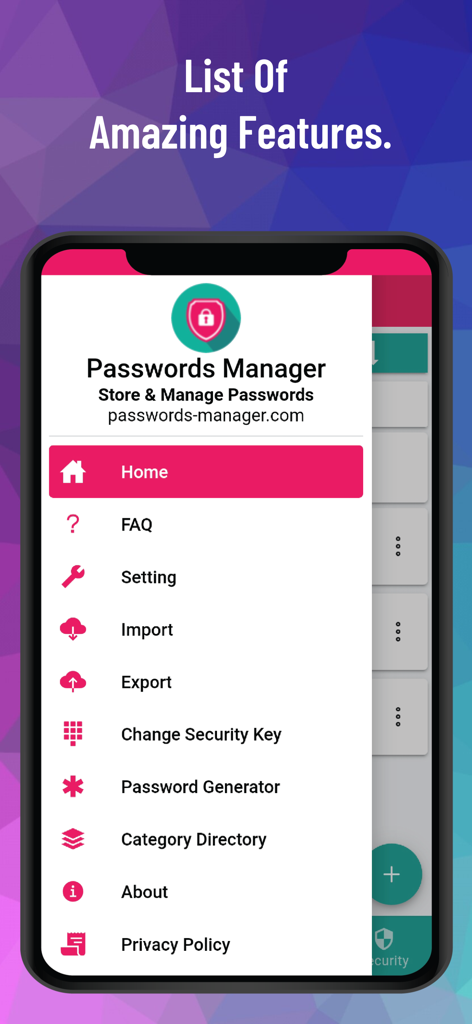
PM Pro 비밀번호 관리자 앱의 다양한 보안 기능이 있는 사이드바 탐색 메뉴를 보여주는 스마트폰 화면.

PM Pro 비밀번호 관리자 앱의 다양한 보안 기능이 있는 사이드바 탐색 메뉴를 보여주는 스마트폰 화면.

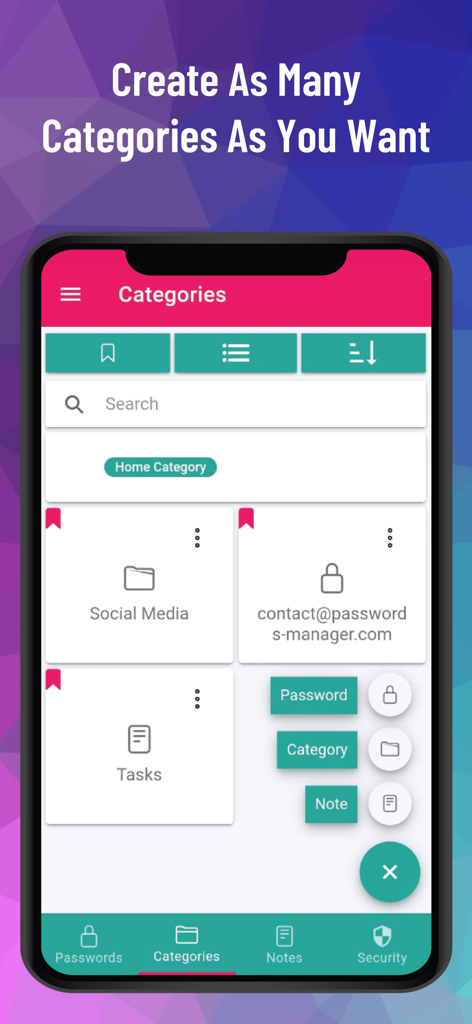
비밀번호 및 메모에 대한 사용자 정의 카테고리 구성을 보여주는 PM Pro 앱 화면

비밀번호 및 메모에 대한 사용자 정의 카테고리 구성을 보여주는 PM Pro 앱 화면

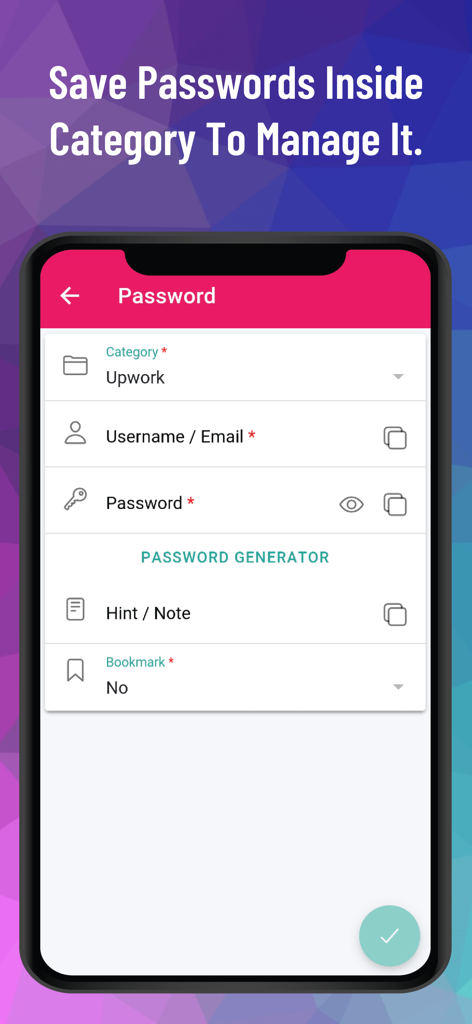
PM Pro에서 특정 카테고리 내에서 비밀번호를 저장하고 관리하는 모바일 앱 인터페이스

PM Pro에서 특정 카테고리 내에서 비밀번호를 저장하고 관리하는 모바일 앱 인터페이스

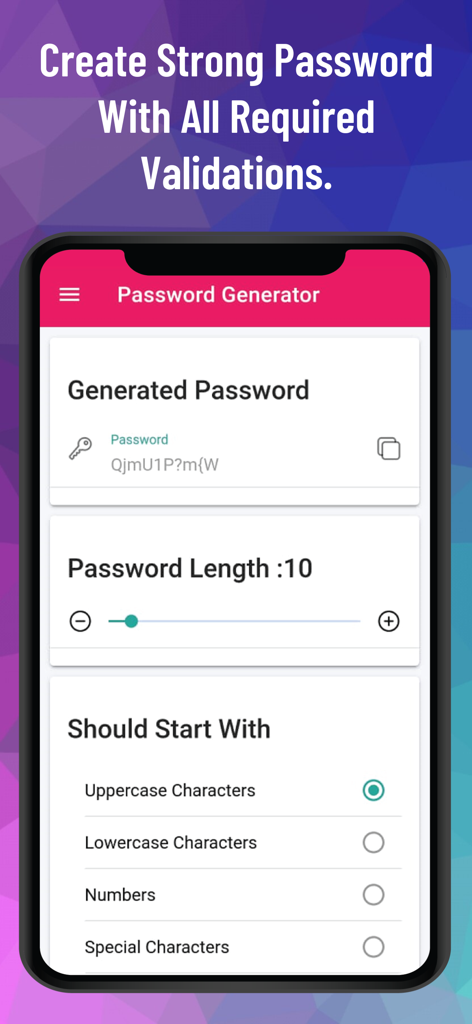
사용자 정의 길이 및 문자 옵션을 보여주는 PM Pro 앱의 비밀번호 생성기 화면 스크린샷

사용자 정의 길이 및 문자 옵션을 보여주는 PM Pro 앱의 비밀번호 생성기 화면 스크린샷

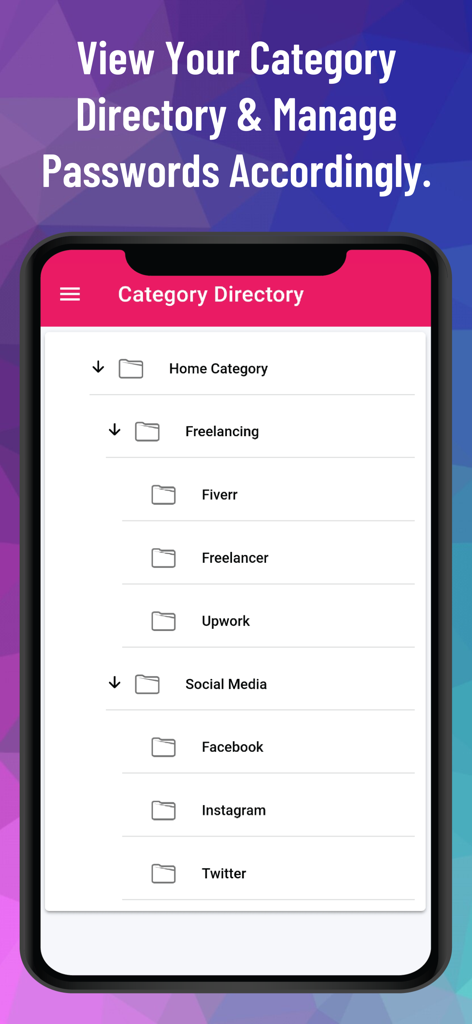
프리랜싱 및 소셜 미디어와 같은 폴더에 비밀번호를 구성하기 위한 계층적 카테고리 디렉토리를 표시하는 모바일 인터페이스.

프리랜싱 및 소셜 미디어와 같은 폴더에 비밀번호를 구성하기 위한 계층적 카테고리 디렉토리를 표시하는 모바일 인터페이스.

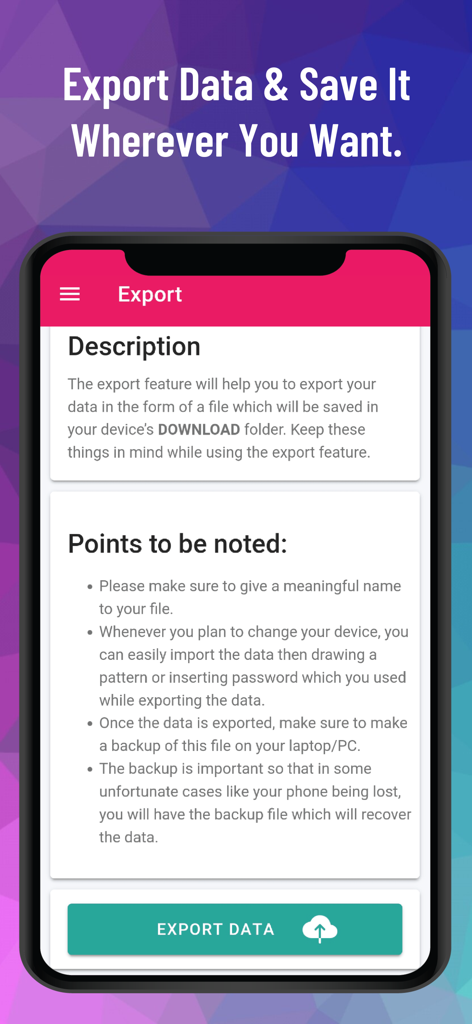
PM Pro 오프라인 비밀번호 관리자 앱의 데이터 내보내기 인터페이스.

PM Pro 오프라인 비밀번호 관리자 앱의 데이터 내보내기 인터페이스.

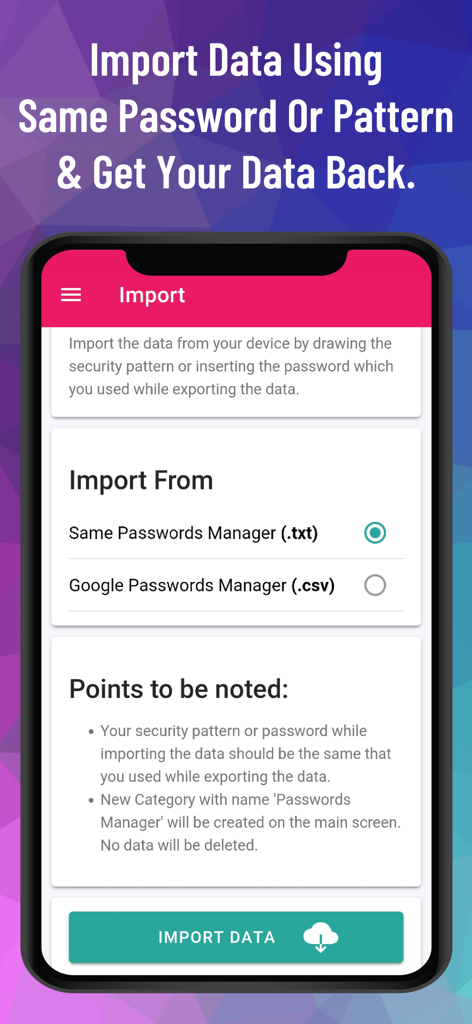
txt 및 csv 파일에서 데이터 가져오기 옵션을 보여주는 PM Pro 비밀번호 관리자 인터페이스

txt 및 csv 파일에서 데이터 가져오기 옵션을 보여주는 PM Pro 비밀번호 관리자 인터페이스

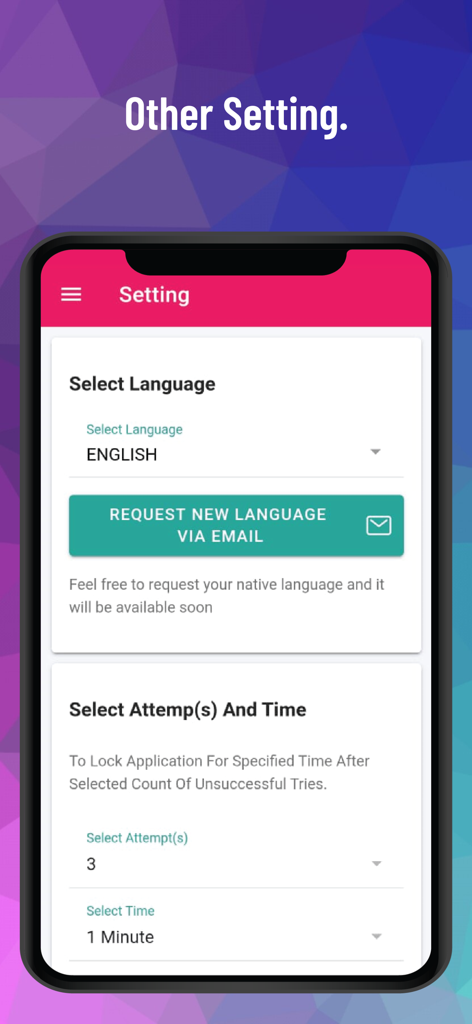
언어 선택 및 로그인 시도 잠금 제어를 보여주는 PM Pro 설정 화면으로 보안을 강화했습니다.

언어 선택 및 로그인 시도 잠금 제어를 보여주는 PM Pro 설정 화면으로 보안을 강화했습니다.

디지털 신원 정보 완전 제어

이 앱을 돋보이게 하는 도구, 800 명의 사용자가 선택.

🔒

100% 오프라인 아키텍처

데이터는 인터넷에 절대 연결되지 않습니다. AES-256 비트 암호화로 모든 것이 로컬에 저장되어 클라우드 유출 및 원격 해킹으로부터 보호합니다.

🎟️

구독 피로 제로

도구를 평생 소유하세요. 일회성 결제 모델로 월별 수수료를 절약하고 무제한 평생 액세스를 이용하세요.

📂

완벽한 디지털 금고

비밀번호를 넘어 이미지, 보안 메모, 사용자 정의 필드를 다단계 카테고리로 구성하여 디지털 생활 전체를 꼼꼼하게 정리하세요.

앱 소개

에 대해 알아야 할 모든 것 PM Pro: Password Manager.

설명

Passwords-Manager-PRO is a 100% offline password management application that enables users to store, organize, and manage their passwords, notes and other sensitive information locally on their devices without relying on cloud-based services. Highly Secure Offline Passwords Manager Application: This application is 100% offline without even having the internet connection in this application. It stores data only on the user's device and encrypts it using AES-256 bit encryption, ensuring high security and privacy. Multiple Login Types: The application offers users the flexibility to choose from three different login types: Pattern, Passwords, and Biometric. Malicious Login Detection: The app locks itself temporarily for a specified period of time after multiple failed login attempts, protecting against unauthorized access and brute-force attacks. Category-wise Data Organization: The application offers a hierarchical organization system, allowing users to categorize their data using multi-level categories. This means that users can create nested categories to structure their information effectively. Within these categories, users can store passwords, notes, and other relevant data. Custom Fields: The application provides support for an unlimited number of custom fields. These custom fields include Plain Text Box, Passwords Box, Note Box, and even the ability to store Images. Password Generator: The application includes a Password Generator tool that assists users in creating highly secure passwords. Weak & Repeated Passwords Alert: To enhance password security and assist users in managing their passwords effectively, the application provides a dedicated feature that lists all repeated and weak passwords separately. Multiple View Types: The application incorporates a user interface (UI) and user experience (UX) feature that allows users to choose between two different views for displaying their data: tile view or list view. Multiple Color Themes: At present, this application provides support for two distinct color themes: "Dark" and "Light." Users have the option to choose between these two themes based on their preference and visual comfort. Multiple Language Support: At present, the application provides support for a wide range of languages, surpassing 14 language options. Export Data: Since the Passwords Manager application operates entirely offline, transferring data to a new device requires a manual export of their data from the current device and securely stores it somewhere before uninstalling the application. File Import Data: Passwords Manager allows users to effortlessly import their passwords from various file formats. Whether it's a Google CSV file, a Passwords Manager (.txt) file, or a Passwords Manager (.csv) file, the application provides the flexibility to import data from other sources. QR Code Import: Passwords can be effortlessly transferred between devices by simply scanning a QR code within the application. To initiate the transfer, users can scan the QR code displayed on the source device using the QR code scanning feature within the application. Sync Data In Device: Users have the option to import/export their data to/from the application and enable the SYNC feature, which automatically synchronizes any changes made to the data within the application to the stored file in the device. Bookmark: The application provides users with the ability to bookmark their most frequently accessed data, enabling quick and convenient access whenever needed.. Auto Logout Application: This functionality ensures that if the application is left unattended or unused for a specified period, it will automatically log out to protect sensitive information from unauthorized access. Unlimited Access: The application operates on a one-time payment model, providing users with lifetime access and usage without any additional monthly or annual charges.

최신 버전

12.5

크기

25.4 MB

출시일

2023년 6월 27일

평생 오프라인 액세스로 금고를 안전하게 보호하세요

구독 피로와 클라우드 위험을 끝내세요. 장치에 로컬로 저장된 AES-256 암호화로 민감한 데이터를 보호하세요. 인터넷이 필요 없으며, 데이터 추적도, 반복되는 수수료도 없습니다.

다운로드: App Store

App information, icons, screenshots, and descriptions displayed on this page are sourced from the Apple App Store and are the property of their respective developers. Download estimates and rankings are based on MWM's proprietary models and may not reflect actual figures. This page is provided for informational and analytical purposes only.

Believe this page infringes your intellectual property? File a dispute