Pop Dot Comics
Pop Dot Comics
다운로드: App Store

이 페이지는 앱이나 개발자의 공식 페이지가 아니며, 정보 제공 및 논평을 목적으로 작성된 독립 편집 간행물입니다. 명시적으로 달리 언급되지 않는 한, 해당 앱이나 개발자는 MWM, Apple, Google Play, 앱 퍼블리셔 또는 앱 개발자와 제휴, 보증, 후원, 승인 또는 공식적으로 연결되어 있지 않으며, 이 페이지의 어떤 내용도 해당 앱이 MWM의 서비스를 사용하여 개발되었음을 의미하지 않습니다. 모든 상표, 로고, 스크린샷 및 기타 콘텐츠는 해당 소유자의 자산입니다.

로고: Pop Dot Comics
다운로드: App Store

Pop Dot Comics

빈티지 펄프 질감, 대담한 리히텐슈타인 스타일 팝 아트, 클래식 벤데이 도트로 황금시대 만화를 생생하게 구현하세요. 스냅 사진을 일간 신문이나 펄프 픽션 표지에 어울리는 고해상도 걸작으로 바꾸세요.

주요 수치

다운로드

170K+

사용자 평점

4.4/5

총 평가 수

700

개발사

JixiPix, LLC

카테고리

Photo & Video

지원 언어

-

최신 버전

1.48

크기

68.3 MB

출시일

2012년 8월 24일
기능

모든 스냅 사진을 만화 걸작으로 변환하세요

향수를 불러일으키는 레트로 감성과 고해상도 창의성을 결합한 전문가 수준의 만화 효과. 그림 그리기 기술이 필요하지 않습니다.

상징적인 만화 미학

리히텐슈타인에서 영감을 받은 팝 아트부터 거친 Sin City 스타일 누아르까지 다양한 스타일로 황금 시대를 다시 경험하세요.

영웅적인 스토리텔링

맞춤 설정 가능한 말풍선과 "POW" 효과음으로 개성을 더하여 가족의 순간을 펄프 픽션 커버로 만드세요.

다음 스크린샷과 설명은 앱의 공식 스토어 목록에서 직접 가져온 것이며 앱 개발자의 자산입니다.

앱 스토어

스크린샷
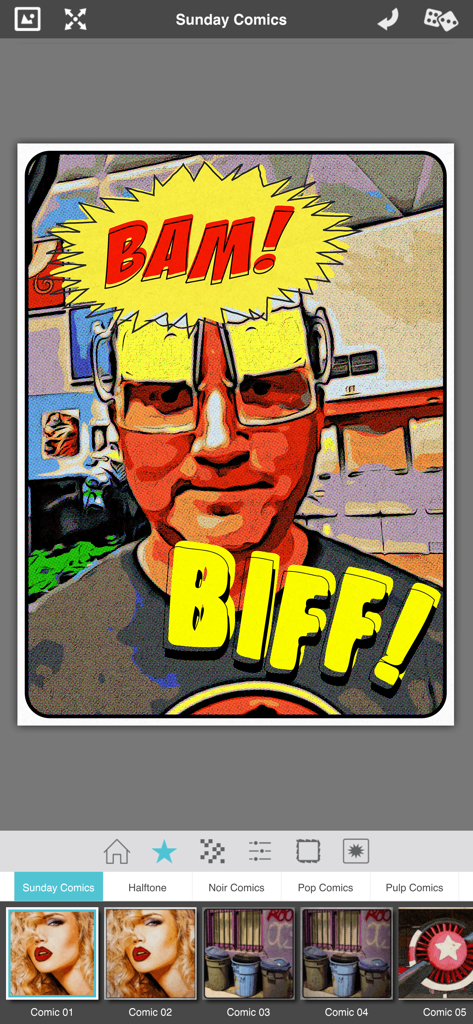
Pop Dot Comics - Pop Dot Comics 앱 인터페이스, 주간 만화 필터와 BAM 및 BIFF 효과음으로 편집된 사진 표시
Pop Dot Comics 앱 인터페이스, 주간 만화 필터와 BAM 및 BIFF 효과음으로 편집된 사진 표시

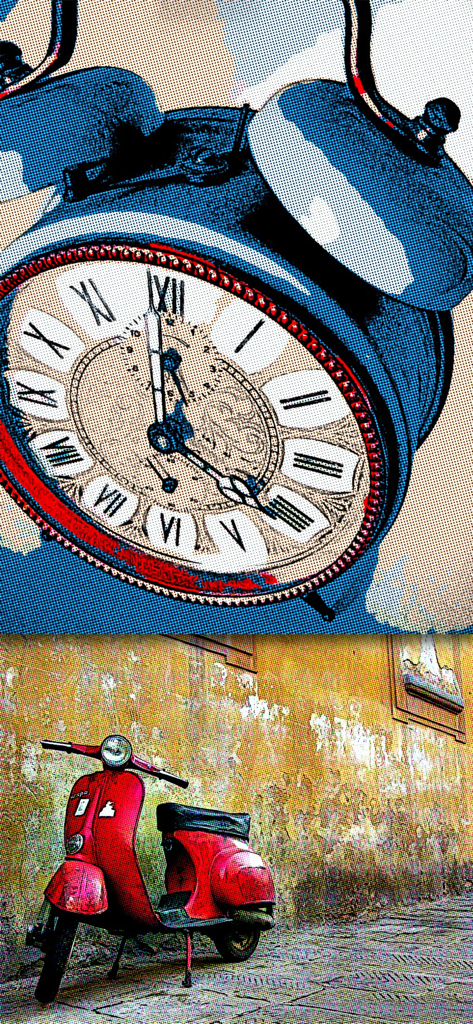
Pop Dot Comics - 알람 시계와 빨간 스쿠터에 적용된 만화책 및 팝 아트 스타일 사진 필터의 예시
알람 시계와 빨간 스쿠터에 적용된 만화책 및 팝 아트 스타일 사진 필터의 예시

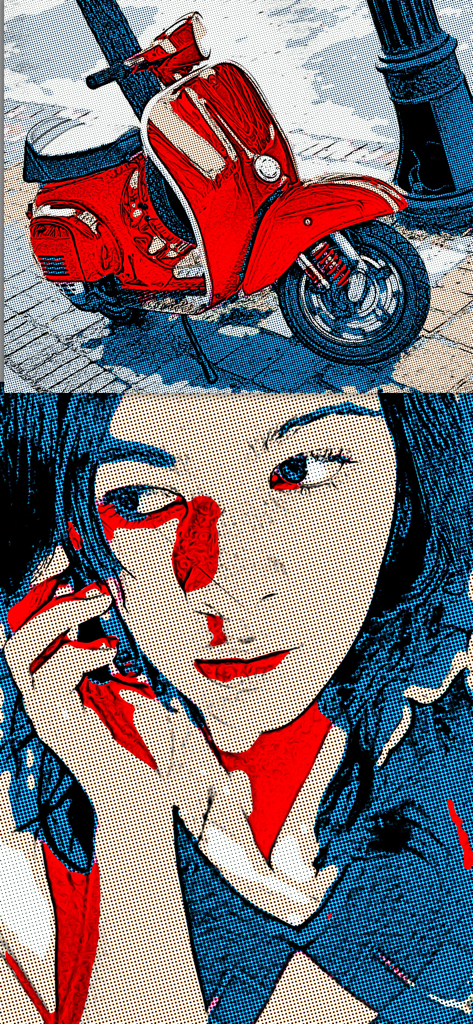
Pop Dot Comics - 복고풍 만화책 및 팝 아트 필터로 편집된 빨간 스쿠터와 여성 초상화
복고풍 만화책 및 팝 아트 필터로 편집된 빨간 스쿠터와 여성 초상화

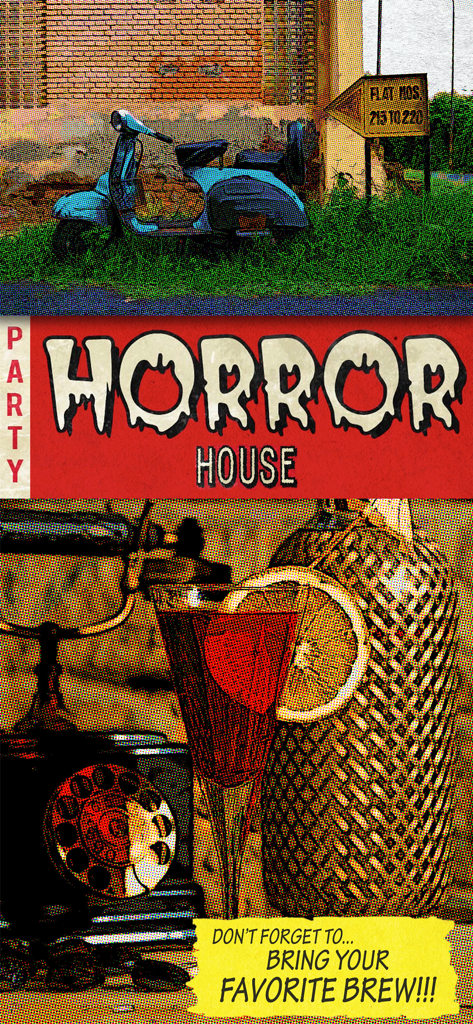
Pop Dot Comics - Pop Dot Comics를 사용하여 만든 할프트온 도트와 복고풍 삽화가 있는 빈티지 펄프 만화 스타일 전단지
Pop Dot Comics를 사용하여 만든 할프트온 도트와 복고풍 삽화가 있는 빈티지 펄프 만화 스타일 전단지

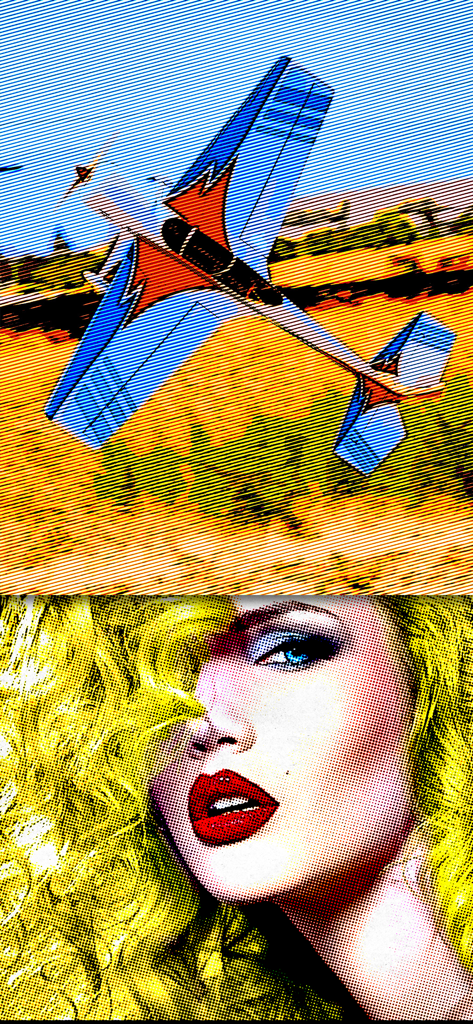
Pop Dot Comics - 벤데이 도트가 있는 비행기와 여성의 얼굴을 특징으로 하는 만화책 및 팝 아트 사진 필터의 예시

벤데이 도트가 있는 비행기와 여성의 얼굴을 특징으로 하는 만화책 및 팝 아트 사진 필터의 예시

설명

Create a comic worthy of the Sunday newspaper or your favorite pulp-fiction cover. Pop Dot Comic is a fun way to create comic-book style illustrations from your snapshot or ones taken of your friends and family. Pop Dot Comic applies thick outlines, bold colors, and plenty of benday dots to newsprint or pulp papers to give every creation the look of one that’s been printed or published. In the past, halftones were tediously inked in by cartoon artists or created in darkrooms. With Pop Dot Comic you can easily and quickly convert your photo into a comic book drawing that’s worthy enough for the Sunday newspaper or your favorite pulp-fiction cover. With a library of included “Fun Stuff”, custom messages can be added to speech bubbles and sound effects will give your creation “POW”. When your finished creating a comic book photo save it to your library or post them to your friends and family for funny moments. 

COMIC STYLES
 • Sunday Comics — Creates a Cartoon Photo 
 • Halftone — Transforms a photo into a Halftone Newspaper Photo
 • Pop Comics — Converts photos into a bright Pop Art Lichtenstein-style Cartoon
 • Pulp Comics — Renders a Cartoon with Vintage Color on Aged Pulp Paper
 • Noir Comics — Creates a contrasted toned or blk/white Comic with selective color like those used in the Sin City series Pop Dot Comics is a professional cartoon effect that can be done directly on your iPhone, iPad and Mac. •Convert all your images and pictures into cartoon-style effect quickly •Choose a preset for a quick start •Use large photos for a high-end result! •Crop your photo to remove unwanted parts of an image •Choose between 5 comic styles: Sunday Comics, Halftone, Noir Comics, Pop Comics, Pulp Comics •Make adjustments to outlines, color, border width, border inset and pulp papers •Choose between Dots, Lines and Halftones •Edit and resize “Fun Stuff” and “Bubbles” with an easy one-finger gesture •Share via Email, Facebook, Twitter and Tumblr •Save to Camera Roll Easy to Use •Tap to edit type in speech & thought bubbles •Long Press to delete fun stuff and bubbles •Pull edges of fun stuff and speech bubbles to resize •Touch and hold center to move FEATURES
 Benday Dots — like those used in the traditional printing process. Benday Dots are two (or more) different small, colored dots combined to create a third color. Back in the day, pulp comic books used Benday Dots in primary colors to inexpensively create the secondary colors such as flesh tone.

 Fully adjustable control on all aspects of the process: Dot or Line size, Outline size, Color variation, Border: Width, Inset, Color & Corner Radius. 

INCLUDES
 Newsprint and Pulp Papers

 UNIVERSAL FEATURES 
All JixiPix Apps come with: Superior Customer Service, Support for High-Resolution Images & Output, Undo/Redo, Randomize Button, Quick Presets and the ability to create Custom Presets, Cropping with the ability to specify aspect ratio, Quick Preview, Email, Print, and the ability to post directly to Facebook, Instagram, Twitter, and Tumblr. We also have an online art gallery and invite our user’s to display their artistic creations on it: http://www.flickr.com/groups/jixipixcreations/

 ***************

 “JixiPix turns any photo into a masterpiece. All that is required of you is the appreciation — we’ll take care of the rest!” JixiPix.com “Creative Tools for Creative People" Photography | Artistic | Graphic Apps
 MAC • iPad • iPhone

Download

다운로드: App Store

이 페이지는 앱이나 개발자의 공식 페이지가 아니며, 정보 제공 및 논평을 목적으로 작성된 독립 편집 간행물입니다. 명시적으로 달리 언급되지 않는 한, 해당 앱이나 개발자는 MWM, Apple, Google Play, 앱 퍼블리셔 또는 앱 개발자와 제휴, 보증, 후원, 승인 또는 공식적으로 연결되어 있지 않으며, 이 페이지의 어떤 내용도 해당 앱이 MWM의 서비스를 사용하여 개발되었음을 의미하지 않습니다. 모든 상표, 로고, 스크린샷 및 기타 콘텐츠는 해당 소유자의 자산입니다.








