PortKnock
PortKnock
다운로드: App Store

이 페이지는 앱이나 개발자의 공식 페이지가 아니며, 정보 제공 및 논평을 목적으로 작성된 독립 편집 간행물입니다. 명시적으로 달리 언급되지 않는 한, 해당 앱이나 개발자는 MWM, Apple, Google Play, 앱 퍼블리셔 또는 앱 개발자와 제휴, 보증, 후원, 승인 또는 공식적으로 연결되어 있지 않으며, 이 페이지의 어떤 내용도 해당 앱이 MWM의 서비스를 사용하여 개발되었음을 의미하지 않습니다. 모든 상표, 로고, 스크린샷 및 기타 콘텐츠는 해당 소유자의 자산입니다.


로고: PortKnock
다운로드: App Store

PortKnock

민감한 포트를 공개 인터넷에 보이지 않게 유지하여 인프라를 보호하세요. 비밀번호 보호 기능이 있는 맞춤형 TCP/UDP 시퀀스를 보내고 통합 앱 실행으로 워크플로를 자동화하세요.

주요 수치

다운로드

33K+

사용자 평점

4.5/5

총 평가 수

0

개발사

Danny Sung

카테고리

Utilities

지원 언어

1

최신 버전

4.18

크기

11.2 MB

출시일

2010년 3월 11일
기능

스텔스 액세스 및 정밀 제어

고급 포트 너킹 프로토콜을 사용하여 원격 인프라를 보호하는 네트워크 관리자를 위한 궁극의 광고 없는 유틸리티입니다.

스텔스 서버 보호

비밀 시퀀스로 액세스를 승인할 때까지 서비스 포트를 완전히 닫아 무차별 대입 공격 위험을 제거하세요.

즉각적인 워크플로 자동화

게이트가 열리는 순간 SSH 클라이언트를 트리거하는 자동 앱 실행기로 보안과 속도의 격차를 해소하세요.

다음 스크린샷과 설명은 앱의 공식 스토어 목록에서 직접 가져온 것이며 앱 개발자의 자산입니다.

앱 스토어

스크린샷
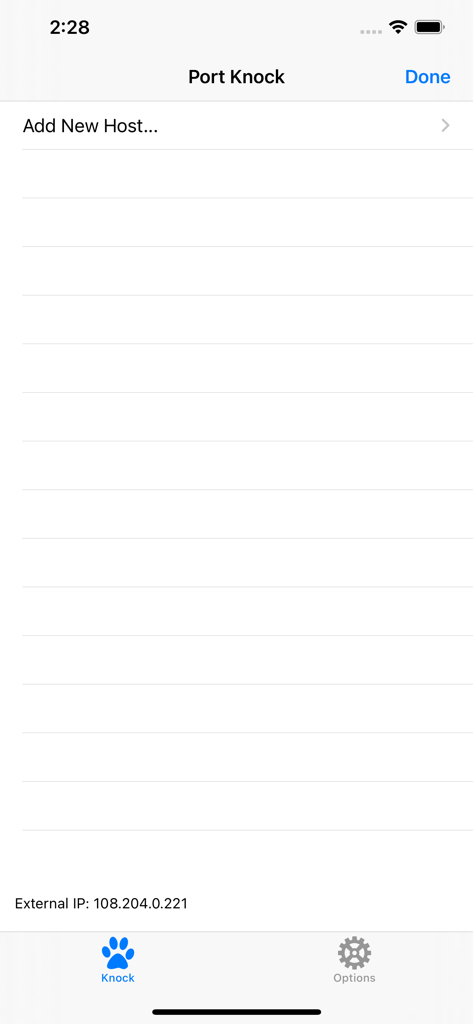
PortKnock - 새 호스트 추가 옵션과 외부 IP 주소를 보여주는 PortKnock 앱의 메인 화면
새 호스트 추가 옵션과 외부 IP 주소를 보여주는 PortKnock 앱의 메인 화면

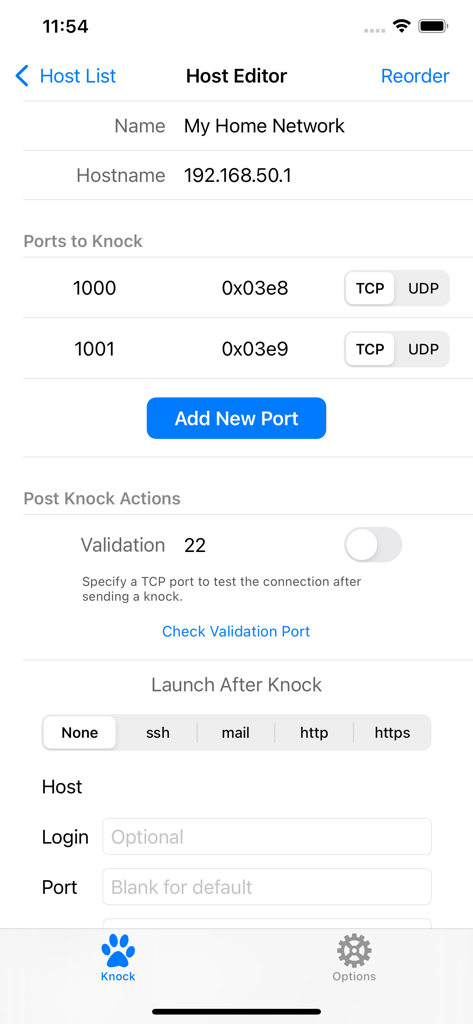
PortKnock - 네트워크 구성 및 포트 너킹 설정을 보여주는 PortKnock 앱의 호스트 편집기 화면
네트워크 구성 및 포트 너킹 설정을 보여주는 PortKnock 앱의 호스트 편집기 화면

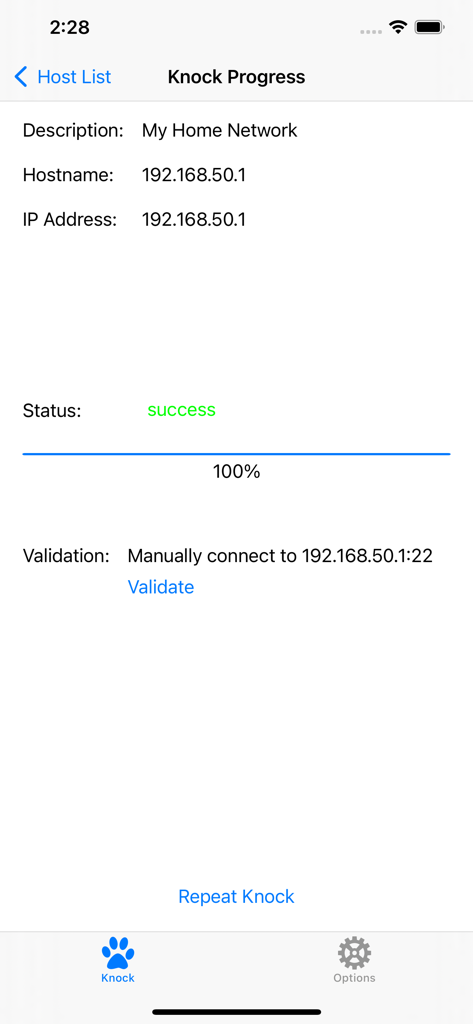
PortKnock - 네트워크 호스트에 대한 포트 너킹 시퀀스 성공 완료를 보여주는 PortKnock 앱 화면
네트워크 호스트에 대한 포트 너킹 시퀀스 성공 완료를 보여주는 PortKnock 앱 화면

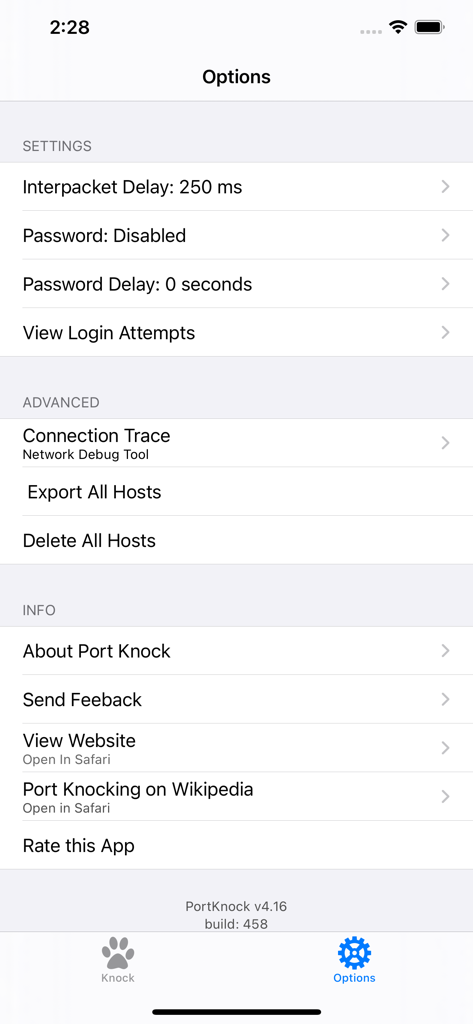
PortKnock - 네트워크 패킷 및 보안 구성을 보여주는 PortKnock 앱의 설정 및 옵션 화면

네트워크 패킷 및 보안 구성을 보여주는 PortKnock 앱의 설정 및 옵션 화면

설명

-- Overview -- This application is a simple port knocker for the iPhone, generally useful only to network administrators. You *must* have a port knock daemon running on your server for this application to be useful. Features in this version of Port Knock: - Password Protection - Knock Validation - Import/Export Hosts - Auto App Launcher(+) - Knock Progress Screen - Shows your External IP Address - Arbitrary number of ports per host - An unlimited number of host definitions - TCP/UDP configuration per port - Selectively sending knocks through WiFi or Carrier/3G networks - Configurable interpacket delay - Has no advertising -- Use Cases -- This app is ideal if you're on a WiFi network but don't have a port knocker on the available computers. If you're sitting behind a NAT, the iPhone/iPod Touch will have the same IP as any of the other computers on your network. This is also great to use with TouchTerm or any other ssh or telnet software for the iPhone.Just give it the hostname and a list of ports, and whether you want it to send TCP or UDP packets. -- Brief Description of Port Knocking for the Layman -- Port Knocking is a technique to secure services behind a firewall until a specific knock sequence is given. This is not to be confused with port scanning (a network management tool for discovering open services on a system). Imagine you left your kids at home alone. You don't want them to open the door for strangers. And when a stranger comes knocking, you don't even want them to come to the door, because you don't want them to know your kids are there. But, when you or other family members come, you might want them to open the door for you. So you teach them to listen for a certain rattat-tat-tat or special knock that only you and your family know. This is the same concept you can apply to your servers. If you run a knock daemon on your server, this app then lets you send the special knock to it. A more technical description of port knocking can be found on Wikipedia: http://en.wikipedia.org/wiki/Port_knocking -- Additional Info -- If you're in need of a knock server, I personally use Judd Vinet's knock daemon for linux. It's quite easy to use: http://www.zeroflux.org/projects/knock You can find of information and a nice list of other knock clients and servers over at http://www.portknocking.org/ -- Notes -- + There are some restrictions regarding the Auto App Launcher. For SSH, you can only create temporary connections. For Mail, you will always be shown a new compose mail window first. Unfortunately, this is due to the way App integration works on iOS. There's not much I can do to address these issues at this time. -- Support -- For better support, please send bug reports and feature requests to danny@sungheroes.com, rather than simply posting it in a review. You can find more info on using PortKnock at the main website: http://www.sungheroes.com/products/portknock-iphone/ -- History -- 2022-02-28 PortKnock 4.18 released. LaunchApp automatically works again. Fixed some import bugs. 2018-01-xx PortKnock 4.12 supports IPv6 2017-09-xx PortKnock 4.0 released for iOS 10.3 2013-02-15 PortKnock 3.2 should work again on iOS5 2011-Jul-10 PortKnock 3.0.833 released. Added password protection, knock validation, import/export hosts, auto app launcher, and knock progress screen. 2010-Dec-14 PortKnock 2.02 released. Added a 'copy hosts' feature. Host/Port reordering should now work correctly. Entry fields should now work properly on iOS 4.2.1. 2010-Sep-25 PortKnock 2.01 is now available in the app store. iPhone 4's should no longer have an issue. If you are experiencing problems, please email me. 2010-Sep-09 The iPhone4 issue should be resolved. A bug fix release has been submitted. Thank you all for your patience!

Download

다운로드: App Store

이 페이지는 앱이나 개발자의 공식 페이지가 아니며, 정보 제공 및 논평을 목적으로 작성된 독립 편집 간행물입니다. 명시적으로 달리 언급되지 않는 한, 해당 앱이나 개발자는 MWM, Apple, Google Play, 앱 퍼블리셔 또는 앱 개발자와 제휴, 보증, 후원, 승인 또는 공식적으로 연결되어 있지 않으며, 이 페이지의 어떤 내용도 해당 앱이 MWM의 서비스를 사용하여 개발되었음을 의미하지 않습니다. 모든 상표, 로고, 스크린샷 및 기타 콘텐츠는 해당 소유자의 자산입니다.








